
May Windows 11 Patch Finally Fixes the System, Not Forces AI
 Arkadiy Andrienko
Microsoft is gearing up to release a cumulative update for Windows 11 in May that’ll focus not on new features, but on fine-tuning system stability and performance. The main spotlight is on the components that have been driving users up the wall lately: the file manager, the taskbar, and the clipboard.
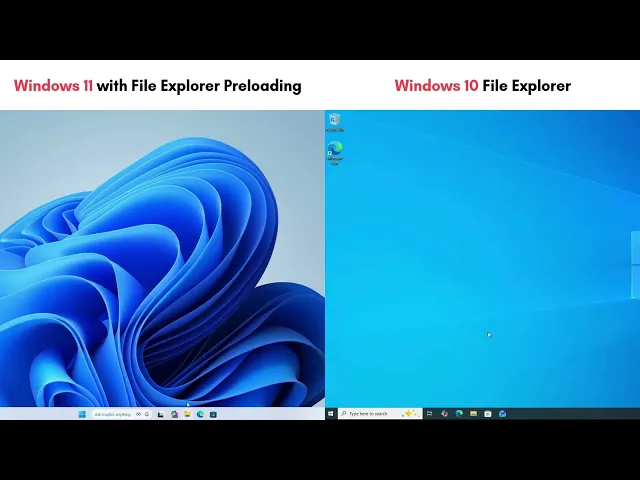
According to insider testing, the devs have tried to iron out a bunch of long-standing UI performance issues. For example, in File Explorer, which has often been slammed in Windows 11 for being slower than Windows 10, folder loading times have gotten a noticeable boost. They’ve also fixed bugs where folders with custom views (like large icons) would reset to the default list view when opened from third-party apps like a browser. The explorer.exe process itself, which handles the desktop shell and taskbar, has gotten a bunch of reliability patches, which should make freezes less frequent when dealing with taskbar thumbnails or switching between virtual desktops.
Another pretty noticeable update concerns the clipboard – so if you’re someone who works with text a lot and uses the clipboard history (Win + V), you’ll see that the panel with your copied items now pops up with less lag, and copy-paste operations should feel snappier too. Other optimizations have touched memory management – the Delivery Optimization service, which handles background downloads of Windows updates and Microsoft Store apps, should now eat up less RAM, reducing system load while running in the background. They’ve also promised better startup performance for apps that launch automatically right after you log in.
Among the less obvious but still important changes is a tweak to the Drop Tray (that pop-up panel for dragging files). It used to get in the way when you tried to move a file to the top of the screen; now it’s less intrusive and hides itself faster.

Expect most of these fixes to land as part of the mandatory May update. Given that builds with these changes are already being tested in the Release Preview ring, chances are pretty high they’ll make it into the final release. This looks like Microsoft’s attempt to respond to a wave of criticism from users who’ve recently been complaining about OS instability and way-too-aggressive pushing of the Copilot AI assistant, stepping back to work on the system’s foundation instead.
Have you noticed any issues with File Explorer performance or random settings resets in Windows 11? Are you planning to install the May patch right away, or will you wait to see what others are saying? Drop your thoughts in the comments.
-
 Windows 11 Is Turning Into an Xbox: Microsoft Adds a Console Mode for All Devices and a New AI Agent
 -
 Copilot’s Disappearance Was a Sleight of Hand: Windows 11’s AI Got Renamed, Not Turned Off
 -
 Google Made a Windows App, and It’s Taking a Direct Shot at Microsoft’s Biggest Sore Spot
 -
 Microsoft has decided to update an element of Windows 11 that has been around since Windows 8
 -
 Windows Central: Microsoft Is Wasting Time Trying to Fix Windows 11 — They Should Just Make a New OS and Start Over