
Death Stranding is Hideo Kojima’s original game, a realistic walking and logistics simulator with action, survival, and stealth elements, viewed from a third-person... Read more
Gray Sam

-
www.nexusmods.comDownload
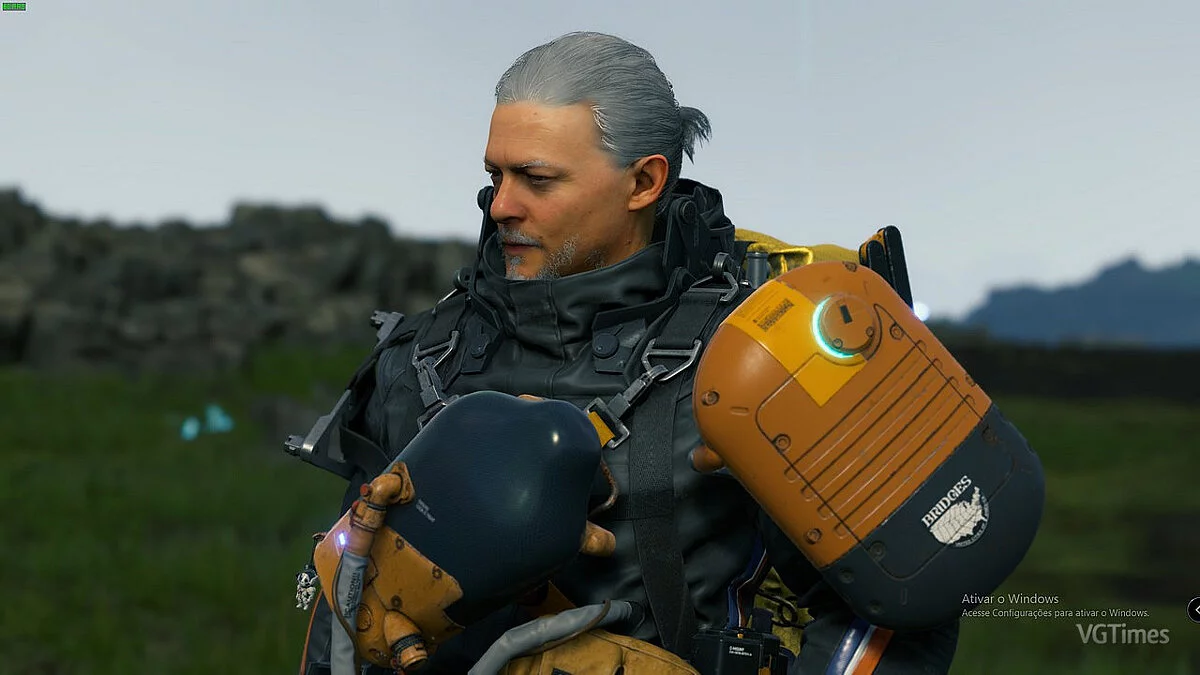
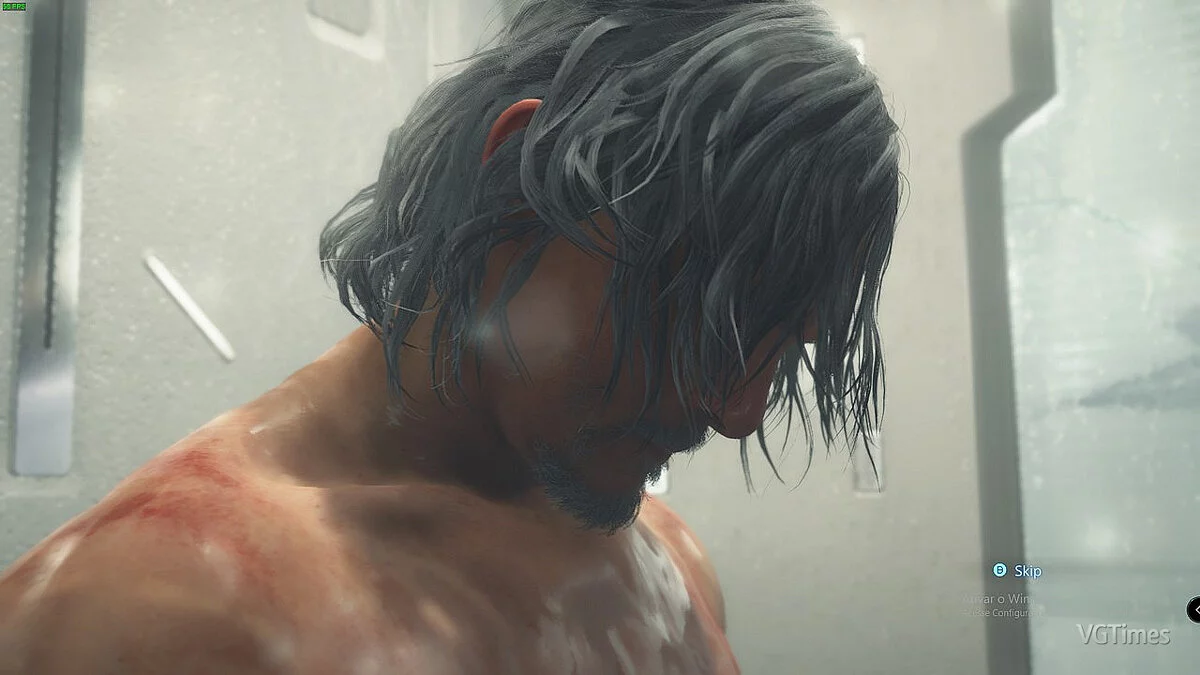
Gray-haired Sam.
Changes Sam's hair and facial hair to a whitish/grayish color.
Installation:
1. First of all, I strongly recommend making a backup of your BIN files in the DATA folder.
(for example, C:/Games/PC/Steam/steamapps/common/Death Stranding/data).
2. Now you will need the Decima Explorer tool from Jayveer, which you can find right here:
3. Create a folder anywhere and name it repack (or whatever you like). The final result should look something like this:
C:/Games/PC/Steam/steamapps/common/Death Stranding/repack.
4. Unzip my whitehairmod.zip and place the ds folder into the repack folder.
5. Then open the command prompt:
— Press Windows+R to open the Run window.
— Type cmd and then press OK to open the regular command prompt.
— Type cmd and then press Ctrl + Shift + Enter to open the command prompt in administrator mode.
Get the current path of DecimaExplorer.exe, in my case it is: C:/Games/PC/Steam/steamapps/common/Death Stranding/tools/Danz/DecimaExplorer.exe
Once you have the exact path, enter it in the CMD window: cd /d C:/Games/PC/Steam/steamapps/common/Death Stranding/tools/Danz/
6. Now repack your BIN file with the modified files, for this enter: DecimaExplorer.exe -repack C:/Games/PC/Steam/steamapps/common/Death Stranding/data/7017f9bb9d52fc1c4433599203cc51b1.bin C:/Games/PC/Steam/steamapps/common/Death Stranding/repack.
7. Your file 7017f9bb9d52fc1c4433599203cc51b1.bin has been edited, and now you can launch the game.
White-haired Sam.
Изменяет волосы и растительность на лице Сэма на беловатый/сероватый цвет.
Установка:
1. Прежде всего, я настоятельно рекомендую вам сделать резервную копию ваших файлов BIN в папке DATA.
(например, C:/Games/PC/Steam/steamapps/common/Death Stranding/data).
2. Теперь вам понадобится инструмент Decima Explorer от Jayveer , который вы можете найти прямо здесь:
3. Создайте папку в любом месте и назовите ее repack (или как хотите). Конечный результат должен быть примерно таким:
C:/Games/PC/Steam/steamapps/common/Death Stranding/repack.
4. Разархивируйте мой whitehairmod.zip и поместите папку ds в папку repack.
5. Затем откройте окно командной строки:
— Нажмите Windows+R , чтобы открыть окно «Выполнить».
— Введите cmd, а затем нажмите ОК, чтобы открыть обычную командную строку.
— Введите cmd, а затем нажмите Ctrl + Shift + Enter, чтобы открыть командную строку в режиме администратора.
Получите текущий путь DecimaExplorer.exe, в моем случае это: C:/Games/PC/Steam/steamapps/common/Death Stranding/tools/Danz/DecimaExplorer.exe
Как только вы получите точный путь, введите его в окно CMD: cd /d C:/Games/PC/Steam/steamapps/common/Death Stranding/tools/Danz/
6. Теперь переупакуйте ваш BIN-файл с измененными файлами, для этого введите: DecimaExplorer.exe -repack C:/Games/PC/Steam/steamapps/common/Death Stranding/data/7017f9bb9d52fc1c4433599203cc51b1.bin C:/Games/PC/Steam/steamapps/common/Death Stranding/repack.
7. Ваш файл 7017f9bb9d52fc1c4433599203cc51b1.bin был отредактирован, и теперь вы можете запустить игру.
Useful links:
![Death Stranding — Trainer (+26) [v1.0 - 1.01]](https://files.vgtimes.com/download/posts/2020-07/thumbs/1595237788_nt0i0ela642o8dqslng3sw.webp)
![Death Stranding — Trainer (+21) from 07.21.2020 [WeMod]](https://files.vgtimes.com/download/posts/2020-07/thumbs/1595415023_2020-07-22_134855.webp)
![Death Stranding — Trainer (+21) from 07.20.2020 [WeMod]](https://files.vgtimes.com/download/posts/2020-07/thumbs/1595237225_2020-07-20_122451.webp)
![Death Stranding — Cheat Engine Table [1.01]](https://files.vgtimes.com/download/posts/2020-07/thumbs/1595489803_5e730fdfa084fccdba6752eeab526ae2.webp)
![Death Stranding — Trainer (+15) [v1.0] — enhanced version](https://files.vgtimes.com/download/posts/2020-07/thumbs/1594988032_eh69lxkyt-olsaxdxfuluw.webp)
![Death Stranding — Cheat Engine Table [1.01 / V2]](https://files.vgtimes.com/download/posts/2020-07/thumbs/1595490521_93c2501d2534bdf5205c154f4883baff.webp)
![Death Stranding — Trainer (+20) [v1.0]](https://files.vgtimes.com/download/posts/2020-07/thumbs/1595676517_jm_nnopobwuicj-d-nomzg.webp)
![Death Stranding — Cheat Engine Table [UPD: 10.23.2020/1.02]](https://files.vgtimes.com/download/posts/2020-10/thumbs/1603626191_1000x600-cvr-0811-3.webp)
![Death Stranding — Trainer (+21) from 12.26.2020 [WeMod]](https://files.vgtimes.com/download/posts/2020-12/thumbs/1609046201_2020-12-27_081450.webp)