Adventure narrative action from the third person Marvel's Spider-Man 2 continues the thrilling adventures of Marvel's Spider-Man, DLC Marvel's Spider-Man: The... Read more
Disable PSN Requirement

-
Download (167.33 kB)February 1, 2025, 04:57 AMotkljuchenie-trebovanija-psn_1738375025_88277.zip
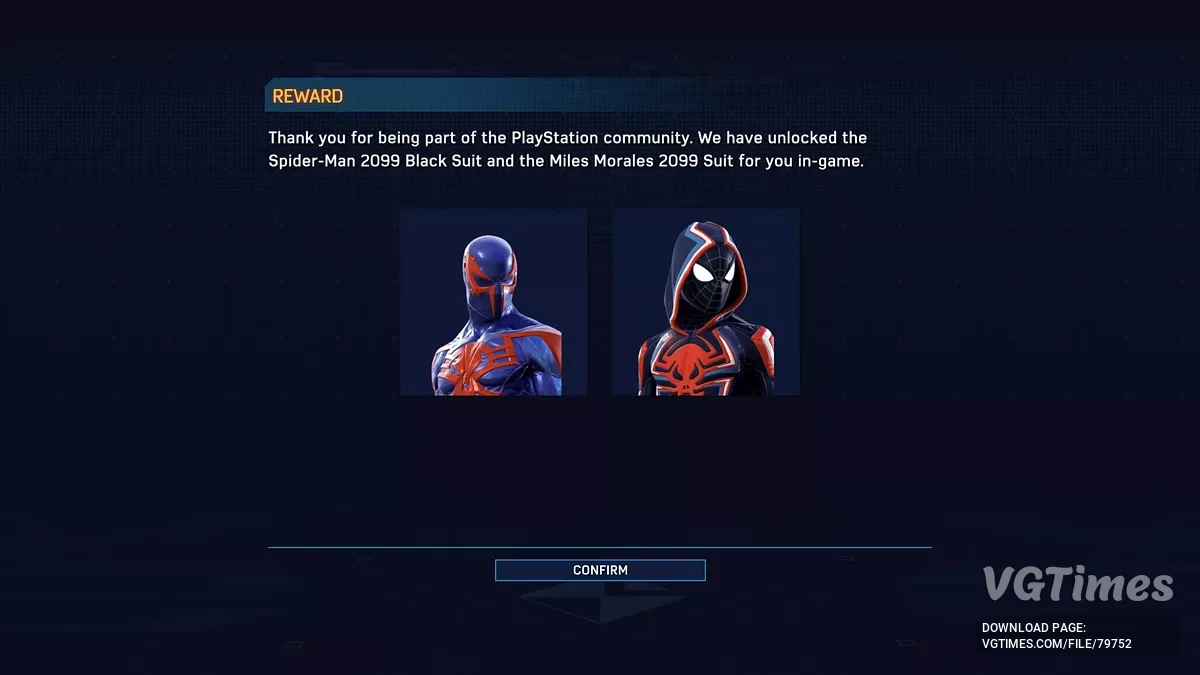
This mod allows you to bypass the requirement to log into PlayStation Network to access exclusive costumes. In other words, this mod provides costumes without needing to log in to a PSN account.
How to launch:
Windows:
- Download the file PsPcSdkEmulator.zip;
- Place the contents of the ZIP file (version.dll) in the same folder as the game's executable file;
- Launch the game. The PlayStation login prompt will no longer appear.
Linux:
- Download the file PsPcSdkEmulator.zip;
- Place the contents of the ZIP file (version.dll) in the same folder as the game's executable file;
- Right-click on the game in Steam and select "Properties";
- In the "Launch Options" field, enter: WINEDLLOVERRIDES="version=n,b" %command%;
- Launch the game.
How to find the game's executable file
- Right-click on the game in Steam and select "Properties";
- Click on the "Local Files" tab;
- Click "Browse Local Files...";
- Find the file with the game icon and .exe extension. This is the executable file.
Custom DLL loading (for advanced users)
The PsPcSdk emulator supports loading through an external DLL loader. Just rename version.dll to something else and point the DLL loader to it. This can be useful when loading multiple mods that use the same DLL name (in this case version.dll).
Этот мод позволяет обойти требование входа в Playstation Network, чтобы получить эксклюзивные костюмы. Другими словами, этот мод дает костюмы без необходимости входить в систему под учетной записью PSN.
Как запустить:
Windows:
- Скачать файл PsPcSdkEmulator.zip;
- Поместить содержимое ZIP-файла (version.dll) в ту же папку, что и исполняемый файл игры;
- Запустить игру. Больше не появится запрос на вход в PlayStation.
Linux:
- Скачать файл PsPcSdkEmulator.zip;
- Поместить содержимое ZIP-файла (version.dll) в ту же папку, что и исполняемый файл игры;
- Щелкнуть правой кнопкой мыши на игре в Steam и выбрать "Свойства";
- В поле "Параметры запуска" ввести: WINEDLLOVERRIDES="version=n,b" %command%;
- Запустить игру.
Как найти исполняемый файл игры
- Щелкнуть правой кнопкой мыши на игре в Steam и выбрать "Свойства";
- Нажать на вкладку "Локальные файлы";
- Нажать "Просмотреть локальные файлы...";
- Найти файл с иконкой игры и расширением exe. Это и есть исполняемый файл.
Пользовательская загрузка DLL (для опытных пользователей)
Эмулятор PsPcSdk поддерживает загрузку через внешний загрузчик DLL. Нужно просто переименовать version.dll во что-то другое и указать загрузчику DLL на него. Это может быть полезно при загрузке нескольких модов, использующих одно и то же имя DLL (в данном случае version.dll).
Useful links:




![Marvel's Spider-Man 2 — The game is completed 100% [Steam]](https://files.vgtimes.com/download/posts/2025-02/thumbs/igra-projjdena-na-100-steam_1740298403_691428.webp)