
Dead by Daylight is a multiplayer action-horror game with a third-person view, which tells the story of four teenagers and a maniac who wants to shred everyone and... Read more
Players:
Steam:
Metacritic:
Best Mods and files for Dead by Daylight
TOP-20 best files in category Dead by Daylight of all time, sorted by the number of unique downloads.
SaveGame (3 for All Killers + Survivors + LeatherFace A.K.A Cannibal)


Download
3 prestige for all killers + LeatherFace A.K.A Cannibal and survivors (This is in the title too) Uber prestige for 5 survivors (Jake, Dwight, Nea (Nia I don't know), Claudette, Meg) and 4 killers (Nurse, Trapper, Hillbilly, Ghost) So what next? All ...
SaveGame (Everything maxed out)
Download
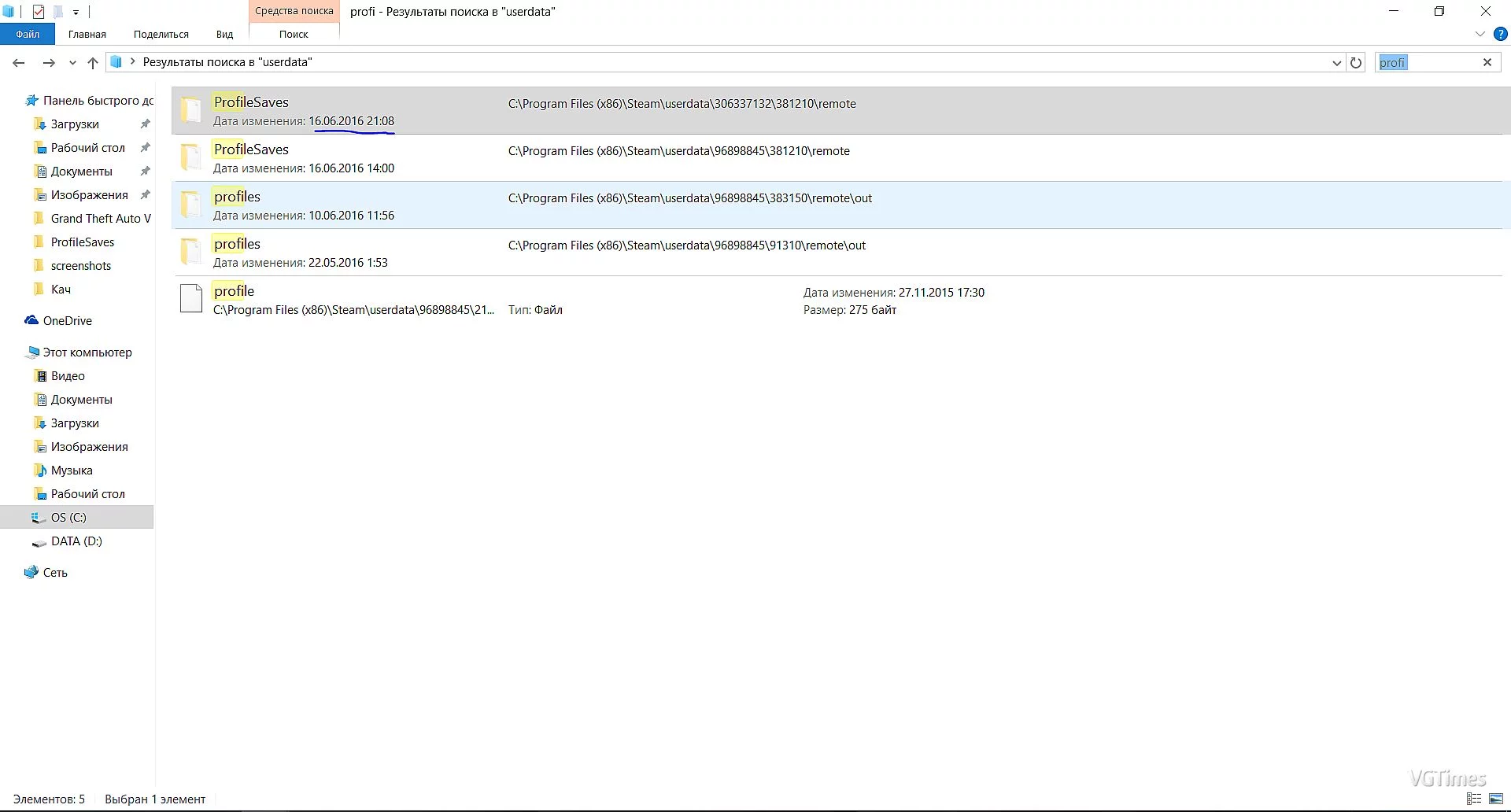
Everything is maxed out. 500k Bloodpoints. Here are the installation instructions: If the game is on Steam - go to the Steam folder, then the userdata folder. In this folder, type in the Windows search bar "ProfileSaves" (top right). After that, go ...
SaveGame (No banned, No Vac) [1.2.1]
![SaveGame (No banned, No Vac) [1.2.1]](https://files.vgtimes.com/download/posts/2017-07/1499257440_1499257420_773.webp)
Download
For the Trapper, Ghostface, Hillbilly, Nurse, Michael, Mia, Jake, Megan, Claudette, Dwight, and Laurie, there are 3 prestige levels and level 50. All teaching perks are unlocked.
SaveGame (99000000)
Download
Disable Steam Cloud synchronization in Steam Move the downloaded file to the path Steam\userdata\XXX\XXX\remote\ProfileSaves It's better to search for the "ProfileSaves" folder through the search in the "userdata" folder. If there are multiple fol ...
SaveGame (50 Level 3 Prestige 1 Rank for All and Lots of Bloodpoints)

Download
Open the file with WinRar. If it is in the form of pictures, open it and choose the file you are satisfied with. Then go to the Steam-UserData folder and write ProfileSaves. Copy the name of the file that is there and rename the chosen file. Then ins ...