![Spintires: MudRunner — Cheat Mod (Activating New Features in the Game) [10.12.20] / Cheat Mods / Cheats](https://files.vgtimes.com/si/gameprev_58598_768_1697452121.webp "Spintires: MudRunner — Cheat Mod (Activating New Features in the Game) [10.12.20] / Cheat Mods / Cheats")
Spintires: MudRunner is an improved version of the driving simulator with a third-person view. Just like the original, you'll get behind the wheel of incredible... Read more
Cheat Mod (Activating New Features in the Game) [10.12.20]
![Spintires: MudRunner — Cheat Mod (Activating New Features in the Game) [10.12.20]](https://files.vgtimes.com/download/posts/2021-03/thumbs/1615719302_0ip_vacwz07v1z7ks5xwrg.webp)

-
Download (65.86 MB)June 17, 2024, 01:27 PM1615719218_spintiresmodinstall.zipArchive password: vgtimes
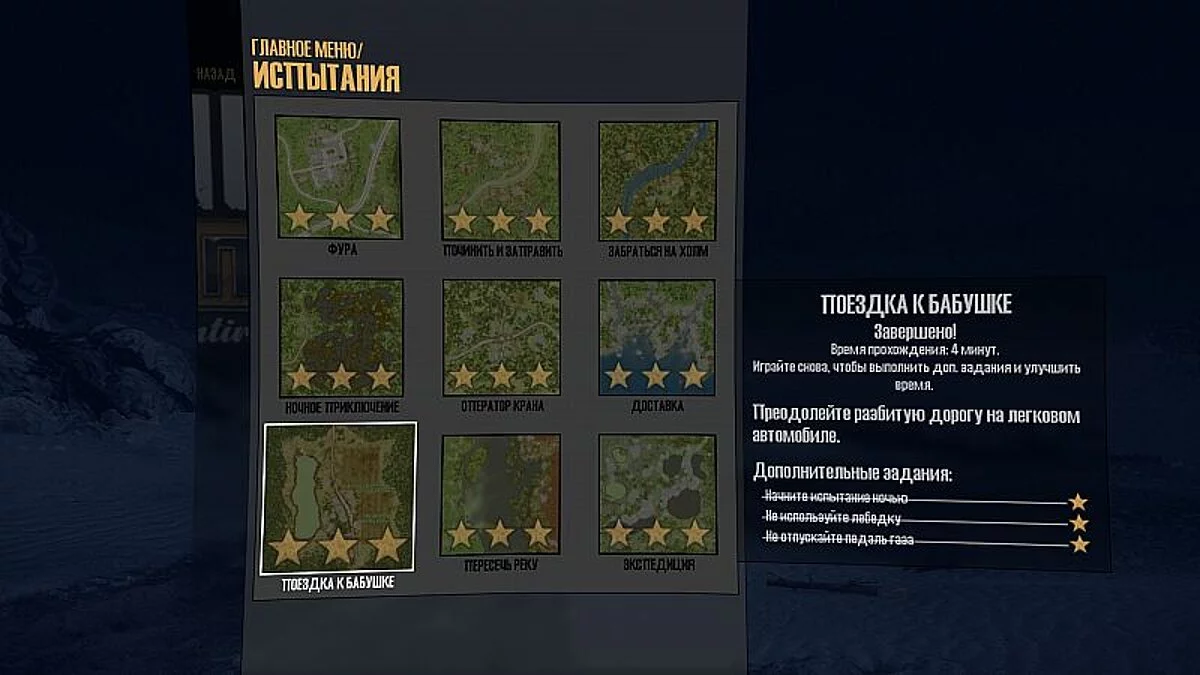
A special program developed by a group of Spintires: MudRunner fans allows you to activate new game features. For example, you can use various tracked vehicles.
Why SpinTiresMod is needed:
- Mod manager, ability to disable/enable subscribed mods from the workshop.
- New mod support system. Ability to connect additional language files.
- Mod localization system in the workshop.
- Support for tracked vehicles.
- Increased size of the physical world — allows playing on maps larger than 1x1km.
- Scrolling has been implemented when selecting a map.
- File verification can be disabled.
- Synchronization of vehicle lights in multiplayer.
Editor:
- Supported version: Spintires Mudrunner — Editor Beta version 23.01.19.
- Map size restrictions have been removed when creating a new one. However, there are currently bugs with larger sizes, including possible memory shortage errors.
- Improved height calculations (steeper slopes can be made).
- Some interface improvements (error messages are not displayed (only written in the log) and others)
- The editor mod is launched as usual through Steam, or through the modified SpinTiresEditorMod.exe, which has been patched to allow the application to use more than 2GB of memory.
- Full support for Spintires 03.03.16 has been discontinued (this only means that a full check is not done after changes), but everything may still work.
Activating the free camera in the game:
- Press the key combination Alt+C or F9 (works for toggling on and off);
- Switch cameras: 2 — back, 3 — down, 4 — left, 6 — right, 8 — forward, 9 — up;
- Hold 0 (while moving the mouse) — increase camera zoom speed;
- Hold 1 (while moving the mouse) — decrease camera zoom speed;
- Hold the right mouse button (while the cursor must be active on the screen in the game) and you can rotate the camera in different directions.
- Keys 0, 1, 2, 3, 4, 6, 8, 9 — press on the numeric part of the keyboard (on the Num Lock layout).
Installing SpintiresMod:
- The mod can be installed in any folder except the game/editor folder itself.
- To connect the mod, specify in the settings the folder of the installed game/editor (for example, "C:Program Files (x86)SteamSteamAppscommonSpintires: MudRunner").
- If problems arise when copying mod files — run the launcher with administrator rights or manually copy files from the Install folder, at least d3d9.dll.
- The game is launched as usual from Steam, the "launch" button in the launcher is not mandatory.
- Mod settings are located in the game’s settings menu. In multiplayer, additional features (winch, developer tools, spawn locators, etc.) are enabled only if the game server allows them.
Installation on Windows 10:
- Issues with installing SpinTiresMod.exe on Windows 10 are mainly related to the absence of DirectX 9 libraries.
- Here’s the solution: To install the old API set, you need to enable the "DirectPlay" component – it is located in the control panel. We need to open it. Go to search and type: "Control Panel". In the panel, find and run the program removal utility:
- In the opened window, click on "Turn Windows features on or off" (located in the left menu):
- In the opened window, find the line "Legacy Components", check the box next to it, expand the branch and also check the box next to DirectPlay. Click "OK" and install DirectX 9.
Специальная программа, разработанная группой фанатов Spintires: MudRunner, позволяет активировать новые функции игры. Например, можно использовать различную гусеничную технику.
Зачем нужен SpinTiresMod:
- Менеджер модов, возможность отключения/включения подписанных модов мастерской.
- Новая система поддержки модов. Возможность подключать дополнительные языковые файлы.
- Система локализации модов в мастерской.
- Поддержка гусеничной техники.
- Увеличен размер физического мира — позволяет играть на картах размером больше 1x1км.
- Сделана прокрутка при выборе карты.
- Можно отключить проверку файлов.
- Синхронизация света машин в мультиплеере.
Редактор:
- Поддерживаемая версия: Spintires Mudrunner — Editor Beta версия 23.01.19.
- Убраны ограничения на размер карты при создании новой. Но на данный момент с большими размерами есть баги, в том числе возможны ошибки с нехваткой памяти.
- Улучшен расчет высот (можно делать более крутые склоны).
- Некоторые улучшения интерфейса (не выводится сообщение об ошибках (пишет только в логе) и др.)
- Запуск мода редактора как обычно через стим, либо через модифицированный SpinTiresEditorMod.exe, в нем пропатчена возможность выделения приложению больше 2ГБ памяти.
- Полноценная поддержка Spintires 03.03.16 прекращена (это значит только то, что не делается полноценная проверка после изменений), но по-прежнему всё может работать.
Активация свободной камеры в игре:
- Нажать сочетание клавиш Alt+C или F9 (работает для включения и отключения);
- Переключать камеры: 2 — назад, 3 — вниз, 4 — влево, 6 — вправо, 8 — вперёд, 9 — вверх;
- Зажать 0 (при этом двигая мышкой) — увеличить скорость отдаления камеры;
- Зажать 1 (при этом двигая мышкой) — уменьшить скорость отдаления камеры;
- Зажать ПКМ (при этом должен быть активен курсор на экране в игре) и можно вращать камеру в разных направлениях.
- Клавиши 0, 1, 2, 3, 4, 6, 8, 9 — нажимать на цифровой части клавиатуры (на раскладке Num Lock).
Установка SpintiresMod:
- Установить мод можно в любую папку, кроме папки самой игры/редактора.
- Для подключения мода указать в настройках папки установленной игры/редактора (например "C:Program Files (x86)SteamSteamAppscommonSpintires: MudRunner").
- Если возникнут проблемы при копировании файлов мода — запустить лаунчер с правами администратора или вручную скопировать файлы из папки Install, как минимум d3d9.dll.
- Игра запускается как обычно из стима, кнопку "запуск" в лаунчере использовать не обязательно.
- Настройки мода находятся в меню настроек самой игры. В мультиплеере доп. функции (лебедка, инструменты разработчика, локаторы спауна и др.) включаются только если сервер игры разрешил их использовать.
Установка на Windows 10:
- Возникающие проблемы установки SpinTiresMod.exe на Windows 10 в основном связаны с отсутствием библиотек DirectX 9.
- Вот решение: Для установки старого набора API необходимо включить компонент «DirectPlay» – он находится в панели управления. Нам нужно ее открыть. Заходим в поиск и пишем: «Панель управления». В панели находим и запускаем утилиту удаления программ:
- В открывшемся окне нажимаем на «Включение и отключение компонентов Windows» (находится в левом меню):
- В открывшемся окне ищем строку «Компоненты прежних версий», устанавливаем напротив нее «птичку», раскрываем ветку и также ставим «птичку» напротив DirectPlay. Нажимаем «ОК» и установить DirectX 9.
Useful links:
![Spintires: MudRunner — Cheat Engine Table [14.08.19]](https://files.vgtimes.com/download/posts/2020-05/thumbs/1588975703_hxlclrgmc8dhfqm6pea8dq.webp)
![Spintires: MudRunner — Trainer (+2) [UPD: 09.11.2017] [MrAntiFun]](https://files.vgtimes.com/download/posts/2017-12/thumbs/1512075694_jpg.webp)
![Spintires: MudRunner — 100% open [Update Season 4, Steam]](https://files.vgtimes.com/download/posts/2025-12/thumbs/100-vse-otkryto-update-season-4-steam_1765126566_233812.webp)
![Spintires: MudRunner — Trainer (+2) [UPD: 05.18.21] [MrAntiFun]](https://files.vgtimes.com/download/posts/2018-09/thumbs/1538339862_1538339787_844.webp)
![Spintires: MudRunner — Cheat Engine Table [03.12.20]](https://files.vgtimes.com/download/posts/2020-12/thumbs/1607160962_0294660.webp)