The game from CD Projekt RED, the creators of The Witcher, is based on the tabletop game Cyberpunk 2020 by Mike Pondsmith. Players are sent to the year 2077, where... Read more
Advanced Controls

-
www.nexusmods.comDownload
Enhanced Controls.
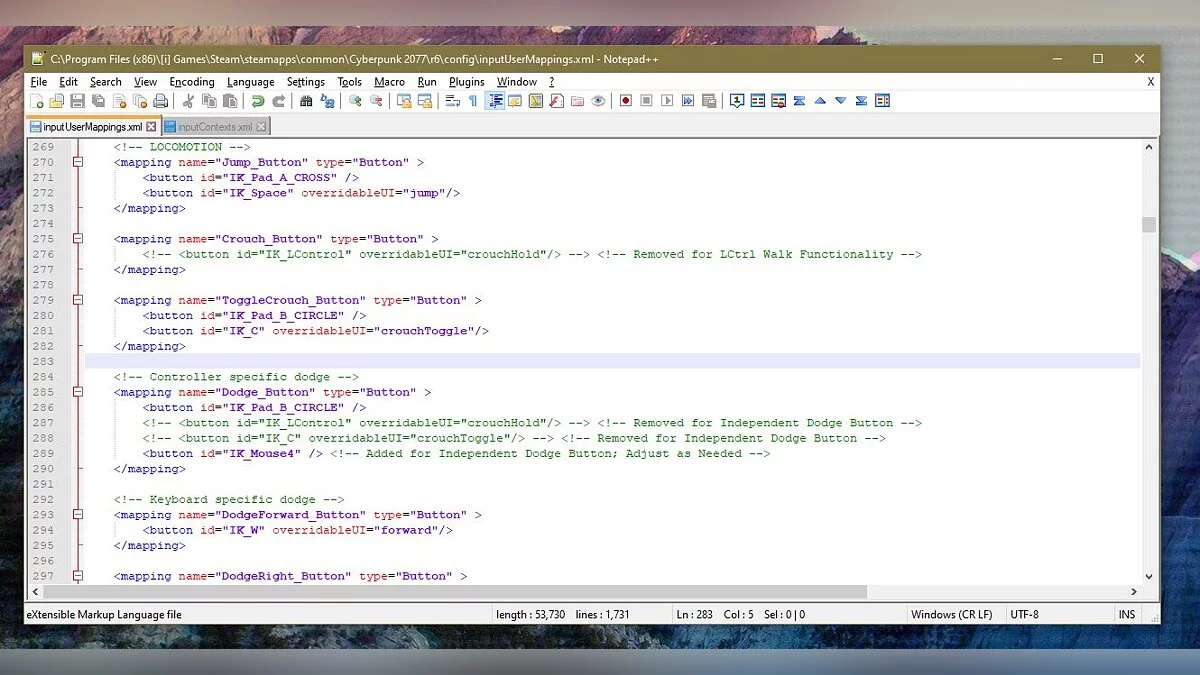
This mod improves control and makes it more convenient. Disables double key presses for movement (W, A, S, D) for dodging, adds an independent dodge button. Allows using the scroll wheel up/down to select dialogue. Includes space for confirming dialogue choices. Tested on the Steam version of Cyberpunk 2077 (v1.04).
Controls:
Left Ctrl + w, a, s, d = walking
Left Ctrl — slow movement
Single press of Left Ctrl — crouch
How to configure:
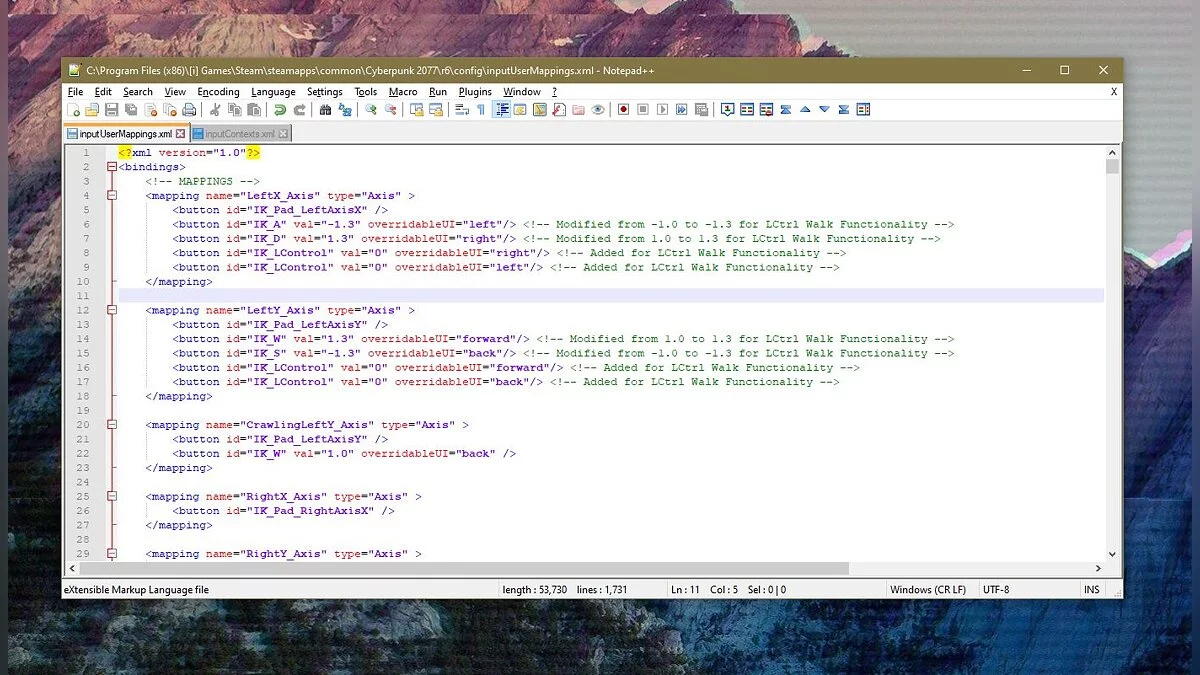
All settings are made in the inputUserMappings.xml file. Don't forget to add 'IK_' before the desired key. (Example: G key = 'IK_G')
If you don't like / don't have a Mouse4 button, you can easily change this by:
Finding the added button 'IK_Mouse4' in the section '
Change this value to any key you like.
If you don't like that Left Ctrl is the dodge button, you can change this by:
Finding the added IK_LControl button under the section '
Change these values to any key you like. Be careful not to choose a key that is already in use.
If you don't like that Left Ctrl is the slow movement button, you can change this by:
Finding the added IK_LControl button under the mapping '
Change this value to any key you like.
If you miss the ability to jump when a dialogue is displayed on the screen:
Find and remove the line '
Installation:
Drag the two files (inputContexts.xml and inputUserMappings.xml) into your directory / Cyberpunk 2077 / r6 / config /.
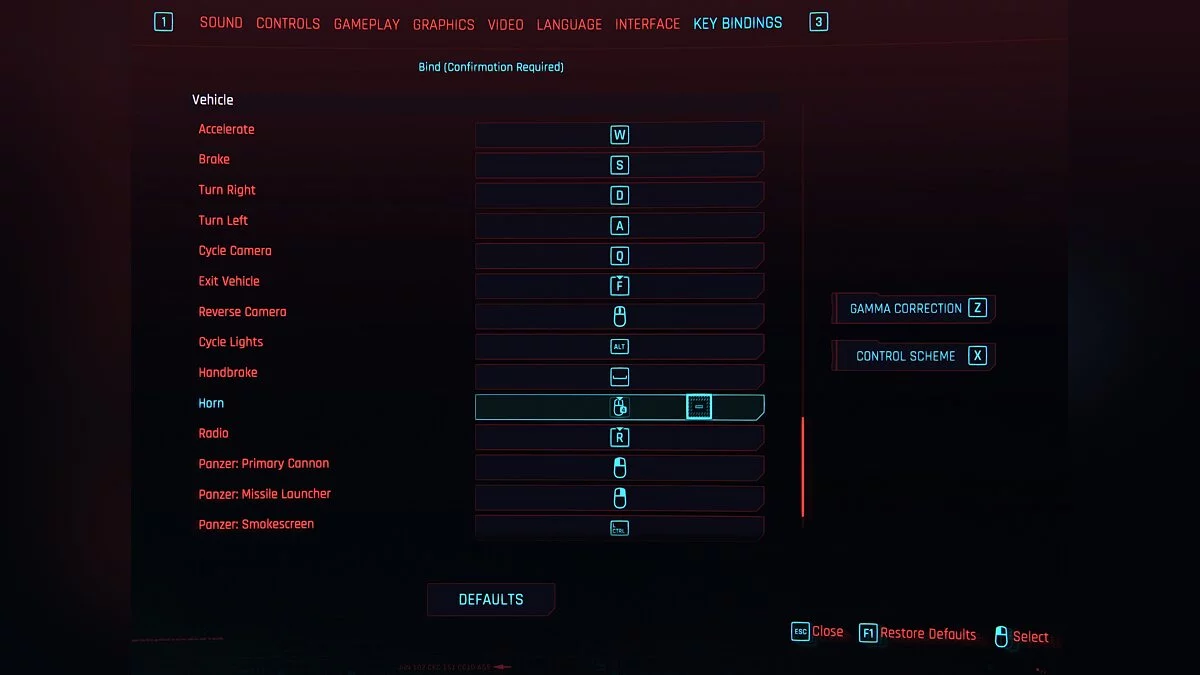
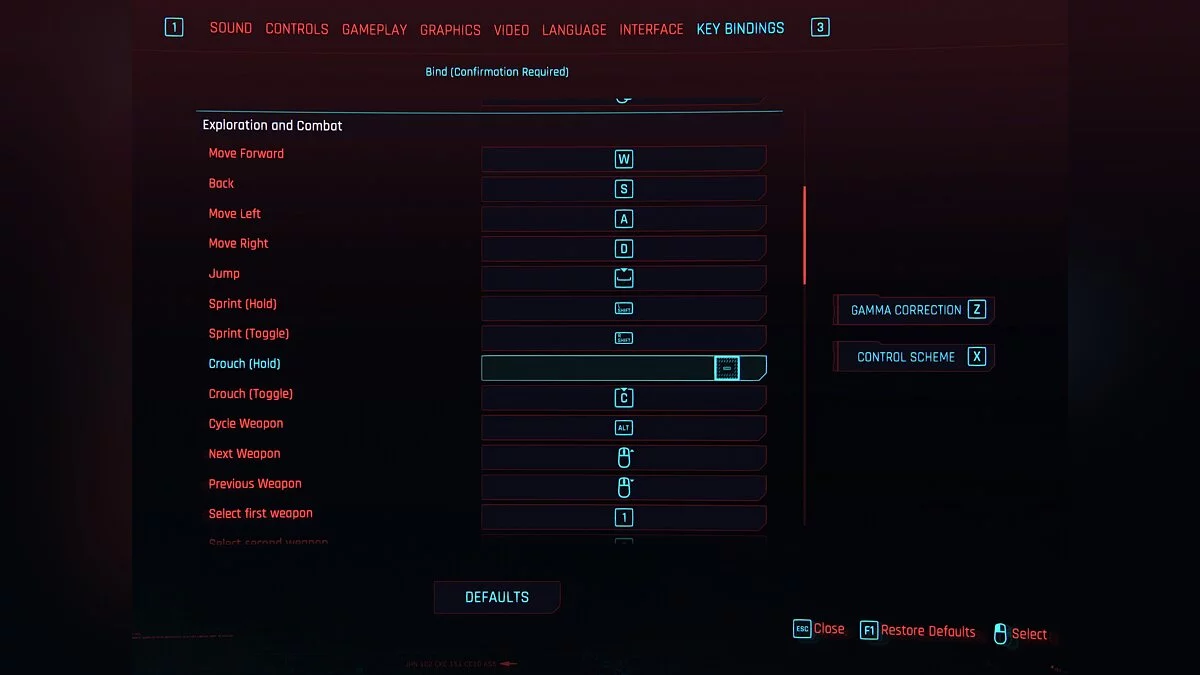
Launch the game. Go to SETTINGS -> KEY BINDINGS.
Make sure 'Crouch (Hold)' is bound to something other than Left Ctrl (default). In my case, it is completely unbound.
Make sure 'Horn' is rebound to something other than Left Ctrl (default).
Enhanced Controls.
Этот мод улучшает управление и делает его более удобным. Отключает двойное нажатие клавиш движения (W, A, S, D) для уклонения, добавляет независимую кнопку уклонения. Позволяет использовать колесо прокрутки вверх / вниз для выбора диалога. Включает пробел для подтверждения выбора диалога. Протестировано на Steam-версии Cyberpunk 2077 (v1.04).
Управление:
Left Ctrl + w, a, s, d = ходьба
Left Ctrl — медленное движение
Left Ctrl одно нажатие — присесть
Как настроить:
Все настройки производятся в файле inputUserMappings.xml. Не забудьте добавить «IK_» перед желаемой клавишей.(Пример: G key = ' IK_G ')
Если вам не нравится / у вас нет кнопки Mouse4, вы можете легко изменить это с помощью:
Нахождение добавленной кнопки «IK_Mouse4» в разделе «».
Измените это значение на любой ключ, который вам нравится.
Если вам не нравится, что левый Ctrl является кнопкой перехода, вы можете изменить это с помощью:
Нахождение 4 добавленной IK_LControl кнопки под секция.
Измените эти значения на любой ключ, который вам нравится. Будьте осторожны, чтобы не выбрать ключ, который уже используется.
Если вам не нравится, что левый Ctrl является кнопкой медленного движения, вы можете изменить это с помощью:
Нахождение добавленной кнопки IK_LControl под сопоставлением .
Измените это значение на любой ключ, который вам нравится.
Если вы упускаете возможность прыгать, когда на экране отображается диалог:
Найдите и удалите строку .
Установка:
Перетащите два файла (inputContexts.xml и inputUserMappings.xml) в свой каталог / Cyberpunk 2077 / r6 / config /.
Запустить игру. Перейдите в НАСТРОЙКИ -> КЛЮЧЕВЫЕ ПРИВЯЗКИ .
Убедитесь, что «Приседать (Удерживать)» привязано к чему-то, кроме Left Ctrl (по умолчанию). В моем случае он полностью откреплен.
Убедитесь, что «Horn» повторно привязан к чему-то, кроме Left Ctrl (по умолчанию).
Useful links:
![Cyberpunk 2077 — Save (Secret Ending) [1.03]](https://files.vgtimes.com/download/posts/2020-12/thumbs/1608718003_ckfgi5-h6hgn1vwido1n9q.webp)
![Cyberpunk 2077 — Cheat Engine Table [1.62]](https://files.vgtimes.com/download/posts/2023-05/thumbs/tablica-dlja-cheat-engine-1-62_1683221918_316008.webp)
![Cyberpunk 2077 — Cheat Engine Table [UPD: 19.01.2024]](https://files.vgtimes.com/download/posts/2024-01/thumbs/tablica-dlja-cheat-engine-upd-19-01-2024_1705746243_63828.webp)