
Tom Clancy's The Division is a multiplayer online action game with a third-person view in a post-apocalyptic world. The game takes place in modern New York, during... Read more
Graphics Enhancement
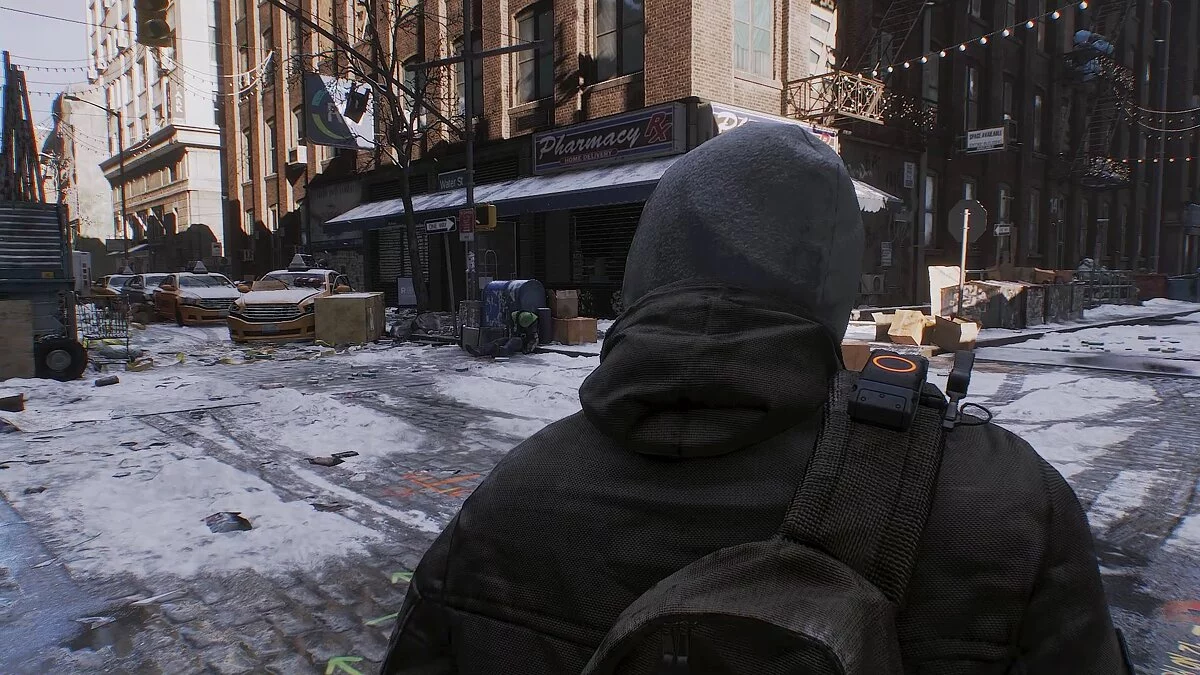


-
www.nexusmods.comDownload
UHG Reshade.
This mod alters the graphics quality using Reshade 4.6.1. Included are 5 presets that will change the game's visuals in different ways (clean, realistic, warm, original, cold).

Installation:
1. Remove all your previous modification files (if you have shaders (folder), dxgi.dll, dxgi.txt, ReShade.ini, and any other preset files). Download and install the latest version of Reshade with all effects from https://reshade.me/
2. Download my modified files and extract all files or only the presets you want from the archive to the main directory of Tom Clancy's The Division, where TheDivision.exe is located.
3. Launch the game, open the Reshade menu by pressing "HOME", then click on the long bar at the top of the "Reshade" menu and find the name of the preset you chose to install, then click on it to activate.
4. Hope you enjoy it. Have fun!
UHG Reshade.
Этот мод изменяет качество графики, используя Reshade 4.6.1. В комплекте вы найдете 5 предустановок, которые по разному изменят картинку в игре (чистый, реалистичный, теплый, оригинальный, холодный).
Установка:
1. Удалите все ваши предыдущие файлы изменения (если у вас есть шейдеры (папка), dxgi.dll, dxgi.txt, ReShade.ini и все другие предустановленные файлы). Загрузите и установите последнюю версию Reshade со всеми эффектами с — https://reshade.me/
2. Загрузите мои измененные файлы и извлеките все файлы или только те предустановки, которые вы хотите, из архива, в главный каталог Tom Clancy's The Division, где находится файл TheDivision.exe.
3. Запустите игру, откройте меню Reshade, нажав «HOME», затем щелкните мышью на длинной панели в верхней части меню «Reshade» и там найдите название предустановки, которую вы выбрали для установки, затем нажмите на нее, чтобы активировать.
4. Надеюсь, вам понравится. Наслаждайтесь!
Useful links: