
An adventure soulslike action game in a dark fantasy world, created by the developers of the Dark Souls series with the involvement of the author of *A Song of Ice... Read more
Increased Contrast and Color
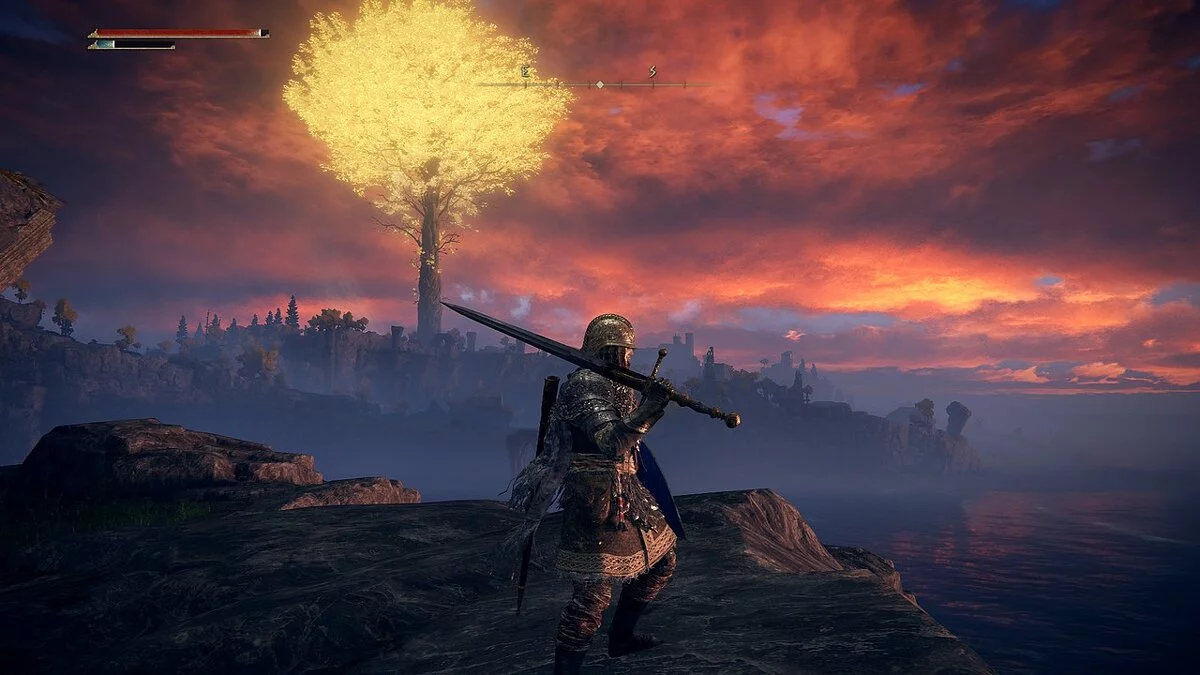
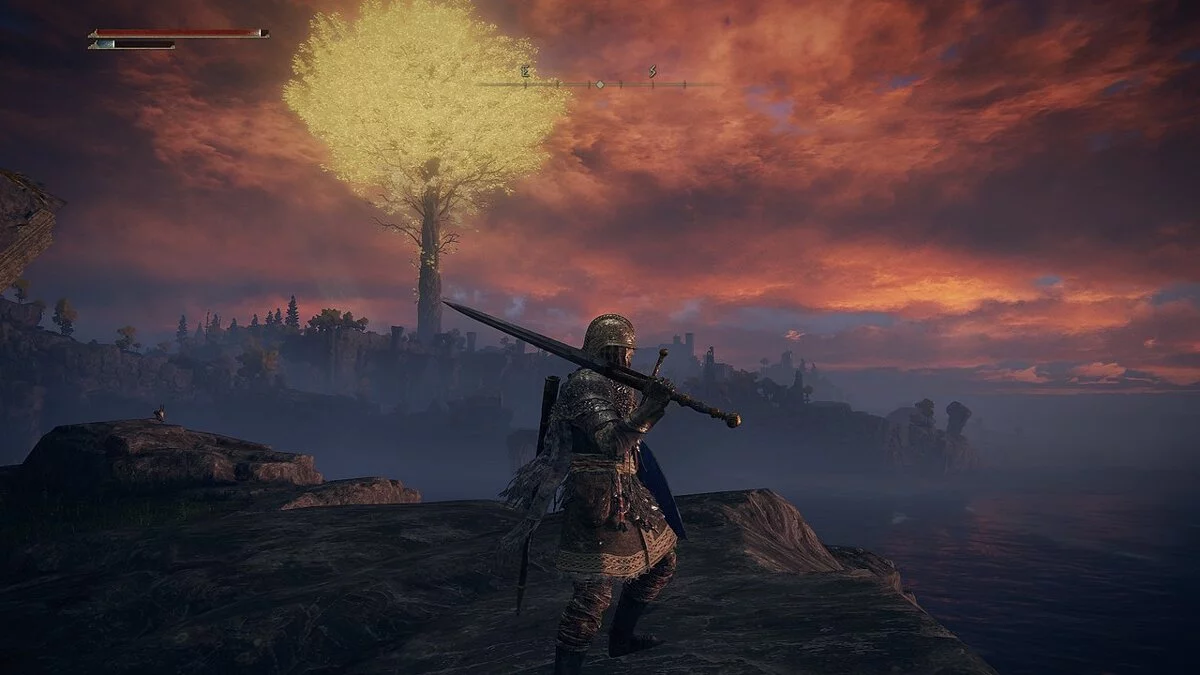
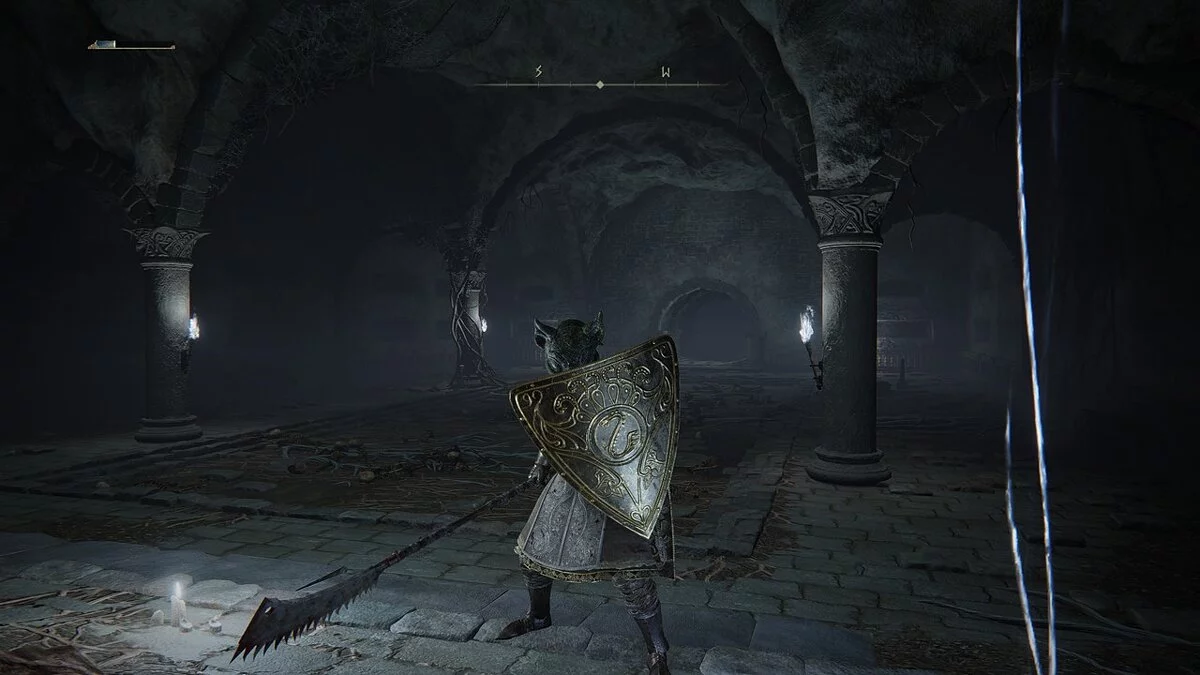
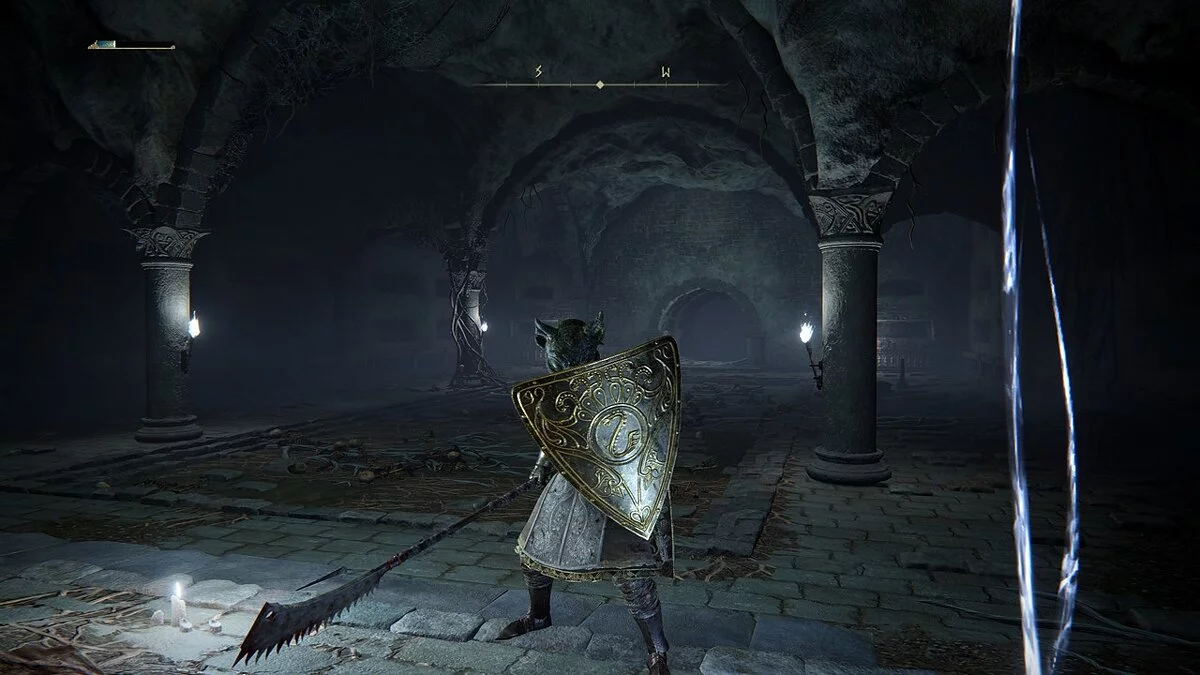

-
www.nexusmods.comDownload
Contrast and Color.
A simple Reshade preset that adds more contrast, brightness, and a bit more color to Elden Ring. It maintains the original feel without sacrificing FPS. Some colors have been adjusted to prevent them from appearing too yellow and strange when brightness is increased, and I've given them more contrast and brightness.
Installation:
1. Download the Reshade installer and run the installation from anywhere on your computer.
2. When prompted, point to EldenRing.exe, select DirectX11/12, and download all files/effects (you don't need all effects for my preset, but if you decide to download other presets, you'll be ready for them).
3. When you're done, just exit the installer. You don't need to select a preset at the end. You'll do that in the game.
4. Now move my Reshade preset (ContrastAndColor.ini) to the EldenRing/Game folder (wherever you have it installed).
5. Now launch the game. Load your save (continue, I think).
6. When you're in the game, press "HOME" on your keyboard. Tell the Reshade tutorial to take a hike if it appears, then on the first tab near the top, click the panel labeled Reshade (next to which there is a +) to load my preset.
7. Select "Contrast and Color," and you're done! Now you have more contrast, more brightness, and a slightly more colorful world.
Contrast and Color.
Простая предустановка Reshade, придающая Elden Ring больше контраста, яркости и чуть больше цвета. Сохраняет оригинальное ощущение и без потери FPS. Исправлены некоторые цвета, чтобы они не выглядели слишком желтыми и странными при увеличении яркости, и я придал им больше контраста и яркости.
Установка:
1. Загрузите установщик Reshade и запустите установку с любого места на вашем компьютере.
2. При появлении запроса укажите на EldenRing.exe, выберите DirectX11/12 и загрузите все файлы/эффекты (вам не нужны все эффекты для моего пресета, но если вы решите загрузить другие пресеты, вы будете готовы к ним).
3. Когда закончите, просто выйдите из установщика. Вам не нужно выбирать пресет в конце. Вы сделаете это в игре.
4. Теперь переместите мой пресет Reshade (ContrastAndColor.ini) в папку EldenRing/Game (где бы он у вас ни был установлен).
5. Теперь включите игру. Загрузите свое сохранение (продолжить, я думаю).
6. Когда вы находитесь в игре, нажмите «HOME» на клавиатуре. Скажите учебнику Reshade, чтобы он совершил поход, если он появится, а затем на первой вкладке почти вверху щелкните панель с надписью Reshade (рядом с которой есть +), чтобы загрузить мой пресет.
7. Выберите «Контраст и цвет», и готово! Теперь у вас больше контраста, больше яркости и чуть более красочный мир.
Useful links:
![Elden Ring — Cheat Engine Table [1.06]](https://files.vgtimes.com/download/posts/2022-08/thumbs/1660302883_1vizmx8b.webp)
![Elden Ring — Cheat Engine Table [UPD: 13.03.2022]](https://files.vgtimes.com/download/posts/2022-03/thumbs/1647248211_elden-ring-preview-header.webp)
![Elden Ring — Cheat Engine Table [UPD: 02.03.2022]](https://files.vgtimes.com/download/posts/2022-03/thumbs/1646302771_a05446c5-c1e7-49a5-9803-27090b0c.webp)
![Elden Ring — Table for Cheat Engine [1.03.2 Fixed v2]](https://files.vgtimes.com/download/posts/2022-03/thumbs/1648243881_elden_1.0.webp)
![Elden Ring — Cheat Engine Table [UPDATED: 28.02.2022]](https://files.vgtimes.com/download/posts/2022-03/thumbs/1646129168_eldenring_21.0.webp)
![Elden Ring — Cheat Engine Table [UPD: 02.03.2022 Fixed]](https://files.vgtimes.com/download/posts/2022-03/thumbs/1646302441_maxresdefault.webp)
![Elden Ring — Cheat Engine Table [UPD: 27.03.2022 Fixed]](https://files.vgtimes.com/download/posts/2022-03/thumbs/1648459955_fnyjvmw8evghzbri3gwgrj.webp)
![Elden Ring — Cheat Engine Table [1.02.3 #2]](https://files.vgtimes.com/download/posts/2022-03/thumbs/1646645748_poigrali-v-elden-ring_16444960261311191147.webp)
![Elden Ring — Cheat Engine Table [UPD: 02.03.2022]](https://files.vgtimes.com/download/posts/2022-03/thumbs/1646302693_nova-filepond-nvmtju.webp)
![Elden Ring — Cheat Engine Table [UPD: 27.04.2022]](https://files.vgtimes.com/download/posts/2022-04/thumbs/1651095654_86e15720-9295-11ec-bf7f-e39fe064b30c.cf.webp)