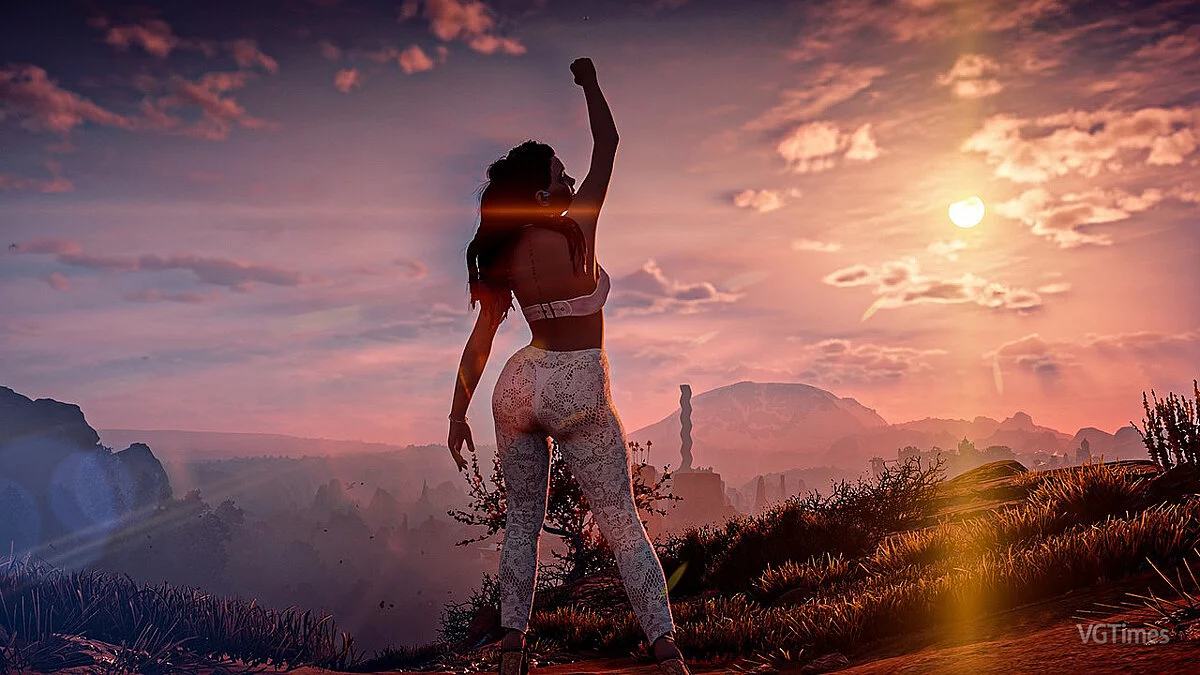
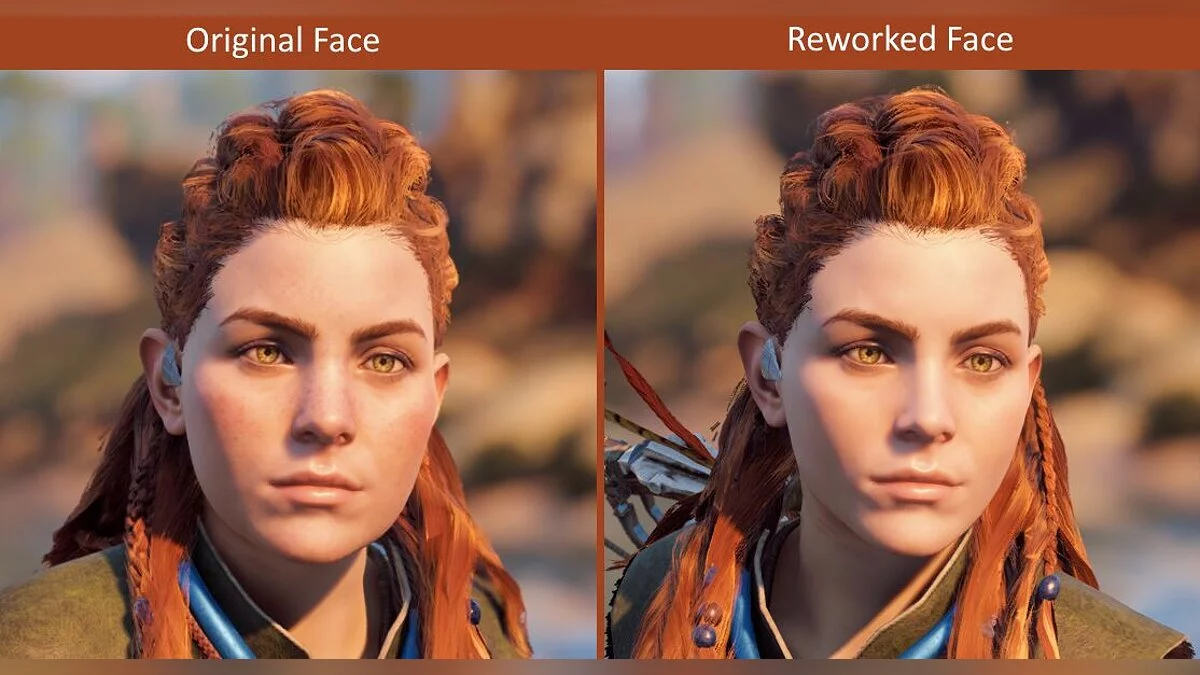
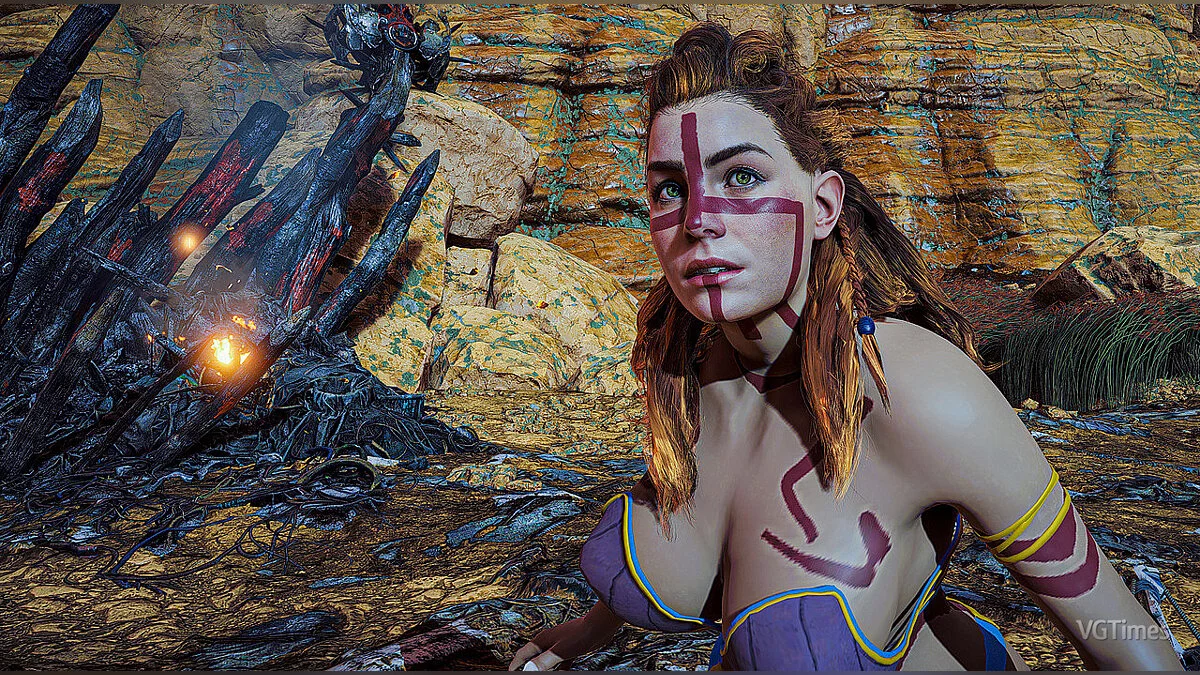
This modification is the very first alteration of the model and texture for Horizon: Zero Dawn, slightly changing Aloy's face. As seen in the screenshots, Aloy now has a thinner nose and cheeks, and (optionally) the freckles can be removed.
Since this modification is the first of its kind, there aren't many installation methods available, and there is only one method that will require a bit of effort, but not too much. Basically, if you want to change only the face model without removing the freckles, you just need to place the file zMod_AloyFaceMesh.bin in the HorizonZeroDawn/Packed_DX12 directory, and that's it. You can also remove it in the same way. However, if you also want to change the face texture, i.e., remove the freckles, you need to follow these steps:
Before installing the mod, it's better to save a copy of the Initial.bin file somewhere so that you can remove the mod later, or if you have a legitimate copy, you can also remove it by verifying the integrity of the cache.
Download the Decima Explorer GUI Repack from JayveerRepack.exe should be in the same directory as the oo2core_2_win64.dll file; you need to either install it in the game directory or copy oo2core_3 to where you installed the Repacker.Run DecimaExplorer-GUI-Repack.exeClick the Browse button and find the path to the AloyFaceMod folder that you unpacked from the downloaded mod archive (there should be a folder named "models").The program will display files with the .core and .stream extensions (make sure the paths start with models/characters/...)Select all .core and .stream files (do not select the .bin file if it is there)Click the Pack buttonNavigate to the folder where your game is installed and then to the Packed_DX12/ folderSelect the Initial.bin file and click OpenYour Initial.bin file has now been modified, and the face texture has been replaced. Enjoy the mod :)
The file name and description have been translated
Show original
(RU)Show translation
(EN)
Переделанное лицо Элой
Данная модификация является самой первой модификацией модельки и текстуры для Horizon: Zero Dawn и она немного изменяет лицо Элой. Как можно видеть на скринах у Элой теперь тонкие нос и щёки а так же (на выбор) убирает веснушки.
Посколько модификация эта самая первая существует пока что не так много способов её установки а есть всего лишь один способ который заставит вас чутка запарится, но не то чтобы так уж и сильно. Вобщем если вы хотите только изменине модельки лица не убирая веснушки то вам нужно всего лишь закинуть файл zMod_AloyFaceMesh.bin по пути HorizonZeroDawn/Packed_DX12 и всё. Таким же образом можно и удалить его. Но если вы хотите также и измение текстуры лица т.е. убрать веснушки то тогда вам нужно выполнить следующее шаги:
Перед установкой мода лучше сохранить где нибудь копию файла Initial.bin чтобы потом можно было удалить мод, ну или если у вас лицуха мод можно ещё удалить посредством проверки целостности кэша.
Скачать Decima Explorer GUI Repack от Jayveer-аRepack.exe должен быть в том же каталоге что и файл oo2core_2_win64.dll вам нужно либо установить его в директорию игру, либо скопировать oo2core_3 туда куда вы установили Repacker.Запустить DecimaExplorer-GUI-Repack.exeКликнуть на кнопку Browse и найти путь к папке AloyFaceMod которую вы распаковали из скачанного с сайта архива мода (там должна быть папка под названием "models").Программа отобразит файл с расширением .core и .stream (убедитесь что пути начинаются с models/characters/...)Выберите все .core и .stream файлы (Не выберайте .bin файл если он тамНажмите на кнопку PackПроследуйте к папке где установлена ваша игра и затем в папку Packed_DX12/Выберите файл Initial.bin и нажмите на OpenВаш файл Initial.bin теперь был модифицирован и текстура лица заменена. Наслаждайтесь модом :)

![Horizon Zero Dawn — Cheat Engine Table [UPD: 09.08.2020]](https://files.vgtimes.com/download/posts/2020-09/thumbs/1599656724_horizon-zero-dawn-screen-30-ps4-eu-20oct16.webp)
![Horizon Zero Dawn — Cheat Engine Table [1.2 / Updated: 25.08.2020]](https://files.vgtimes.com/download/posts/2020-08/thumbs/1598359397_c16182491d0e2fcb86fae79cf6e864d1.webp)
![Horizon Zero Dawn — Cheat Engine Table [UPD: 09.08.2020]](https://files.vgtimes.com/download/posts/2020-08/thumbs/1597050736_2dofvb6tcktyrqcueewb8zvf8gnt21d6vp51zprl.webp)
![Horizon Zero Dawn — Cheat Engine Table [UPD: 03.04.2024]](https://files.vgtimes.com/download/posts/2024-03/thumbs/tablica-dlja-cheat-engine-upd-04-03-2024_1709716108_272465.webp)
![Horizon Zero Dawn — Cheat Engine Table [Updated: 12.08.2020]](https://files.vgtimes.com/download/posts/2020-08/thumbs/1597332848_58cdbe62229b18ea_1920xh.webp)