
Phoenix Point is a tactical strategy game with turn-based combat in a futuristic setting, which is the spiritual successor to the games in the X-COM franchise. The... Read more
Graphics Enhancement
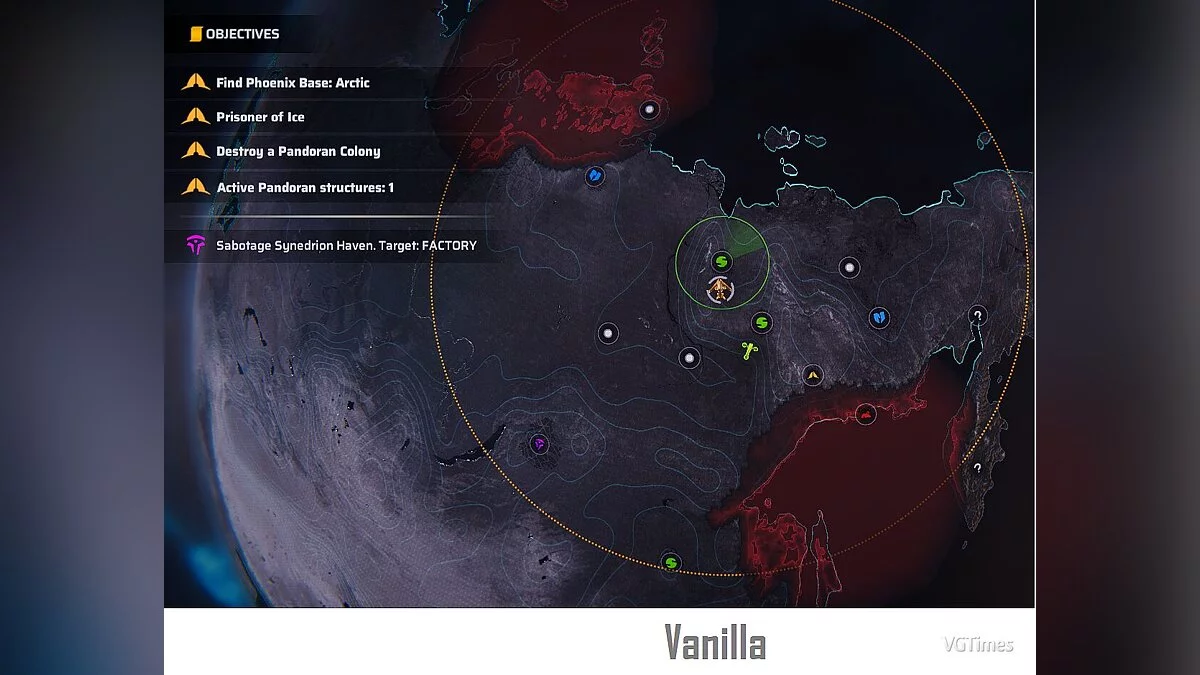
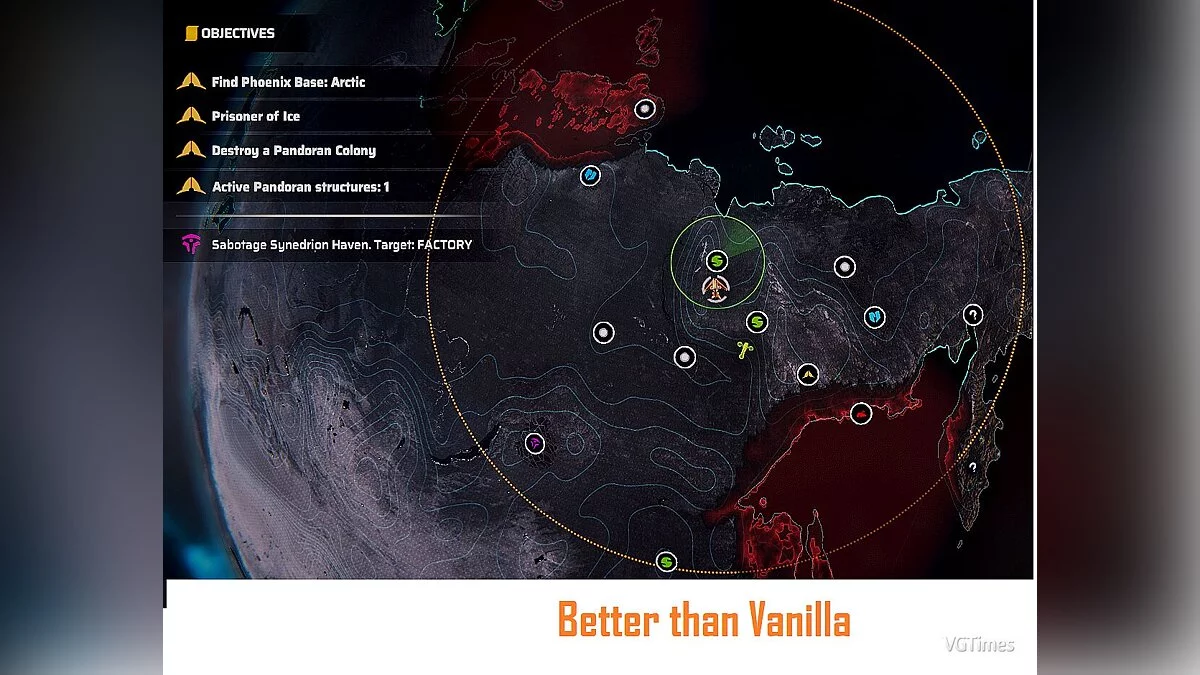

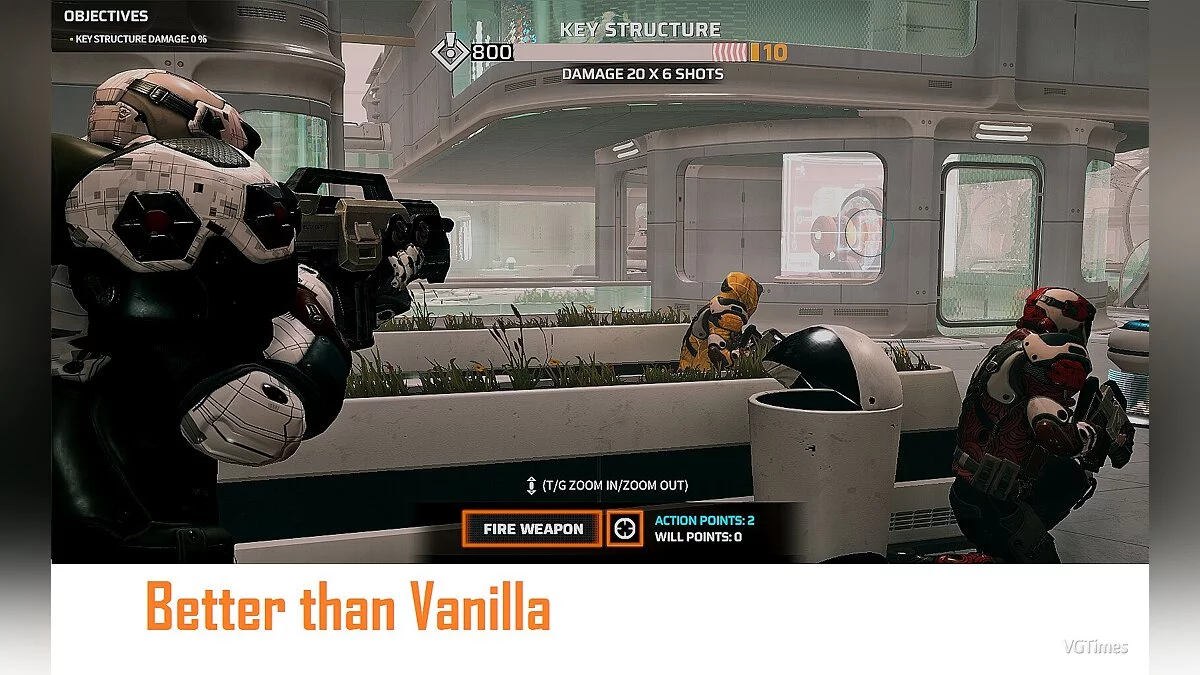

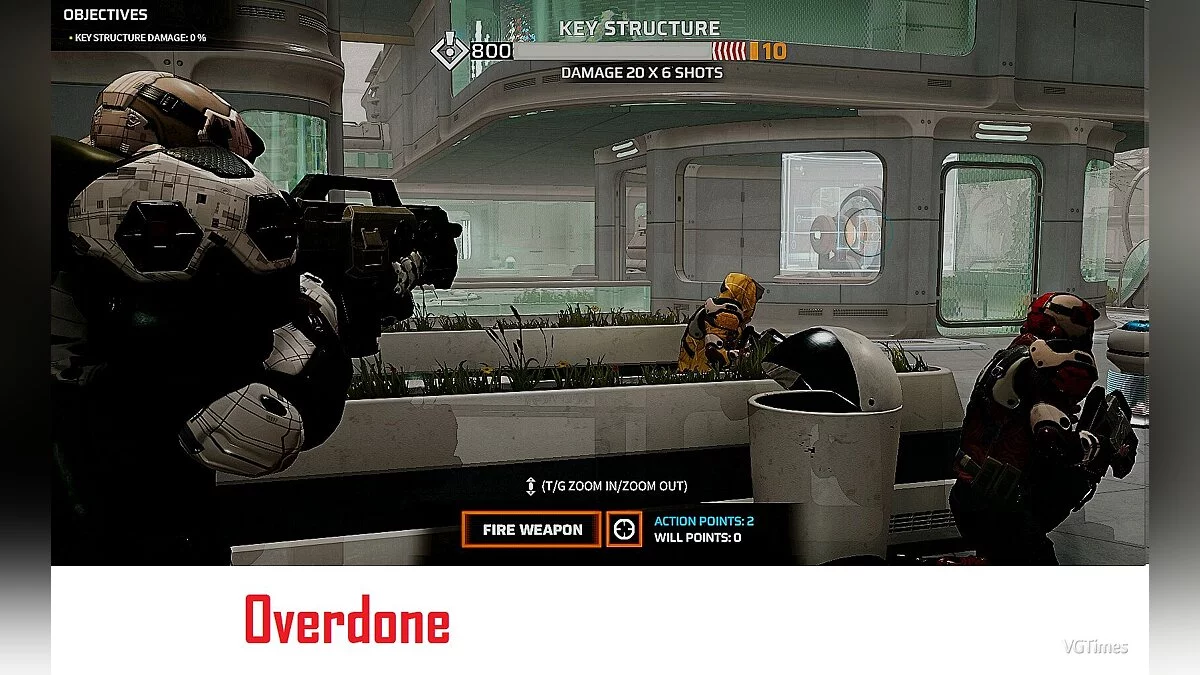
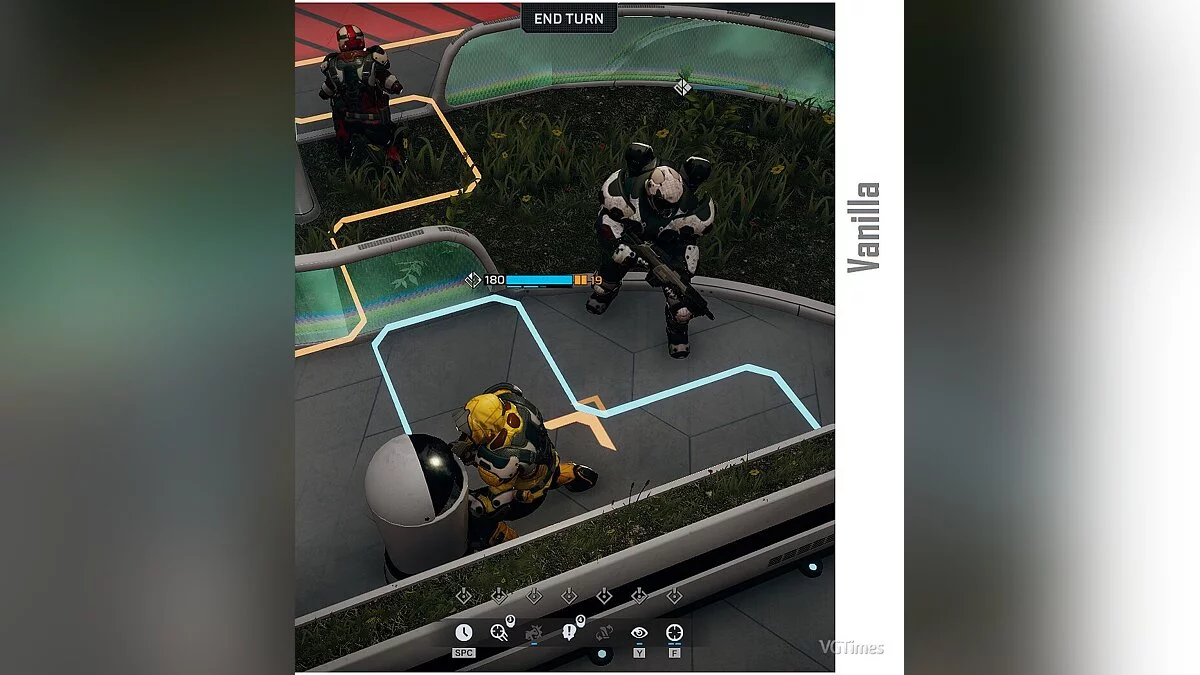
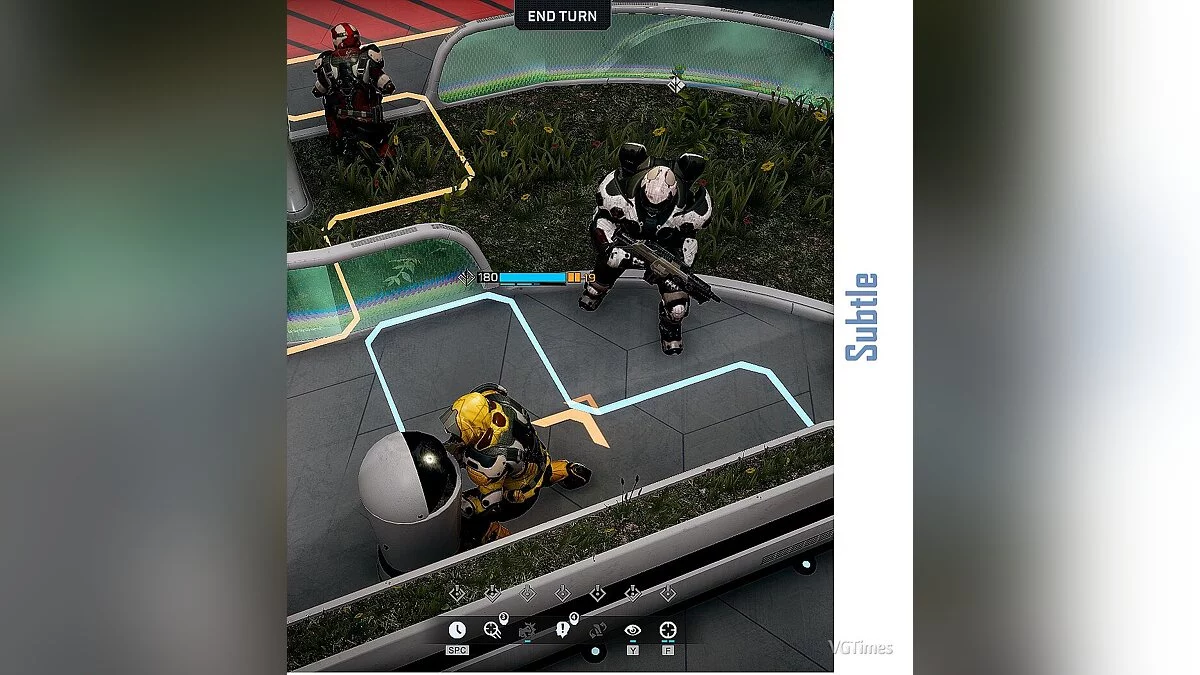
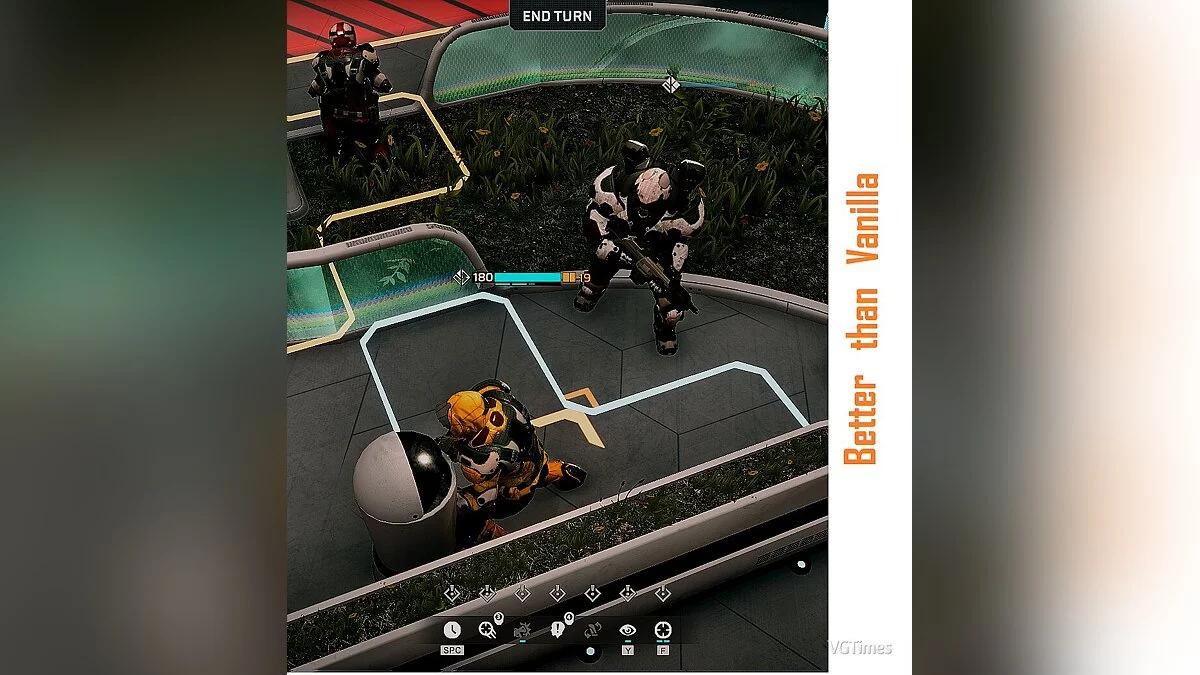
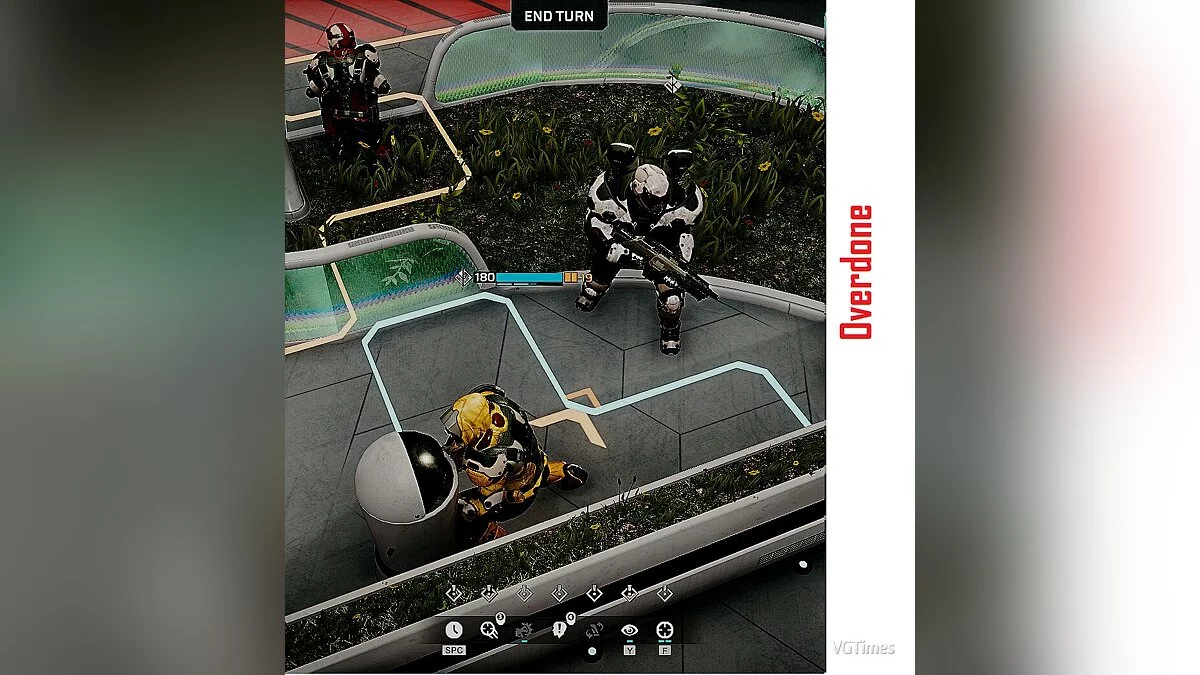

-
1576238714_btv_reshade_options_2_1_0_1575849642.zipDownload (9.86 MB)
Original title: ReShade Options
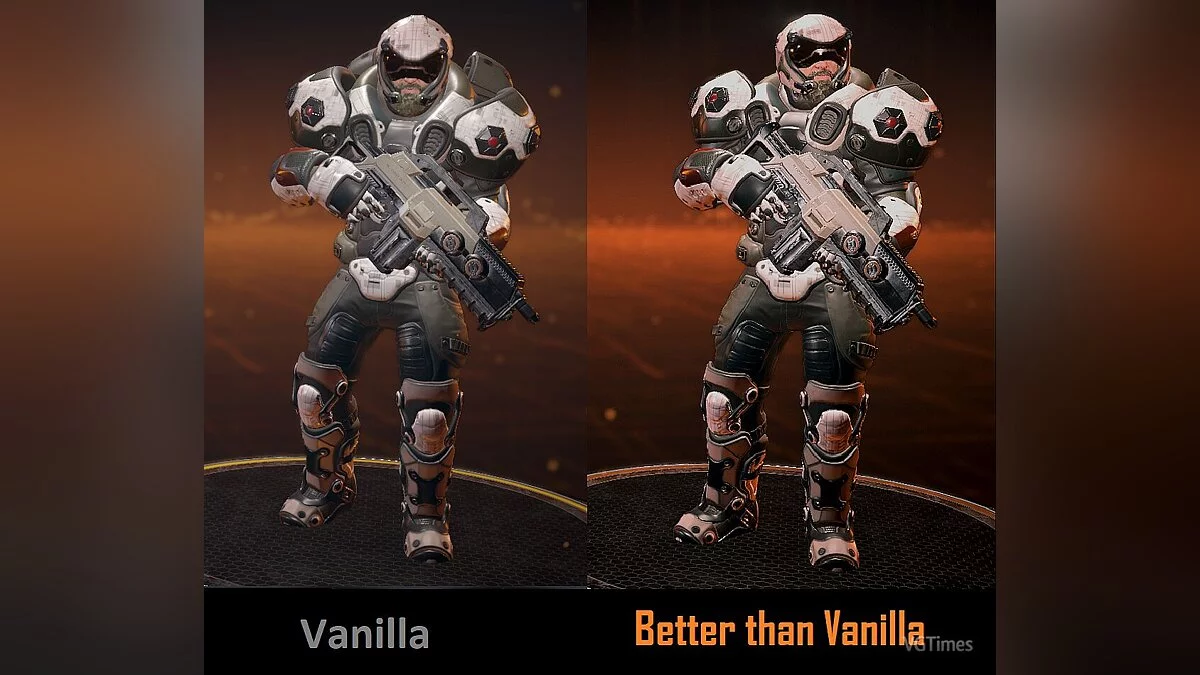
This is a graphics settings preset for Phoenix Point that enhances the game's visuals by improving color vibrancy, contrast, and other settings.
The preset includes three different variants:
"subtle"
"btv (Better than Vanilla)"
"overdone"
You can choose the one that suits you best or freely switch between them during gameplay.
Requirements: ReShade
Installation:
1) Extract the archive to the game folder
2) Run the ReShade installer and select the game's .exe file
3) Choose the game API — this is DX10 +
4) ReShade will prompt you to download .fx files, select all and click "OK" to download and install them
5) After successful installation, close the program
6) Launch the game and open the ReShade menu by pressing the Home (pos1) key on your keyboard. Then click the dropdown arrow to open the dropdown menu and select the file "LUT.fx" from the list. If you do not see the file in the list, you will need to add it manually by pressing the + key next to the dropdown arrow, then enter the full name of the file, for example: LUT.fx, and press Enter.
To close the ReShade menu, press the Home (pos1) key on your keyboard.
Оригинальное название: ReShade Options
Пресет графических настроек для Phoenix Point, который улучшает графику в игре, путем улучшения цветности, контраста и других настроек.
Пресет включает в себя три разных варианта:
"subtle"
"btv (Better than Vanila)"
"overdone"
Вы можете выбрать наиболее подходящих для вас или свободно переключатся между ними во время игры.
Требования: ReShade
Установка:
1) Распакуйте архив в папку с игрой
2) Запустите установщик ReShade и выберите файл .exe игры
3) Выберите API игры — это DX10 +
4) ReShade запросит скачивание .fx файлов, выберите все и нажмите «ОК», чтобы загрузить их и установить
5) После успешной установки закройте программу
6) Запустите игру и откройте меню ReShade, нажав клавишу Home (pos1) на клавиатуре. Далее нажмите стрелку раскрывающегося списка, чтобы открыть раскрывающееся меню, и выберите файл «LUT.fx из списка. Если вы не видите файл в списке, вам придется добавить его вручную, нажав клавишу + рядом со стрелкой раскрывающегося списка, а затем введите полное имя файла, например: LUT.fx, и нажмите Enter.
Чтобы закрыть меню ReShade, нажмите клавишу Home (pos1) на клавиатуре.
Useful links:
![Phoenix Point — Trainer (+23) from 03.04.2020 [WeMod]](https://files.vgtimes.com/download/posts/2020-03/thumbs/1583342120_2020-03-04_201408.webp)
![Phoenix Point — Trainer (+23) from 03.12.2022 [WeMod]](https://files.vgtimes.com/download/posts/2022-03/thumbs/1647073472_2022-03-12_112227.webp)
![Phoenix Point — Cheat Engine Table [1.14.2]](https://files.vgtimes.com/download/posts/2022-03/thumbs/1647938370_8b75d93e4ef111ad96addb9af7ec43f7.webp)

![Phoenix Point — Trainer (+23) from 12.08.2020 [WeMod]](https://files.vgtimes.com/download/posts/2020-08/thumbs/1597252500_2020-08-12_201327.webp)
![Phoenix Point — Trainer (+23) from 09.04.2020 [WeMod] [Windows Store]](https://files.vgtimes.com/download/posts/2020-09/thumbs/1599227505_2020-09-04_165048.webp)
![Phoenix Point — Cheat Engine Table [1.13]](https://files.vgtimes.com/download/posts/2021-10/thumbs/1633250798_eee0075a212b4a6e_1920xh.webp)