
The Outer Worlds – a single-player first-person sci-fi RPG with elements of shooter, action, and stealth. The focus is on role-playing and the dialogue system in... Read more
Color Change Preset - SUBTLER WORLDS MOD
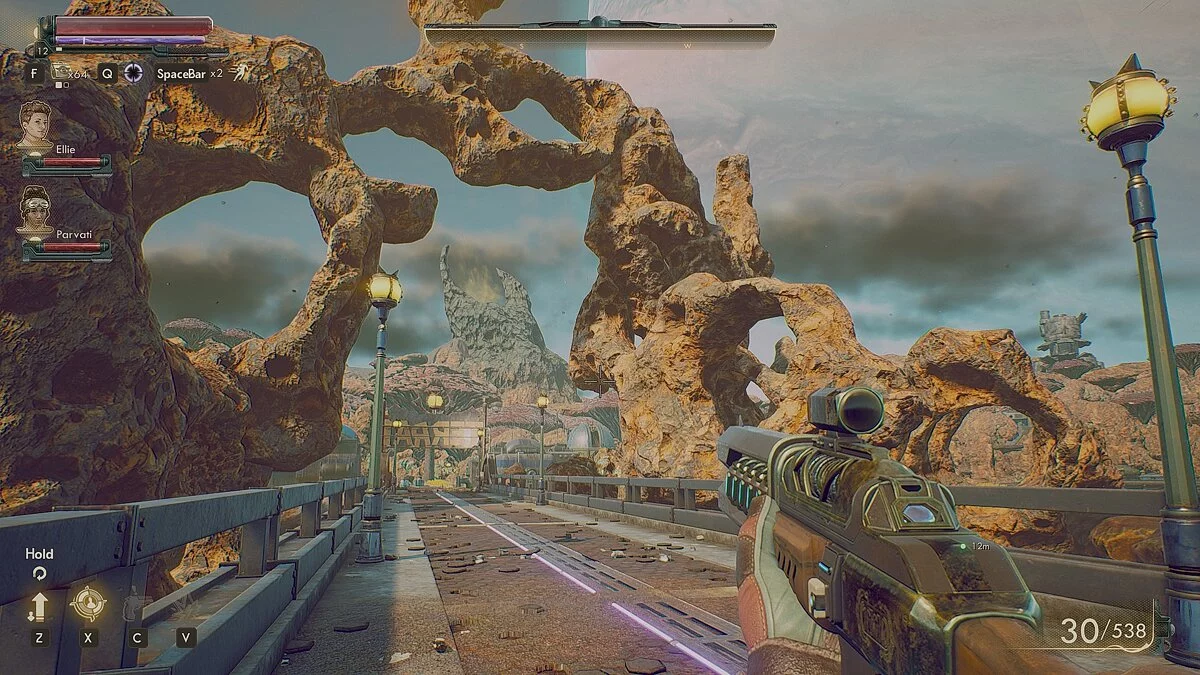
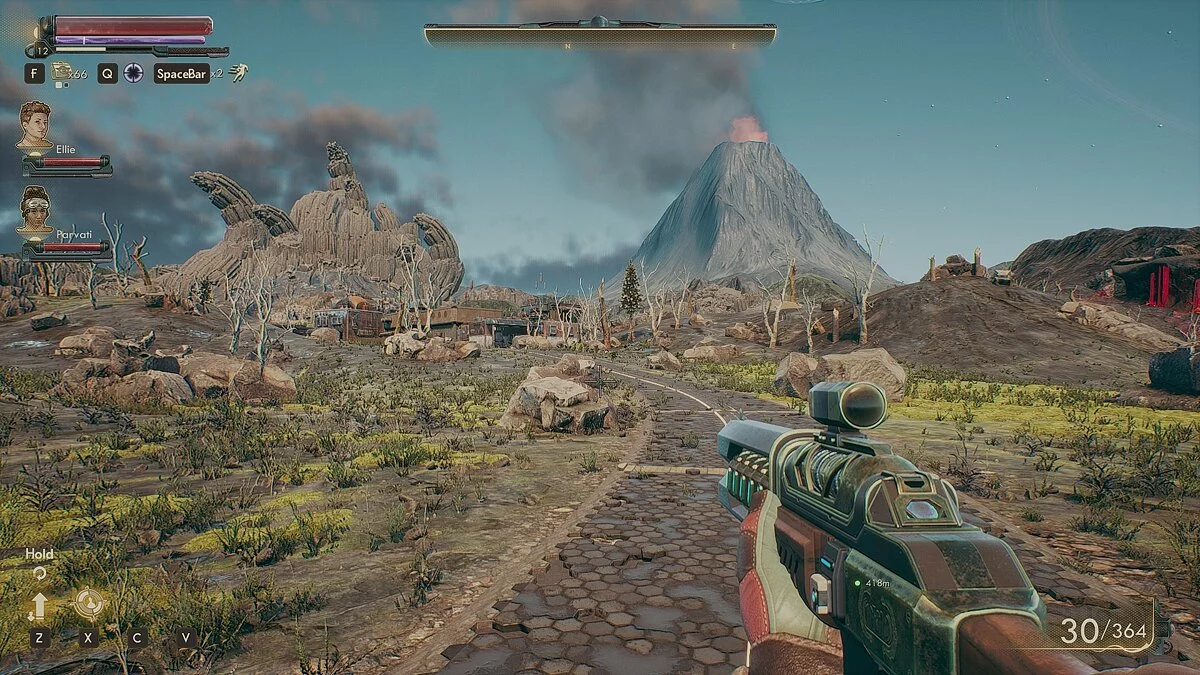
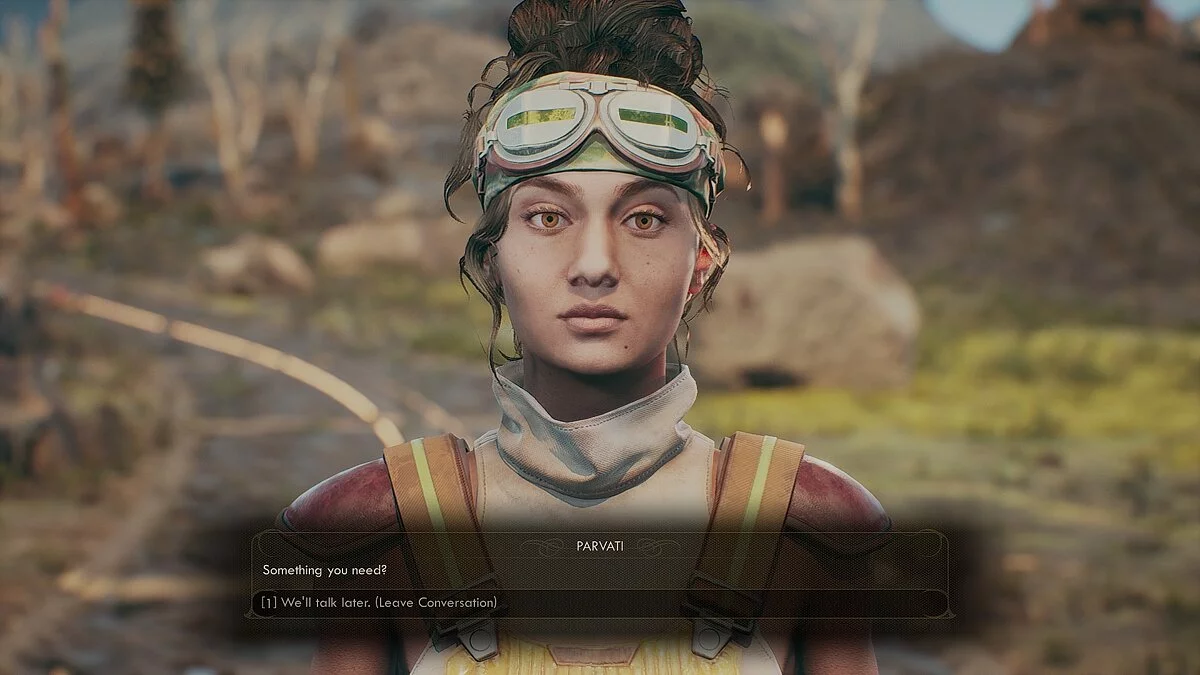

-
1583310623_subtler-worlds-1.zipDownload (1.04 kB)
This is a simple color change preset that sharpens the image and makes the color palette a bit more subtle, significantly altering the game's atmosphere without changing the overall style.
Installation:
1. Download the latest version of Reshade from the official website (reshade.me).
2. Run the installer and click 'Select Game'.
3. Navigate to [The Outer Worlds installation folder]\Indiana\Binaries\Win64\ and select IndianaEpicGameStore-Win64-Shipping.exe
4. Choose Direct3D 10+
5. Select 'Yes' to download the necessary shaders, and choose Tonemap, Vibrance, LUT, Lumasharpen (or just select all)
6. If everything is fine, you will see a loading change upon startup. After loading is complete, you should see the hotkeys used to open the Reshade menu (by default this should be Shift + F2)
7. Select the SubtlerWorlds preset and enjoy.
Это простой пресет изменения цвета, который добавляет резкость изображения и делает цветовую палитру немного более тонкой, так что это значительно изменяет атмосферу игры, не изменяя общий стиль.
Установка:
1. Загрузите последнюю версию Reshade с официального сайта (reshade.me).
2. Запустите программу установки и нажмите «Выбрать игру».
3. Перейдите на [The Outer Worlds installation folder]\Indiana\Binaries\Win64\ и выберите IndianaEpicGameStore-Win64-Shipping.exe
4. Выберите Direct3D 10+
5. Выберите «Да», чтобы загрузить необходимые шейдеры, и выберите Tonemap, Vibrance, LUT, Lumasharpen (или просто выберите всё)
6. Если все в порядке, вы увидите изменение загрузки при запуске. После окончания загрузки, вы должны увидеть горячие клавиши, которые используются для открытия меню Reshade (по умолчанию это должно быть Shift + F2)
7. Выберите пресет SubtlerWorlds и наслаждайтесь.
Useful links:
![The Outer Worlds — Cheat Engine Table (+15) [1.5.1.712]](https://files.vgtimes.com/download/posts/2024-08/thumbs/tablica-dlja-cheat-engine-15-1-5-1-712_1723022107_532681.webp)
![The Outer Worlds — Trainer (+28) [1.0 - 1.4.1]](https://files.vgtimes.com/download/posts/2020-10/thumbs/1602587902_qr4l1vlmnk7cnkcxho4mvq.webp)
![The Outer Worlds — Trainer (+23) from 02.21.2022 [WeMod]](https://files.vgtimes.com/download/posts/2022-02/thumbs/1645519785_2022-02-22_114736.webp)
![The Outer Worlds — Cheat Engine Table [UPD: 30.01.2024] + Spacer's Choice Edition](https://files.vgtimes.com/download/posts/2024-01/thumbs/tablica-dlja-cheat-engine-upd-30-01_1706694683_192167.webp)
![The Outer Worlds — Save File [Epic License]](https://files.vgtimes.com/download/posts/2024-01/thumbs/the-outer-worlds-sokhranenie-licenzija_1705866055_568484.webp)
![The Outer Worlds — Trainer (+23) from 21.11.19 [WeMod]](https://files.vgtimes.com/download/posts/2019-12/thumbs/1577558759_2019-12-28_214420.webp)
![The Outer Worlds — Table for Cheat Engine [06.09.2025]](https://files.vgtimes.com/download/posts/2025-09/thumbs/tablica-dlja-cheat-engine-06-09-2025_1757244321_807208.webp)
![The Outer Worlds — Cheat Engine Table [UPD: 18.12.2023]](https://files.vgtimes.com/download/posts/2023-12/thumbs/tablica-dlja-cheat-engine-upd-18-12-2023_1703075690_915801.webp)
![The Outer Worlds — Trainer (+23) dated 26.10.2020 [WeMod]](https://files.vgtimes.com/download/posts/2020-10/thumbs/1603782619_2020-10-27_100839.webp)