
Telegram is one of the most popular messengers of today. However, there are situations when it becomes necessary to permanently delete your profile. To do this, you can use the official account deletion page or set a period of inactivity after which all information will be automatically deleted. Let's figure out how to do this on devices with different operating systems.
On iOS devices
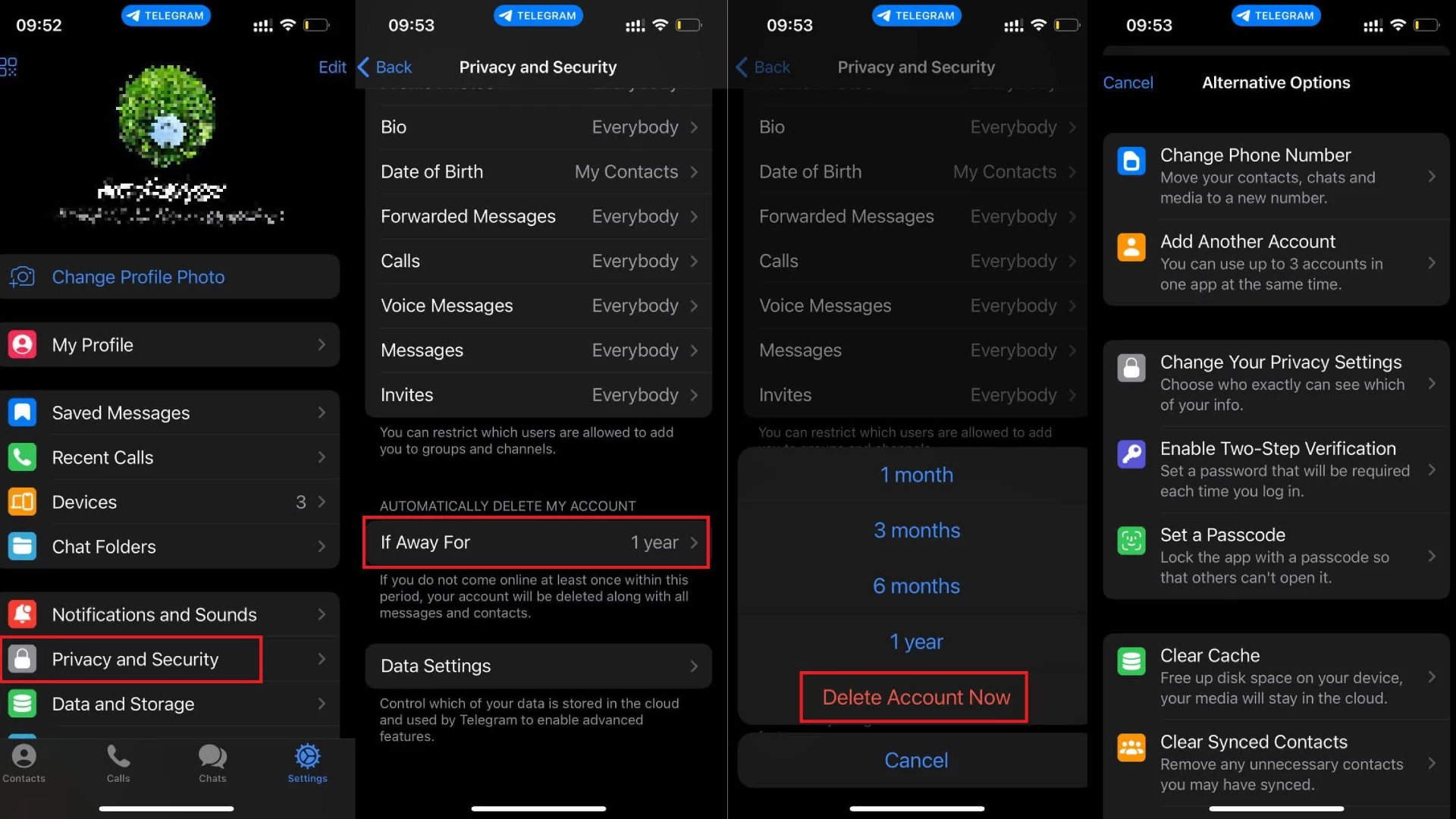
Go to the "Settings" section and find "Privacy and Security." Scroll down to "Delete Account if Inactive." If you want your profile to automatically disappear after a certain period, set the desired time, for example, one year. If you want to delete the account immediately, select "Delete Account Now" and confirm your decision.
On Android devices
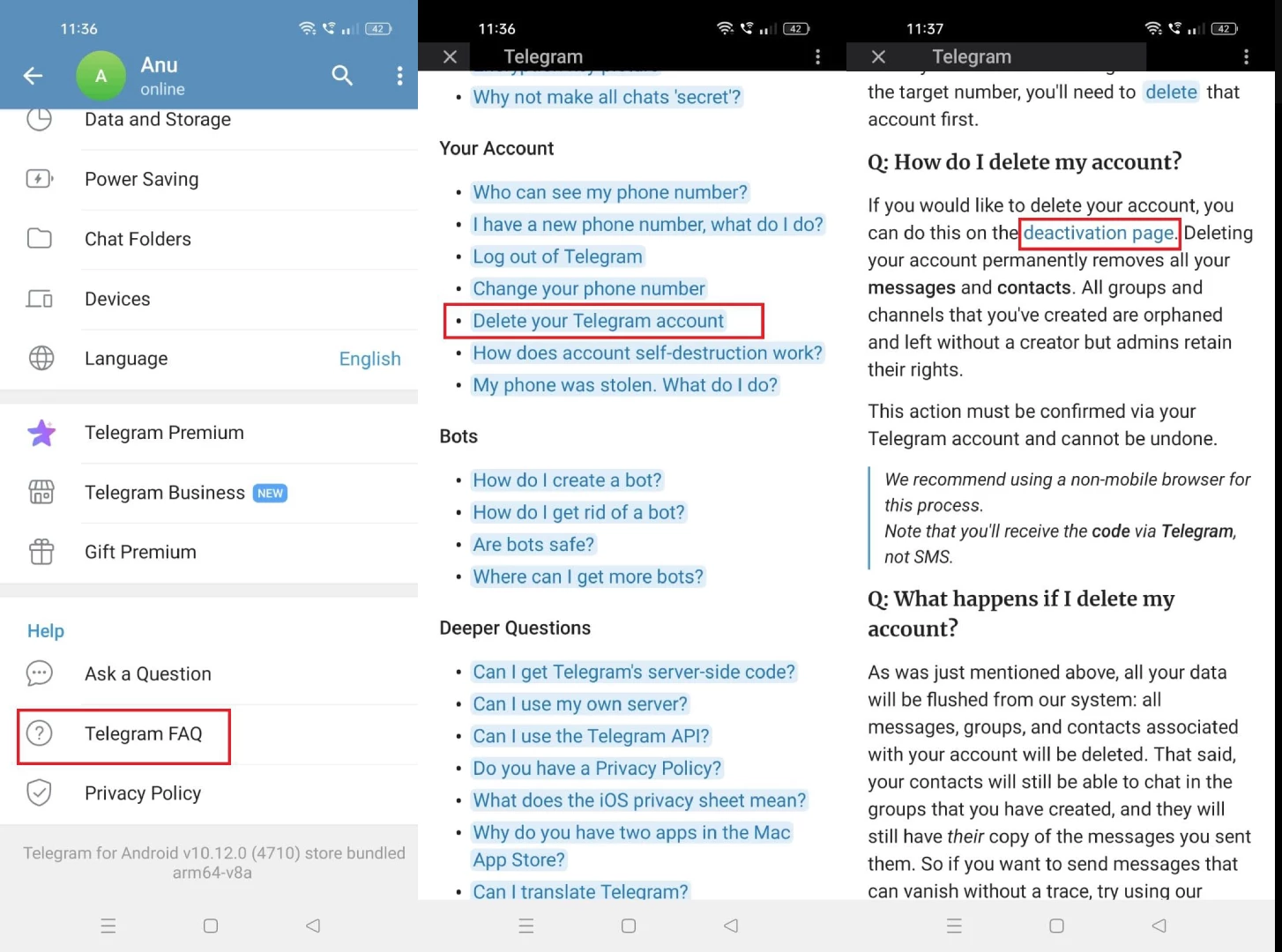
On iOS, the process is slightly different: first, go to Telegram settings and find the "Help" section, then select "Telegram FAQ." Scroll up the page and find the question related to profile deletion. In the answer, click on the highlighted words "delete account," and the necessary page will open in the browser.
If you want to set up automatic profile deletion after a certain period of inactivity, the process will be the same as on iOS.
On laptops and computers
If you are using Telegram Desktop or Telegram Web, all the necessary steps are the same as on Android devices. You can also open the needed page directly via this link.
Account deletion process
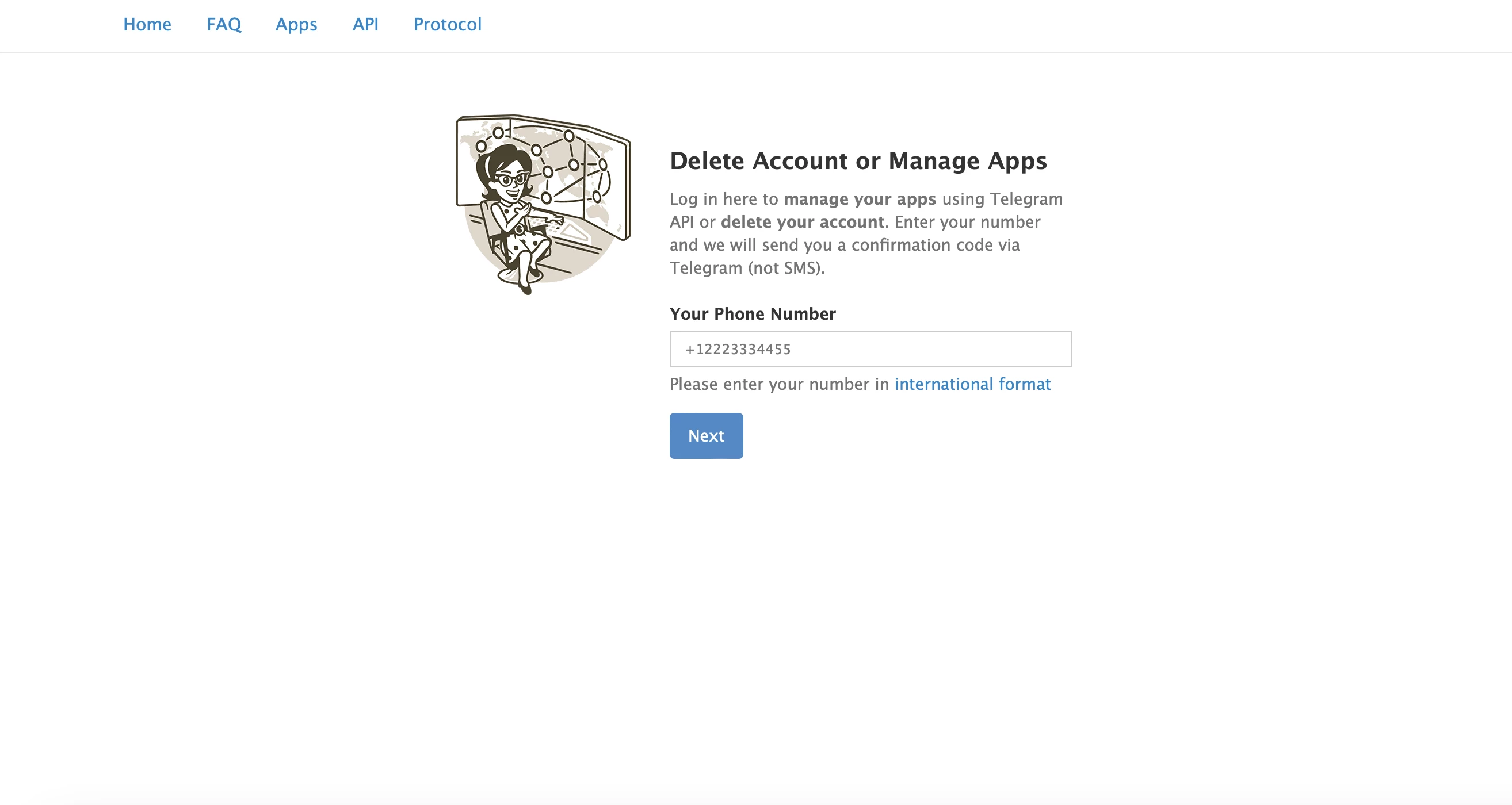
Enter the phone number linked to the profile you wish to delete to authenticate. A special code will be sent to you in Telegram, which you need to enter in the appeared field. Note that you should never share it with anyone: use the code yourself. Then click the "Sign In" button.
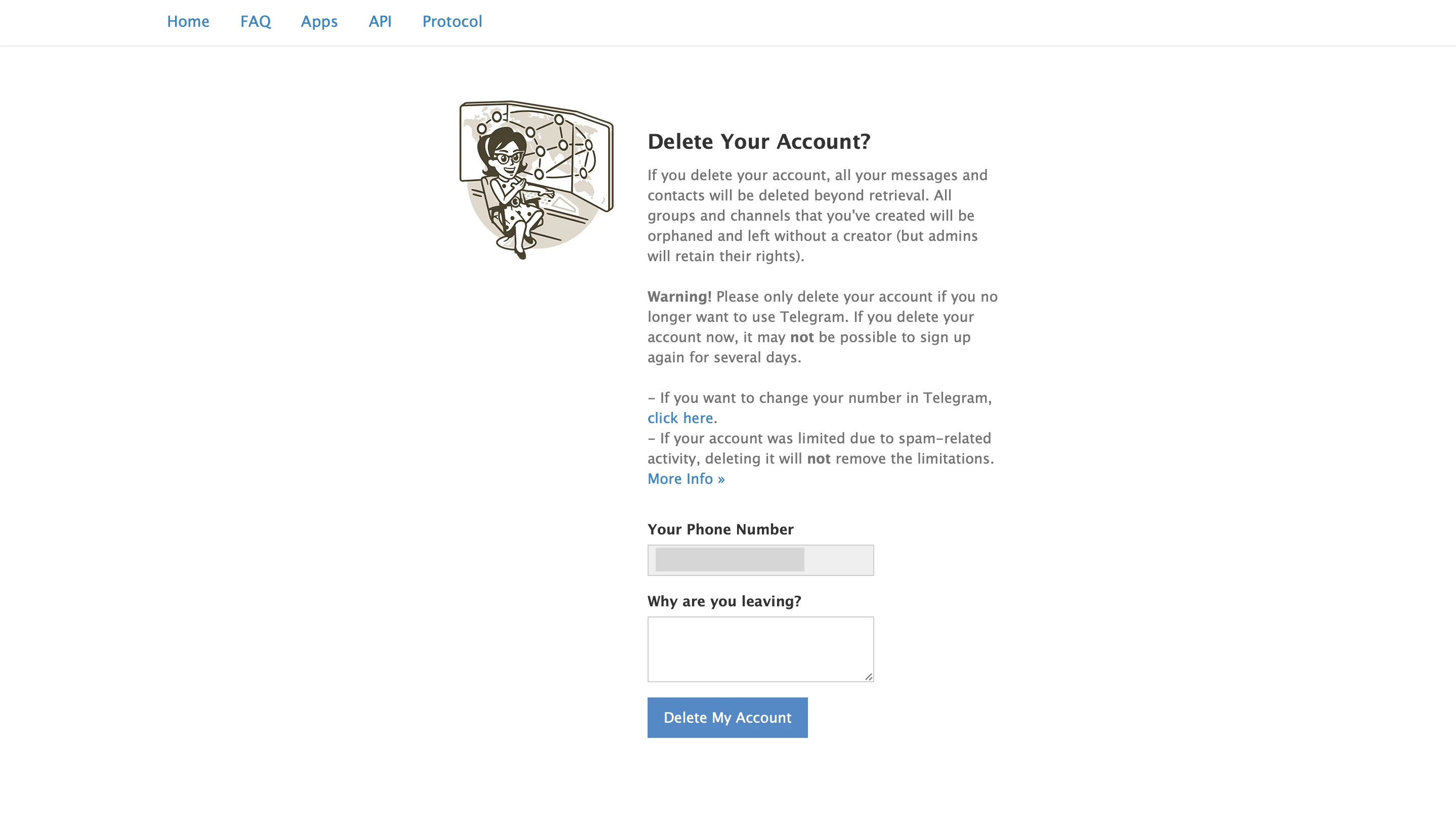
Specify the reason for deleting your account, click the corresponding button below. After that, in the opened window, confirm your intention with a "Yes" response, and your profile will be permanently deleted.

-
 KYC Nightmare. What Is SumSub and Why Users Say It Is Blocking Their Money on Crypto Platforms and Telegram (updated)
 -
 Baldur’s Gate 3 Romance Guide: Every Companion You Can Date
 -
 Baldur’s Gate 3 Adamantine Forge Guide
 -
 Baldur’s Gate 3 Infernal Iron Locations for Karlach
 -
 How to Find All Companion Characters in Baldur's Gate 3
 -
 Baldur’s Gate 3 Moonrise Towers Guide: Defiled Temple Moon Puzzle
 -
 How to Open Selune’s Gilded Chest in Baldur’s Gate 3
 -
 Baldur’s Gate 3 Owlbear Cub Guide: How to Recruit It to Your Camp
 -
 Baldur’s Gate 3 Open Hand Temple Murders Guide
 -
 Palworld Best Pals Guide: Early Game, Combat, Base, and Mounts