HumanitZ is a realistic survival simulator set in a zombie apocalypse. Players will explore a vast open world, gather resources, build a base, upgrade gear, and fight to survive against zombie hordes and other survivors. In this guide, we’ll explain where to find cheats for HumanitZ and how to enable the console. You’ll get a list of the most popular console commands, as well as item IDs for crafting, weapons, armor, food, water, lockpicks, and medkits.
Important Information
There are many ways to influence in-game processes: console commands, trainers, mods, and tables. The game was designed as a multiplayer project, and most players prefer multiplayer sessions. Usually, people play on official servers, less often on private ones. As a result, using any program to interfere with gameplay is considered cheating.
Cheating is frowned upon in the fan community, so if you’re suspected of cheating, you’ll be reported to the project admins right away, and sooner or later you’ll get banned. Never use cheats when playing multiplayer. Only use them in single-player or on your own server.
How to Enable the Console
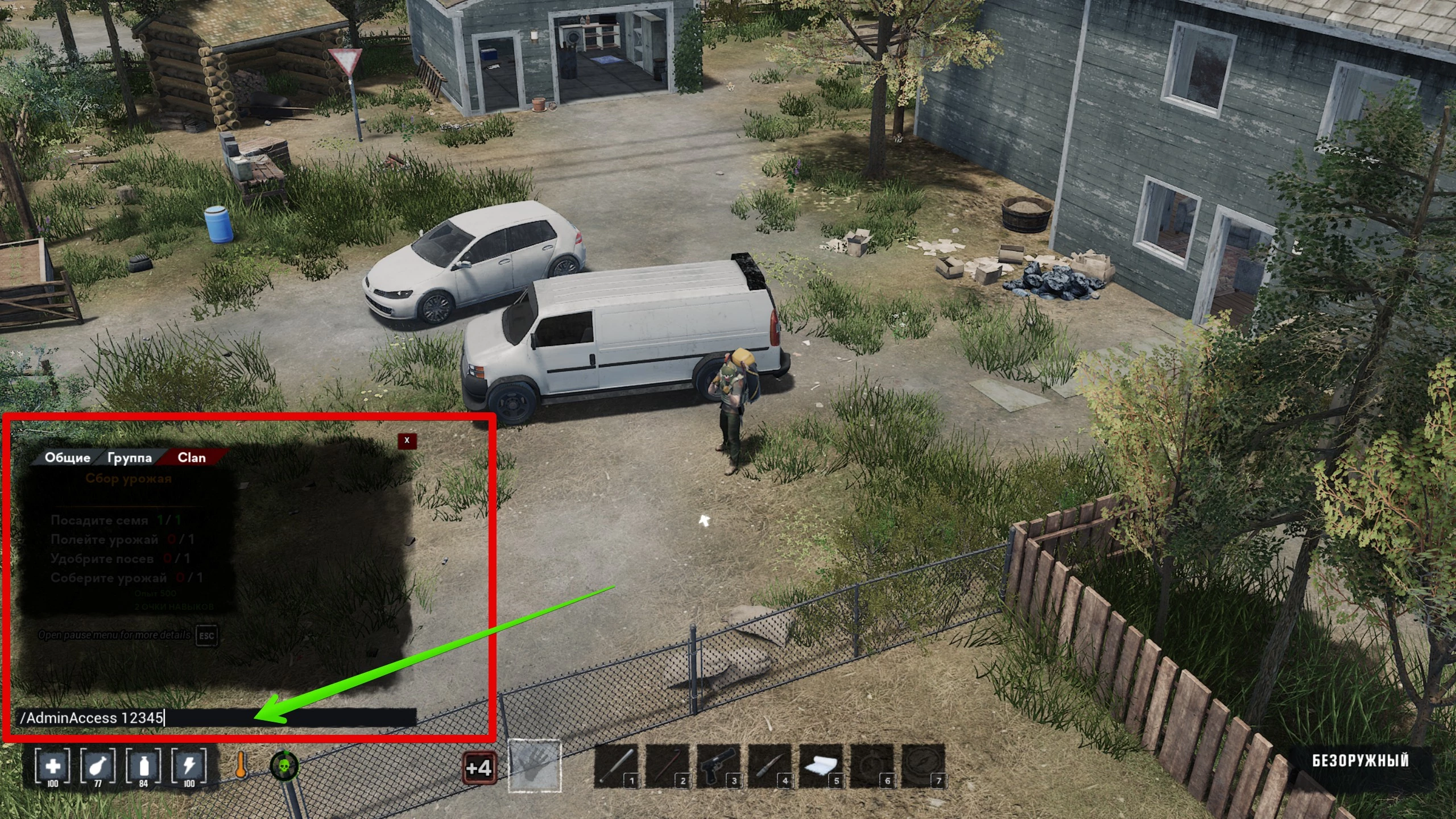
Console commands are entered in the chat, which you open by pressing Enter. In single-player, you’re the server admin by default, so you can use any command you want.
To grant yourself admin rights, enter this command:
X is your server password, which you’ll find in the GameServerSettings.ini file.
Main Console Commands
There are hundreds of commands in the game. Here, we’ll list the most popular ones that regular players might need:
Commands available to every player in multiplayer mode
- /DogSetName X — Set your dog’s name
- /TPDog — Teleport your dog to you
- /unstuck — Free your character if stuck in the environment
- /unstuckgeo — Disable character collision
- /close — Close the chat
- /clear — Clear chat history
- /fps — Show ping and FPS in the top right corner. Enter again to hide
Popular Commands
- /AdminAccess X — Grant a user server admin rights. X is the server password (GameServerSettings.ini)
- /Shutdown X — Temporarily disables the server chat. X is the number of seconds
- /SuperAdmin — Enables flight mode and lets you walk through walls. Enemies and other players can’t see you. Enter the command again to turn it off
- /god — Absolute invincibility from diseases, bites, falls, and bullets. Your character can’t get infected. Building requires no resources. All needs are always maxed out
- /SaveGame — Save your game
- /Spawn item_X — Spawns an item in front of your character. For example, to get a bottle of drinking water, type /spawn item_CleanWater. Note: there’s no space between the underscore and the item ID
- /Spawn backpack_X — Spawns a backpack
- /spawn car_X — Spawns a car
- /spawn ai_X — Spawns an NPC
- /exp X — Gain experience. X is the amount of XP, multiplied by 1,000. In other words, enter /exp 10 to get 10,000 XP
- /ExecCmd X — Enter Unity engine commands
- /spawn Dog — Spawns a dog that automatically becomes your companion
- /ClearAllFakeBuildings — Delete blueprints. In build mode, you place visual blueprints that need resources; this command removes them. Note: any materials spent on them will also be lost.
- /adminw — Open the admin mod menu
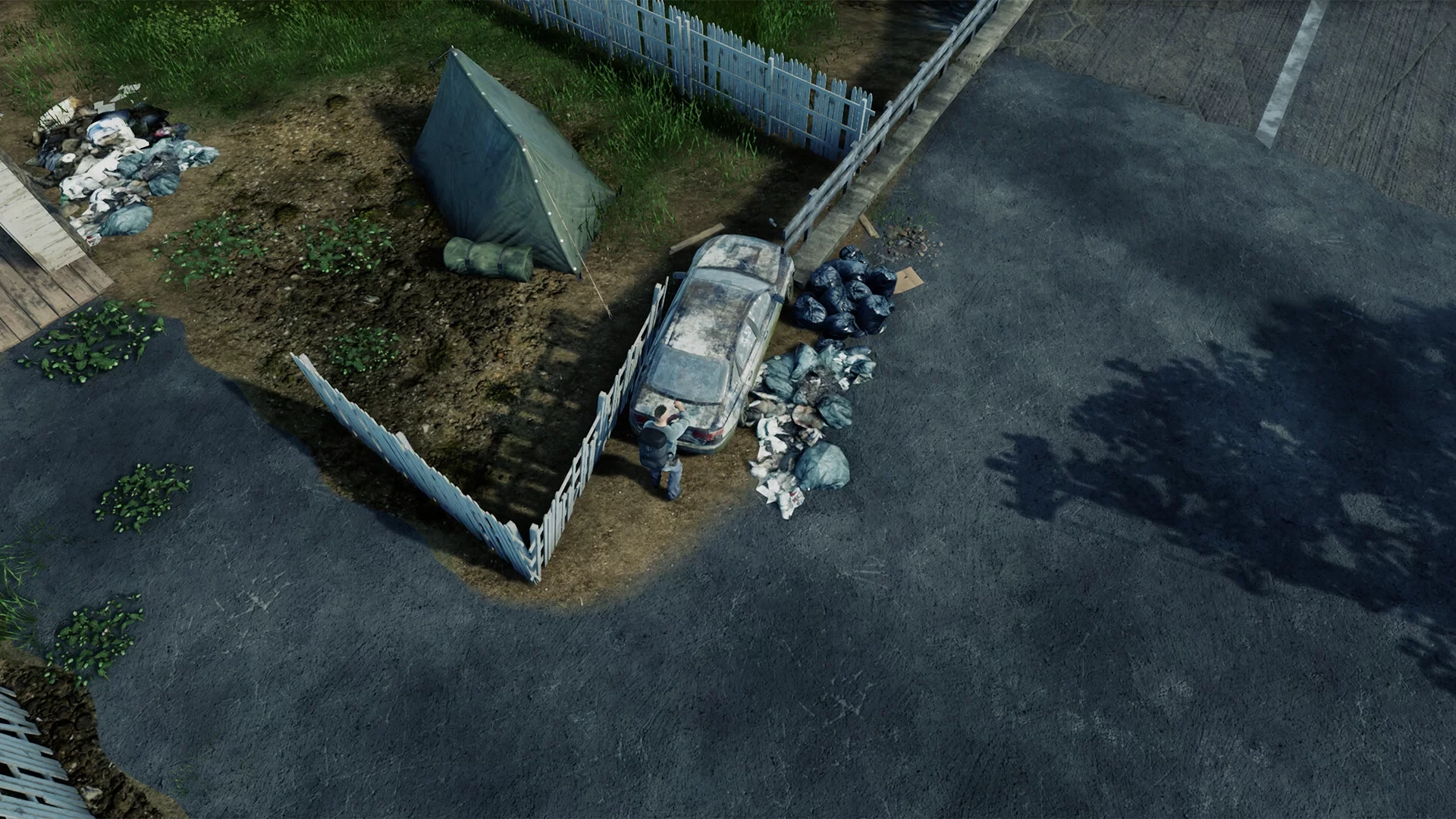
In-Game Mod Menu
Here’s an overview of all the functions in the in-game admin mod menu, which you open with the /adminw command.
Item Search
The first column has a search bar, and below it is a list of every item in the game. Click on the item you want, and it will appear at your character’s feet.
Vitals/Attributes
This menu lets you manage your character’s needs and health:
- Toggle Infection: On (Green)/Off (Red)
- Health: +10/-10
- Thirst: +10/-10
- Hunger: +10/-10
- Stamina: +10/-10
- Infection Level: +10/-10
- Battery: +10/-10
- Metabolism: +10/-10
- Reset Metabolism
- Kill Self
- Toggle God Mode: On (Green)/Off (Red)
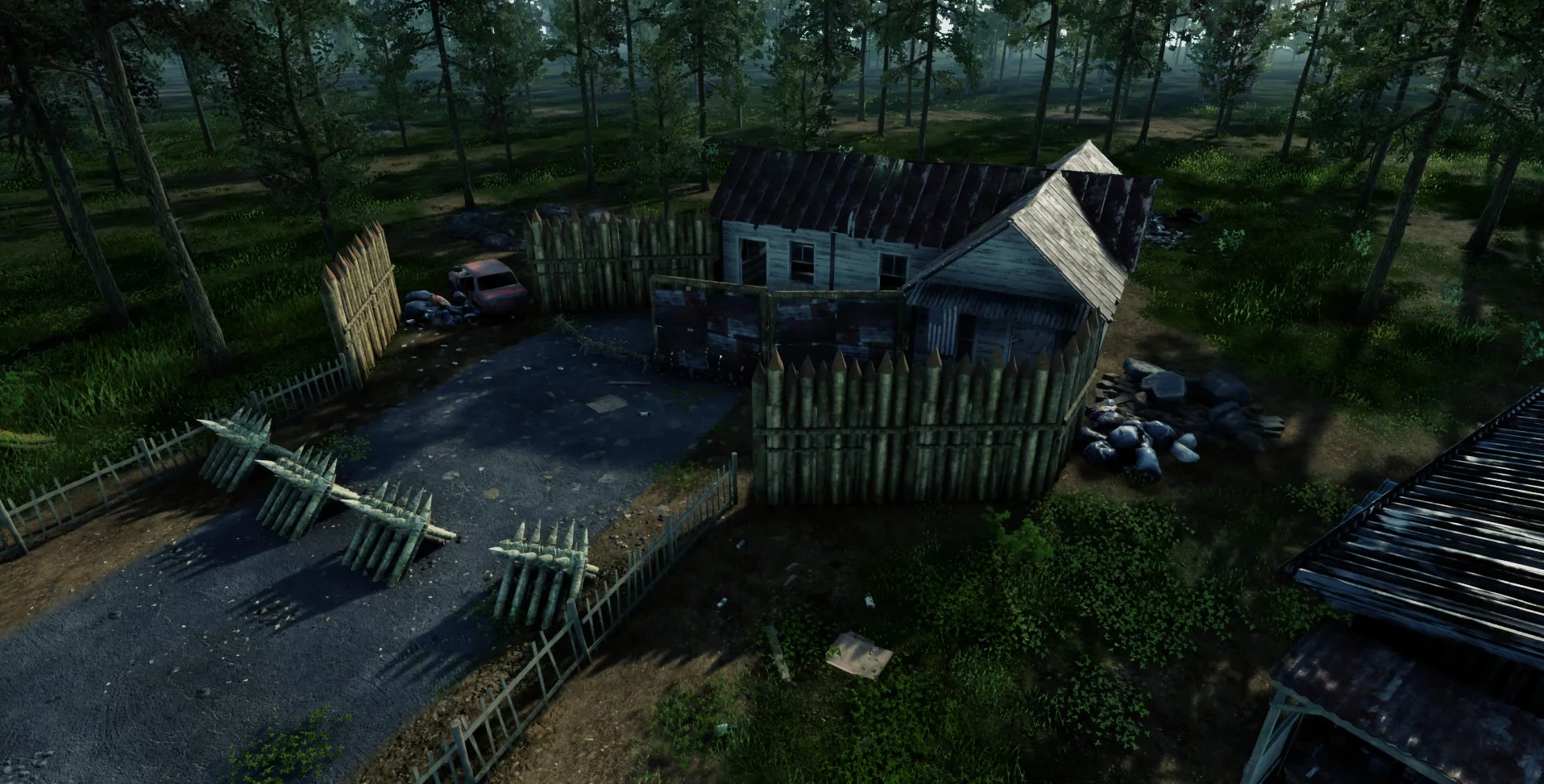
Weather/Time
The first line is a menu to fast-forward or rewind time (Time +/-). In the center is the reset button (Reset). Then there’s a default weather selection list. At the very bottom, you’ll find the toggle for random weather (Toggle Random Weather).
Progression
The first list lets you select your character’s profession. The buttons below decrease, reset, or add experience (XP -, XP reset, XP +).
Spawning Menu
This section manages objects in the game world—use it with extreme caution.
- Spawn Vehicle: Works when you enter a vehicle ID in the field below
- Select Vehicle ()
- Spawn Backpack: By default, spawns a hiking backpack
- Remove All Zombies: The “Remove all” command works for objects created by the player. For example, if you spawned three jeeps, choosing “Remove All Cars” will delete them and all their contents, along with your other vehicles
- Remove All Animals
- Remove All Containers
- Remove All Cars
- Remove All Pickups
- Remove All Houses
- Remove All Buildings
- Switch AnimBP
- Toggle Zombie Ragdoll
- Pawn Zombie
- Client Side Zombie Damage
Misc
Some features in this section are currently not working for various reasons.
- Set Zombie Limit
- Zombie Spawn Multiplier 0.5/6 (ZombieX)
- Load Map
- Save Map
- Spawn Airdrop
- Event Manager
- Teleport Player

Statistics
The far-right column displays the current state of the world and the player:
- Current Time
- Health
- Thirst
- Hunger
- Stamina
- Infection Level
- Infected Status
- Battery
- Thirst Timer
- Hunger Timer
- Player ID
- NPC AI Alive
- Animal AI Alive
- Days Survived
- Current Weather
- Character Gender (Male/Female)
- Ambient Temperature
- Season
- Weather Type
- Encumbered Penalty
- Toggle Hardcore HUD
Popular Item IDs
There are over a hundred different items in the game, so here we’ve listed the most essential things you might need when starting out. We recommend copying the link to this section in the right column and bookmarking it so you don’t lose it. To spawn an item at your character’s feet, enter this command in the chat:
/Spawn item_
After the underscore, type the item ID. Below you’ll find a list of the most important items.
Food and Drinks
- Spawn chicken — /spawn ai_chicken
- Spawn rabbit — /spawn ai_rabbit
- Bottle of clean water — /spawn item_CleanWater
- Energy drink — /spawn item_EnergyDrink
- Military MRE — /spawn item_MRE
- Dog food — /spawn item_DogFood
- Bowl of dog food — /spawn item_BowlDogFood
Medicine
- Antibiotics — /spawn item_AntibioticTablets
- Antiseptic bandage — /spawn item_BandageAnti
- Bandages — /spawn item_Bandage
- Painkillers — /spawn item_PainKillers
- Infection vaccine — /spawn item_Treatment
- Cough medicine — /spawn item_DexCough
- Multivitamins — /spawn item_MultiVitTablets
- Water purification tablets — /spawn item_WaterPurifyPills
- Medkit — /spawn item_MedKit
- Sewing kit — /spawn item_SewingKit
- Gas mask — /spawn item_StalkerMask
- Gas mask filter — /spawn item_GasFilter
- Whisky — /spawn item_Whisky
Summer Clothing Set
- Cap — /spawn item_BlueCap
- Bandana — /spawn item_BandanaCamo
- T-shirt — /spawn item_GreenSportShirt
- Short pants — /spawn item_CamoPantsShort
- Sneakers — /spawn item_BlackTrainers
- Fingerless gloves — /spawn item_FingerlessGlovesBlack
Winter Clothing Set
- Beanie — /spawn item_BlackBeanie
- Winter jacket — /spawn item_BlackWinterJacket
- Pants — /spawn item_BlackPants
- Army boots — /spawn item_ArmyBootsGreen
- Leather gloves — /spawn item_BlackGloves
Armor and Gear
- Helmet — /spawn item_MilitaryHelmet
- Body armor — /spawn item_AdvancedArmor2
- Dog armor — /spawn item_DogAttachment2
- Binoculars — /spawn item_Binos
- Night vision goggles — /spawn item_NVGear
Weapons
- Gun repair kit — /spawn item_GunRepair
- Sword — /spawn item_Sword
- Bow — /spawn item_Bow
- Arrows — /spawn item_Arrow
- Crossbow — /spawn item_Crossbow
- Bolts — /spawn item_CrossBowBolt
- Pistol — /spawn item_1911
- Automatic shotgun — /spawn item_AA12
- Assault rifle — /spawn item_AK47
- Sniper rifle — /spawn item_SVD
- Machine gun — /spawn item_LMG
- Submachine gun — /spawn item_Uzi
- Grenade launcher — /spawn item_GrenadeLauncher
- Bear trap — /spawn item_BearTrap
- Mine — /spawn item_Mine
- Grenade — /spawn item_Grenade
- Molotov cocktail — /spawn item_Molotov
Ammunition
- .308 WIN — /spawn item_308win
- .357 MAGNUM — /spawn item_357
- .45ACP — /spawn item_45ACP
- 12 Gauge shotgun shells — /spawn item_12G
- .50 CAL — /spawn item_50Cal
- 5.56 MM — /spawn item_556
- 7.62 MM — /spawn item_762
- 9 MM — /spawn item_9mm
- Fire arrow — /spawn item_FireArrow
- Grenade launcher ammo — /spawn item_GLAmmo
- RPG rockets — /spawn item_RPGAmmo
Vehicles
- Spawn jeep — /spawn car_suv
- Fuel canister — /spawn item_FuelCan
- Car battery — /spawn item_CarBattery
- Fan belt — /spawn item_FanBelt
- Fuel pump — /spawn item_FuelPump
- Starter motor — /spawn item_StarterMotor
- Hose — /spawn item_Hose
- Jack — /spawn item_Jack
- Jumper cables — /spawn item_JumpLeads
Tools
- Adventure backpack (5x8) — /spawn backpack_adventure
- Axe — /spawn item_Axe
- Chainsaw — /spawn item_Chainsaw
- Crowbar — /spawn item_CrowBar
- Fire axe — /spawn item_FireAxe
- Hammer — /spawn item_Hammer
- Hand saw — /spawn item_HandSaw
- Ice axe — /spawn item_IceAxe
- Pickaxe — /spawn item_PickAxe
- Shovel — /spawn item_Shovel
- Sledgehammer — /spawn item_SledgeHammer
- Wrench — /spawn item_Wrench
- Power drill — /spawn item_PowerDrill
- Propane torch — /spawn item_PropaneCan
- Screwdriver — /spawn item_Screwdriver
- Fishing rod — /spawn item_FishingRod
- Bait — /spawn item_Bait
- Lockpick — /spawn item_LockPick
- Repair kit — /spawn item_RepairKit
- Funnel — /spawn item_Funnel
Crafting Items
- Cabbage seeds — /spawn item_SeedCabbage
- Copper — /spawn item_Copper
- Iron — /spawn item_Iron
- Refined iron — /spawn item_IronRefined
- Zinc — /spawn item_Zinc
- Scrap metal — /spawn item_ScrapMetal
- Sheet metal — /spawn item_SheetMetal
- Coal — /spawn item_Coal
- Wood — /spawn item_Wood
- Log — /spawn item_Log
- Sticks — /spawn item_Sticks
- Fiber — /spawn item_Fiber
- Gunpowder — /spawn item_Gunpowder
- Brass casing — /spawn item_BrassCasing
- Saltpeter — /spawn item_Saltpeter
- Sulfuric acid — /spawn item_SulfuricAcid
- Nitric acid — /spawn item_NitrousAcid
- Irradiated plasma — /spawn item_IrrPlasma
- Cement — /spawn item_Cement
- Cloth rag — /spawn item_ClothRag
- Thread — /spawn item_Thread
- Duct tape — /spawn item_DuctTape
- Bear pelt — /spawn item_HideBearDried
- Deer pelt — /spawn item_HideDeerDried
- Wolf pelt — /spawn item_HideWolfDried
- Rabbit pelt — /spawn item_HideRabbitDried
- Barbed wire — /spawn item_Barbwire
- Rope — /spawn item_Rope
- Tarp — /spawn item_Tarp
- Electronics — /spawn item_Electronics
- Electrical cable — /spawn item_ElectricalCable
- Gear — /spawn item_Gear
- Compressor — /spawn item_Compressor
- Fridge element — /spawn item_Element
- Thermostat — /spawn item_Thermostat
- Gun parts — /spawn item_Gunparts
- Lock — /spawn item_LockAdvanced
- Nails — /spawn item_Nails
- Box of nails — /spawn item_BoxNails
- Rock — /spawn item_Rock
Tables
The Cheat Engine program can affect in-game processes. Enthusiasts create special tables for games. To use them, follow these steps:
- Download Cheat Engine 7.6 from our website.
- Go to the special section with tables.
- Download the archive with the file, unzip it, and place it somewhere convenient.
- Run Cheat Engine, then launch the game as administrator.
- Click the monitor with a magnifying glass icon in the upper left corner.
- Find the HumanitZ.exe process.
- Now click the folder icon in the upper left and find your table.
- A control menu will appear at the bottom of Cheat Engine.
Tables let you precisely control game processes. This is helpful if you want to adjust your character’s movement speed or tweak enemy AI.
Trainers
The easiest way to change gameplay in real time. A trainer is a special program designed to modify game processes as you play. To use a trainer, follow these steps:
- Download one of the trainers from our website.
- Open the archive with the trainer file.
- Install it in your game’s root folder.
- Path: C:/Program Files (x86)/HumanitZ
- Start the trainer, then launch the game as administrator.
- While playing, press the hotkeys or click the options directly in the trainer.
Most trainers come with a wide range of features and let you fine-tune the game to your liking. For example, you can disable thirst, instantly teleport anywhere on the map, or reset your inventory weight with just a few keystrokes.

-
![HumanitZ Beginner’s Guide: How to Survive, Manage Stats, and Outlast the Horde]() HumanitZ Beginner’s Guide: How to Survive, Manage Stats, and Outlast the Horde
HumanitZ Beginner’s Guide: How to Survive, Manage Stats, and Outlast the Horde -
![HumanitZ: Where to Get Weapons, Vehicles, Gas, and How to Build the Best Base]() HumanitZ: Where to Get Weapons, Vehicles, Gas, and How to Build the Best Base
HumanitZ: Where to Get Weapons, Vehicles, Gas, and How to Build the Best Base -
![HumanitZ: Best Locations for Food, Water, Medicine and How to Cure Infection]() HumanitZ: Best Locations for Food, Water, Medicine and How to Cure Infection
HumanitZ: Best Locations for Food, Water, Medicine and How to Cure Infection -
![HumanitZ Survival Sandbox Launches Full Version on Steam with Overhauled Content and Expanded Customization]() HumanitZ Survival Sandbox Launches Full Version on Steam with Overhauled Content and Expanded Customization
HumanitZ Survival Sandbox Launches Full Version on Steam with Overhauled Content and Expanded Customization