The GATE network of secret laboratories is engaged in research in all areas, including the paranormal. One day, one of the experiments ends in a massive failure... Read more
UE4SS for mod support
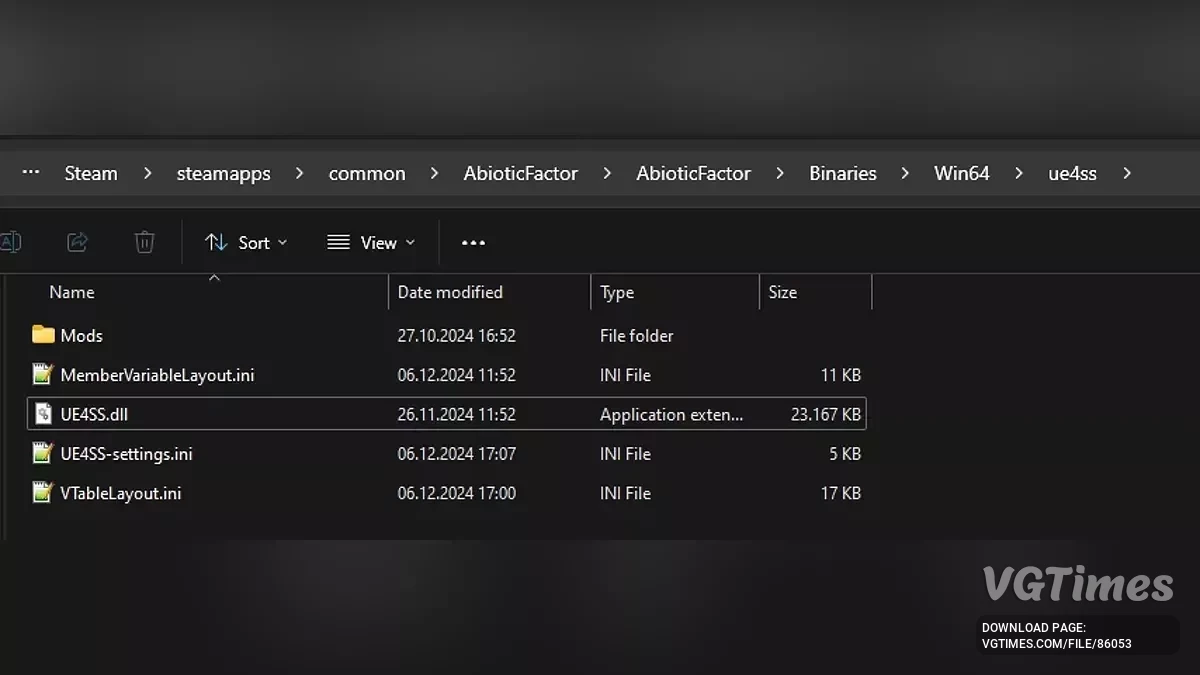

-
Download (7.79 MB)August 15, 2025, 11:32 AMОсновной модue4ss-dlja-raboty-modov_1755246747_321434.zip
-
Download (30.18 kB)August 15, 2025, 11:32 AMЗагрузчик для выделенного сервераue4ss-dlja-raboty-modov_1755246747_330372.zip
This is a bundle with the necessary configurations to work with the latest version of Abiotic Factor.
How to install:
- Download;
- Extract/unzip the zip archive;
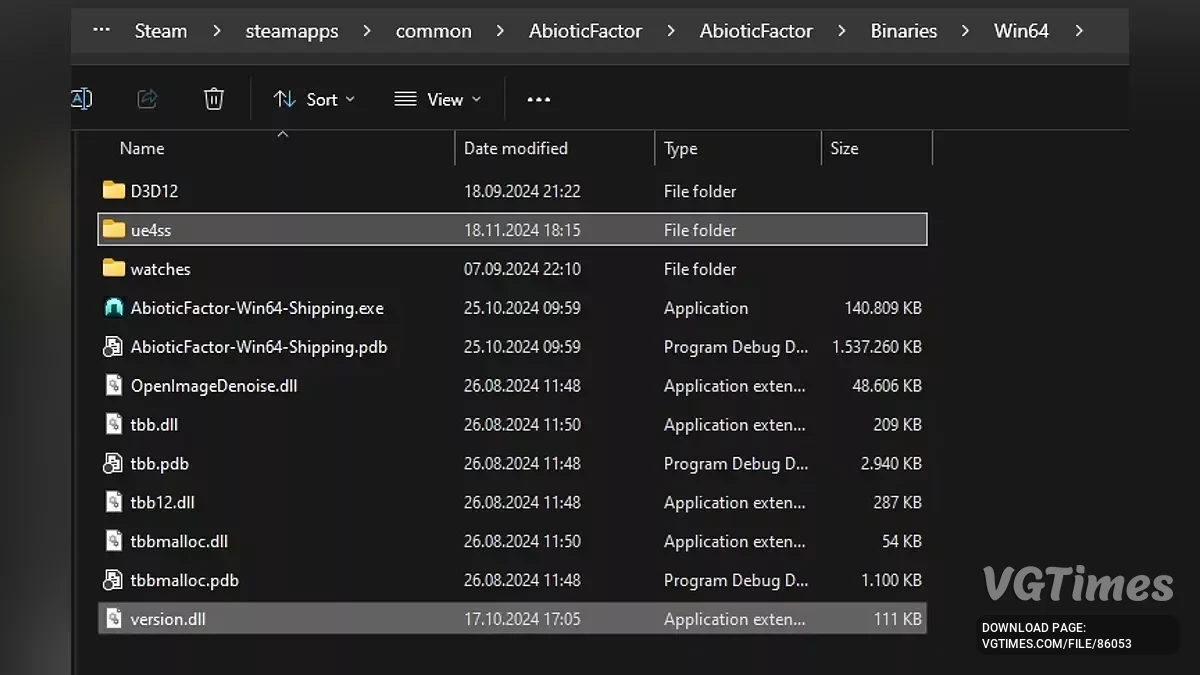
- Move and overwrite dwmapi.dll and the entire ue4ss folder to the directory: (game root directory)\AbioticFactor\Binaries\Win64\ for Steam or (game root directory)\AbioticFactor\Binaries\WinGDK for the GamePass/Microsoft Store version. For Steam users, it's usually: C:\Program Files (x86)\Steam\steamapps\common\AbioticFactor\Binaries\Win64\. For MS/Xbox, something like: C:\XboxGames\Abiotic Factor\Content\AbioticFactor\Binaries\WinGDK\ or C:\Program Files\WindowsApps\PlayStack.AbioticFactor_1.0.20061.0_x64__3wcqaesafpzfy\AbioticFactor\Binaries\WinGDK;
- Make sure that dwmapi.dll and the ue4ss folder are in the same directory as AbioticFactor-Win64-Shipping.exe;
- Done, now you can download and install mods.
Directories
All files related to UE4SS are now located in the ue4ss folder.
Steam:
Mods: (game root directory)\AbioticFactor\Binaries\Win64\ue4ss\Mods\
mods.txt: (game root directory)\AbioticFactor\Binaries\Win64\ue4ss\Mods\mods.txt
Settings: (game root directory)\AbioticFactor\Binaries\Win64\ue4ss\UE4SS-settings.ini
Log file: (game root directory)\AbioticFactor\Binaries\Win64\ue4ss\UE4SS.log
GamePass/XboxGames:
Mods: (game root directory)\Abiotic Factor\Content\AbioticFactor\Binaries\WinGDK\ue4ss\Mods\
mods.txt: (game root directory)\Abiotic Factor\Content\AbioticFactor\Binaries\WinGDK\ue4ss\Mods\mods.txt
Settings: (game root directory)\Abiotic Factor\Content\AbioticFactor\Binaries\WinGDK\ue4ss\UE4SS-settings.ini
Log file: (game root directory)\Abiotic Factor\Content\AbioticFactor\Binaries\WinGDK\ue4ss\UE4SS.log
Not all mod descriptions may be up-to-date. You must place all UE4SS mods in the \Win64\ue4ss\Mods\ folder, even if the mod description says \Win64\Mods\.
Not all mod descriptions may be up-to-date. You must place all UE4SS mods in the \Win64\ue4ss\Mods\ folder, even if the mod description says \Win64\Mods\.
Dedicated Server Support
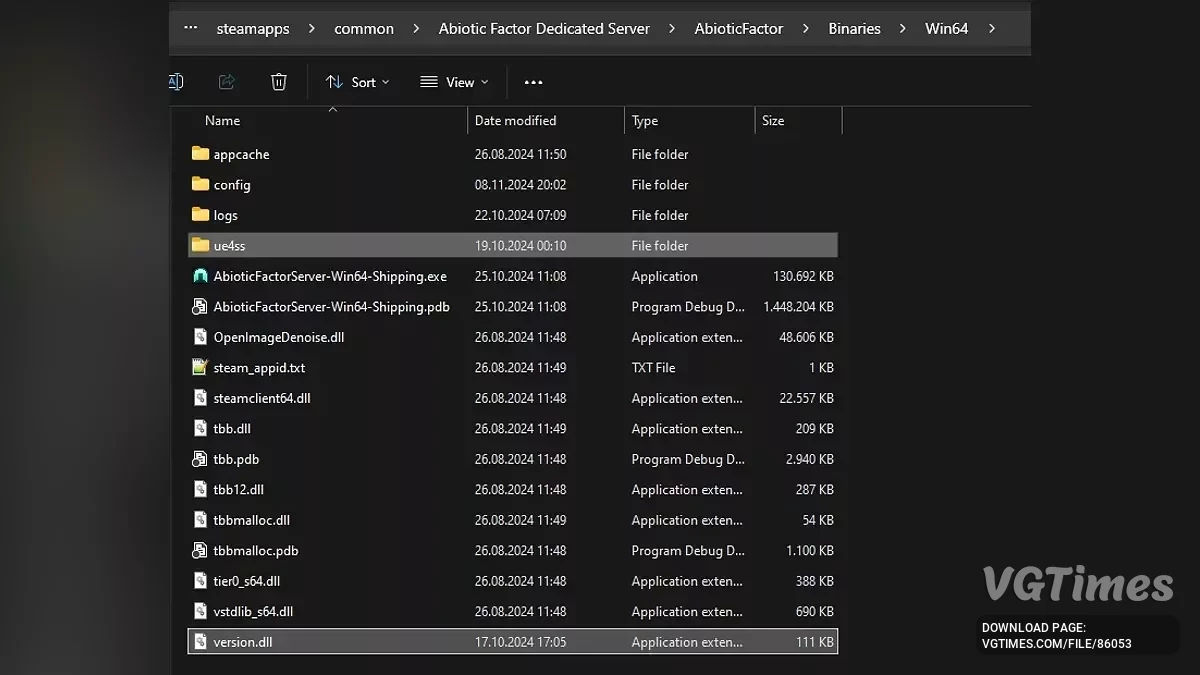
To make UE4SS work on a dedicated server, you need to replace the loader dwmapi.dll with version.dll. On Linux, UE4SS requires a Windows environment, so you'll need either Proton or at least Wine. Also, add the following command to the launch options:
WINEDLLOVERRIDES="version.dll=n,b" %command%
Sometimes you need to delete crash dumps
Unfortunately, the known crashes are unlikely to be fixed anytime soon. Therefore, it is recommended to delete the game's crash dumps from time to time to free up space.
- Go to C:\Users\(your Windows username)\AppData\Local\AbioticFactor\Saved\;
- Copy and paste into Explorer: %userprofile%\AppData\Local\AbioticFactor\Saved\;
- Delete the entire Crashes folder;
- Done. You can do this about once a month, they don't take up much space.
Known Issues
- Random game crashes when loading, returning to the main menu, or closing the game;
- Sometimes a registered hotkey from any mod can cause a crash. Usually, if you press the hotkey without issues, everything will work until the next game start.
Useful links:

![Abiotic Factor — Trainer (+22) from 05.09.2024 [WeMod]](https://files.vgtimes.com/download/posts/2024-05/thumbs/trejjner-22-ot-09-05-2024-wemod_1715332702_64496.webp)
![Abiotic Factor — Cheat Engine Table [UPD: 05.04.2024]](https://files.vgtimes.com/download/posts/2024-05/thumbs/tablica-dlja-cheat-engine-upd-04-05-2024_1714894913_138374.webp)

![Abiotic Factor — Table for Cheat Engine [UPD: 25.05.2025]](https://files.vgtimes.com/download/posts/2025-05/thumbs/tablica-dlja-cheat-engine-upd-25-05-2025_1748248043_287342.webp)