The game from CD Projekt RED, the creators of The Witcher, is based on the tabletop game Cyberpunk 2020 by Mike Pondsmith. Players are sent to the year 2077, where... Read more
Clearer Image


-
www.nexusmods.comDownload
Focus Reshade.
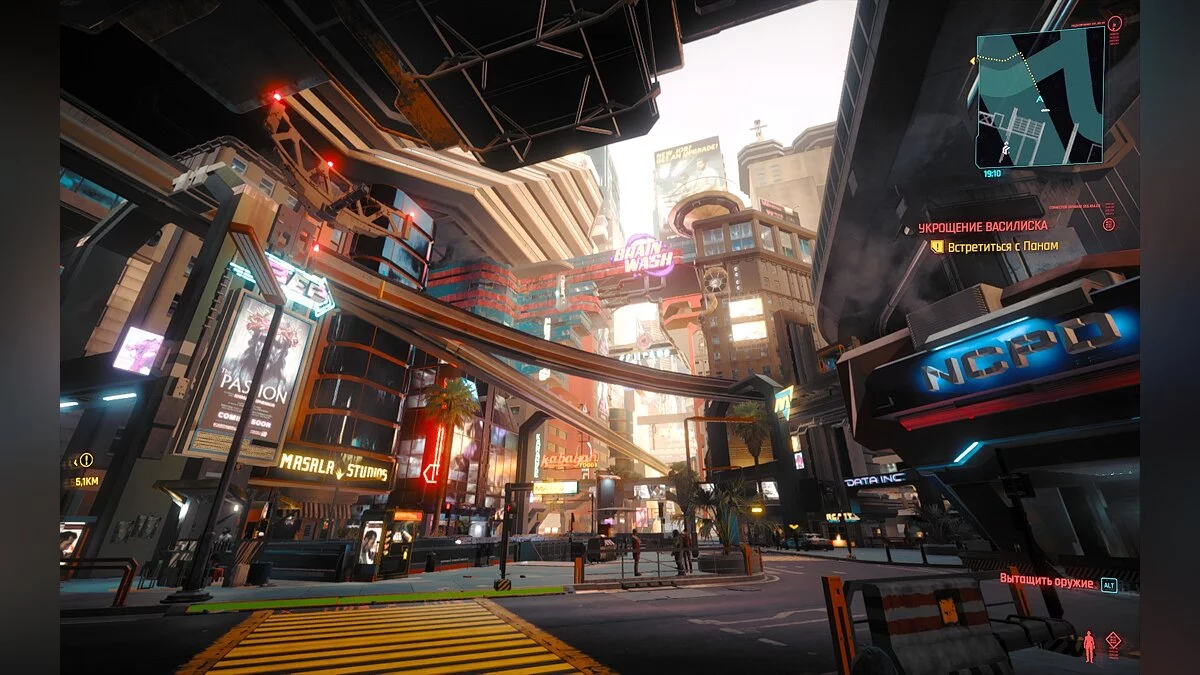
This reshade provides a cleaner image, reduces the green tint, and slightly increases image sharpness.
Installation:
1. Install Reshade in / Cyberpunk 2077 / bin / x64 with these shaders
2. Drag the mod file into the same directory: / Cyberpunk 2077 / bin / x64
3. Use the home button in the game and select FocusReshade.ini (FocusReshadeV1.3.ini)
4. Set the toggle switch off / on in the settings. I use F12
Focus Reshade.
Это решейд для более чистого изображения, уменьшения зеленого оттенка, немного увеличивает резкость изображения.
Установка:
1. Установите Reshade в / Cyberpunk 2077 / bin / x64 с этими шейдерами
2. Перетащите файл мода в тот же каталог: / Cyberpunk 2077 / bin / x64
3. Используйте кнопку home в игре и выберите FocusReshade.ini (FocusReshadeV1.3.ini)
4. Установите переключатель выкл. / вкл. в настройках. Пользуюсь F12
Useful links:
![Cyberpunk 2077 — Cheat Engine Table [2.0 Fixed]](https://files.vgtimes.com/download/posts/2023-10/thumbs/tablica-dlja-cheat-engine-2-0-fixed_1696329925_781946.webp)
![Cyberpunk 2077 — Cheat Engine Table [UPD: 12.15.2020 - Steam]](https://files.vgtimes.com/download/posts/2020-12/thumbs/1608109390__115979674_screen-ambushed-en.webp)
![Cyberpunk 2077 — Cheat Engine Table [1.04]](https://files.vgtimes.com/download/posts/2020-12/thumbs/1607855831_6812d4d5df1f688b1d67fa900f24e9c50ce771c8_1280_720.webp)
![Cyberpunk 2077 — Cheat Engine Table [UPD: 19.12.2020 - GoG]](https://files.vgtimes.com/download/posts/2020-12/thumbs/1608452424_bez-nazvaniya.webp)
![Cyberpunk 2077 — Cheat Engine Table [1.61 / GOG]](https://files.vgtimes.com/download/posts/2022-11/thumbs/1669028532_p1_3049055_b14bd4da.webp)