
A game by CD Projekt RED, the creators of The Witcher, based on Mike Pondsmith’s Cyberpunk 2020 tabletop game. The player is sent to the year 2077, where their... Read more

DualSense Adaptive Trigger Effects

-
www.nexusmods.comDownload
DualSense Adaptive Trigger Effects.
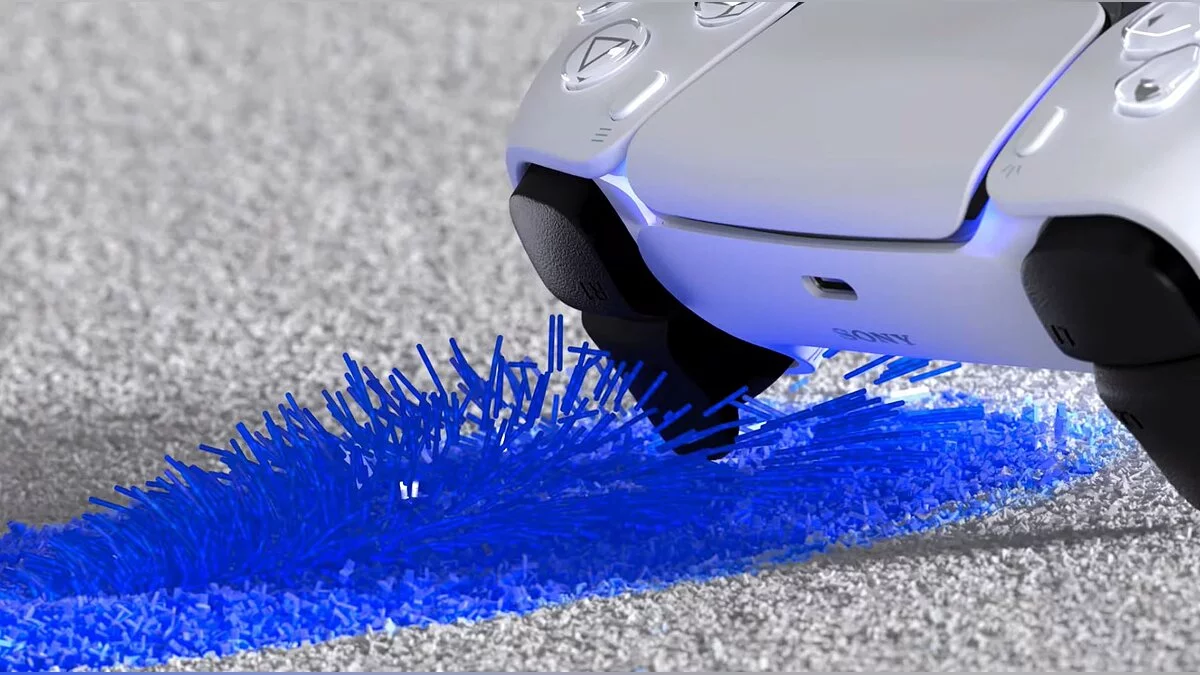
This mod adds support for adaptive triggers for the DualSense PS5 controller. Half of Next-gen on PC. This mod includes custom settings for DualSense adaptive triggers for about 40 types of weapons. It also includes adaptive trigger support for vehicle controls.
Important Note:
If you are already using other controller emulation tools (like DS4Windows), some of their features may not work, as DSX will override the actions of another tool.
Installation:
1. Install the latest version of DualSenseX.
2. Install the ViGEmBus driver for controller emulation.
3. And of course, install the latest version of Cyber Engine Tweaks.
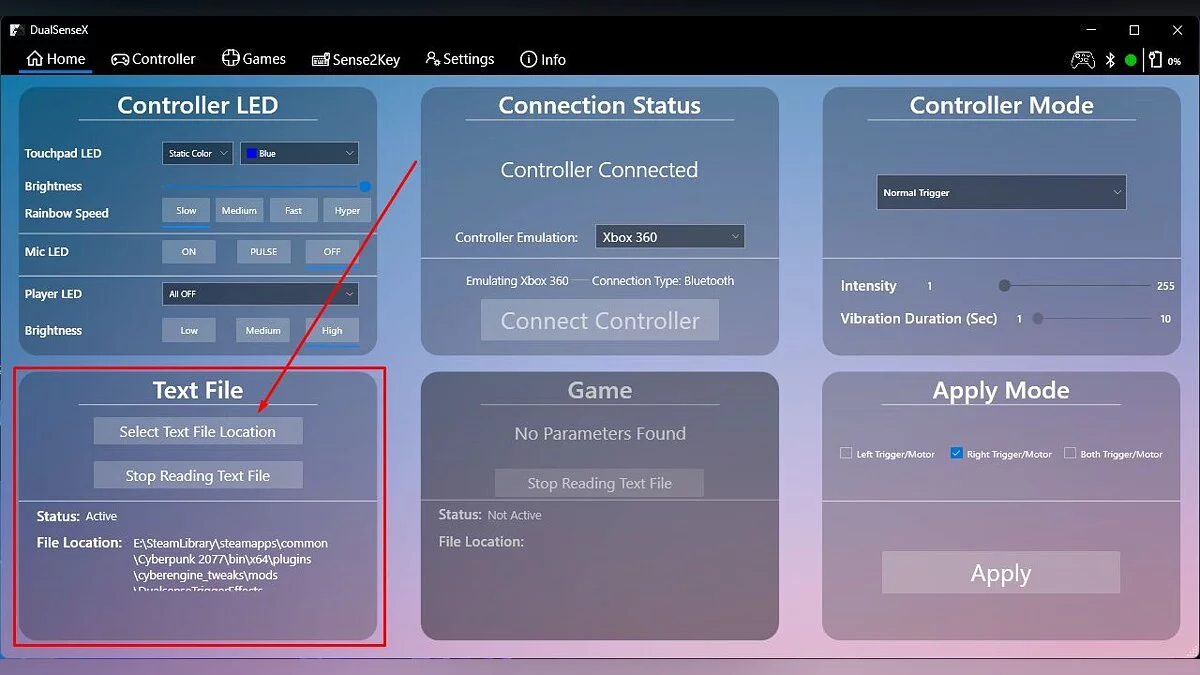
4. Launch DualSenseX. Find the 'Text File' window and click 'Select Text File Location'.
5. Navigate to the mod's folder (/Cyberpunk 2077/bin/x64/plugins/cyber_engine_tweaks/mods/DualsenseTriggerEffects)
6. Select config/DualSenseXConfig.txt
5. Launch Cyberpunk 2077
These actions can be performed at any time you want to run the mod. Notes: Adaptive triggers for vehicles vibrate more intensely at higher RPMs. If the controller vibration is not working for you, try disabling all controller emulation tools and even the one that activates through Steam Big Picture. After that, launch DualSenseX and select the emulated Xbox 360 controller.
DualSense Adaptive Trigger Effects.
Этот мод добавляет поддержку адаптивных триггеров для контроллера DualSense PS5. Половина Next-gen на ПК. Этот мод включает в себя пользовательские настройки адаптивных триггеров DualSense для примерно 40 видов оружия. Также включает поддержку адаптивных триггеров для управления транспортными средствами.
Важное примечание:
Если вы уже используете другие инструменты эмуляции контроллера (например, DS4Windows ), некоторые из их функций могут не работать, поскольку DSX переопределит действия другого инструмента.
Установка:
1. Установите последнюю версию DualSenseX.
2. Установите драйвер ViGEmBus для эмуляции контроллера.
3. Ну и конечно же установить последнюю версию Cyber Engine Tweaks.
4. Запустите DualSenseX. Найдите окно «Текстовый файл» и нажмите «Выбрать местоположение текстового файла».
5. Перейдите в папку этого мода (/Cyberpunk 2077/bin/x64/plugins/cyber_engine_tweaks/mods/DualsenseTriggerEffects )
6. Выберите config/DualSenseXConfig.txt
5. Запустите Cyberpunk 2077
Эти действия можно выполнять в любое время, когда вы хотите запустить мод. Примечания: Адаптивные триггеры для транспортных средств вибрируют сильнее при увеличении оборотов. Если вибрация контроллера у вас не работает, попробуйте отключить все инструменты эмуляции контроллера и даже тот инструмент, который включается через Steam Big Picture. После этого запустите DualSenseX и выберите эмулируемый контроллер Xbox 360.
Related files:
Useful links:

![Cyberpunk 2077 — Cheat Engine Table [UPD: 12.12.2020 - GoG]](https://files.vgtimes.com/download/posts/2020-12/thumbs/1607855732_aolbmde9eeyzp7d2ac2uksumfxczid2lai5tnzoo.webp)
![Cyberpunk 2077 — Save (Secret Ending) [1.03]](https://files.vgtimes.com/download/posts/2020-12/thumbs/1608718003_ckfgi5-h6hgn1vwido1n9q.webp)
![Cyberpunk 2077 — Cheat Engine Table [2.0 Fixed]](https://files.vgtimes.com/download/posts/2023-10/thumbs/tablica-dlja-cheat-engine-2-0-fixed_1696329925_781946.webp)

![Cyberpunk 2077 — Cheat Engine Table [1.6 / GOG]](https://files.vgtimes.com/download/posts/2022-10/thumbs/1665564134_7777.webp)

![Cyberpunk 2077 — Cheat Engine Table [UPD: 19.01.2024]](https://files.vgtimes.com/download/posts/2024-01/thumbs/tablica-dlja-cheat-engine-upd-19-01-2024_1705746243_63828.webp)
![Cyberpunk 2077 — Cheat Engine Table [UPD: 26.10.2023]](https://files.vgtimes.com/download/posts/2023-10/thumbs/tablica-dlja-cheat-engine-upd-26-10-2023_1698400056_642748.webp)