
This third-person fantasy action RPG incorporates online features into its single-player adventure. Players can team up with two others to fight colossal bosses or... Read more
Cinematic Graphics


-
www.nexusmods.comDownload
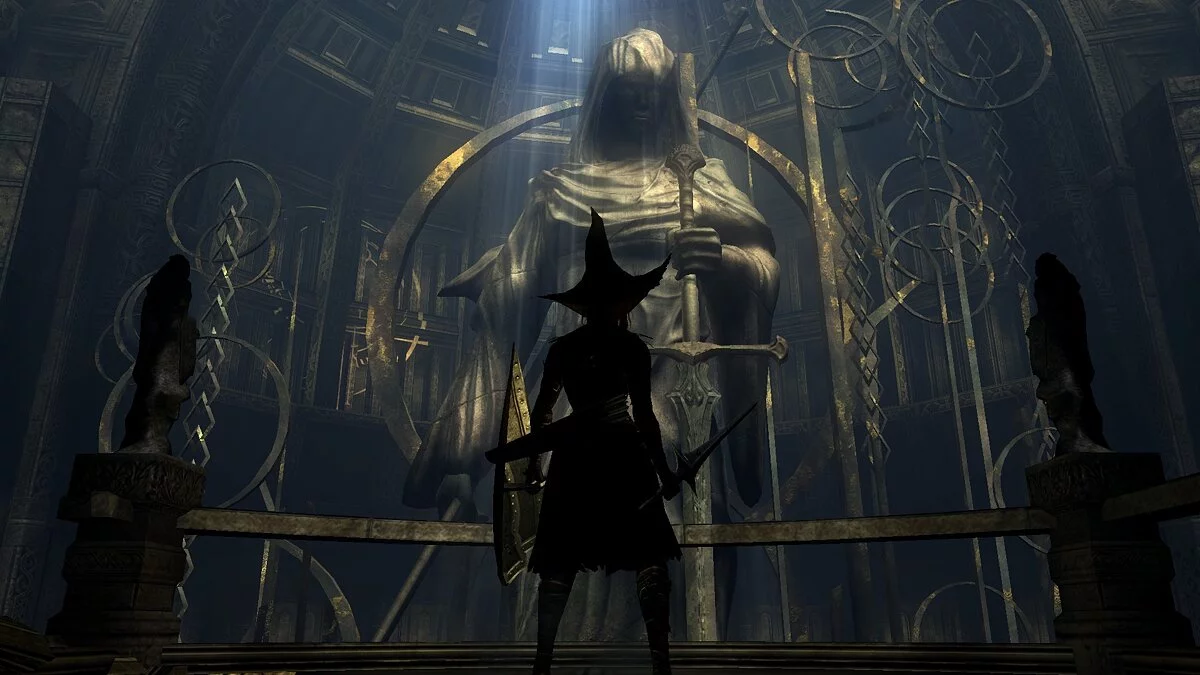
Boletaria Embers — ReShade.
ReShade preset for RPCS3 for a more cinematic effect. Designed for gameplay, not just pretty screenshots.
Installation:
1 Download Reshade https://reshade.me/
2 Run the exe, select "Enable Reshade globally in Vulkan"
3 Click "Select Game" and choose rpcs3.exe from the installation folder.
4 All effects should be checked and ready for installation; if not, enable them all.
5 Make sure you are running DeS in Vulkan. The version of Reshade I used was 4.5.4. Probably doesn't matter if you're not using a really old version.
6 Install the latest 60fps patch. Not having it caused severe flickering for me. If you (like me) accidentally installed an older one, here’s the latest patch.yml. Just drag Boletaria Embers.ini into the RPCS3 folder
7 In-game, press "Home" and select it from the dropdown.
The Numpad / key is intended to reduce some saturation if needed in particularly bright areas.
Boletaria Embers — ReShade.
Предустановка ReShade для RPCS3 для более кинематографического эффекта. Создан, чтобы играть, а не просто делать красивые снимки.
Установка:
1 Загрузите Reshade https://reshade.me/
2 Запустите exe, выберите «Включить Reshade в vulkan глобально»
3 Нажмите «Выбрать игру» и выберите rpcs3.exe из папки установки.
4 Все эффекты должны быть отмечены и готовы к установке, если нет, включите их все.
5 Убедитесь, что вы запускаете DeS в vulkan. Версия Reshade, которую я использовал, была 4.5.4. Наверное, не имеет значения, если вы не используете действительно старую версию.
6 Установите последний патч 60fps. Отсутствие его вызвало у меня сильное мерцание. Если вы (как и я) случайно установили более старую, вот последний patch.yml. Просто перетащите Boletaria Embers.ini в папку RPCS3
7 В игре нажмите «Домой» и выберите его в раскрывающемся списке.
Клавиша Numpad / предназначена для отключения некоторой насыщенности, если это необходимо в особо ярких областях.
Useful links: