After a mysterious dream, the player is in the world of Daca - severe and complete dangers. Outside the shelter, enemies are hidden, and resources are worth its... Read more
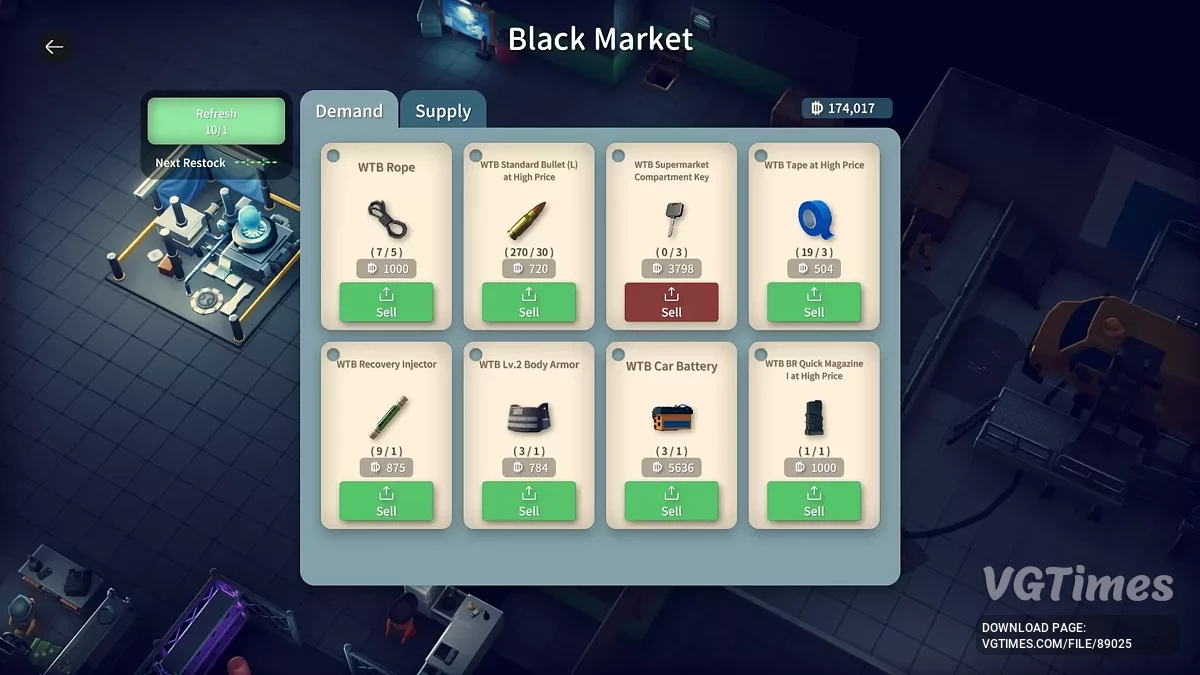
Pinning items on the Black Market


Author:
SolemnDucc
Uploaded by:

Size:
674.89 kB
Date:
January 6, 2026, 07:19 AM
Downloads:
163
-
Download (674.89 kB)January 6, 2026, 07:19 AMzakreplenie-predmetov-na-chernom-rynke_1767673149_147849.zip
This mod allows you to pin your favorite deals so they don’t disappear after the assortment refresh. Now you can secure your loot and plan your economy without random chance interfering.
Features:
- Pin and unpin any buy or sell slot directly in the Black Market interface;
- Automatic saving of pinned items;
- The mod is fully written using standard Unity engine;
- Does not require Harmony;
- Does not require BepInEx;
- No unnecessary bloat. Just clean, optimized C#;
- Safe and clean implementation.
How to launch:
- Go to your game installation folder, usually located at: C:\Program Files (x86)\Steam\steamapps\common\EscapeFromDuckov\;
- Open the Mods folder inside the Duckov_Data directory. Path: EscapeFromDuckov\Duckov_Data\Mods\. If the Mods folder does not exist, create it manually;
- Unzip BlackMarketPinMod.zip into this folder;
- A new directory named 0000000000 will appear, containing all the necessary mod files;
- Note: 0000000000 is a temporary id. Normally, this is a Steam Workshop mod id. If you already have a mod with this id, rename the folder and change the id in info.ini to 0000000001 or any other value;
- Launch the game. The mod will load automatically, then activate it in the Mods submenu.
Compatibility:
- Target version: The mod was created and tested for Escape From Duckov v1.3.10;
- Other versions: Using it on older or newer versions is not guaranteed and may lead to unexpected results (for example, ducks may start flying backwards);
- Always make backup copies of your saves before installing mods. Saves are located at: C:\Users\<YourUsername>\AppData\LocalLow\TeamSoda\Duckov.
Useful links: