
Europa Universalis 4 is a top-down global real-time strategy game. The game takes place in the period from the Late Middle Ages to the era of the Napoleonic Wars... Read more
Custom Music (Adding Music to the Game)

-
1593432262_ownmusic.rarDownload (8.97 MB)
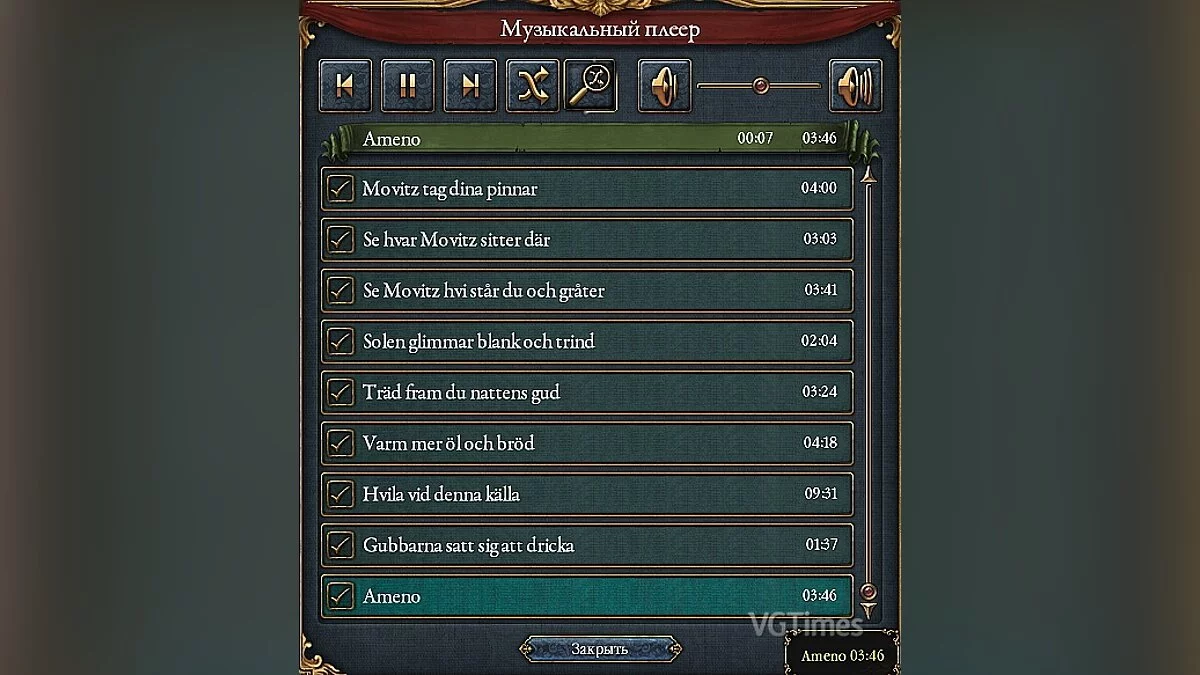
This mod allows you to integrate any other music into the game.
Installation: unpack the archive to \Documents\Paradox Interactive\Europa Universalis IV\mod
For versions 1.30.3, 1.29.0, 1.28.3 and other versions, the installation is exactly the same. In theory, this is a fairly straightforward code, so the subsequent version should run this mod without issues.
How to add your own music:
-Convert Mp3 to ogg format. This can be done using programs or through special websites online.
-Transfer ogg music to \Documents\Paradox Interactive\Europa Universalis IV\mod\OwnMusic\music (i.e., to the music folder located within the mod)
-Open the music.asset file with Notepad or any text editor. Write in a similar code
"music = {
name = "Title" - Music title
file = "Title.ogg" - name of the ogg file
}". If you are doing several at once, write them all down at once.
-Open the songs.txt file with Notepad or any text editor. Write in a similar code
"song = {Name = "title" chance = { exactly the same as you filled in music.asset
modifier = {factor = 1 The value "Factor" — this is the probability of the music playing. You can increase this number)
}}}"
Check the code against the first music, which I specifically left as an example. If you did everything correctly, the music should be added.
How to change music when launching the game
As you may have noticed, the songs.txt file lacks the so-called "maintheme" - (menu music)
I was unable to correctly integrate it into this file. However, this is not essential! "maintheme" is already specified in music.asset and you do not need to touch the code with it.
You only need to replace "maintheme.ogg" with music in ogg format
But if you want this music to play during the game, you need to add it separately since "maintheme" is only for the menu.
P.S. Look for the analog in the mod.
Why the mod was created
There is a topic on the internet about similar music addition directly with the game, but this "may" work improperly or not at all. Personally, it has never worked for me, and I created a separate mod that works for those like me.
Steam analog 1) Go to your music folder \Steam\steamapps\common\Europa Universalis IV\music 2) Paste whatever .ogg files you want into it. .wav works as well. mp3 does not. I am unsure what the full list of file extensions that works is. 3) Open songs.txt 4) Take a look at how the code looks for the files already in there. If you don't want to do anything fancy, copy paste the existing code for one of the songs, e.g., song = { name = "dehominisdignitate.ogg"
Этот мод добавляет вам возможность внедрить в игру любую другую музыку.
Установка: распаковать архив \Documents\Paradox Interactive\Europa Universalis IV\mod
Для версии 1.30.3, 1.29.0, 1.28.3 и прочие версии установка точно такая же. В теории это достаточно банальный код,чтобы последующая версия спокойна запускала этот мод.
Как добавлять свою музыку:
-Mp3 перевести в формат ogg. Это можно сделать с помощью программ или через специальные сайты в интернете.
-Перенести ogg музыку по пути \Documents\Paradox Interactive\Europa Universalis IV\mod\OwnMusic\music (т.е в папку music, которая находится в самом моде)
-Откройте файл music.asset с помощью блокнота или любого текстового редактора.Впишите туда аналогичный код
"music = {
name = "Название"- Название музыки
file = "Название.ogg"- имя файла формата ogg
}". Если вы делаете сразу несколько, то и запишите сразу все.
-Откройте файл songs.txt с помощью блокнота или любого текстового редактора.Впишите туда аналогичный код
"song = {Name = "название" chance = { точно такое же как вы и заполняли в music.asset
modifier = {factor = 1 Значение "Factor" — это вероятность воспроизведения музыки. Вы можете увеличить это число)
}}}"
Сверяйте код с первой музыкой, которую я специально оставил, чтобы он послужил примером. Если вы все сделали правильно, то музыка должна быть добавлена.
Как поменять музыку при запуске игры
Как вы могли заметить в файле songs.txt отсутствует так называемый "maintheme"- (музыка в меню)
У меня не получилось исправно внедрить его в этот файл. Однако это совсем необязательно! "maintheme" уже прописан в music.asset и трогать код с ним не нужно.
Вам достаточно лишь заменить "maintheme.ogg" музыкой в ogg формате
Но если вы хотите,чтобы эта музыка играла во время игры, вам нужно добавить её отдельно т.к "maintheme" служит лишь для меню.
P.S Смотрите аналог в моде.
Зачем создавался мод
В интернете есть тема об аналогичном добавлении музыки в корне с игрой, однако это "может" работать неисправно или вообще не работать. Лично у меня это никогда не работало и я создал для таких как я; отдельный мод, который работает.
Аналог steam 1) Go to your music folder \Steam\steamapps\common\Europa Universalis IV\music 2) Paste whatever .ogg files you want into it. .wav works as well. mp3 does not. I am unsure what the full list of file extensions that works is. 3) Open songs.txt 4) Take a look at how the code looks for the files already in there. If you don't want to do anything fancy, copy paste the existing code for one of the songs, eg song = { name = "dehominisdignitate.ogg"
Useful links:
![Europa Universalis 4 — Cheat Engine Table [1.31.5.2 - 1.32.0.0]](https://files.vgtimes.com/download/posts/2021-11/thumbs/1636970626_egs-europauniversalisivempirebun.webp)
![Europa Universalis 4 — Cheat Engine Table [UPD: 12.06.2020]](https://files.vgtimes.com/download/posts/2020-06/thumbs/1591966709_1591966664_285.webp)
![Europa Universalis 4 — Cheat Engine Table [1.31.5.2 - 1.34.2.0]](https://files.vgtimes.com/download/posts/2022-09/thumbs/1663590291_europa-universalis-iv-common-sense-tweaks-map-tech-gold-mines-483531-6.webp)
![Europa Universalis 4 — Cheat Engine Table [1.36.2]](https://files.vgtimes.com/download/posts/2024-05/thumbs/tablica-dlja-cheat-engine-1-36-2_1715244762_346561.webp)
![Europa Universalis 4 — Cheat Engine Table [UPD: 09.16.2022]](https://files.vgtimes.com/download/posts/2022-09/thumbs/1663415950_ca455d9.webp)
![Europa Universalis 4 — Cheat Engine Table [1.31.1.0]](https://files.vgtimes.com/download/posts/2021-04/thumbs/1619780906__yguevvffq0.webp)
![Europa Universalis 4 — Cheat Engine Table [1.30.3.0 (8406)]](https://files.vgtimes.com/download/posts/2020-07/thumbs/1595416323_sulcy0b_rgwj4_7c8w1_bw.webp)
![Europa Universalis 4 — Cheat Engine Table [1.31.5.2 - 1.36.1.0]](https://files.vgtimes.com/download/posts/2023-11/thumbs/tablica-dlja-cheat-engine-1-31-5-2-1-36_1700999072_368747.webp)
![Europa Universalis 4 — Cheat Engine Table [1.31.5.2 - 1.37.0.0 #4]](https://files.vgtimes.com/download/posts/2024-05/thumbs/tablica-dlja-cheat-engine-1-31-5-2-1-37_1715512476_944565.webp)
![Europa Universalis 4 — Cheat Engine Table [1.30.1.0]](https://files.vgtimes.com/download/posts/2020-06/thumbs/1592050199_yel47xpbvr6ylm_rxy3fhg.webp)