
Mount & Blade 2: Bannerlord is a continuation of the series of role-playing action games set in a fictional medieval world filled with battles. Horns are sounding... Read more
Crusader Blade

-
1635850672_crusaderblade-win-release.zipDownload (3.63 MB)
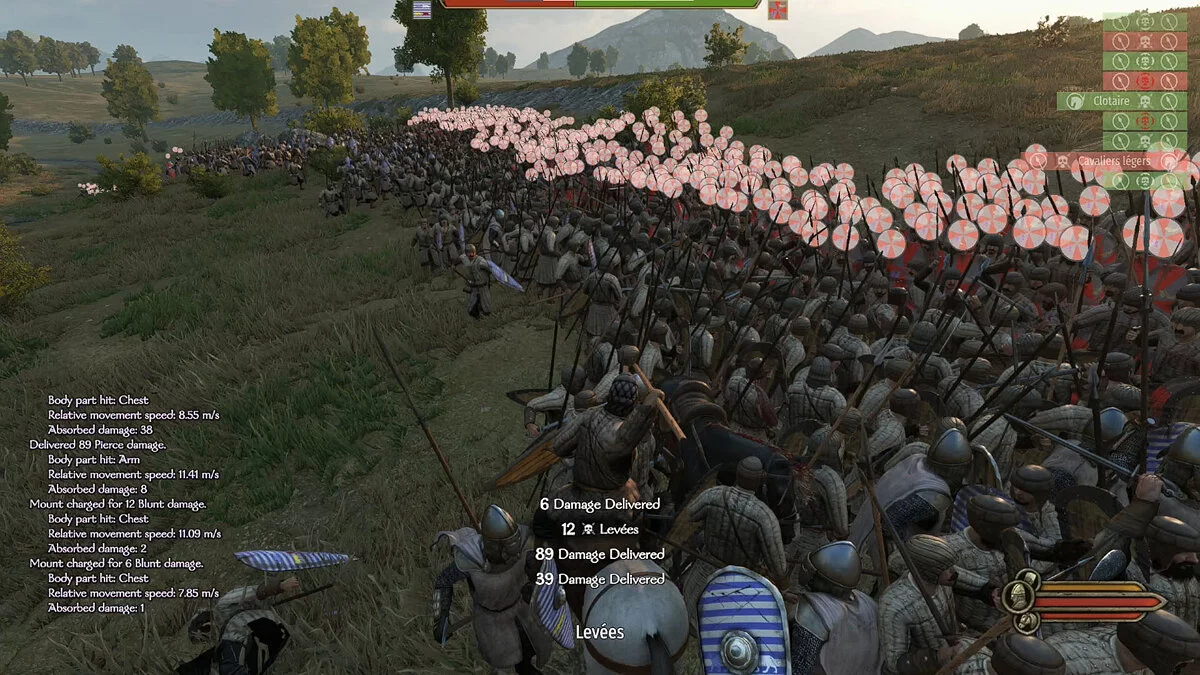
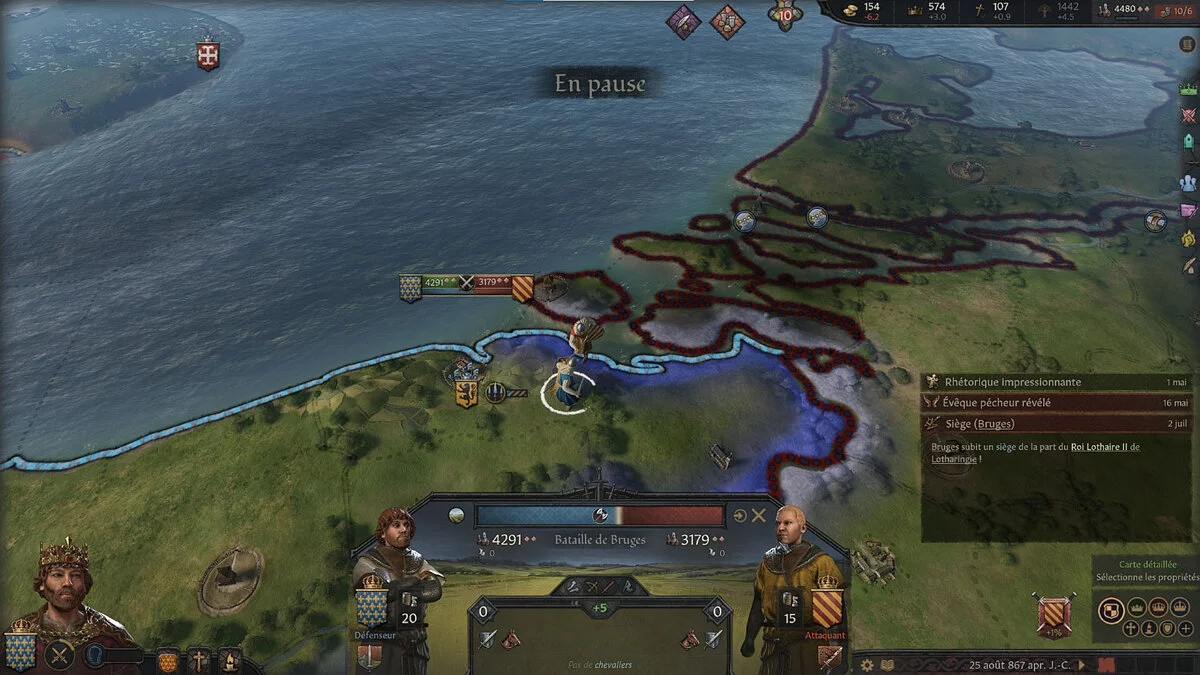
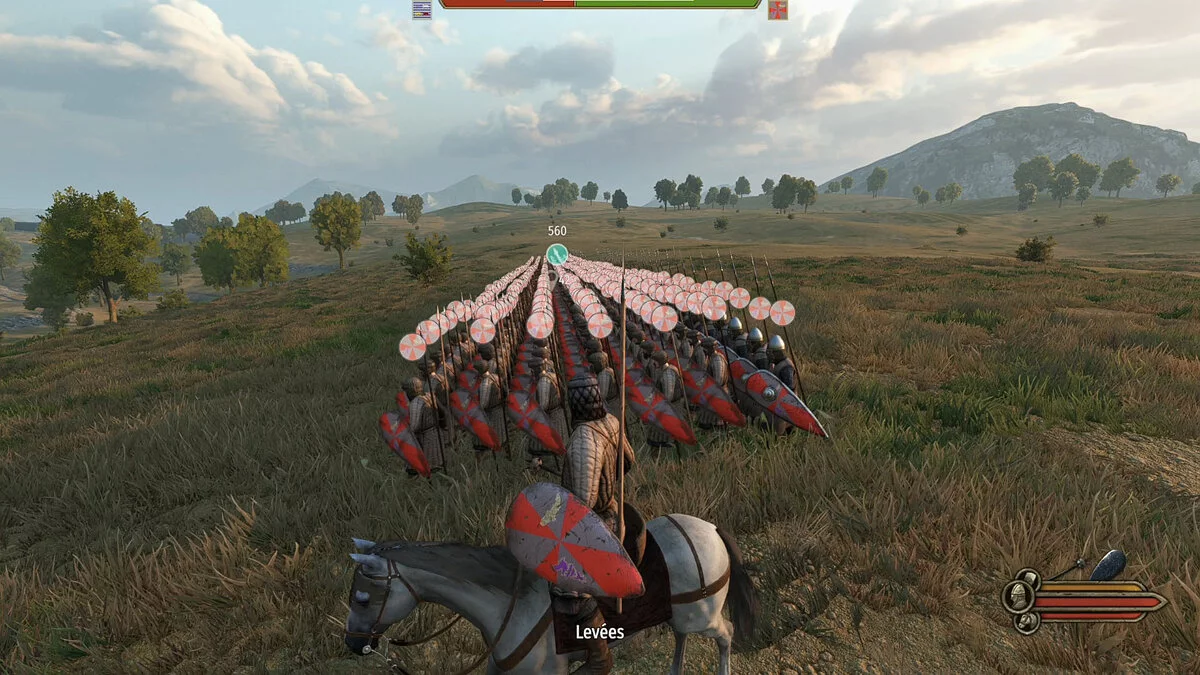
This is a modification that allows you to combine two different gameplay games into one. It refers to Crusader Kings 3 and Mount & Blade 2: Bannerlord.
Note:
- For window switching to work properly, you need to set the display mode to "Windowed" or "Fullscreen without borders" in MB2 settings.
- If you have performance issues, the game is likely running on an integrated graphics card. You can check this by going to MB2 settings during a battle and seeing the video adapter in use. If it's an integrated graphics card, you need to specify crusaderblade.exe to use a high-performance graphics card in the graphics driver settings.
Launch:
1 Specify the path to Bannerlord.exe
2 Specify the path to ck3.exe
3 Choose the language and maximum battle size in MB2
4 Play

Это модификация, которая позволяет объединить две разные по геймплею игры в одно целое. Речь идет о Crusader Kings 3 и Mount & Blade 2: Bannerlord.
Примечание:
- Чтобы переключение окон работало должным образом, в настройках MB2 необходимо установить для режима отображения значение «Оконный» или «Полноэкранный режим без полей».
- Если у вас проблемы с производительностью, вероятно, игра работает на встроенной видеокарте. В этом можно убедиться, зайдя в настройки MB2 во время боя и увидев используемый видеоадаптер. Если это встроенная видеокарта, вам необходимо указать crusaderblade.exe использовать высокопроизводительную видеокарту в настройках драйвера видеокарты.
Запуск:
1 Укажите путь к Bannerlord.exe
2 Укажите путь к ck3.exe
3 Выберите язык и максимальный размер битвы в МБ2
4 Играйте
Useful links:
![Mount & Blade 2: Bannerlord — Cheat Engine Table [UPD: 17.04.2020 / e1.2.0 Beta]](https://files.vgtimes.com/download/posts/2020-04/thumbs/1587161632_hcbs7urqymcfj11jz4phxw.webp)
![Mount & Blade 2: Bannerlord — Cheat Engine Table [UPD: 12.04.2020 / e1.1.0 BETA]](https://files.vgtimes.com/download/posts/2020-04/thumbs/1586693991_hcbs7urqymcfj11jz4phxw.webp)
![Mount & Blade 2: Bannerlord — Trainer (+19) [EA: 30.03.2020] - Updated Version](https://files.vgtimes.com/download/posts/2020-03/thumbs/1585658043_yijczp9jhm6hw6pkfwnkcw.webp)
![Mount & Blade 2: Bannerlord — Cheat Engine Table [UPD: 26.04.2020 / e1.3.0 Beta]](https://files.vgtimes.com/download/posts/2020-04/thumbs/1587989479_8aurnzlw2_7gzugompxzfg.webp)
![Mount & Blade 2: Bannerlord — Cheat Engine Table [UPD: 04.10.2020 / e1.0.9]](https://files.vgtimes.com/download/posts/2020-04/thumbs/1586521784_hcbs7urqymcfj11jz4phxw.webp)
![Mount & Blade 2: Bannerlord — Cheat Engine Table [UPD: 27.04.2020 / e1.3.0 Beta]](https://files.vgtimes.com/download/posts/2020-04/thumbs/1588112223_8aurnzlw2_7gzugompxzfg.webp)
![Mount & Blade 2: Bannerlord — Cheat Engine Table [UPD: 04.07.2020 / e1.0.6]](https://files.vgtimes.com/download/posts/2020-04/thumbs/1586261616_hcbs7urqymcfj11jz4phxw.webp)
![Mount & Blade 2: Bannerlord — Cheat Engine Table [UPD: 04.05.2020 / e1.0.5]](https://files.vgtimes.com/download/posts/2020-04/thumbs/1586089656_fils.webp)
![Mount & Blade 2: Bannerlord — Cheat Engine Table [UPD: 04.06.2020 / e1.0.5]](https://files.vgtimes.com/download/posts/2020-04/thumbs/1586194107_1586194003_547.webp)