
The main character collects and maintains an old car. You need to buy and sell various parts while trying to manage your finances. Many unique... Read more
Complete Russian Text, Texture, and Voice-Over Localization


-
Download in TelegramNo waiting Download1.05 GBNovember 18, 2026, 05:38 PMMWC Russian Pack 1.0.28polnyjj-rusifikator-teksta-tekstur-i_1795012701_766480.zip
-
Download in TelegramNo waiting Download617.88 MBNovember 18, 2026, 05:38 PMОзвучка + текстуры + текстpolnyjj-rusifikator-teksta-tekstur-i_1795012701_487129.zip
-
Download in TelegramNo waiting Download102.25 MBNovember 18, 2026, 05:38 PMПеревод только текстурpolnyjj-rusifikator-teksta-tekstur-i_1795012701_584327.zip
Comprehensive Russian localization for My Winter Car, including translations of the interface and items, adapted textures, and full Russian voice-over. In the final update, the localization is fully integrated into the game files, no longer requires MSCLoader, and delivers performance on par with the original game.
Optimization and performance:
- Removed the dependency on MSCLoader entirely; the localization now works independently.
- Performance has been significantly optimized, with the frame rate now almost matching the original version of the game.
- The interaction system with the in-game booster has been reworked.
Translation and voice-over:
- Translations of all available interface elements and in-game items are complete.
- The Russian voice-over is complete and fully tested; issues with crashes and incorrect playback of lines have been fixed.
- The text localization has been checked again, and text overflowing interface elements has been fixed.
- The localization is now integrated directly into the game files.
Fixes and new features:
- Fixed bugs and issues found in previous versions of the localization.
- The custom texture replacement system has been completely reworked.
- Added the option to change the photo and flag (FLAG) separately via the game's root directory, without modifying the main archives.
- Added support for entering Russian when filling out the passport at the start of the game, while retaining the option to use English.
Installation instructions:
- Extract the localization archive.
- Run MWCResourceImporter.exe and specify the path to the My Winter Car root folder.
- Click the “Start MSCLoader setup” button and follow the installer's prompts. When the game loads to the main menu, confirm this in the installer window.
- After this step is complete, the game will restart. Wait for the main menu to load again, then confirm the second step.
- Select the localization components you need and the preferred Russian voice-over option, then start the installation.
- Launch the game and play in Russian.
Note: Do not delete the MWC_Russian_Backup folder in the game directory, as it can be used to restore the original files if needed.
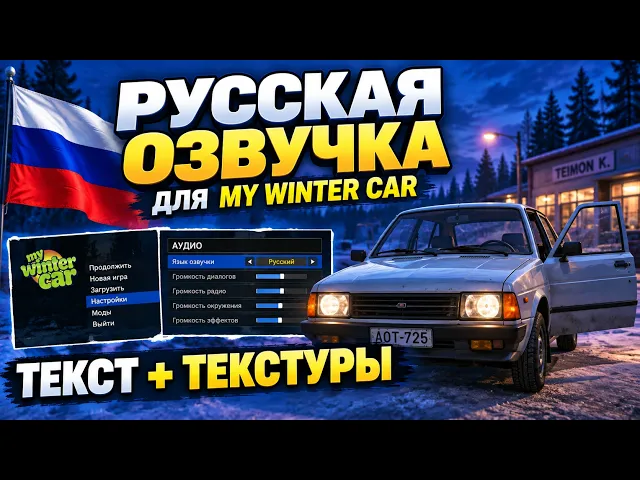
Комплексная русификация для My Winter Car, включающая перевод интерфейса и предметов, адаптацию текстур и полную русскую озвучку. В финальном обновлении русификатор полностью интегрируется в игровые файлы, избавлен от необходимости использовать MSCLoader и обеспечивает высокую производительность на уровне оригинальной версии игры.
Оптимизация и производительность:
- Полностью удалена зависимость от MSCLoader, теперь русификатор работает автономно.
- Существенно оптимизирована производительность, частота кадров практически не отличается от оригинальной версии игры.
- Переработана система взаимодействия с игровым бустером.
Перевод и озвучка:
- Завершён перевод всех доступных элементов интерфейса и игровых предметов.
- Полностью завершена и проверена русская озвучка, исправлены проблемы со сбоями и некорректным воспроизведением реплик.
- Перепроверена текстовая локализация и исправлены выходы текста за границы элементов интерфейса.
- Русификатор теперь напрямую интегрируется в игровые файлы.
Исправления и нововведения:
- Исправлены ошибки и недочёты, обнаруженные в предыдущих версиях локализации.
- Полностью переработана система замены пользовательских текстур.
- Добавлена возможность отдельно изменять фотографию и флаг (FLAG) через корневой каталог игры без вмешательства в основные архивы.
- Добавлена поддержка ввода русского языка при заполнении паспорта в начале игры с сохранением возможности использовать английский язык.
Инструкция по установке:
- Распакуйте архив с русификатором.
- Запустите файл MWCResourceImporter.exe и укажите путь к корневой папке игры My Winter Car.
- Нажмите кнопку «Начать подготовку MSCLoader» и следуйте подсказкам установщика. Когда игра загрузится до главного меню, подтвердите это в окне установщика.
- После завершения этапа игра запустится повторно — снова дождитесь загрузки главного меню и подтвердите второй этап.
- Выберите нужные компоненты русификатора и подходящий вариант русской озвучки, затем запустите установку.
- Запустите игру и играйте на русском языке.
Примечание: не удаляйте папку MWC_Russian_Backup в директории игры, так как с её помощью можно при необходимости восстановить оригинальные файлы.
Useful links:


