A cooperative game in which 4 gamers try to climb to the top of a mountain. The heroes are lost on the island, and this is the only way to salvation. You need to... Read more
PEAK Unlimited — No lobby size limit



Author:
glarmer
Uploaded by:

Size:
4.75 kB
Date:
June 24, 2025, 12:07 PM
Downloads:
515
-
Download (4.75 kB)June 24, 2025, 12:07 PMpeak-unlimited-net-ogranichenijj-na_1750756029_174013.zip
Introducing, "PEAK Unlimited", a mod for PEAK which raises the lobby max player count so that you may play with all of your friends, only the host needs to have this mod!
Features:
- Raises the Max Player Count.
- Adds extra marshmallows for all your friends.
- Has an easy to use configuration file.
Configuration:
- The extra marshmallows feature may be turned off in the configuration (it is on by default).
- Configuration can be found at: (steam directory)\PEAK\BepInEx\config\PeakUnlimited.cfg.
- The default max is 20, I would recommend lowering this value in the configuration if you know you won't be playing with this many people.
- Game may become unstable with lots of players.
- Can overwrite the number of marshmallows to a desired value.
Installation:
- Only the host needs to have the mod installed for it to work.
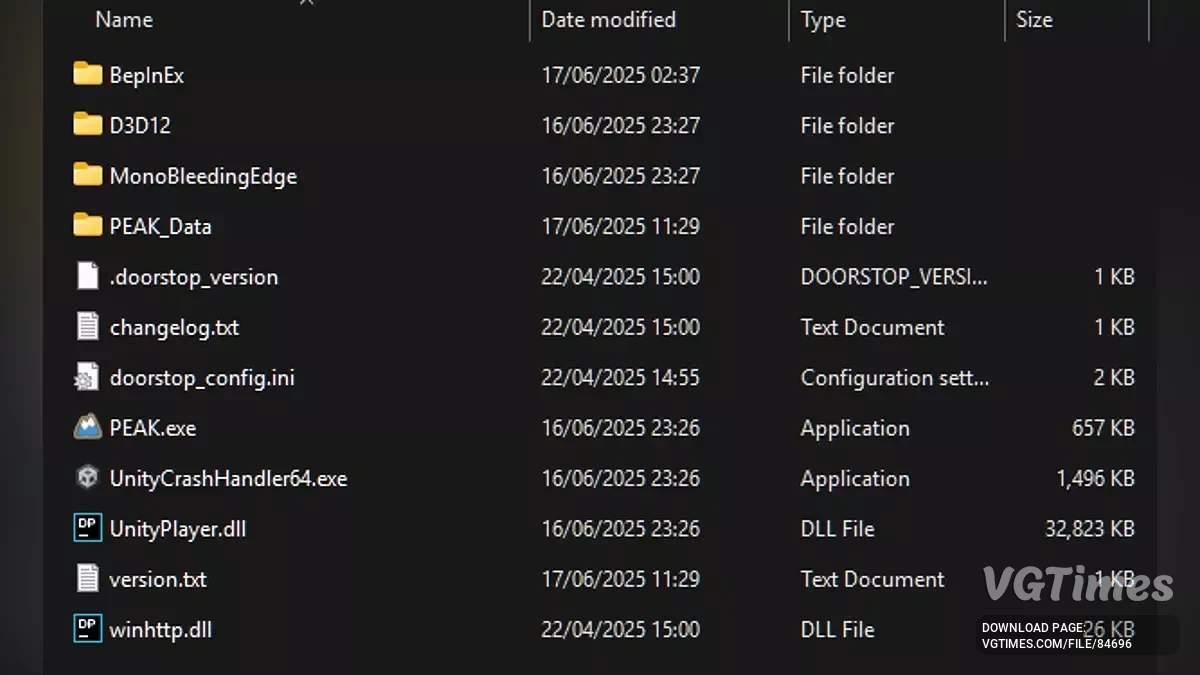
- Install BepInExPack.
- Extract the contents of the archive into your game directory (default: C:\Program Files (x86)\Steam\steamapps\common\PEAK).
- Start the game and close it — this is necessary for the initial Bepinex setup.
- Download this mod.
- Navigate to ...\PEAK\BepInEx\plugins, copy and paste the PeakUnlimited.dll file from the archive into this folder.
- Start the game.
Related files:
Useful links:








![Peak — Table for Cheat Engine [UPD: 22.06.2025]](https://files.vgtimes.com/download/posts/2025-06/thumbs/tablica-dlja-cheat-engine-upd-22-06-2025_1750752651_791982.webp)