
Stardew Valley is a farming simulator with role-playing elements, an open-world sandbox with an isometric camera and the visual style of 90s arcade games. After... Read more
Dynamic Game Assets

-
www.nexusmods.comDownload
Dynamic Game Assets.
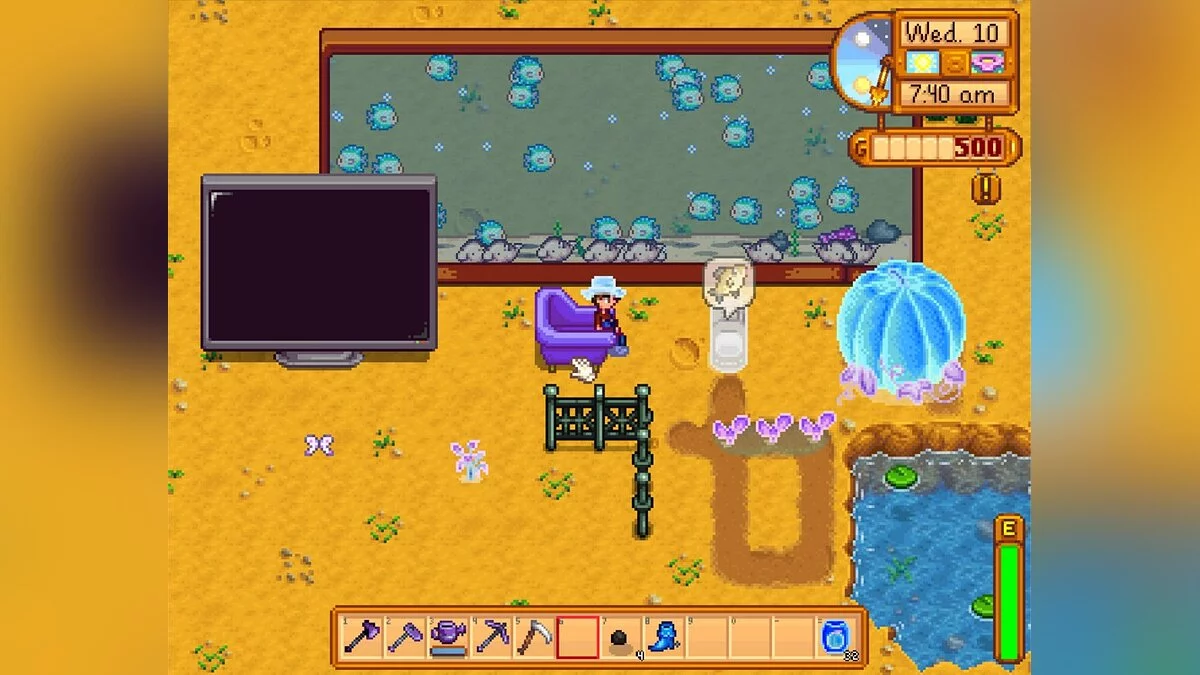
Enables content packs to add custom content to the game. Currently, it supports objects (including large craftables), crops (including giant crops), gear (shoes + clothing + hats + weapons), fences, furniture, fruit trees, and recipes (crafting + smithing + machine + clothing tailoring).
Installation:
1 Install the latest version of SMAPI, SpaceCore, and Content Patcher.
2 Unzip the mod folder into Stardew Valley/Mods.
3 Launch the game through SMAPI.
Usage for players:
This mod does nothing on its own; you need to install content packs by unzipping them into the Mods folder. See "Requirements" > "Mods that require this file" above to find content packs. Before removing dynamic game assets, ensure that you have deleted all custom content you added to the game.
Dynamic Game Assets.
Позволяет пакетам контента добавлять в игру пользовательский контент.В настоящее время он поддерживает объекты (в том числе большие крафтовые), урожай (в том числе гигантский урожай), снаряжение (обувь + одежда + шляпы + оружие), заборы, мебель, фруктовые деревья и рецепты (крафт + кузница + машина + пошив одежды).
Установка:
1 Установите последнюю версию SMAPI , SpaceCoreи Content Patcher.
2 Разархивируйте папку мода в Stardew Valley/Mods.
3 Запустите игру через SMAPI.
Использование для игроков:
Этот мод сам по себе ничего не делает; вам необходимо установить пакеты контента, разархивировав их в папку Mods. См. «Требования» > «Моды, которым требуется этот файл» выше, чтобы найти пакеты контента. Перед удалением динамических игровых активов убедитесь, что вы удалили весь пользовательский контент, который вы добавили в игру.
Related files:
Useful links:
![Stardew Valley — Trainer (+6) from 12.02.2021 [WeMod]](https://files.vgtimes.com/download/posts/2021-12/thumbs/1638436783_2021-12-02_121744.webp)
![Stardew Valley — Mods Patcher (Content Patcher) [1.6.3]](https://files.vgtimes.com/download/posts/2019-02/thumbs/1551167027_1.webp)
![Stardew Valley — Trainer (+10) from 01.16.2021 [WeMod]](https://files.vgtimes.com/download/posts/2021-01/thumbs/1610790405_2021-01-16_124435.webp)
![Stardew Valley — Mod Manager (SMAPI - Stardew Modding API) [2.10.2]](https://files.vgtimes.com/download/posts/2019-02/thumbs/1550181230_2.webp)

![Stardew Valley — Trainer (+33) [1.6.3]](https://files.vgtimes.com/download/posts/2024-04/thumbs/trejjner-33-1-6-3_1712659893_432156.webp)
![Stardew Valley — Trainer (+17) from 04.01.2024 [WeMod]](https://files.vgtimes.com/download/posts/2024-04/thumbs/trejjner-17-ot-01-04-2024-wemod_1711992419_107230.webp)