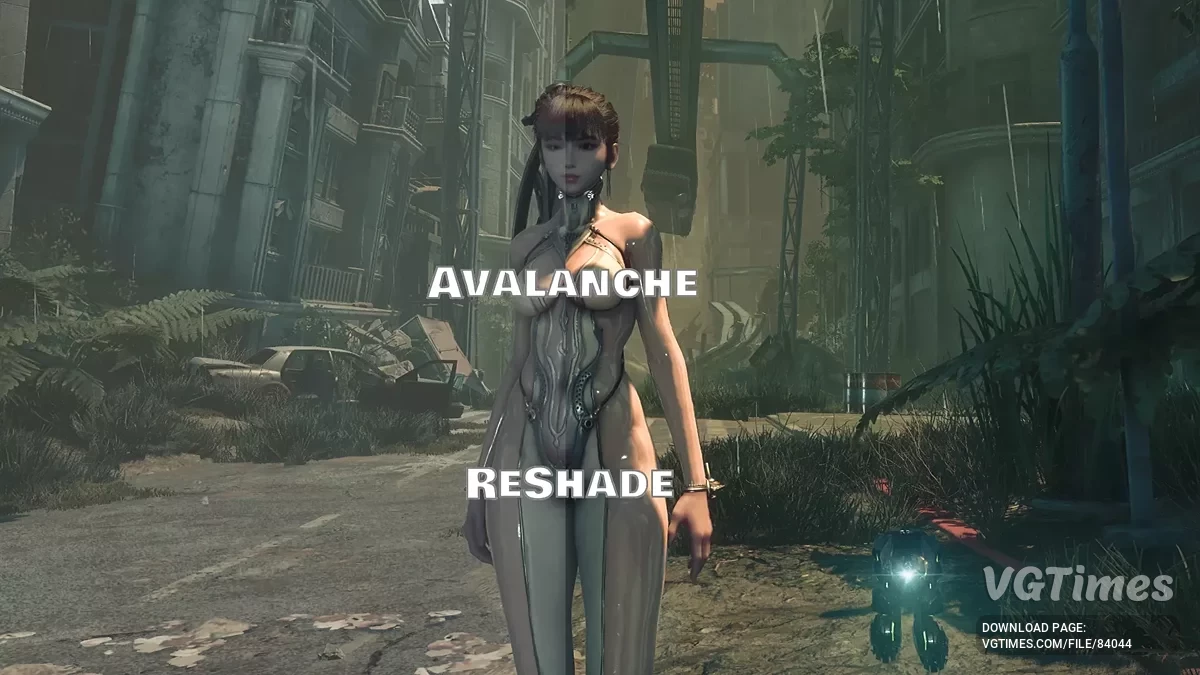
The game takes place in a world where almost all the inhabitants of the Earth were killed by mysterious creatures. The main character is a young... Read more
Enhanced Camera


-
Download (558.81 kB)November 5, 2026, 11:44 PMuluchshennaja-kamera_1793911469_588844.zip
This Stellar Camera mod lets you adjust the in-game camera and field of view (FOV) in Stellar Blade. The mod offers smooth transitions between different camera states, three ready-made presets, and the ability to create an unlimited number of custom settings.
Features:
- Adjust camera position and field of view (FOV);
- Five separate camera states: idle, walking, running, sprinting, and maximum sprinting;
- Three ready-made presets and support for an unlimited number of custom profiles;
- Smooth transitions between camera states;
- Automatically adjusts the camera position when wall-running, moving on moving objects, and climbing ledges;
- Supports combat mode and locking the camera onto an enemy;
- Automatically switches to the standard in-game camera while riding pipes, during cutscenes, and when falling;
- Built-in editor for adjusting the camera directly in-game;
- Change settings and save custom presets.
Controls:
- F5 — reload settings from the INI file and presets folder;
- Ctrl + F5 — enable or disable Stellar Camera;
- [ — previous preset;
- ] — next preset;
- F8 — enable or disable the built-in editor.
Preset configuration:
- Custom presets are located in: StellarBlade\SB\Binaries\Win64\ue4ss\Mods\StellarCamera\Scripts\Presets.
To create or modify presets, edit the Lua files while preserving their original format. To add a new preset to the game, specify its name in the Scripts\presets.lua file.
Camera settings:
- EnableCameraCollision — enable or disable camera collisions with walls;
- CameraDepthOffset — change the camera's distance from Eve;
- CameraHorizontalOffset — shift the camera horizontally;
- CameraVerticalOffset — shift the camera vertically;
- CameraFOV — adjust the field of view;
- Climb Offset — camera settings while climbing ladders and ropes;
- Beam Offset — camera settings while moving along narrow beams;
- Combat Offset — camera position in combat;
- CombatFOV — field of view in combat mode;
- CombatLock Offset — camera position when locked onto an enemy;
- TpsFOV — field of view while firing the drone's weapon;
- EnableHardLockDriftCamera — enable or disable lateral camera drift when locked onto a target;
- HardLockDriftOffset — adjust the amount of permitted lateral camera drift;
- EnableCombatSoftLockCamera — experimental feature that allows the camera to rotate while locked onto an enemy. Switching between targets is not yet supported.
Adjusting the camera in-game:
- Select a preset using [ and ];
- Enter the desired camera state, such as walking or climbing a ladder;
- Press F8 to open the editor;
- Use the adjustment keys to change the camera position and field of view;
- Press Ctrl + F8 to save changes to the selected preset.
Editor controls:
- F8 — enable or disable the editor;
- Shift + ↑ \/ ↓ — adjust the camera's vertical position;
- Shift + ← \/ → — adjust the camera's horizontal position;
- Ctrl + ↑ \/ ↓ — change the camera distance;
- Ctrl + ← \/ → — adjust the field of view;
- Alt + ← \/ → — cycle through adjustment increments: 1, 5, 10, or 20;
- Ctrl + F8 — save settings to the selected preset.
Requirements:
Installation:
- Download and install CPS — Custom Plugin System;
- Place the mod files in: SB\Binaries\Win64\CPS\Plugins.
Данный мод Stellar Camera позволяет настраивать игровую камеру и угол обзора (FOV) в Stellar Blade. Модификация предлагает плавное переключение между различными состояниями камеры, три готовых пресета и возможность создавать неограниченное количество собственных настроек.
Особенности:
- Настройка положения камеры и угла обзора (FOV);
- Пять отдельных состояний камеры: бездействие, ходьба, бег, спринт и максимальный спринт;
- Три готовых пресета и поддержка неограниченного количества пользовательских профилей;
- Плавные переходы между состояниями камеры;
- Автоматическая корректировка положения камеры во время бега по стенам, перемещения на движущихся объектах и подъёма по уступам;
- Поддержка боевого режима и фиксации камеры на противнике;
- Автоматическое переключение на стандартную игровую камеру во время катания по трубам, кат-сцен и падений;
- Встроенный редактор для настройки камеры непосредственно в игре;
- Возможность изменения настроек и сохранения собственных пресетов.
Управление:
- F5 — перезагрузка настроек из INI-файла и папки с пресетами;
- Ctrl + F5 — включение и отключение Stellar Camera;
- [ — предыдущий пресет;
- ] — следующий пресет;
- F8 — включение и отключение встроенного редактора.
Настройка пресетов:
- Пользовательские пресеты находятся в папке: StellarBlade\SB\Binaries\Win64\ue4ss\Mods\StellarCamera\Scripts\Presets.
Для создания или изменения пресетов необходимо редактировать Lua-файлы, сохраняя исходный формат. Чтобы добавить новый пресет в игру, его имя нужно указать в файле Scripts\presets.lua.
Настройки камеры:
- EnableCameraCollision — включение и отключение столкновений камеры со стенами;
- CameraDepthOffset — изменение расстояния камеры от Евы;
- CameraHorizontalOffset — смещение камеры по горизонтали;
- CameraVerticalOffset — смещение камеры по вертикали;
- CameraFOV — настройка угла обзора;
- Climb Offset — настройки камеры во время подъёма по лестницам и верёвкам;
- Beam Offset — настройки камеры при передвижении по узким балкам;
- Combat Offset — положение камеры в бою;
- CombatFOV — угол обзора в боевом режиме;
- CombatLock Offset — положение камеры при фиксации на противнике;
- TpsFOV — угол обзора во время стрельбы из оружия дрона;
- EnableHardLockDriftCamera — включение и отключение бокового смещения камеры при фиксации на цели;
- HardLockDriftOffset — настройка допустимого бокового смещения камеры;
- EnableCombatSoftLockCamera — экспериментальная функция, позволяющая вращать камеру при фиксации на противнике. Переключение между целями пока не поддерживается.
Настройка камеры в игре:
- Выбрать пресет клавишами [ и ];
- Перейти в нужное состояние камеры, например ходьбу или подъём по лестнице;
- Нажать F8 для включения редактора;
- Использовать клавиши настройки для изменения положения камеры и угла обзора;
- Нажать Ctrl + F8, чтобы сохранить изменения в выбранный пресет.
Клавиши редактора:
- F8 — включение и отключение редактора;
- Shift + ↑ / ↓ — настройка вертикального положения камеры;
- Shift + ← / → — настройка горизонтального положения камеры;
- Ctrl + ↑ / ↓ — изменение расстояния до камеры;
- Ctrl + ← / → — настройка угла обзора;
- Alt + ← / → — переключение шага изменения: 1, 5, 10 или 20;
- Ctrl + F8 — сохранение настроек в выбранный пресет.
Требования:
Установка:
- Скачать и установить CPS — Custom Plugin System;
- Разместить файлы мода по пути: SB\Binaries\Win64\CPS\Plugins.
Useful links: