A heist simulator in which you can completely destroy the world around you using tools and weapons. Missions begin with exploration: the player can explore the area... Read more
Save File (First Level, All Weapons Unlocked! + Guide on How to Change Ammo)

-
1604753626_1604753626_savegame.zipDownload (390 байт)
In this save, all weapons are unlocked and the game starts from the first level
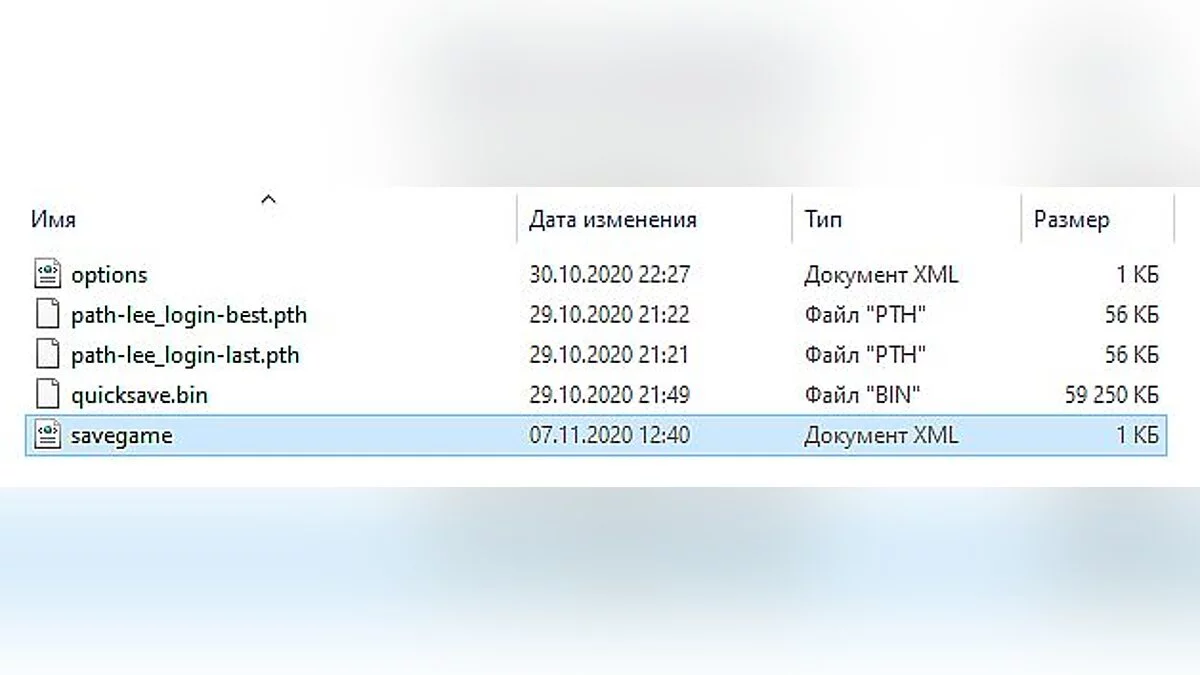
Path to save: C:\Users\User\Documents\Teardown
How to change the amount of available ammo?
Go to the save folder. You can download Notepad++, but you can also use Notepad.
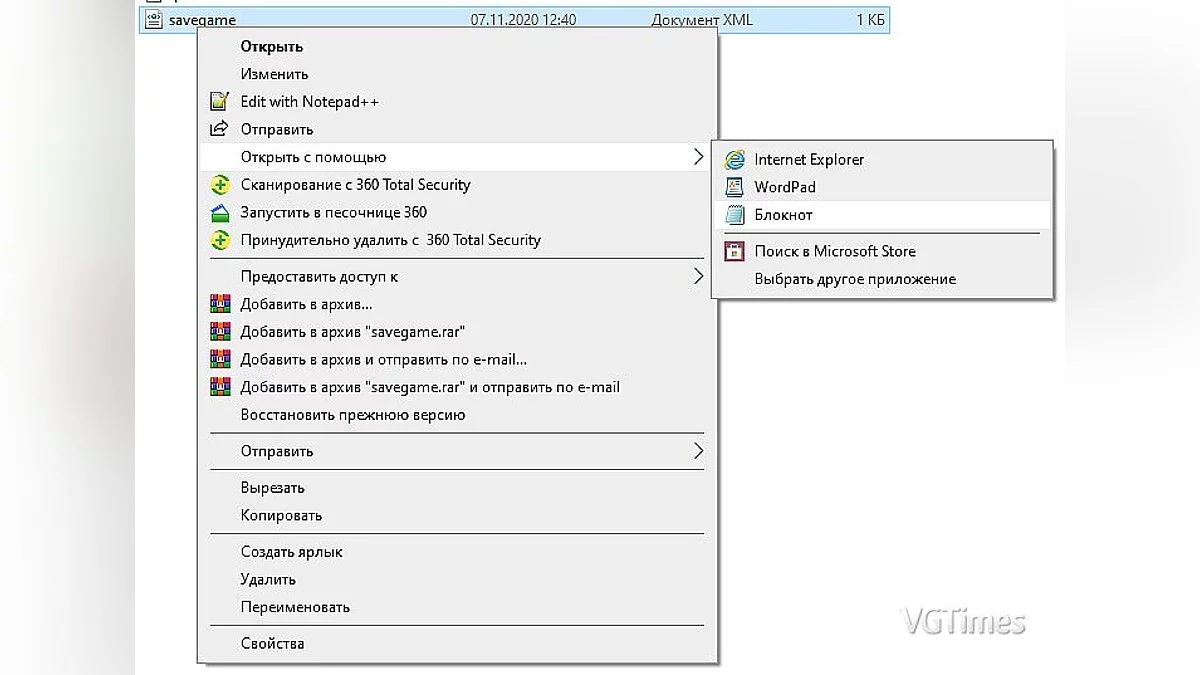
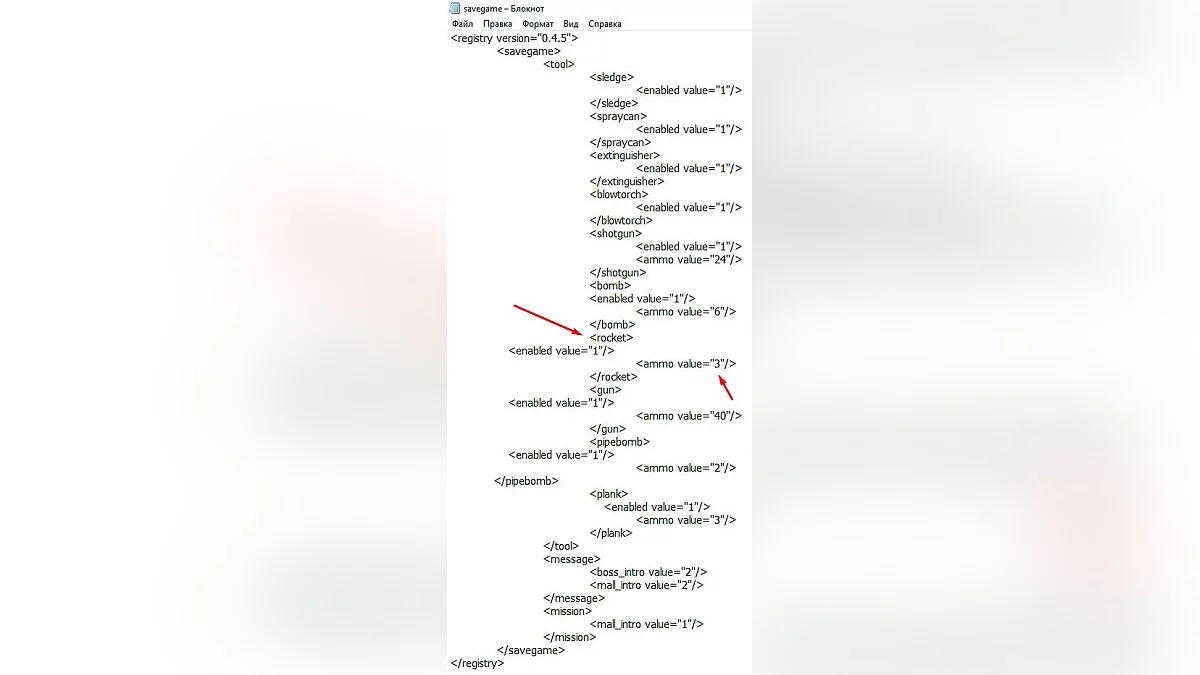
Open the file with Notepad and see a bunch of different code. We only need one line: <ammo value="number"/>. I haven't checked the maximum number of ammo you can set, I advise not to overdo it.
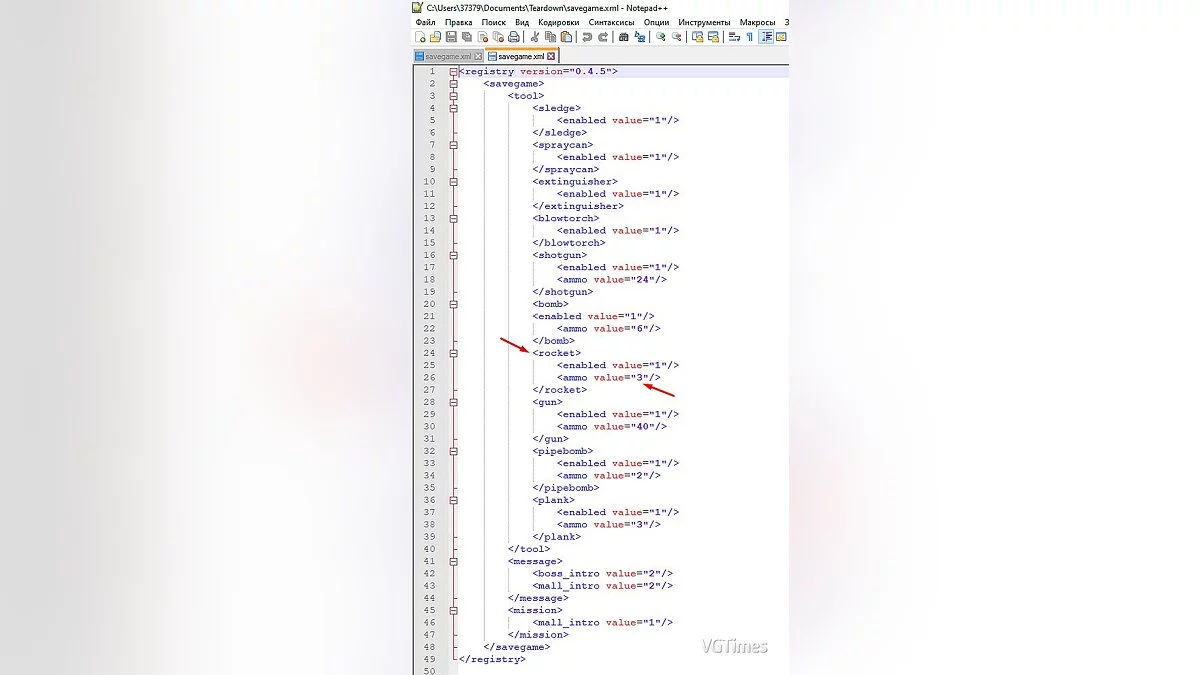
Suppose we want more rockets. We look for the line <rocket> NOT </rocket>. Below <rocket> there should be the line <ammo value="3"/>. Change the three to any number you need.
With Notepad++, it will be much easier to make changes. After our simple manipulations, we enter the game and play from the first level, with all tools and a huge amount of ammo.
В этом сейве всё оружие открыто и игра начинается с первого уровня
Путь к сейву : C:\Users\User\Documents\Teardown
Как же изменить количество доступных патронов?
Заходим в папку с сохранением. Вы можете скачать notepad++, но так же можете обойтись блокнотом.
Открываем файл при помощи блокнота и видим в нём кучу разного кода. Нам нужно только одна строчка : <ammo value="число"/>. Я не проверял максимальное число патронов которое можно поставить, советую не перебарщивать.
Допустим мы хотим больше ракет. Мы ищем строчку <rocket> НЕ </rocket>. Ниже <rocket> должна быть строчка <ammo value="3"/>. Тройку мы изменяем на любое число которое вам необходимо.
С notepad++ изменение будет куда удобнее. После наших простых махинаций мы заходим в игру и играем с первого уровня, со всеми инструментами и огромным количеством патронов.
Useful links:
![Teardown — Cheat Engine Table [UPDATED: 11/06/2020]](https://files.vgtimes.com/download/posts/2020-11/thumbs/1604743733_unnamed.webp)
![Teardown — Car pack from Lada to Lamborghini [1.6.3]](https://files.vgtimes.com/download/posts/2025-05/thumbs/car-pack-ot-zhigulejj-do-lamborgini-1-6_1746652636_344591.webp)