

A heist simulator in which you can completely destroy the world around you using tools and weapons. Missions begin with exploration: the player can... Read more
Players:
Steam:
Metacritic:
AC130 Airstrike

Author:
My Cresta
Uploaded by:

Size:
2.01 MB
Date:
July 7, 2026, 11:40 AM
Downloads:
282


-
Download (2.01 MB)July 7, 2026, 11:40 AMaviaudar-ac-130_1783413640_331535.zip
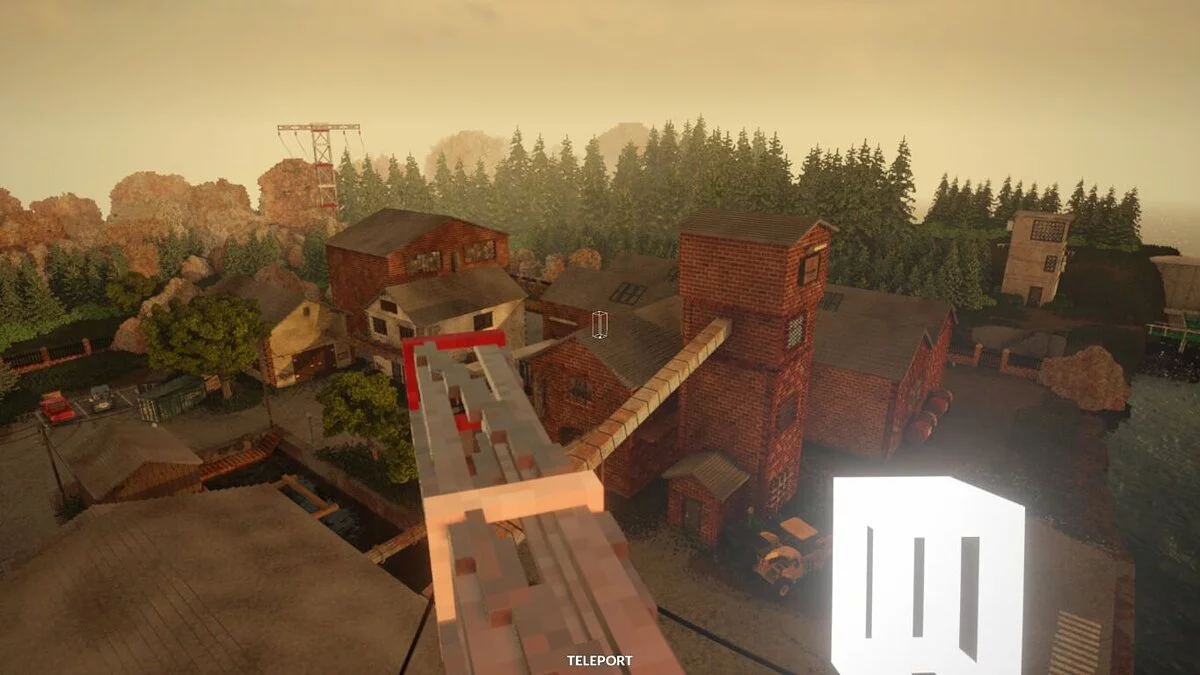
An advanced aerial support tool that allows you to summon the devastating firepower of an AC-130 Gunship. Equip the tool to enter the overhead aircraft camera perspective, track surface assets, and rain down multiple heavy ammunition profiles onto the sandbox environment below. Completely optimized for both single-player and multiplayer sessions.
Available Ammunition Profiles (Shell Types):
- 25mm — High-velocity, rapid-fire light autocannon rounds.
- 40mm — Heavier explosive payloads tailored for structural cracking.
- 105mm — The ultimate heavy artillery shell delivering massive kinetic devastation.
- Cluster — Discharges sub-munitions triggering multiple scattered explosions across an area.
- Napalm — Incendiary payload that triggers raging surface fires.
- Water — High-pressure water cannon configuration to fight active fires.
- Acid — Corrosive chemical payload that eats away at map geometry.
- Smoke — Deploys a physical smoke canister emitting a dense visual screen upon impact.
Reworked & Improved Features:
- Full native Gamepad and Controller support integrated.
- All-new comprehensive interactive in-game Options Menu.
- Dedicated single-player and multiplayer operational parameter layouts.
- Streamlined and highly responsive shell selection mechanics.
- Functional live Range Finder overlay in the plane camera view.
- Dedicated friendly player marker tracking visible from the air.
- Upgraded projectile physics visuals and trail effects.
- Improved and corrected tool hand positioning placement models.
Keybinds & Controls:
- Equip Tool: Locate and select the AC130 Airstrike item from your tool list.
- RMB (Right Mouse Click) / Grab Key — Toggle enter or exit states for the overhead AC130 plane camera view.
- LMB (Left Mouse Click) / Use Tool Key — Discharge the currently selected weapon system.
- Q / E (Or Interact Input) — Cycle through available shell types.
- O (Default setup) — Summon the mod's configuration Options Menu.
Advanced Configuration Parameters (Options):
- The options suite is strictly isolated between Client and Host parameters to maintain session stability:
- Client Options: Personal preference and UI settings that are automatically cached between game launches.
- Host Options: Session-wide balancing adjustments accessible strictly by the multiplayer host (or locally in single-player runs). Controls server balancing indices including allowed shell types, global damage multipliers, cooldown thresholds, maximum concurrent active physics projectiles, self-inflicted damage, and friendly fire toggles.
Installation instructions:
- Download the modification archive package.
- Extract the files into the designated mods directory inside your local Teardown installation path (e.g., ...\Teardown\mods\AC130Airstrike\).
- Launch the game application, open the "Play" menu, navigate to "Mods," and select the active airstrike mod.
Useful links:
![Teardown — Cheat Engine Table [UPD: 02.11.2020]](https://files.vgtimes.com/download/posts/2020-11/thumbs/1604491962_ss_0342f0121fc3569fb2f0eef4792f670522d7e588.1920x1080.webp)
![Teardown — Cheat Engine Table [UPDATED: 11/06/2020]](https://files.vgtimes.com/download/posts/2020-11/thumbs/1604743733_unnamed.webp)
![Teardown — Trainer (+5) from 07.04.2023 [WeMod]](https://files.vgtimes.com/download/posts/2023-07/thumbs/trejjner-5-ot-04-07-2023-wemod_1688468716_44610.webp)
![Teardown — Cheat Engine Table [UPD: 11.07.2020]](https://files.vgtimes.com/download/posts/2020-11/thumbs/1604921765_93fe9c2f-9c0f-4539-9481-a832a7a2e2dd.webp)
![Teardown — Cheat Engine Table [UPD: 01.18.2024]](https://files.vgtimes.com/download/posts/2024-01/thumbs/tablica-dlja-cheat-engine-upd-18-01-2024_1705662313_649061.webp)
![Teardown — Trainer (+5) from 11.19.2023 [WeMod]](https://files.vgtimes.com/download/posts/2023-11/thumbs/trejjner-5-ot-19-11-2023-wemod_1700477456_70428.webp)
![Teardown — Cheat Engine Table [UPD: 04.11.2022]](https://files.vgtimes.com/download/posts/2022-11/thumbs/1667647224_p1_3335058_450d68bf.webp)
![Teardown — Trainer (+5) from 03.06.2022 [WeMod]](https://files.vgtimes.com/download/posts/2022-03/thumbs/1646644476_2022-03-07_121221.webp)