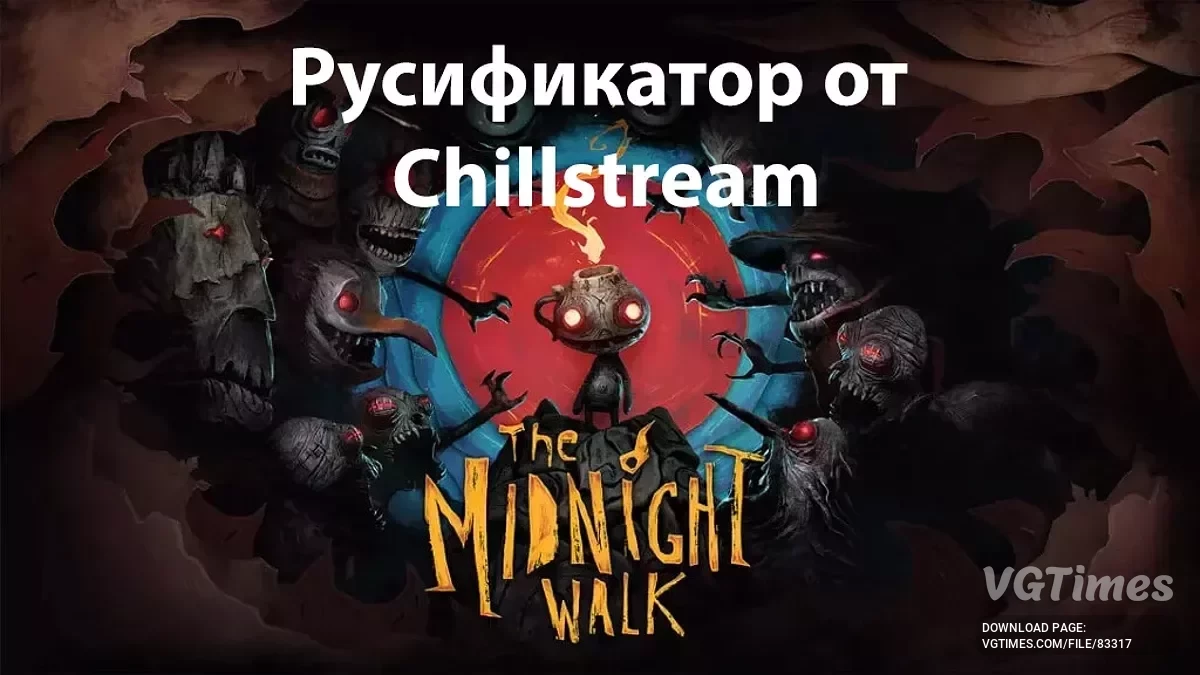
![The Midnight Walk — Localization / Manual Translation [version 3.0 – 20260912] / Localization](https://files.vgtimes.com/si/gameprev_74691_768_1774648795.webp "The Midnight Walk — Localization / Manual Translation [version 3.0 – 20260912] / Localization")
Gloomy game from the authors of Lost in Random. The monsters and environment were first sculpted from clay and then transferred to 3D. The gamer controls a... Read more

Localization / Manual Translation [version 3.0 – 20260912]
![The Midnight Walk — Localization / Manual Translation [version 3.0 – 20260912]](https://files.vgtimes.com/download/posts/2025-08/thumbs/rusifikator-ruchnojj-perevod_1755624926_809510.webp)
![The Midnight Walk — Localization / Manual Translation [version 3.0 – 20260912]](https://files.vgtimes.com/download/posts/2025-08/thumbs/rusifikator-ruchnojj-perevod-versija-3_1789221159_722472.webp)
![The Midnight Walk — Localization / Manual Translation [version 3.0 – 20260912]](https://files.vgtimes.com/download/posts/2025-08/thumbs/rusifikator-ruchnojj-perevod_1755624926_662544.webp)
![The Midnight Walk — Localization / Manual Translation [version 3.0 – 20260912]](https://files.vgtimes.com/download/posts/2025-08/thumbs/rusifikator-ruchnojj-perevod_1755624926_899107.webp)
![The Midnight Walk — Localization / Manual Translation [version 3.0 – 20260912]](https://files.vgtimes.com/download/posts/2025-08/thumbs/rusifikator-ruchnojj-perevod_1755624926_275412.webp)

-
Download (10.34 MB)September 12, 2026, 04:52 PMАвтоматический установщикrusifikator-ruchnojj-perevod-versija-3_1789221159_911240.zip
-
Download (2.62 MB)September 12, 2026, 04:52 PMАрхив для установки вручнуюrusifikator-ruchnojj-perevod-versija-3_1789221159_645178.zip
-
github.comDownload
-
steamcommunity.comDownload
Description:
Translated by Dontaz. A fully completed manual translation into English with proofreading and editing. The meanings of wordplay, some jokes, and proper names have been preserved. I have metaphorically translated some words to the best of my ability (where implied by the game itself). Textures (titles of chapters and the game) have been translated.
Links:
- Localization pages on Steam
- Localization page on Steam Guides (Steam manuals)
- Discussion page for the localization on Steam Discussions
Installation instructions via automatic installer:
- Download the file:
- either from the links in the section "Downloading from third-party sources → Automatic installer" from your desired source,
- or through a mirror from this site;
- or by clicking the "Download" button on this site;
- Run the .exe file;
- At the bottom of the program window, click "Next";
- If the installer incorrectly specified the path to your game — click "Browse" to the right of the game path line and specify the path to your game;
- After the correct path to your game is specified in the line, click "Next" at the bottom;
- Click "Install" at the bottom of the window;
- The localization is installed, you can click the "Finish" button at the bottom of the window.
Manual installation instructions from archive:
- Download the archive:
- either from the link in the section "Downloading from third-party sources → Archive for manual installation" from your desired source;
- or by clicking the "Download" button on this site;
- Transfer the folder "TheMidnightWalk" from the archive to the game folder at the path "...\steamapps\common\The Midnight Walk".
Installation instructions on Steam Deck:
- Switch to Desktop mode by long-pressing the power button → "Switch to Desktop mode", or through the Steam menu (STEAM button) → "Power" → "Switch to Desktop mode";
- Download the automatic installer or the archive;
- If installing manually from the archive:
- Transfer the folder "TheMidnightWalk" from the archive to the game folder at the path "/home/deck/.local/share/Steam/steamapps/common/The Midnight Walk".
- If installing via the automatic installer:
- Right-click (or LT — left trigger) on the .exe file and select "Add to Steam";
- Go to Steam (without leaving Desktop mode);
- Find the localization installer in your library and right-click on it (or LT — left trigger);
- Select "Properties..." and go to the "Compatibility" section;
- Check the box next to "Force the use of a specific Steam Play compatibility tool";
- A list will appear below, from which you need to select the desired version of Proton, I recommend "Proton 9.0-4", testing has been conducted and this version runs the installer without any issues;
- If your TouchPad stops working during installation → Use the TouchPad while holding the "STEAM" button;
- At the bottom of the program window, click "Next";
- The installer has a built-in search for the game path on Steam Deck, but if the installer incorrectly specified the path to your game — click "Browse" to the right of the game path line and specify the path to your game;
- After the correct path to your game is specified in the line, click "Next" at the bottom;
- Click "Install" at the bottom of the window;
- The localization is installed, you can click the "Finish" button at the bottom of the window.
Instructions for updating or replacing the translation:
- If you have my translation and want to update it:
- If you are installing a new version using the automatic installer:
- Download the automatic installer with the new version from the links in the section "Downloading from third-party sources → Automatic installer" from your desired source;
- Follow the steps in the installation instructions via the automatic installer (section "Installation instructions via automatic installer");
- The automatic installer will replace the old version with the new one.
- If you are installing a new version manually from the archive:
- Download the archive for manual installation with the new version either from the links in the section "Downloading from third-party sources → Archive for manual installation", or by clicking the "Download" button on this site;
- Transfer the folder "TheMidnightWalk" from the archive to the game folder at the path "...\steamapps\common\The Midnight Walk";
- Perform the copy with replacement of the new file.
- If you are installing a new version using the automatic installer:
- If you want to replace the localization from another translator with my translation:
- If you have a machine translation from Chillstream, the automatic installer of my translation has a built-in removal of this translation when found in the game folder (nothing additional needs to be pressed, the function is automatic and occurs during installation).
- If you have translations from other translators:
- Follow the removal instructions from the translator of that translation or ↓
- Go to the "Paks" folder at the path "\steamapps\common\The Midnight Walk\TheMidnightWalk\Content\" and delete all files and folders EXCEPT for the file "TheMidnightWalk-Windows.pak" (which weighs about 16.5 GB);
- Select your preferred method of installing my translation (via automatic installer or manually from the archive) and follow the instructions for that method.
- If you want to replace my localization (translation) with another from other translators:
- Remove my translation following the instructions in the section "Instructions for removing translation" (points 1 and 2);
- Install the translation from other translators according to their instructions.
Instructions for removing translation:
- If you have my translation, which you installed manually from the archive:
- Go to the "Paks" folder at the path "\steamapps\common\The Midnight Walk\TheMidnightWalk\Content\" and delete the file "RussianLanguage_P.pak"
- If you have my translation, which you installed via the automatic installer:
- Go to the "Remove localization" folder located in the root game folder "\steamapps\common\The Midnight Walk\" and run the file "unins000.exe"
- If you have a localization from other translators:
- Go to the "Paks" folder at the path "\steamapps\common\The Midnight Walk\TheMidnightWalk\Content\" and delete all files and folders EXCEPT for the file "TheMidnightWalk-Windows.pak" (which weighs ~16.5 GB) or ↓
- Follow the removal instructions from the translator of that translation.
Описание:
Перевёл Dontaz. Полностью готовый ручной перевод на русский язык с вычиткой и редактурой. Сохранены смыслы игры слов, некоторые шутки и нарицательные имена. В меру своих сил литературно иносказал некоторые слова (там, где это подразумевается самой игрой). Переведены текстуры (название глав и игры).
Ссылки:
- Страницы русификатора в Steam
- Страница русификатора в Steam Guides (руководствах Steam)
- Страница обсуждения русификатора в Steam Discussions
Инструкция к установке через автоматический установщик:
- Скачиваете файл:
- либо по ссылкам из секции «Скачивание со сторонних ресурсов → Автоматический установщик» с желаемого источника,
- либо через зеркало с этого сайта;
- либо по кнопке «Скачать» с этого сайта;
- Запускаете .exe файл;
- Снизу окна программы нажмите «Далее»;
- Если установщик неправильно указал путь к вашей игре — нажмите «Обзор» справа от строки с путём к игре и укажите путь к вашей игре;
- После того, как в строке будет указан правильный путь к вашей игре, нажмите снизу «Далее»;
- Нажмите снизу окна «Установить»;
- Русификатор установлен, можете нажать кнопку «Завершить» снизу окна.
Инструкция к установке вручную из архива:
- Скачиваете архив:
- либо по ссылке из секции «Скачивание со сторонних ресурсов → Архив для установки вручную» с желаемого источника;
- либо по кнопке «Скачать» с этого сайта;
- Переносите папку «TheMidnightWalk» из архива в папку с игрой по пути «...\steamapps\common\The Midnight Walk».
Инструкция к установке на Steam Deck:
- Переходите в режим Рабочего стола через длительное удержание кнопки выключения → «Перейти в режим рабочего стола», либо через меню Steam (кнопка STEAM) → «Выключение» → «Перейти в режим рабочего стола»;
- Скачиваете автоматический установщик, либо архив;
- Если ставите вручную из архива:
- Переносите папку «TheMidnightWalk» из архива в папку с игрой по пути «/home/deck/.local/share/Steam/steamapps/common/The Midnight Walk».
- Если ставите через автоматический установщик:
- Правый клик (либо LT — левый триггер) по .exe файлу и выберите «Add to Steam»;
- Перейдите в Steam (не выходя из режима рабочего стола);
- Найдите в библиотеке установщик русификатора и кликните по нему правым кликом (либо LT — левый триггер);
- Выберите «Свойства...» и перейдите в раздел «Совместимость»;
- Поставьте галочку перед «Принудительно использовать выбранный инструмент совместимости Steam Play»;
- Ниже появится список, из которого нужно выбрать желаемую версию Proton, рекомендую «Proton 9.0-4», был проведён тест и на этой версии установщик запускается без каких-либо проблем;
- Если у вас перестал работать TouchPad во время установки → Используйте TouchPad с зажатой кнопкой «STEAM»;
- Снизу окна программы нажмите «Далее»;
- Установщик имеет встроенный поиск пути к игре на Steam Deck, но если всё же установщик неправильно указал путь к вашей игре — нажмите «Обзор» справа от строки с путём к игре и укажите путь к вашей игре;
- После того, как в строке будет указан правильный путь к вашей игре, нажмите снизу «Далее»;
- Нажмите снизу окна «Установить»;
- Русификатор установлен, можете нажать кнопку «Завершить» снизу окна.
Инструкция к обновлению или замене перевода:
- Если у вас мой перевод и вы хотите его обновить:
- Если устанавливаете новую версию с помощью автоматического установщика:
- Скачиваете автоматический установщик с новой версией по ссылкам из секции «Скачивание со сторонних ресурсов → Автоматический установщик» с желаемого источника;
- Выполняете по пунктам инструкцию по установке через автоматический установщик (секция «Инструкция к установке через автоматический установщик»);
- Автоматический установщик сам заменит старую версию новой.
- Если устанавливаете новую версию вручную из архива:
- Скачиваете архив для установки вручную с новой версией либо по ссылкам из секции «Скачивание со сторонних ресурсов → Архив для установки вручную», либо по кнопке «Скачать» с этого сайта;
- Перенесите папку «TheMidnightWalk» из архива в папку с игрой по пути «...\steamapps\common\The Midnight Walk»;
- Выполните копирование с заменой новым файлом.
- Если устанавливаете новую версию с помощью автоматического установщика:
- Если вы хотите заменить русификатор от другого переводчика моим переводом:
- Если у вас стоит машинный перевод от Chillstream, то автоматический установщик моего перевода имеет встроенное удаление этого перевода при его нахождении в папке с игрой (ничего дополнительно нажимать не нужно, функция автоматическая и происходит во время установки).
- Если у вас перевод от других переводчиков:
- Выполнить удаление другого перевода по инструкции переводчика этого перевода или ↓
- Перейти в папку «Paks» по пути «\steamapps\common\The Midnight Walk\TheMidnightWalk\Content\» и удалить оттуда все файлы и папки КРОМЕ файла «TheMidnightWalk-Windows.pak» (который весит около 16.5 ГБ);
- Выбрать желаемый способ установки моего перевода (через автоматический установщик или вручную архивом) и следовать инструкции этого способа.
- Если вы хотите заменить мой русификатор (перевод) другим от других переводчиков:
- Удалить мой перевод по инструкции из секции «Инструкция по удалению перевода» (1 и 2 пункты);
- Установить перевод от других переводчиков по их инструкции.
Инструкция по удалению перевода:
- У вас мой перевод, который вы установили ручным способом через архив:
- Перейти в папку «Paks» по пути «\steamapps\common\The Midnight Walk\TheMidnightWalk\Content\» и удалить оттуда файл «RussianLanguage_P.pak»
- У вас мой перевод, который вы установили через автоматический установщик:
- Перейти в папку «Удаление русификатора», которая находится в корневой папке с игрой «\steamapps\common\The Midnight Walk\» и запустить файл «unins000.exe»
- У вас установлен русификатор от других переводчиков:
- Перейти в папку «Paks» по пути «\steamapps\common\The Midnight Walk\TheMidnightWalk\Content\» и удалить оттуда все файлы и папки КРОМЕ файла «TheMidnightWalk-Windows.pak» (который весит ~16.5 ГБ) или ↓
- Выполнить удаление другого перевода по инструкции переводчика этого перевода.
Useful links: