![Titan Quest 2 — Table for Cheat Engine [UPD: 07.08.2025] / Tables / Cheats](https://files.vgtimes.com/si/gameprev_71671_768_1790181064.webp "Titan Quest 2 — Table for Cheat Engine [UPD: 07.08.2025] / Tables / Cheats")
The events of the second part, like the original game, will unfold in Ancient Greece. The goddess of retribution Nemesis lost her mind and began to infect the... Read more
Anticipation Rating:
Steam:
Table for Cheat Engine [UPD: 07.08.2025]
![Titan Quest 2 — Table for Cheat Engine [UPD: 07.08.2025]](https://files.vgtimes.com/download/posts/2025-08/thumbs/tablica-dlja-cheat-engine-upd-07-08-2025_1754638958_711790.webp)
Author:
cfemen
Uploaded by:

Size:
5.33 kB
Date:
August 8, 2025, 10:42 AM
Downloads:
217
-
Download (5.33 kB)August 8, 2025, 10:42 AMtablica-dlja-cheat-engine-upd-07-08-2025_1754638958_842205.rar
Functions and commands:
- Create Console.
- Creates the UE console, it can be toggled with ~Tilde.
- Set Console-Key To F1.
- Use this script in case you have issues with ~Tilde coz of the keyboard layout.
- Patch Exec Flag + CVars.
- Allows you to use the cheat commands like Grim.Cheats.Enabled 1|Grim.Cheats.HotkeysEnabled 1.
- This enables the hotkey K so you can use the built in cheats.
- CheatManager (Main Menu).
- Needs to be enabled BEFORE loading the savegame, it allows to use default UE commands like ToggleDebugCamera or FOV or Teleport.
- Gear Editor.
- It shows a selection list of all (non) equipped items in the inventory, if you select one you can edit the stats of it (pointers or dropdown lists).
- Affix is only for the visuals, the actual effect is on the Effect dropdown!
- You can use Add +1 Effect Slot to add another Affix/Effect slot to the selected item, so you can generate a godlike item, e.g.
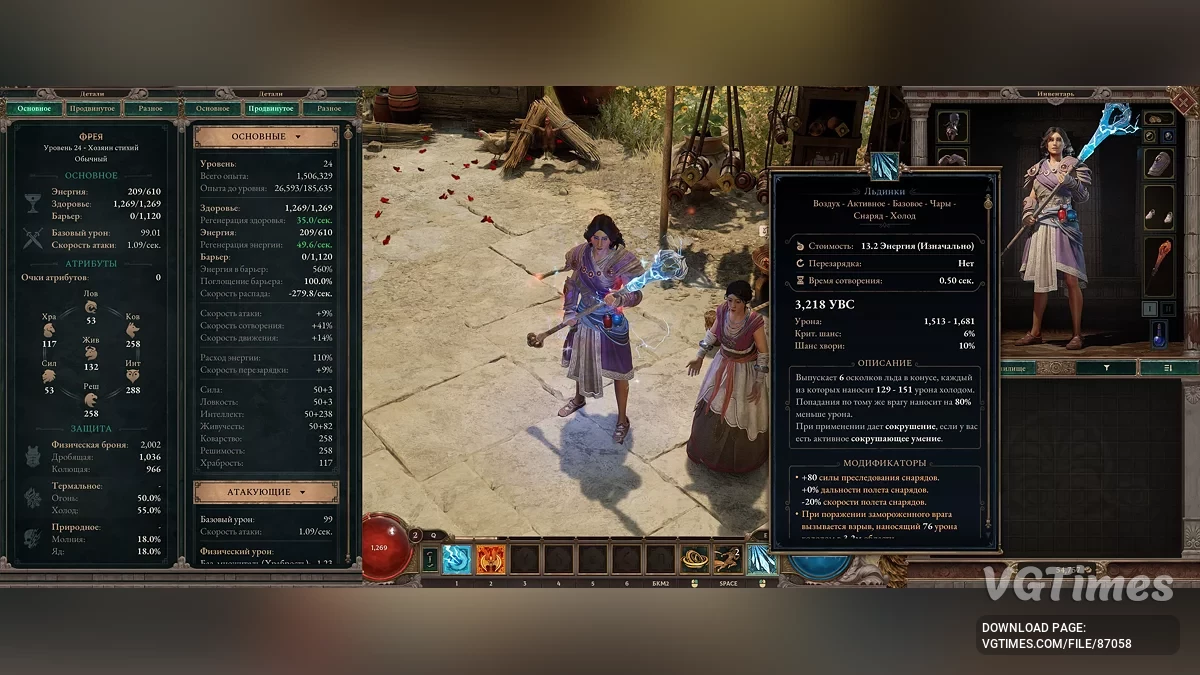
The table contains a bunch of useful pointers:
- CurrentHealth.BaseValue.
- CurrentHealth.CurrentValue.
- CurrentMana.BaseValue.
- CurrentMana.CurrentValue.
- AttackSpeedFactor.BaseValue.
- AttackSpeedFactor.CurrentValue.
- CastSpeedFactor.BaseValue.
- CastSpeedFactor.CurrentValue.
- WeaponDamageVariance.BaseValue.
- WeaponDamageVariance.CurrentValue.
- WeaponCritChance.BaseValue.
- WeaponCritChance.CurrentValue.
- GlanceChance.BaseValue.
- GlanceChance.CurrentValue.
- WeaponAilmentChance.CurrentValue.
- WeaponAilmentChance.BaseValue.
- MoveSpeedFactor.CurrentValue.
- MoveSpeedFactor.BaseValue.
- CurrentLevel.BaseValue.
- CurrentLevel.CurrentValue.
- CharacterCurrentLevelProgress.CurrentValue.
- CharacterCurrentLevelProgress.BaseValue.
- AttributePoints.Current.
- AttributePoints.Base.
- Mastery_ActivePoints.
- Mastery_PassivePoints.
- Gold.
How to run:
- Open "Cheat Engine";
- Click "Load" and select the table;
- Click "Select a process to open" and choose the desired process;
- Select the required option and check the box.
Related files:
Useful links:
![Titan Quest 2 — Trainer (+26) [EA: 06.08.2025]](https://files.vgtimes.com/download/posts/2025-08/thumbs/trejjner-26-ea-06-08-2025_1754554988_485764.webp)



![Titan Quest 2 — Table for Cheat Engine [UPD: 03.08.2025]](https://files.vgtimes.com/download/posts/2025-08/thumbs/tablica-dlja-cheat-engine-upd-03-08-2025_1754386774_1482.webp)
![Titan Quest 2 — Table for Cheat Engine [UPD: 03.08.2025]](https://files.vgtimes.com/download/posts/2025-08/thumbs/tablica-dlja-cheat-engine-upd-03-08-2025_1754386254_570035.webp)