
Breakpoint is a direct continuation of the military shooter in an open world Tom Clancy's Ghost Recon: Wildlands. The game takes place on a fictional island in the... Read more
ReShade for Graphics Enhancement
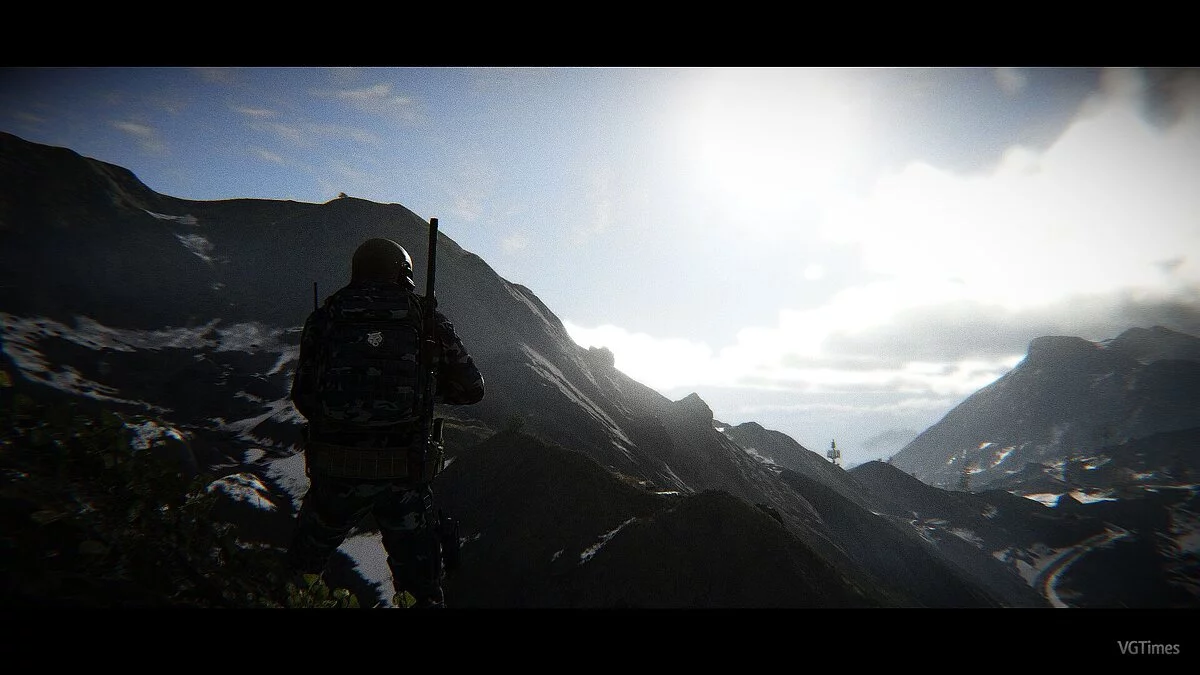
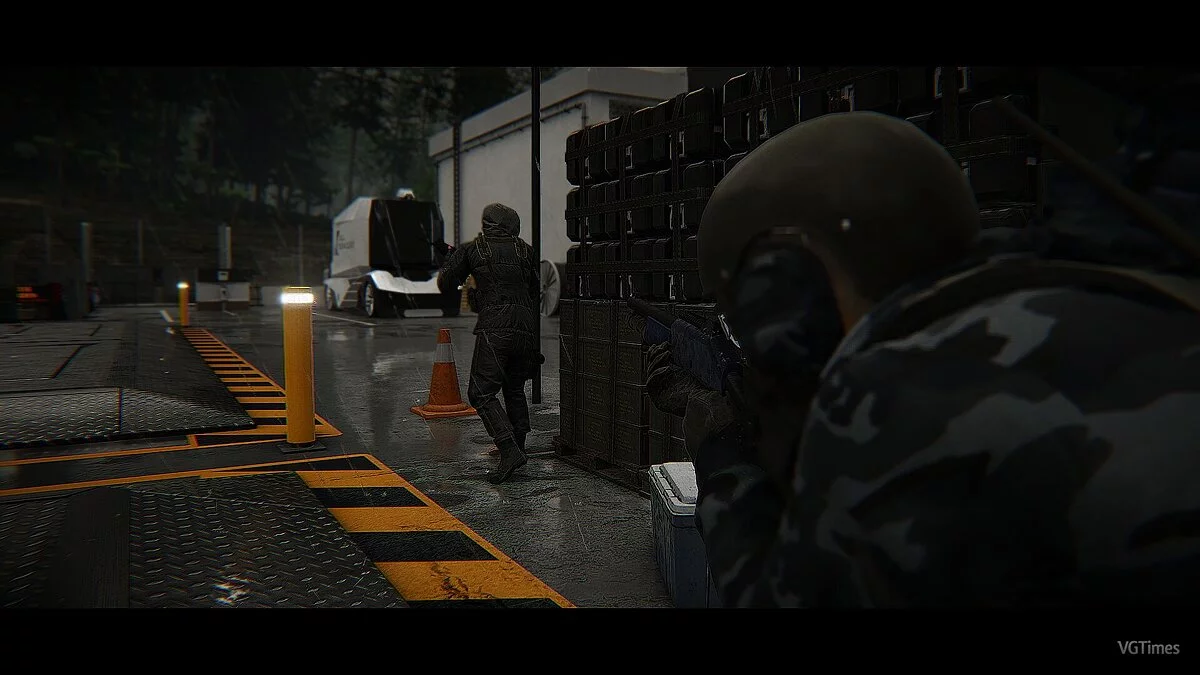


-
1571832693_metalhead_reshade_collection_1_1_0_1571707413.7zDownload (9.81 MB)
This graphical modification for Tom Clancy's Ghost Recon: Breakpoint enhances the standard visual elements of the game. The archive includes several different graphic presets that will appeal to everyone. Here you will find settings for increasing color brightness, a cinematic mode, and much more.
Installation:
1.) Launch the ReShade installer and select the .exe file "GRB.exe" (C: \ Program Files (x86) \ Steam \ steamapps \ common \ Ghost Recon Breakpoint)
2.) Choose the game's API — this is DX10 +
3.) ReShade will prompt you to download .fx files, select all and click "OK" to download and install them
4.) After successful installation, close the program
5.) Launch the game and open the ReShade menu by pressing the Home (pos1) key on your keyboard. Then click the dropdown arrow to open the dropdown menu and select the file "SoulsVein" from the list. If you do not see the file in the list, you will need to add it manually by pressing the + key next to the dropdown arrow, then enter the full name of the file, for example: RetroArch_ReShade.ini, and press Enter.
To close the ReShade menu, press the Home (pos1) key on your keyboard.
Графическая модификация для Tom Clancy's Ghost Recon: Breakpoint улучшает стандартные визуальные составляющие игры. В архив включены несколько различных графических пресетов, которые придутся по вкусу всем. Здесь вы найдете настройку на увеличения яркости цветов, кинематографичный режим и многое другое.
Установка:
1.) Запустите установщик ReShade и выберите файл .exe «GRB.exe» (C: \ Program Files (x86) \ Steam \ steamapps \ common \ Ghost Recon Breakpoint)
2.) Выберите API игры — это DX10 +
3.) ReShade запросит скачивание .fx файлов, выберите все и нажмите «ОК», чтобы загрузить их и установить
4.) После успешной установки закройте программу
5.) Запустите игры и откройте меню ReShade, нажав клавишу Home (pos1) на клавиатуре. Далее нажмите стрелку раскрывающегося списка, чтобы открыть раскрывающееся меню, и выберите файл «SoulsVein» из списка. Если вы не видите файл в списке, вам придется добавить его вручную, нажав клавишу + рядом со стрелкой раскрывающегося списка, а затем введите полное имя файла, например: RetroArch_ReShade.ini, и нажмите Enter.
Чтобы закрыть меню ReShade, нажмите клавишу Home (pos1) на клавиатуре.
Useful links:
![Tom Clancy's Ghost Recon: Breakpoint — Trainer (+17) from 11.10.2020 [WeMod] [Epic]](https://files.vgtimes.com/download/posts/2020-11/thumbs/1605080957_2020-11-11_104814.webp)
![Tom Clancy's Ghost Recon: Breakpoint — Trainer (+17) from 09.17.2020 [WeMod]](https://files.vgtimes.com/download/posts/2020-09/thumbs/1600430676_2020-09-18_150207.webp)
![Tom Clancy's Ghost Recon: Breakpoint — Save File [Uplay License]](https://files.vgtimes.com/download/posts/2021-09/thumbs/1632598285_4fba54cc88c4c5ad4f54c80cd9f34d9a46a5971a_2_964x642.webp)
![Tom Clancy's Ghost Recon: Breakpoint — Trainer (+5) [7793716 Fixed]](https://files.vgtimes.com/download/posts/2025-03/thumbs/trejjner-5-7793716-fixed_1742547366_70561.webp)

![Tom Clancy's Ghost Recon: Breakpoint — Trainer (+5) [7793716]](https://files.vgtimes.com/download/posts/2024-02/thumbs/trejjner-5-7793716_1708936176_7160.webp)
![Tom Clancy's Ghost Recon: Breakpoint — Trainer (+17) from 02.02.2021 [WeMod] [Uplay]](https://files.vgtimes.com/download/posts/2021-02/thumbs/1612273076_2021-02-02_163550.webp)
![Tom Clancy's Ghost Recon: Breakpoint — Trainer (+17) from 17.07.2020 [WeMod] [Uplay]](https://files.vgtimes.com/download/posts/2020-07/thumbs/1595056474_2020-07-18_101257.webp)
![Tom Clancy's Ghost Recon: Breakpoint — Trainer (+17) from 01.02.2021 [WeMod]](https://files.vgtimes.com/download/posts/2021-02/thumbs/1612273136_2021-02-02_163643.webp)
![Tom Clancy's Ghost Recon: Breakpoint — Trainer (+17) from 12.03.19 [WeMod]](https://files.vgtimes.com/download/posts/2019-12/thumbs/1577217445_2019-12-24_225539.webp)