
Valfaris is a hardcore side-scrolling action platformer set in a sci-fi setting from the creators of Slain: Back from Hell. Many years ago, the huge and powerful... Read more
ReShade Retro Preset

-
1571054644_retroarch_reshade_2_v1_1570807866.7zDownload (2.44 kB)
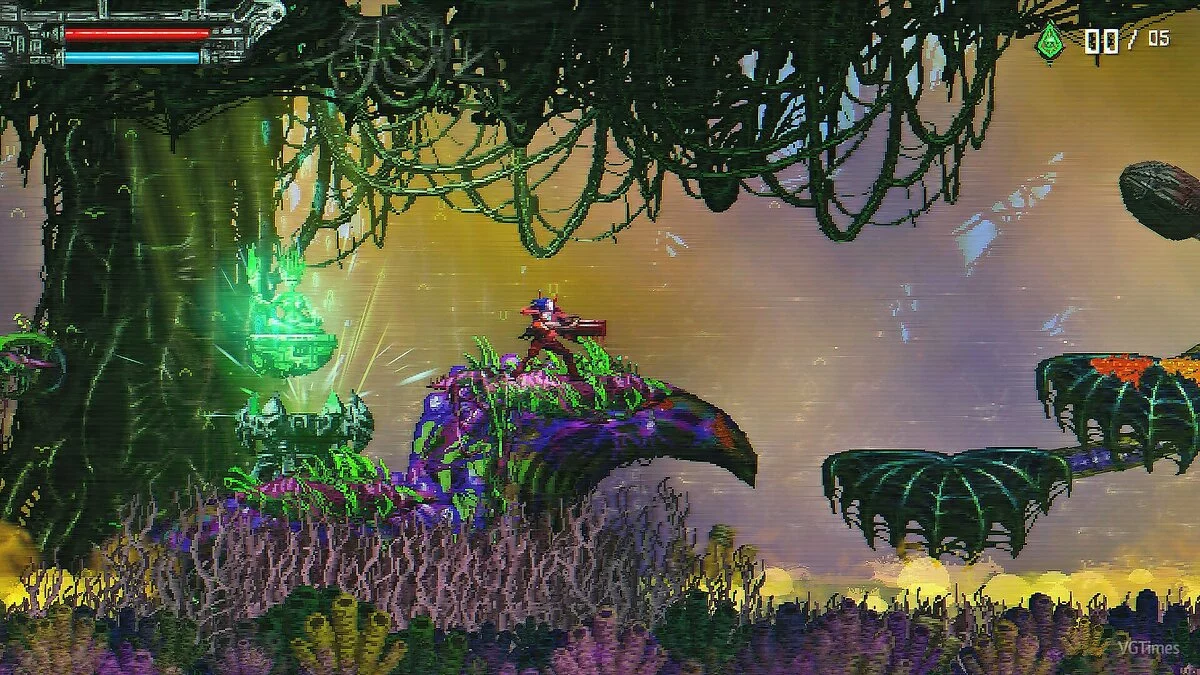
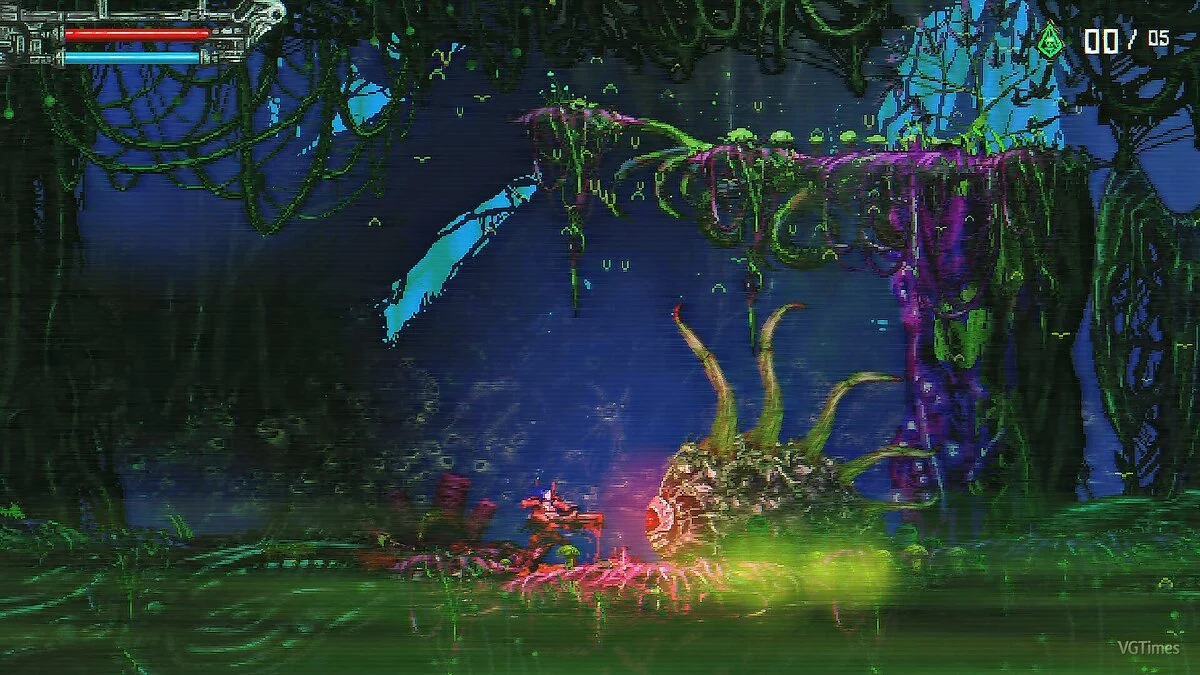
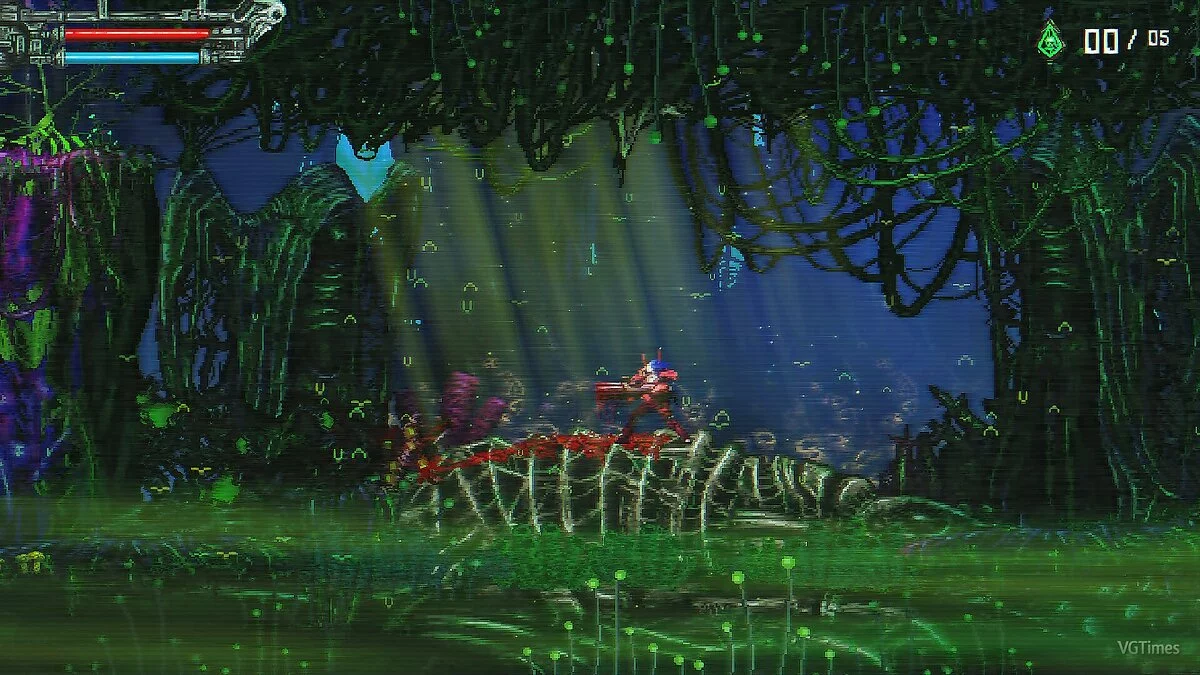
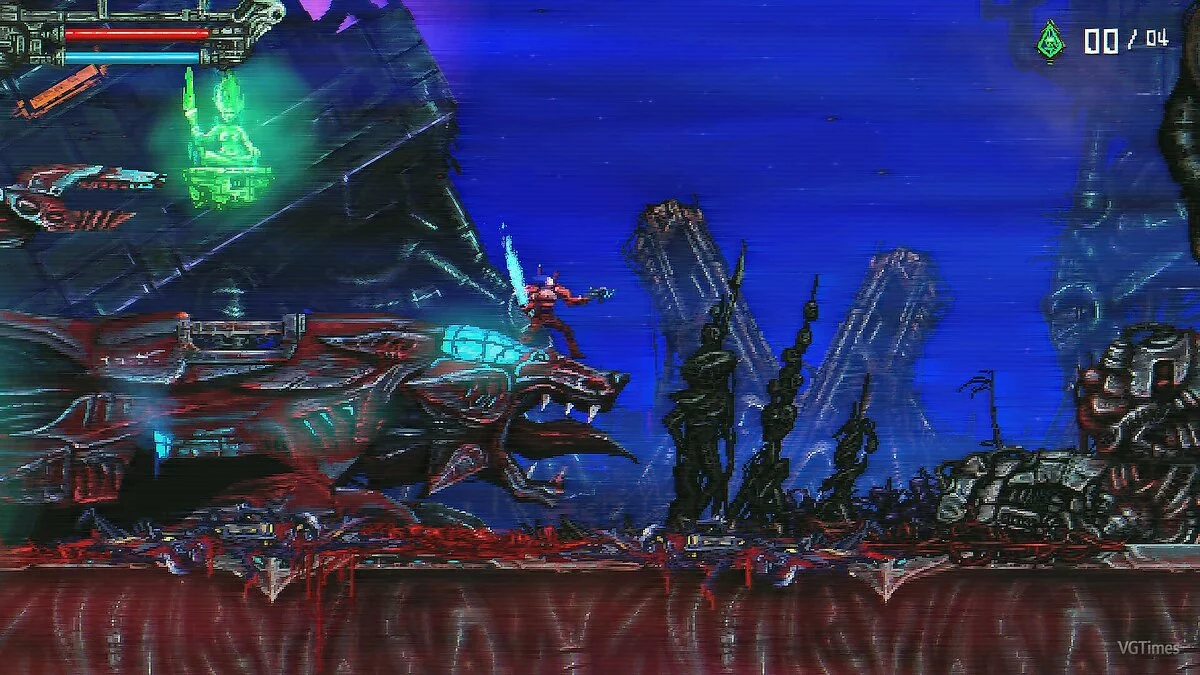
This graphic preset for Valfaris brings the spirit of the 1980s into the game. The modification adds a filter reminiscent of old VHS tapes.
Installation:
1.) Launch the ReShade installer and select the file .exe "Valfaris.exe" (D: \ SteamLibrary \ steamapps \ common \ Valfaris)
2.) Choose the game API — this is OpenGL32
3.) ReShade will prompt you to download .fx files, select all and click "OK" to download and install them
4.) After successful installation, close the program
5.) Launch the game and open the ReShade menu by pressing the Home (pos1) key on your keyboard. Then click the dropdown arrow to open the dropdown menu and select the file "SoulsVein" from the list. If you don't see the file in the list, you will need to add it manually by pressing the + key next to the dropdown arrow, then enter the full name of the file, for example: RetroArch_ReShade.ini, and press Enter.
To close the ReShade menu, press the Home (pos1) key on your keyboard.
If for some reason the game crashes or the controller doesn't work after installing the mod, rename the file "OpenGL32" to "d3d11". It is located in the same folder where you installed the file and ReShade (D: \ SteamLibrary \ steamapps \ common \ Valfaris).
Графический пресет для Valfaris добавляет в игру дух 80-х годов. Модификация добавляет в игру фильтр из старых VHS касет.
Установка:
1.) Запустите установщик ReShade и выберите файл .exe «Valfaris.exe» (D: \ SteamLibrary \ steamapps \ common \ Valfaris)
2.) Выберите API игры — это OpenGL32
3.) ReShade запросит скачивание .fx файлов, выберите все и нажмите «ОК», чтобы загрузить их и установить их
4.) После успешной установки закройте программу
5.) Запустите игры и откройте меню ReShade, нажав клавишу Home (pos1) на клавиатуре. Далее нажмите стрелку раскрывающегося списка, чтобы открыть раскрывающееся меню, и выберите файл «SoulsVein» из списка. Если вы не видите файл в списке, вам придется добавить его вручную, нажав клавишу + рядом со стрелкой раскрывающегося списка, а затем введите полное имя файла, например: RetroArch_ReShade.ini, и нажмите Enter.
Чтобы закрыть меню ReShade, нажмите клавишу Home (pos1) на клавиатуре.
Если по каким то причинам после установки мода у вас вылетает игра или не работает контролер переименуйте файл "OpenGL32" в "d3d11". Он находится в той же папке, в которой вы установили файл и ReShade (D: \ SteamLibrary \ steamapps \ common \ Valfaris).
Useful links:
![Valfaris — Trainer (+3) [Latest GoG]](https://files.vgtimes.com/download/posts/2021-08/thumbs/1629273353_4jagnrgs2ycgbdymrslosq.webp)
![Valfaris — Cheat Engine Table [UPD: 11.04.2022]](https://files.vgtimes.com/download/posts/2022-04/thumbs/1650019912_valfaris_mainart_1920x1080.webp)