A game by CD Projekt RED, the creators of The Witcher, based on Mike Pondsmith’s Cyberpunk 2020 tabletop RPG. Players are sent to the year 2077... Read more

Free Flight


-
www.nexusmods.comDownload
FreeFly.
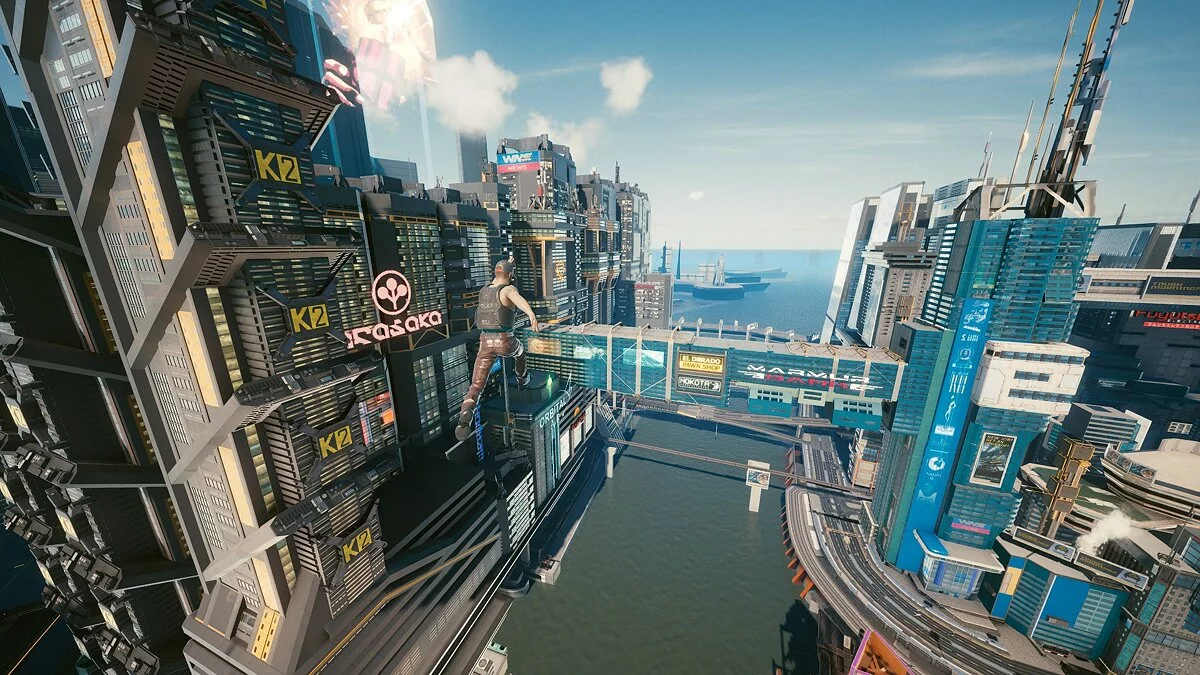
A simple mod that allows you to fly through Night City in any direction and at varying speeds.
What it does:
- Allows flying in any direction for maximum freedom (forward, backward, up, down, left, right)
- Can be used to reach hidden areas
- Stops time for you, so gravity won’t hinder you
- Allows you to change flight speed
- Can be activated/deactivated with a button press
- Also works in vehicles
How to use:
- Press 5 to activate
- Press 5 again to deactivate
- Hold W to move in the direction you are looking, the same for S, D, A
- Press Space/Shift to move up/down
- Control direction with the mouse
- Press 6 to increase speed
- Press 7 to decrease speed
- Open the console to see the current speed setting
How to install:
Step 1. Ensure you have Cyberpunk Engine Tweaks 1.8.3 or higher installed
Step 2: Download the mod content.
Step 3: Extract the content to Cyberpunk 2077/bin/x64/plugins/cyber_engine_tweaks/mods to achieve the following structure: Cyberpunk 2077/bin/x64/plugins/cyber_engine_tweaks/mods/freefly/init.lua
Step 4: Launch the game.
FreeFly.
Простой мод, позволяющий летать через Найт сити в любом направлении и с изменяемой скоростью.
Что он делает:
- Позволяет летать в любом направлении для максимальной свободы (вперед, назад, вверх, вниз, влево, вправо)
- Может использоваться для закрепления в скрытых областях
- Останавливает время для вас, поэтому гравитация не мешает вам
- Позволяет изменить скорость полета
- Может быть активирован / деактивирован нажатием кнопки
- Также работает в автомобилях
Как использовать:
- Нажмите 5, чтобы активировать
- Нажмите 5 еще раз, чтобы деактивировать
- Удерживайте W, чтобы двигаться в направлении, в котором вы смотрите, то же самое для S, D, A
- Нажмите Пробел / Shift, чтобы двигаться вверх / вниз
- Управляйте направлением с помощью мыши
- Нажмите 6, чтобы увеличить скорость
- Нажмите 7, чтобы уменьшить скорость
- Откройте консоль, чтобы узнать, какая скорость установлена в данный момент
Как установить:
Шаг 1. Убедитесь, что у вас установлен Cyberpunk Engine Tweaks 1.8.3 или выше
Шаг 2: Скачайте содержимое мода.
Шаг 3: Извлеките содержимое в Cyberpunk 2077 / bin / x64 / plugins / cyber_engine_tweaks / mods, чтобы получить следующую структуру: Cyberpunk 2077 / bin / x64 / plugins / cyber_engine_tweaks / mods / freefly / init.lua
Шаг 4: Запустите игру
Related files:
Useful links: