
Single-player adventure action game Days Gone in the genres of survival, stealth, and action, with a third-person view, in an open world was released in April 2019... Read more
Graphics and Color Enhancement
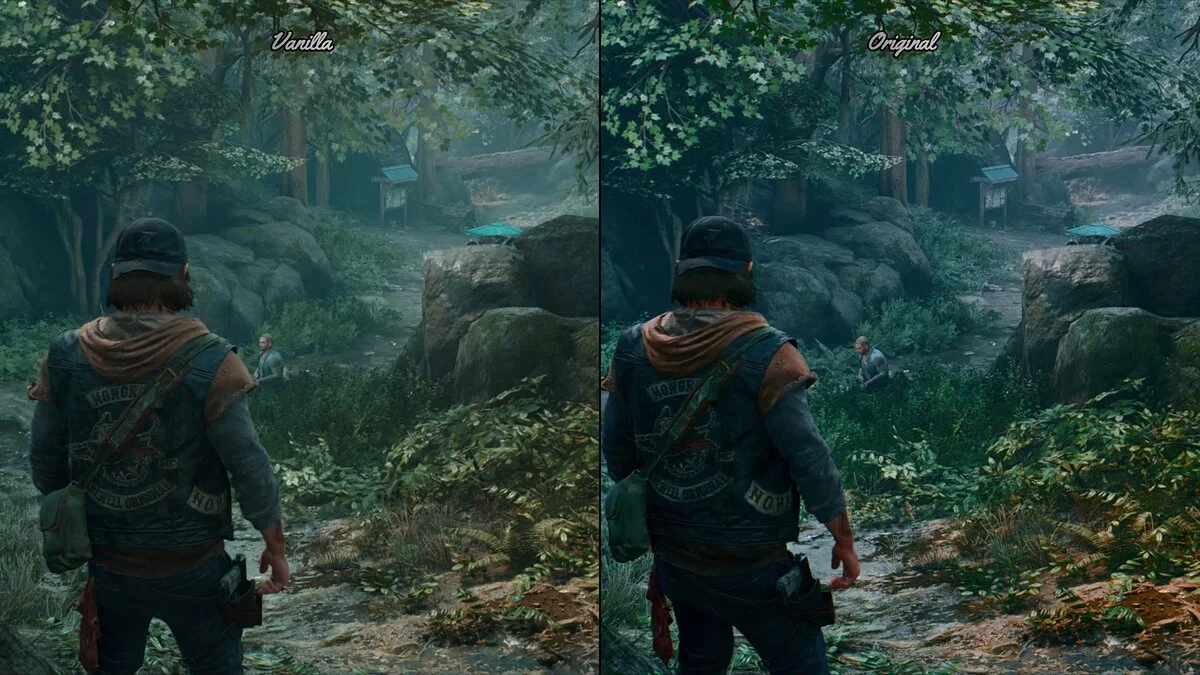
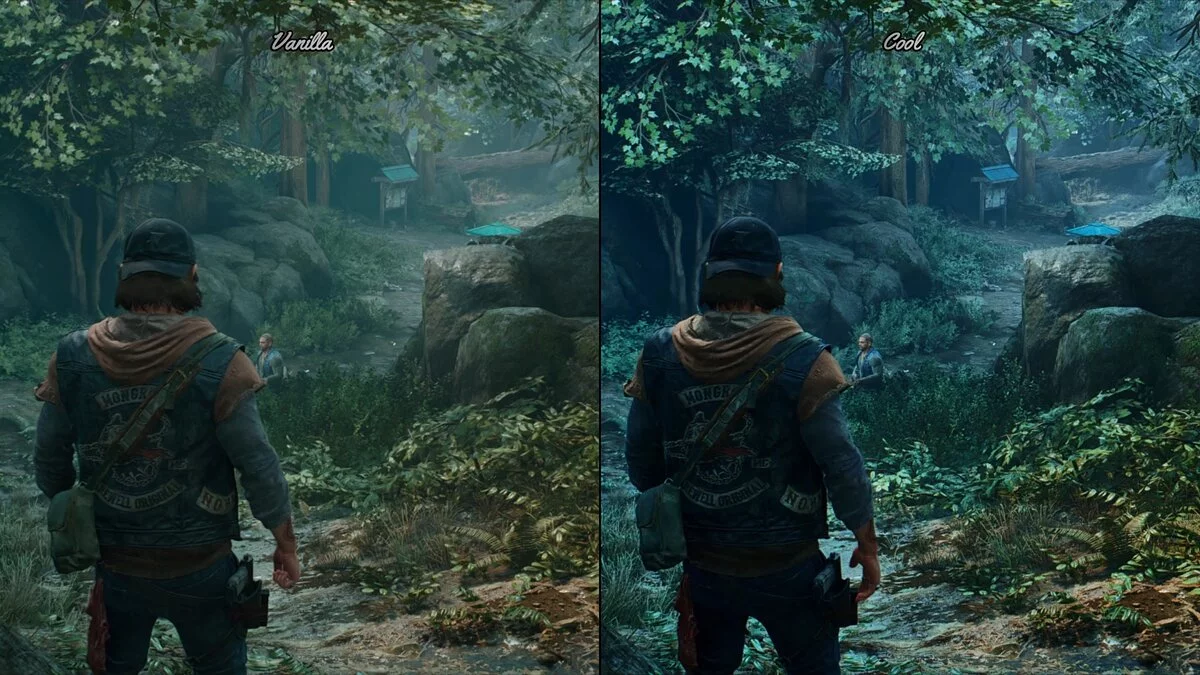
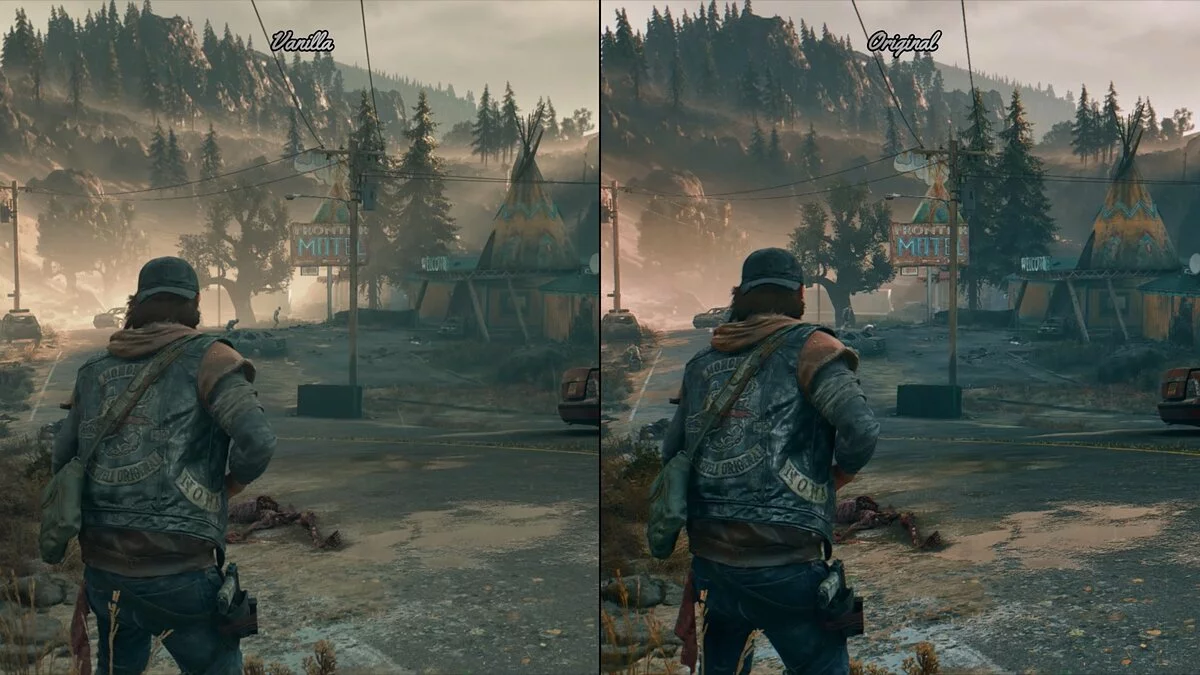
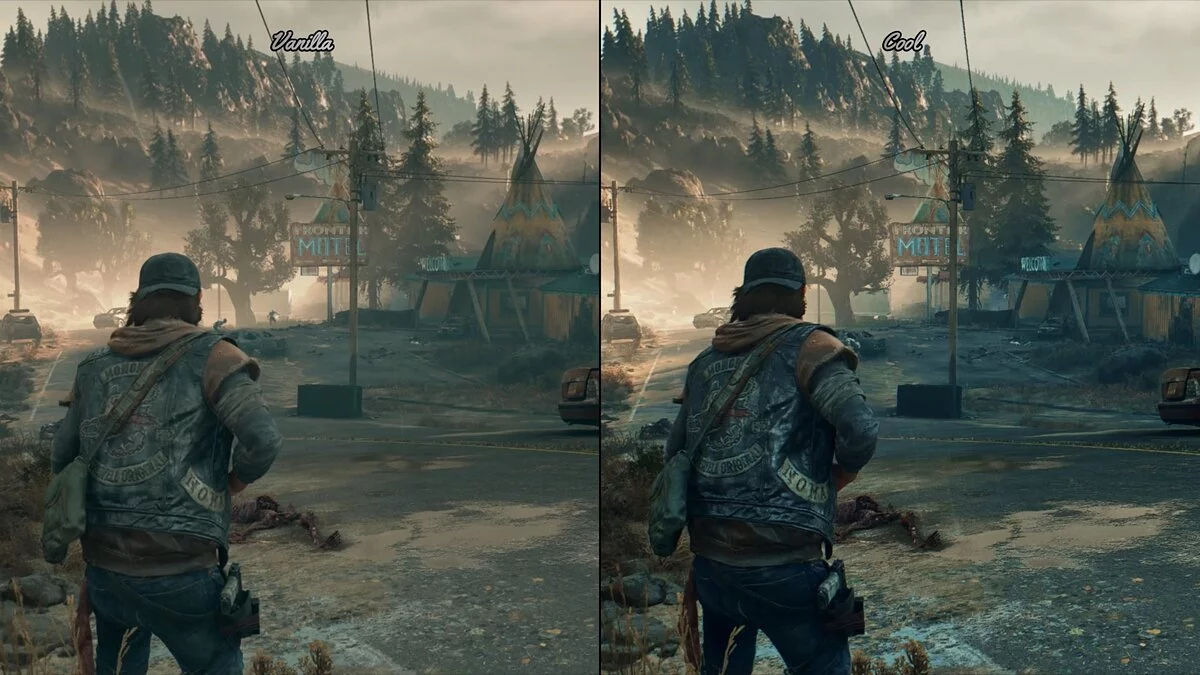

-
www.nexusmods.comDownload
UHG Reshade.
Only for high-end PCs, as it will cost you about 20 frames per second. Enhances graphics and improves colors. 6 presets — cold, realistic, warm, original, clean, and bright.
Installation:
1. Remove all previous reshade files you may have (reshade-shaders (folder), dxgi.dll, dxgi.txt, ReShade.ini, and any other preset files). Download and install Reshade 4.9.1 for Direct3D, find your main folder / installation folder for Days Gone, go to the Days Gone / BendGame / Binaries / Win64 folder and select the DaysGone.exe file, then simply install all effect packages. Link to ReShade Setup 4.9.1 — https://reshade.me/downloads/ReShade_Setup_4.9.1.exe or https://www.mediafire.com/folder/8ar1jhh1809cl/ReShade_Repository#7lxhmiy4o4r3a .
2. Download my color change archive, open the file with Winrar or a similar tool, then extract the preset files from the archive to the Days Gone / BendGame / Binaries / Win64 folder where the DaysGone.exe file is located.
3. Launch the game, open the 'Change Shade' menu by pressing the 'Home' key on your keyboard, complete the tutorial by pressing 'Continue', then click the long bar at the top of the 'Change Shade' menu and select the file with my preset to activate it.

UHG Reshade.
Только для ПК высокого класса, потому что это обойдется вам примерно в 20 кадров в секунду. Улучшает графику и улучшает цвета. 6 предустановок — холодный, реалистичный, теплый, оригинальный, чистый и яркий.
Установка:
1. Удалите все предыдущие файлы reshade, которые у вас есть, если они есть (reshade-shaders (папка), dxgi.dll, dxgi.txt, ReShade.ini и все другие файлы предустановок). Загрузите и установите Reshade 4.9.1 для Direct3D, найдите свою основную папку / папку установки Days Gone, перейдите в папку Days Gone / BendGame / Binaries / Win64 и выберите файл DaysGone.exe, после чего просто установите все пакеты эффектов. Ссылка на ReShade Setup 4.9.1 — https://reshade.me/downloads/ReShade_Setup_4.9.1.exe или https://www.mediafire.com/folder/8ar1jhh1809cl/ReShade_Repository#7lxhmiy4o4r3a .
2. Загрузите мой архив изменения цвета, откройте файл с помощью Winrar или аналогичного инструмента, затем извлеките файлы пресетов из архива в папку Days Gone / BendGame / Binaries / Win64, где находится файл DaysGone.exe.
3. Запустите игру, откройте меню «Изменить оттенок», нажав кнопку «Домой» на клавиатуре, завершите обучение, нажав «Продолжить», затем щелкните длинную полосу в верхней части меню «Изменить оттенок» и выберите там файл с моей предустановкой для активации.
Useful links:
![Days Gone — Trainer (+35) from 06.16.2021 [WeMod]](https://files.vgtimes.com/download/posts/2021-06/thumbs/1623858803_2021-06-16_185216.webp)
![Days Gone — Trainer (+29) [v1.0-v1.06+][Fix]](https://files.vgtimes.com/download/posts/2022-02/thumbs/1644511758_scr.webp)
![Days Gone — Cheat Engine Table [1.02]](https://files.vgtimes.com/download/posts/2021-05/thumbs/1622190861_days-gone-features-trailer_fsyw.1280.webp)
![Days Gone — Trainer (+18) [1.06 Fixed]](https://files.vgtimes.com/download/posts/2021-08/thumbs/1629366890_n_ynvxiz3as8mvpcqq2ifw.webp)
![Days Gone — Cheat Engine Table [UPD: 25.05.2021]](https://files.vgtimes.com/download/posts/2021-05/thumbs/1622106917_9678af37-889c-485b-b73e-1606baa2ea1e.webp)
![Days Gone — Trainer (+20) [1.0]](https://files.vgtimes.com/download/posts/2021-05/thumbs/1622043618_scr.webp)