
Empire of Sin is an isometric strategy game with turn-based combat, set in Chicago in the 1920s. You will take on the role of one of 14 bosses of organized crime... Read more
Guide (Activating Developer Mode)
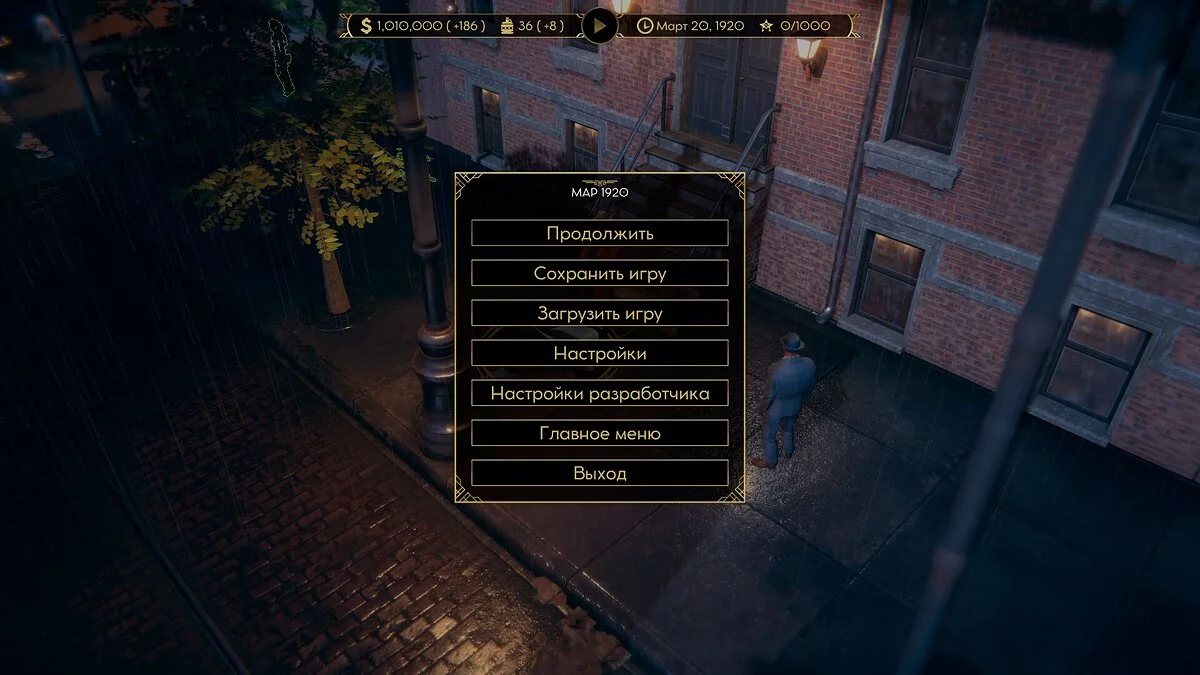
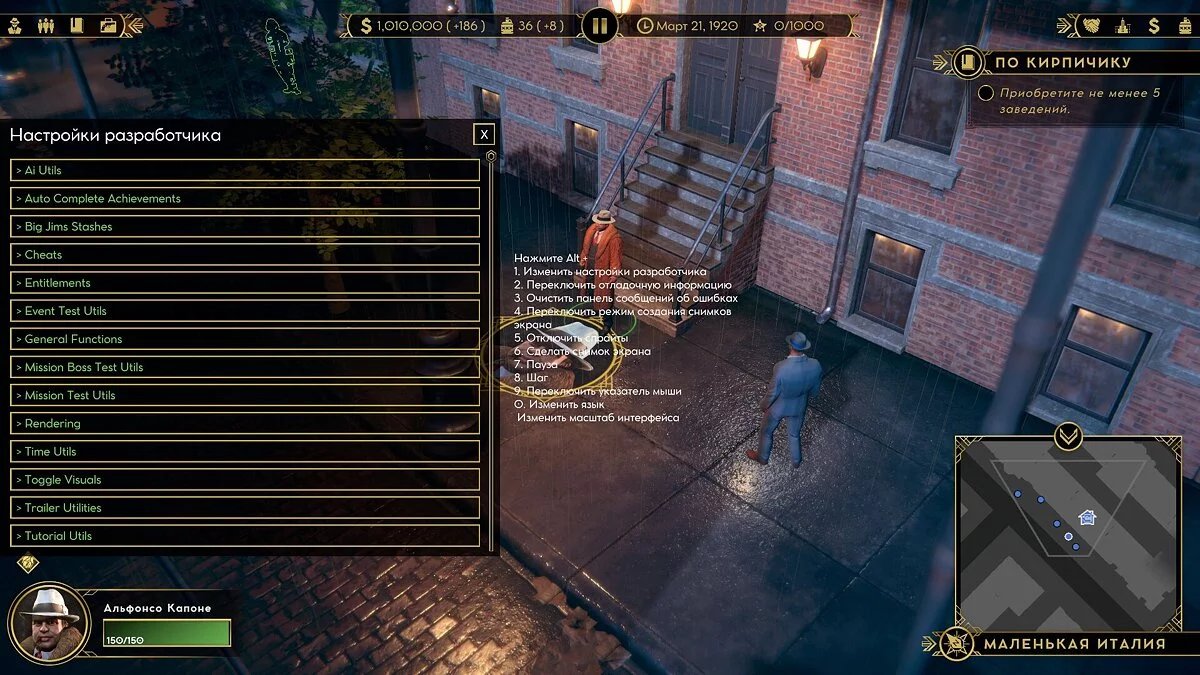

-
1607079237_defaultplatformsettings_pc.rarDownload (163 байт)
Ai Utils/
Auto Complete Achievements
Big Jims Stashes
Cheats
Entitlements
Event Test Utils
General Functions
Mission Boss Test Utils
Mission Test Utils
Rendering
Time Utils
Toggle Visuals
Trailer Utilities
Tutorial Utils
Instructions:
Copy the file DefaultPlatformSettings_PC.json to the path Empire of SinEmpireOfSin_DataStreamingAssetsSettings or open this file at the same path and change ""developerMode" : false" to ""developerMode" : true"
If there is a button "Dev. Quality Control Check" in the main menu under the "Exit" button, then the Dev menu is enabled.
You can launch the developer menu via esc or by pressing the key combination Left Alt + 1.
Ai Utils/Ай Утилс
Auto Complete Achievements/Автозавершение достижений
Big Jims Stashes/Большой Джимс Тайники
Cheats/Читы
Entitlements/Права
Event Test Utils/Утилиты для тестирования событий
General Functions/Общие функции
Mission Boss Test Utils/Испытания боссов миссий
Mission Test Utils/Миссия Тест Утилс
Rendering/Рендеринг
Time Utils/Время Утилс
Toggle Visuals/Переключить визуальные эффекты
Trailer Utilities/Трейлер Утилиты
Tutorial Utils/Учебные Утилы
Инструкция:
Скопировать файл DefaultPlatformSettings_PC.json по пути Empire of SinEmpireOfSin_DataStreamingAssetsSettings либо открыть этот файл у себя по этому же пути и заменить ""developerMode" : false" на ""developerMode" : true"
Если в главном меню есть кнопка "Разраб.Проверка контроля/качества" под кнопкой «Выход», то включено меню Dev.
Запустить меню разработчика можно через esc или нажать сочетание клавиш Left Alt + 1
Useful links:
![Empire of Sin — Trainer (+1) from 12.02.2020 [WeMod]](https://files.vgtimes.com/download/posts/2020-12/thumbs/1606894953_2020-12-02_104000.webp)

![Empire of Sin — Cheat Engine Table [UPD: 27.11.2023]](https://files.vgtimes.com/download/posts/2023-11/thumbs/tablica-dlja-cheat-engine-upd-27-11-2023_1701166198_732287.webp)
![Empire of Sin — Cheat Engine Table [UPD:12.08.20]](https://files.vgtimes.com/download/posts/2020-12/thumbs/1607531128_h2x1_nswitch_empireofsin_image1280w.webp)

![Empire of Sin — Cheat Engine Table [UPD:12/04/20]](https://files.vgtimes.com/download/posts/2020-12/thumbs/1607161702_capsule_616x353.webp)
![Empire of Sin — Trainer (+1) from 11.29.2021 [WeMod]](https://files.vgtimes.com/download/posts/2021-11/thumbs/1638177220_2021-11-29_121250.webp)
![Empire of Sin — Trainer (+1) from 04.17.2021 [WeMod]](https://files.vgtimes.com/download/posts/2021-04/thumbs/1618731543_2021-04-18_103751.webp)
![Empire of Sin — Trainer (+5) [1.0]](https://files.vgtimes.com/download/posts/2020-12/thumbs/1607078572__2luodcx6san6-8__7nuig.webp)