Mass Effect: Legendary Edition is a remastered collection of the cult role-playing series Mass Effect, which includes Mass Effect, Mass Effect 2 , and Mass... Read more
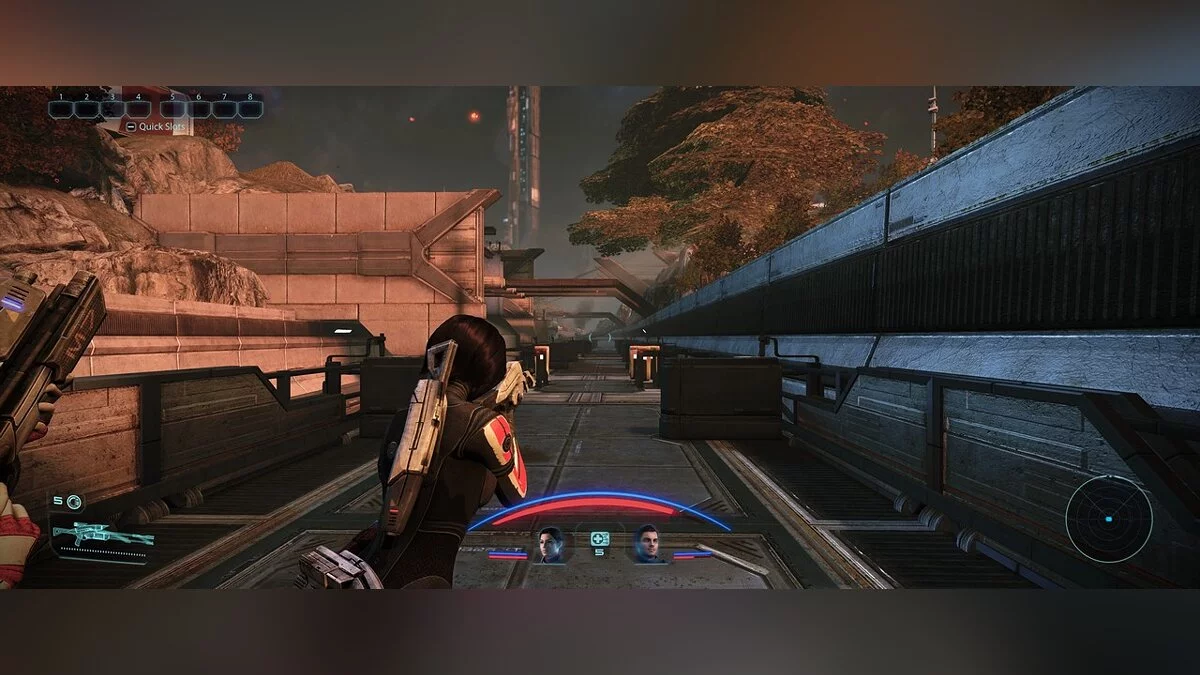
HDR Shadow Simulation
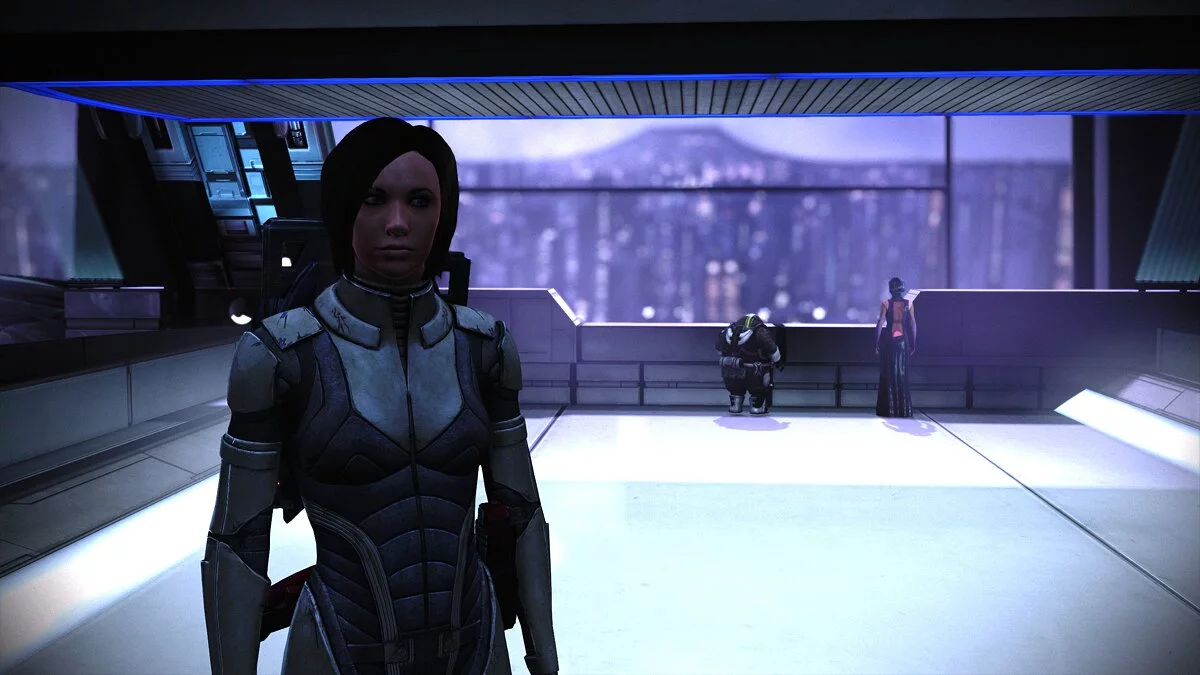
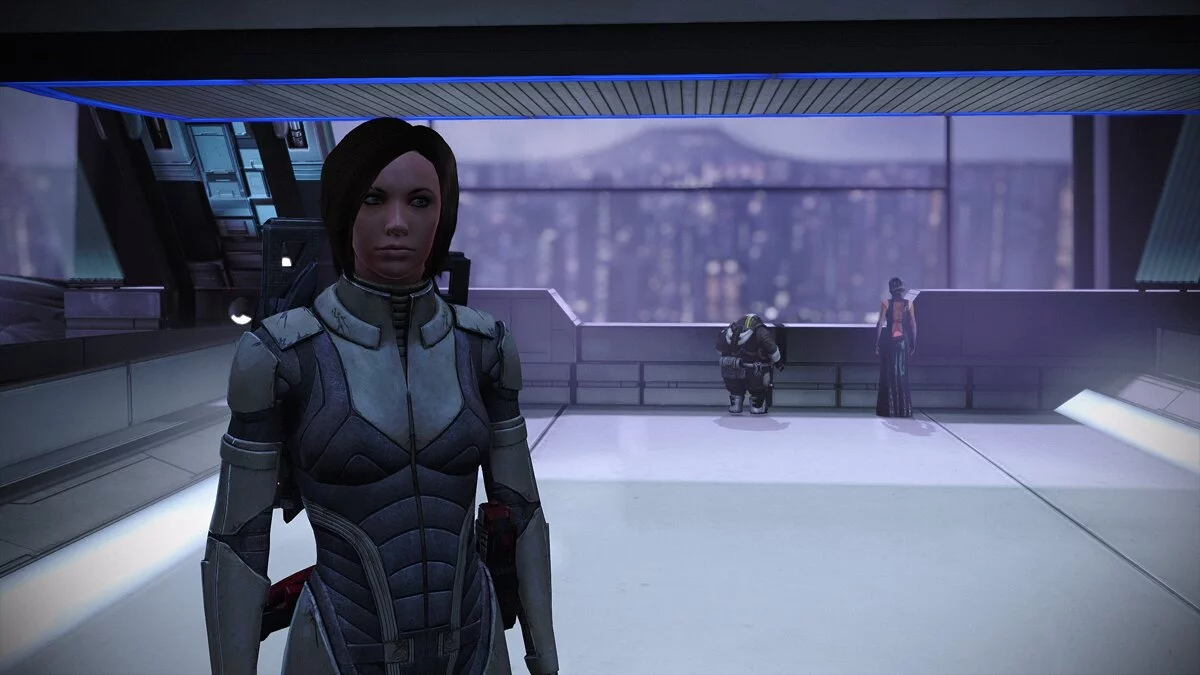

-
www.nexusmods.comDownload
Mass Effect — HDR (Reshade).
HDR shadow simulation for anyone suffering from inverted black or using an SDR monitor.
Installation:
1. Download the latest version of Reshade (https://reshade.me/).
2. Launch Reshade, select MassEffect1.exe in the game directory, and choose Direct3D 10/11/12 API.
3. Just make sure SweetFX by CeeJay.dk is checked (don't worry about the standard effects, it's checked by default) and click OK.
4. Uncheck all boxes except for DPX and FakeHDR, then click OK.
5. Place my Reshade preset in the same folder as MassEffect1.exe.
6. Start the game.
7. For HDR users only. Ensure that the HDR setting is set to 'Off' in the calibration menu.
8. Open the Reshade overlay, click the dropdown list, and select my preset.
9. Done!
Mass Effect — HDR (Reshade).
Имитация затенения HDR для всех, кто страдает от инвертированного черного или использует монитор SDR.
Установка:
1. Загрузите последнюю версию Reshade (https://reshade.me/).
2. Запустите Reshade, выберите MassEffect1.exe в каталоге игры и выберите Direct3D 10/11/12 API.
3. Только убедитесь, что SweetFX от CeeJay.dk отмечен галочкой (не беспокойтесь о стандартных эффектах, он отмечен по умолчанию) и нажмите OK.
4. Снимите все флажки, кроме DPX и FakeHDR, а затем нажмите OK.
5. Установите мой пресет Reshade в ту же папку, что и MassEffect1.exe.
6. Запускаем игру.
7. Только для пользователей HDR. Убедитесь, что для параметра HDR установлено значение «Выкл.» В меню калибровки.
8. Откройте наложение Reshade, щелкните раскрывающийся список и выберите мою предустановку.
9. Готово!
Useful links:
![Mass Effect Legendary Edition — Trainer (+22) [2.0.0.48602]](https://files.vgtimes.com/download/posts/2024-08/thumbs/trejjner-22-2-0-0-48602_1723022733_456224.webp)
![Mass Effect Legendary Edition — Trainer (+21) [2.0.0.48602: Fixed]](https://files.vgtimes.com/download/posts/2024-10/thumbs/trejjner-21-2-0-0-48602-fixed_1727961336_642943.webp)
![Mass Effect Legendary Edition — Trainer (+18) [1.0]](https://files.vgtimes.com/download/posts/2021-05/thumbs/1621239278_d4cnhq90ms3vug8mz_t7la.webp)
![Mass Effect Legendary Edition — Trainer (+13) [1.0]](https://files.vgtimes.com/download/posts/2021-05/thumbs/1621332834_17isrlsqgjkdohemlinhqq.webp)
![Mass Effect Legendary Edition — Cheat Engine Table [UPD: 29.05.2021]](https://files.vgtimes.com/download/posts/2021-05/thumbs/1622369601_capsule_616x353.webp)
![Mass Effect Legendary Edition — Save Editor (Trilogy SE) [2.1.0]](https://files.vgtimes.com/download/posts/2021-09/thumbs/1631530561_ey0abi02n-7i71urtvxmwa.webp)
![Mass Effect Legendary Edition — Trainer (+17) [1.0 - UPDATED: 06.07.2021]](https://files.vgtimes.com/download/posts/2021-06/thumbs/1623428271_9kderhbuq0-4aumhhaiexw.webp)