A cooperative game in which 4 gamers try to climb to the top of a mountain. The heroes are lost on the island, and this is the only way to salvation. You need to... Read more
SkinColorSliders
Author:
Snosz
Uploaded by:

Size:
645.23 kB
Date:
June 27, 2025, 12:37 PM
Downloads:
292
-
Download (645.23 kB)June 27, 2025, 12:37 PMskincolorsliders-rgb-polzunok-dlja_1751017049_600379.zip
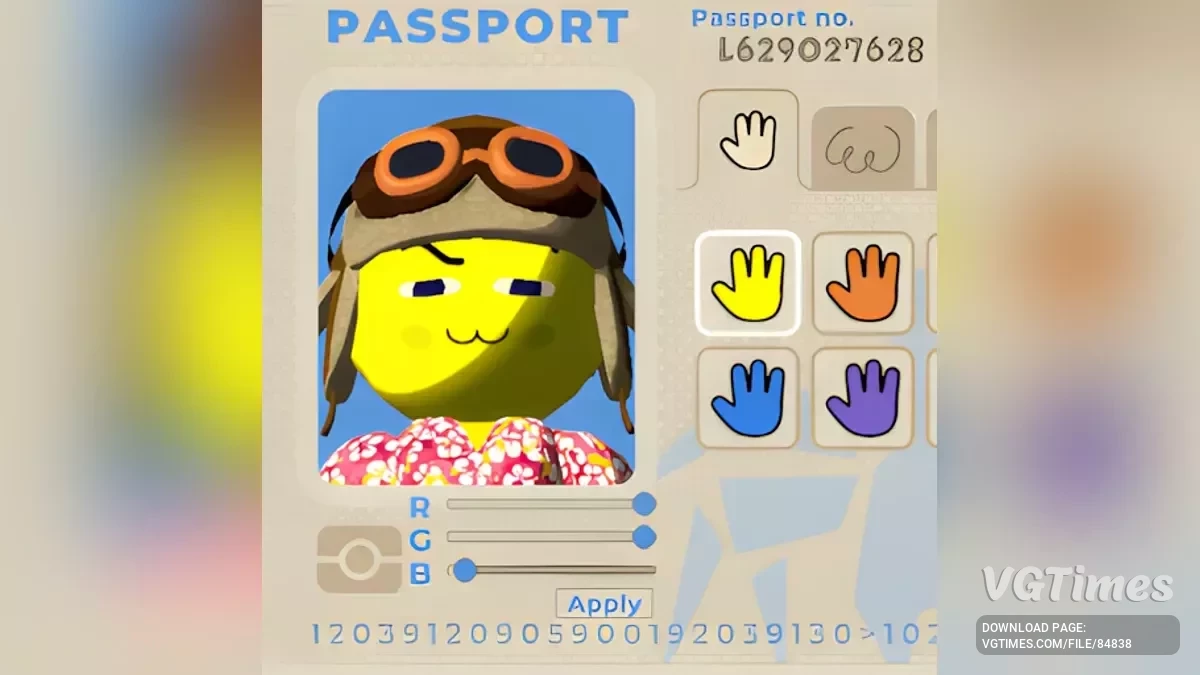
Lets you customize your skin color with rgb sliders allowing for full rgb color range, and syncs up with all players.
How To Use:
- When inside the Airport, opening your passport will show new controls under the passport photo.
- To set a new color, first adjust each slider to see how they affect the character in the passport photo.
- When you are ready to set your color, hit the Apply button below the sliders.
Installation:
- Install BepInExPack.
- Extract the contents of the archive into your game directory (default: C:\Program Files (x86)\Steam\steamapps\common\PEAK).
- Start the game and close it — this is necessary for the initial BepInEx setup.
- Download this mod.
- Go to ...\PEAK\BepInEx\plugins and extract the archive into this folder.
- Start the game.
Related files:
Useful links: