
A cooperative psychological horror game for 4 people, where players take on the role of paranormal hunters and set off to explore mystical locations in search of... Read more
Enhanced Shades


-
www.nexusmods.comDownload
Fossu's Light and Dark ReShade.
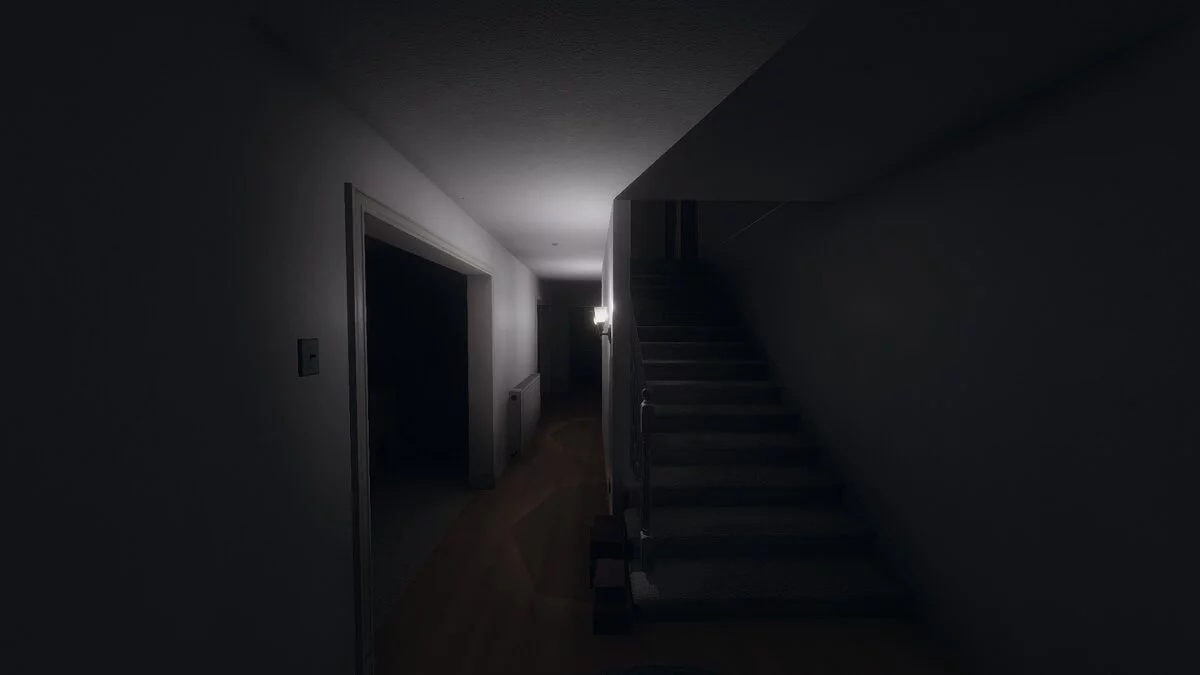
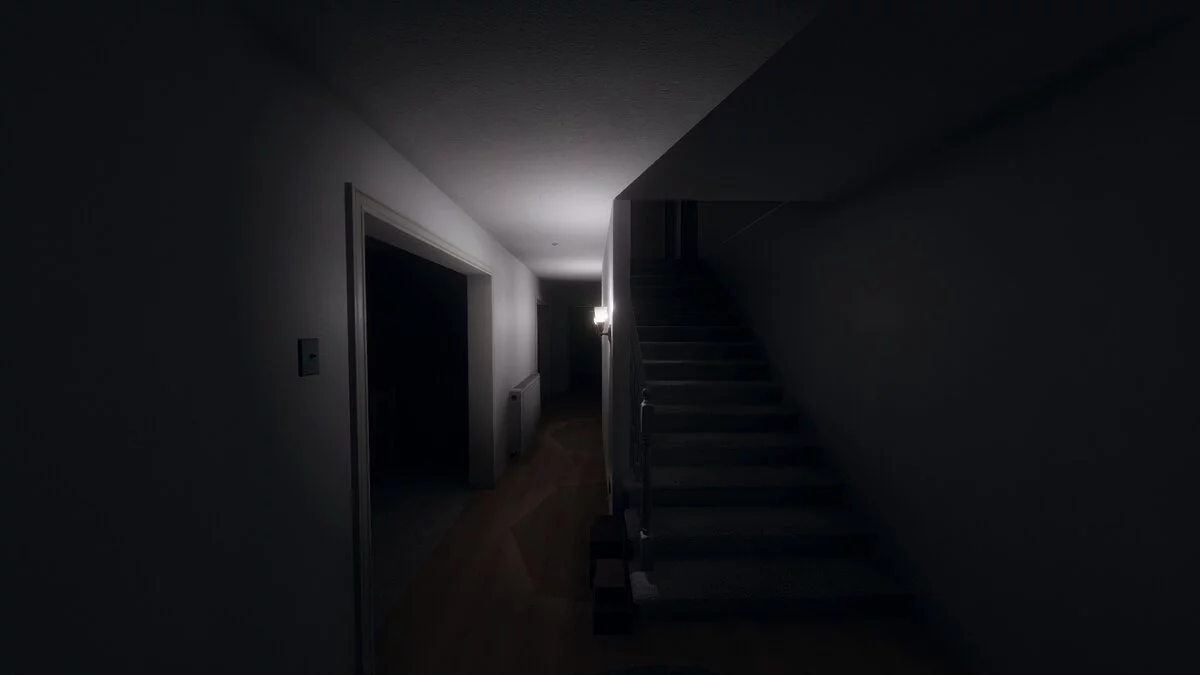
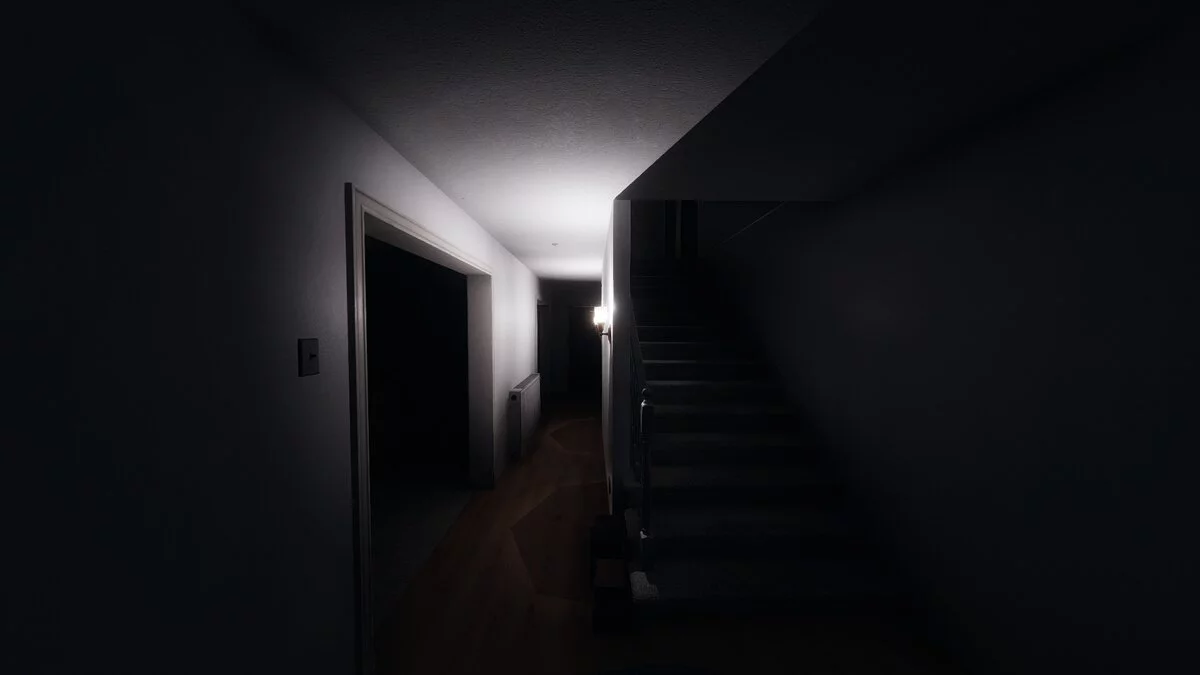
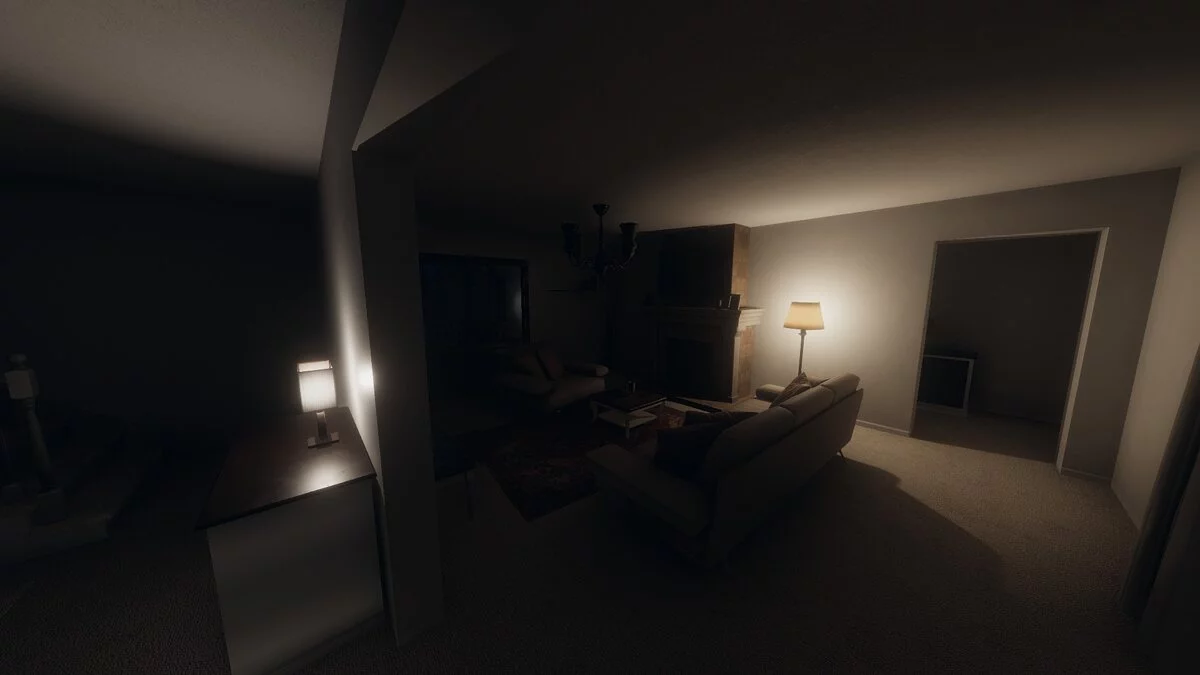
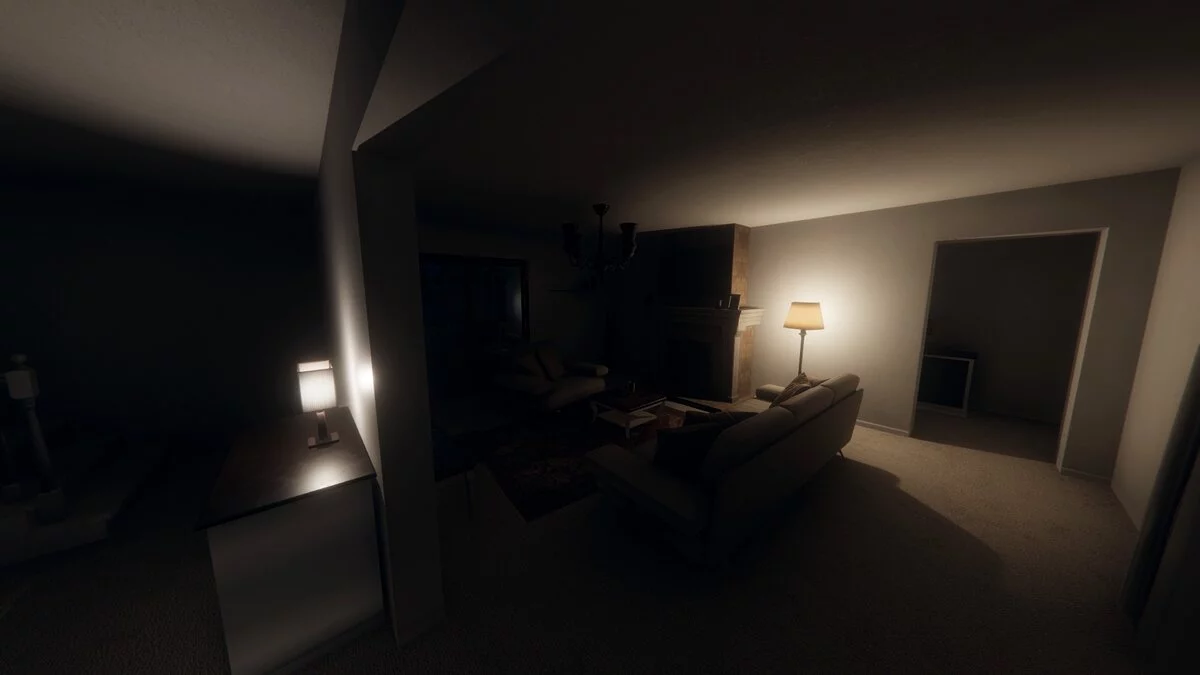
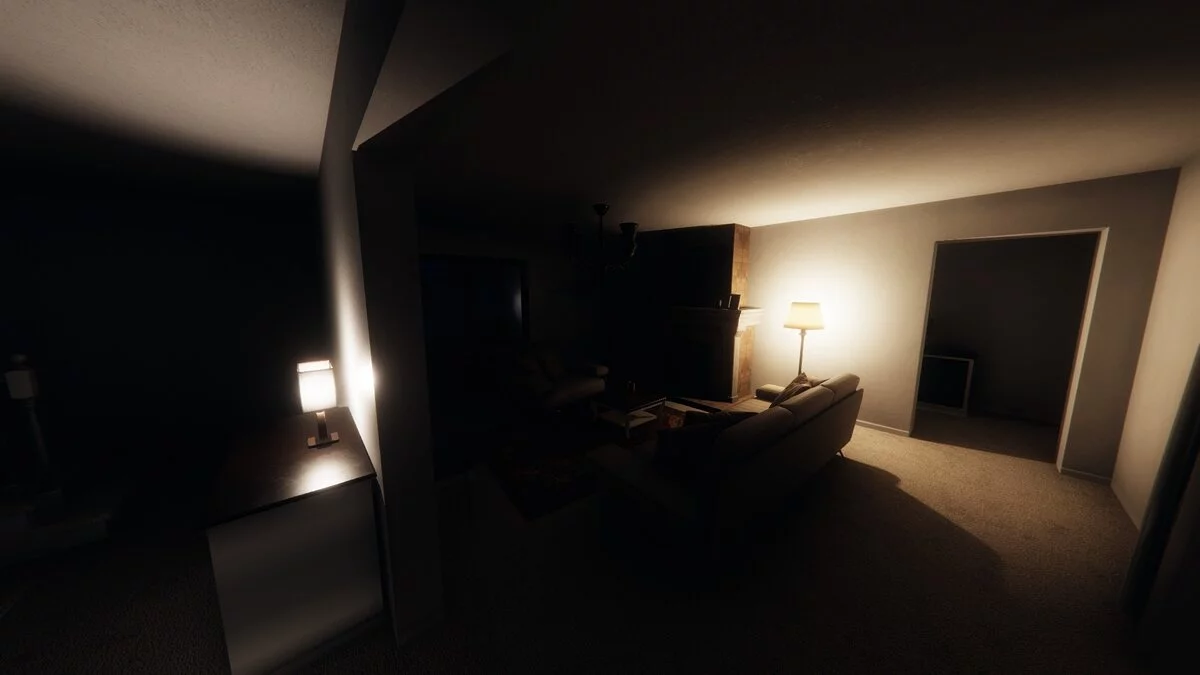
A simple ReShade to add life and atmosphere to the game, with the intention (hopefully) of making it more eerie.
Included:
Light — focuses on preserving the original feel of the game, but making dark areas truly appear black instead of the blurred dark blue tone present in the original game.
Dark — will make the game as eerie and gloomy as possible, without making it pitch black. The colors in this version look a bit brighter, so illuminated objects still stand out without looking blurred due to reduced brightness.
Installation:
1 Drag the two files (or one, depending on what you are going to use) into the main game directory where Phasmophobia.exe is located and where you installed ReShade, mine is C: / Program Files (x86) / Steam / steamapps / common / Phasmophobia
2 Launch the game. If you did everything correctly, a small window should appear at the top notifying you that ReShade is installed and ready to use.
3 Press the "Home" button to open the ReShade menu and go through the tutorial (or not, it's not necessary).
4 Click on the line that says "DefaultPreset.ini" or "ReShadePreset.ini" (it should be in the upper left corner, below "Home, Settings, Statistics, etc."),
5 Then select either LightPreset.ini or DarkPreset.ini and click "Select" (or double-click).
Fossu's Light and Dark ReShade.
Простой ReShade, чтобы добавить жизни и атмосферу в игру, с намерением (надеюсь) сделать ее более жуткой.
В комплекте:
Светлая — основное внимание уделяется сохранению оригинального ощущения от игры, но заставлению темных областей действительно казаться черными вместо размытого темно-синего тона, который есть в оригинальной игре.
Темная — сделает игру максимально жуткой и мрачной, не делая ее черной как смоль. Цвета этой версии выглядят немного ярче, поэтому освещенные объекты по-прежнему выделяются, не выглядя размытыми из-за пониженной яркости.
Установка:
1 Перетащите два файла (или один, в зависимости от того, что вы собираетесь использовать ) в основной каталог игры, где находится Phasmophobia.exe и куда вы установили ReShade, мой — C: / Program Files (x86) / Steam / steamapps / common / Phasmophobia
2 Запустить игру. Если вы все сделали правильно, вверху должно появиться небольшое окно, уведомляющее вас о том, что ReShade установлен и готов к использованию.
3 Нажмите кнопку «Домой», чтобы открыть меню ReShade и пройти обучение (или нет, в этом нет необходимости).
4 Щелкните строку, в которой написано «DefaultPreset.ini» или «ReShadePreset.ini» (она должна находиться в верхнем левом углу, ниже «Домашняя страница, Настройки, Статистика и т. д.»),
5 Затем выберите либо LightPreset.ini, либо DarkPreset.ini и нажмите «Выбрать» (или дважды щелкните).
Useful links:
![Phasmophobia — Cheat Engine Table [0.8.0.1: Fixed 2]](https://files.vgtimes.com/download/posts/2022-12/thumbs/1671356984_1623859786_phasmophobia-stala-novym-hitom-na-twitch-i-v-steam.webp)
![Phasmophobia — Cheat Engine Table [0.8.0.1]](https://files.vgtimes.com/download/posts/2022-12/thumbs/1671182607_a7e6e62e2a4e9cffafc77d840e611609.webp)
![Phasmophobia — Cheat Engine Table [0.5.2.0]](https://files.vgtimes.com/download/posts/2022-02/thumbs/1645871001_8134570f1a8f4ce0accf9f655b2f482c.webp)
![Phasmophobia — Cheat Engine Table [0.5.0.2]](https://files.vgtimes.com/download/posts/2021-12/thumbs/1639576876_2114e68607214c7dd5a5d23bd282b355f95eb223.webp)
![Phasmophobia — Cheat Engine Table + Trainer [UPD: 27.04.2022]](https://files.vgtimes.com/download/posts/2022-04/thumbs/1651095615_wne3eqcpy5ik4zsk-5wfug.webp)
![Phasmophobia — Cheat Engine Table [0.6.1.7 #2]](https://files.vgtimes.com/download/posts/2022-05/thumbs/1651831046_ekxvreyxeaaykft-1604006219814-1604421025673_160w.webp)
![Phasmophobia — Table for Cheat Engine [0.7.3.0]](https://files.vgtimes.com/download/posts/2022-11/thumbs/1668346853_rwa_ffcykv3l2hilvrtgza.webp)
![Phasmophobia — Cheat Engine Table [0.7.1.3]](https://files.vgtimes.com/download/posts/2022-10/thumbs/1666518949_maxresdefault.webp)
![Phasmophobia — Cheat Engine Table [UPD: 28.04.2021]](https://files.vgtimes.com/download/posts/2021-04/thumbs/1619780578_e045e057af2354eef9eb826a752b38e2.webp)
![Phasmophobia — Cheat Engine Table [0.6.3.1 #2]](https://files.vgtimes.com/download/posts/2022-07/thumbs/1658398137_0d3968b013d34e949e5e50984ac06a50.webp)