New Zombie Dancer

  • Plants vs. Zombies — New Zombie Dancer
  • Plants vs. Zombies — New Zombie Dancer
  • Plants vs. Zombies — New Zombie Dancer
Author:
Daria546
Size:
701.05 kB
Date:
May 18, 2020, 03:03 PM
Downloads:
726
0.0 / 10
No one has rated the file yet.

Made your own mod?

Upload it to VGTimes: the file is published under your name, with a download counter.
Upload a file How it works

This is my small custom mod that replaces the texture and animation of the "Zombie Dancer" with a new one. The original dancer's appearance from both the new and old versions of the game was used as a basis. The mod also recolors the clothing of the "Zombie on Dolphin".

In the mod archive, there are two folders [Mod] and [Backup], as well as the archive [Bonus mod.rar]

The [Mod] folder contains the mod files and is needed for installation.
  • The [Backup] folder contains the original game files, needed for mod removal.
  • The archive [Bonus mod.rar] contains files for an additional mod that recolors the clothing of the "Zombie on Dolphin" from dark red to blue. I didn't want to publish it as a separate mod, so it's included here. Inside this archive, there are also two folders [Mod] and [Backup]
  • There are also screenshots in the archive. Instructions:

    *Note: Before installing the mod, you will need the Popcap Pack Utility to unpack the game archive files [main.pak] of the game "Plants Vs Zombies".

    To unpack the [main.pak] file, you need to:

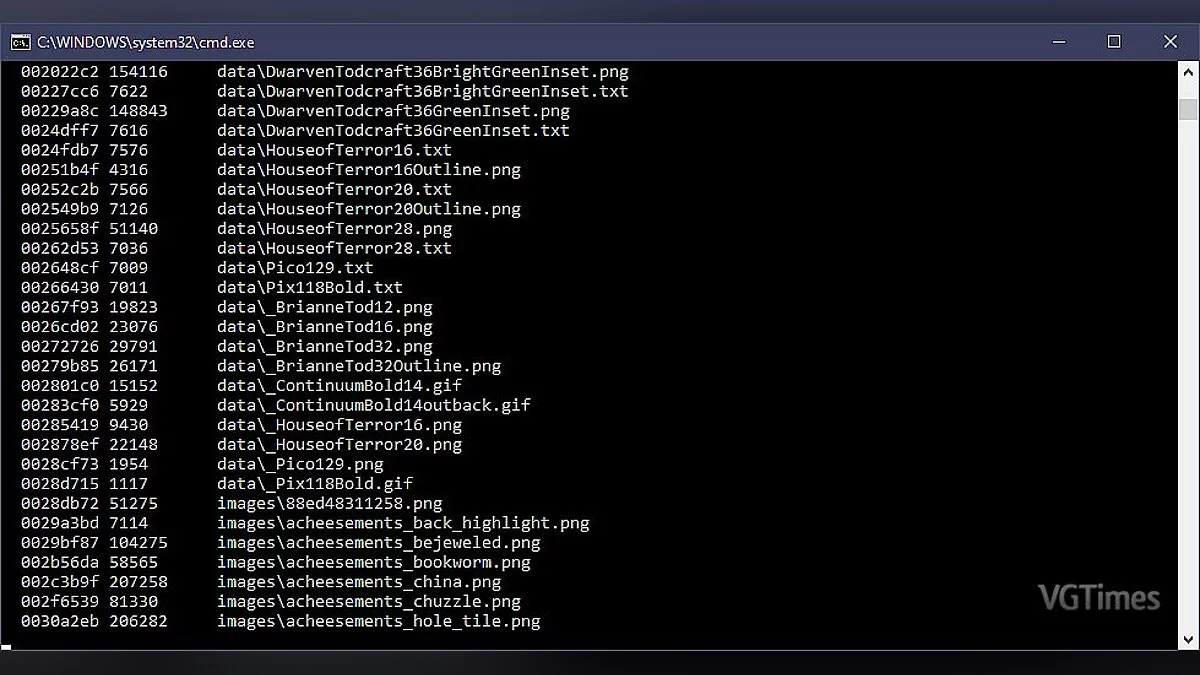
    Download the archive with the Popcap Pack utility from the link in the instructions, then extract the utility files into the game folder and run the [unpack.bat] file; a black command prompt window should appear like this:
  • After that, a [main] folder should appear in the game folder; you need to move its contents to the game folder, then delete the empty [main] folder and the [main.pak] file.
  • From this point on, you can freely install any mod for the game.

    Installation: After you unpack the game files, extract the contents of the [Mod] folder into the directory with the installed game, confirming file replacements.

    Removal: To remove the mod, extract the contents of the [Backup] folder into the directory with the installed game, confirming file replacements.

  • The file name and description have been translated Show original (RU)Show translation (EN)
    Новый зомби подтанцовщик

    Это мой небольшой авторский мод, который заменяет текстуру и анимацию "Зомби Подтанцовщика", на новую. За основу был взят оригинальный образ подтанцовщика из новой и старой версии игры. Также мод перекрашивает одежду "Зомби на Дельфине"

    В архиве мода присутствует две папки [Mod] и [Backup], а также архив [Bonus mod.rar]

    Папка [Mod] Содержит файлы мода и нужна для установки
  • Папка [Backup] содержит оригинальные игровые файлы, нужна для удаления мода
  • Архив [Bonus mod.rar] содержит файлы с дополнительным модом, который перекрашивает одежду "Зомби на Дельфине" с тёмно красного цвета на синий. Мне не хотелось публиковать его как отдельный мод, поэтому он добавлен здесь. Внутри этого архива также находится две папки [Mod] и [Backup]
  • В архиве также присутствуют скриншотыИнструкция:

    *Примечание: прежде чем устанавливать мод вам понадобится Утилита Popcap Pack чтобы распаковать файлы игрового архива [main.pak] игры "Plants Vs Zombies".

    Чтобы разархивировать файл [main.pak] вам нужно:

    Скачать архив с утилитой Popcap Pack по ссылке из инструкции, затем разархивировать файлы утилиты в папку с игрой и запустите файл [unpack.bat] должно появится чёрное окно командной строки вот такое:
  • После этого в папке с игрой должна появится папка [main] её содержимое вам нужно переместить в папку с игрой, затем удалить пустую папку [main] и файл [main.pak]
  • С этого момента вы спокойно можете устанавливать любой мод для игры

    Установка: После того как вы распакуете файлы игры, содержимое папки [Mod] извлеките в директорию с установленной игрой, с подтверждением замены файлов.

    Удаление: Чтобы удалить мод, содержимое папки [Backup] извлеките в директорию с установленной игрой, с подтверждением замены файлов.

  • Useful links:

    Comments 0