A re-release of the legendary fixed-camera action horror game Resident Evil 3: Nemesis. Get ready to dive back into the chaos of a dying Raccoon... Read more
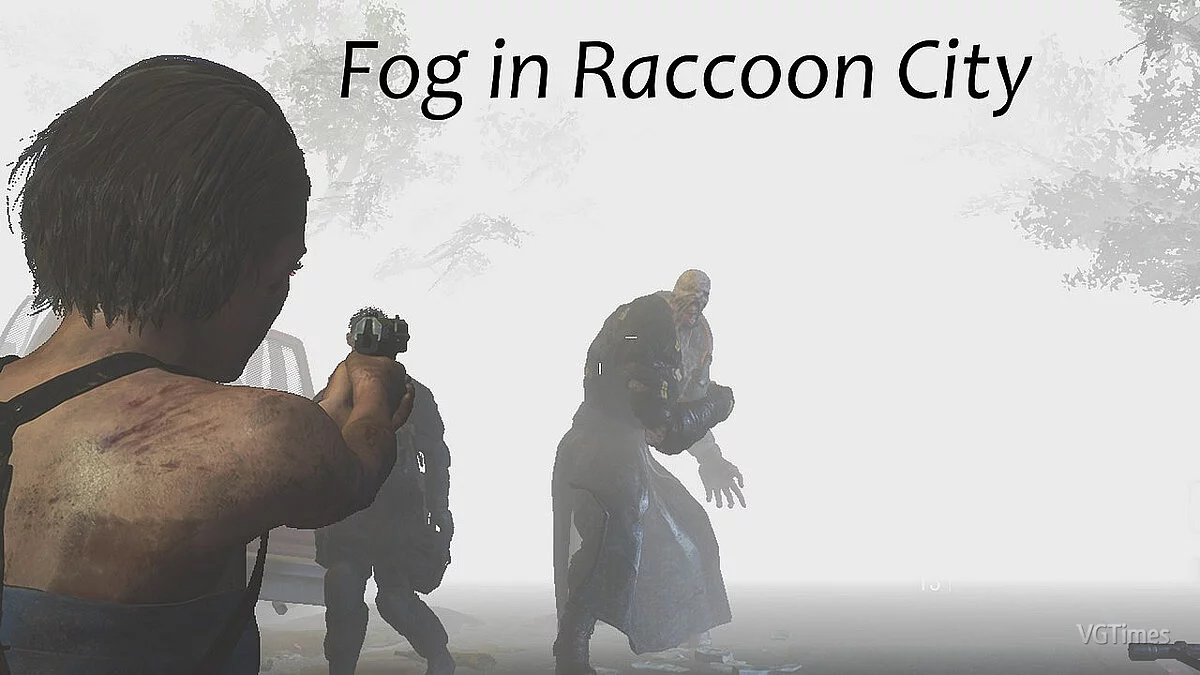
Fog Like in Silent Hill 2 Remake


-
www.nexusmods.comDownload
Silent Hill 2 Remake Inspired Reshade Preset.
I really love how cool the fog looks in the new Silent Hill 2 remake, so I thought, why not see how it looks in RE3?
Installation:
1. Download reshade
2. Open the installer and select re3, if you can't find it in the list, then click 'Browse'. Usually, the executable file is located in the folder C:/steam/steamapps/common/RE3
3. Choose the DX10/11/12 option and install ALL packages!
4. Go to C:/steam/steamapps/common/RE3 and simply drag the file you just downloaded there.
5. Launch RE3 and press HOME, follow the instructions if you want.
6. Click where it says ReshadePreset.ini and select Reshade in realistic atmosphere.
7. Enjoy! :)
Silent Hill 2 Remake Inspired Reshade Preset.
Мне очень нравится, как круто выглядит туман в новом ремейке Silent Hill 2, поэтому я подумал, почему бы не посмотреть, как он выглядит в RE3?
Установка:
1. Загрузите reshade
2. Откройте установщик и выберите re3, если можете Не находите его в списке, затем нажмите «Обзор». Обычно исполняемый файл находится в папке C:/steam/steamapps/common/RE3
3. Выберите опцию DX10/11/12 и установите ВСЕ пакеты!
4. Перейдите в C:/steam/steamapps/common/RE3 и просто перетащите туда файл, который вы только что скачали.
5. Запустите RE3 и нажмите ДОМОЙ, следуйте инструкциям, если хотите.
6. Нажмите там, где написано ReshadePreset.ini, и выберите Reshade в реалистичной атмосфере.
7. Наслаждайтесь! :)
Related files:
Useful links: