
Shenmue 3 is a continuation of the exciting action-adventure game with a third-person view. You will once again take on the role of young Rio Hazuki... Read more
Custom INI File

-
1575029376_custom_ini_kit_2_1_1574975994.zipDownload (2.10 MB)
Original title: Custom INI Kit
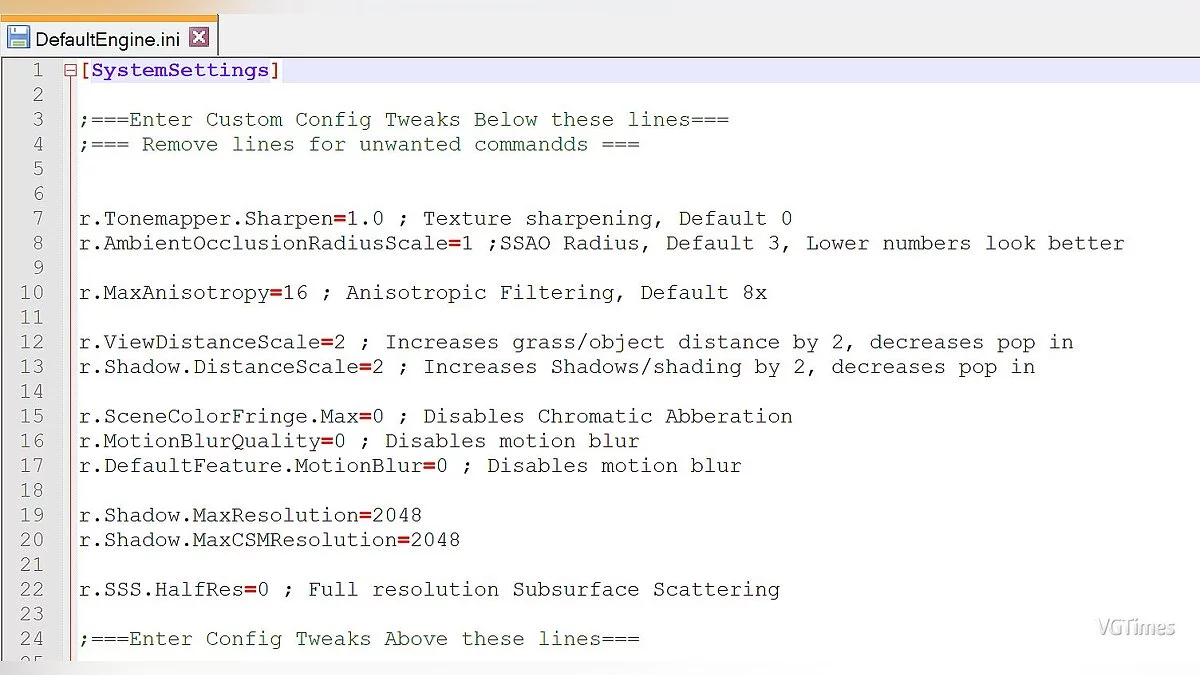
This program for Shenmue 3 allows you to create mods, graphic presets, and make your own adjustments to the game. In the ".ini" file, you can insert any settings and console/config commands, changing all game modifications with just a few clicks.
Usage:
1. Make changes ONLY in the section [SystemSettings] pakchunk99-INI_P / Shenmue3 / Config / DefaultEngine.ini, as specified in the file
2. Save your changes
3. Run "Shenmue Config Creator.bat"
4. Copy the new file "pakchunk99-INI_P.pak" to the folder Shenmue3 / Shenmue3 / Content / Paks / along with "pakchunk99-INI_p.sig"
5. Launch the game
Оригинальное название: Custom INI Kit
Эта программа для Shenmue 3 позволит вам создавать моды, графические пресеты и вносить свои собственные правки в игру. В ".ini" файл вы можете вставить любую настройку и команду console / config, переменив все изменения для игры всего в несколько кликов.
Использование:
1. Внесите изменения ТОЛЬКО в раздел [SystemSettings] pakchunk99-INI_P / Shenmue3 / Config / DefaultEngine.ini, указанного в файле
2. Сохраните ваши изменения
3. Запустите "Shenmue Config Creator.bat"
4. Скопируйте новый файл «pakchunk99-INI_P.pak» в папку Shenmue3 / Shenmue3 / Content / Paks / вместе с «pakchunk99-INI_p.sig»
5. Запустите игру
Useful links:

![Shenmue 3 — Trainer (+13) [1.02]](https://files.vgtimes.com/download/posts/2019-11/thumbs/1574287963_9ruvos-gj6kg7_ji444kqq.webp)
![Shenmue 3 — Cheat Engine Table [UPD: 26.11.2020/1.06.00(03111)]](https://files.vgtimes.com/download/posts/2020-11/thumbs/1606472311_gsqovv8khhzbh5zrseb7zm.webp)
![Shenmue 3 — Cheat Engine Table [UPD: 21.11.2019]](https://files.vgtimes.com/download/posts/2019-11/thumbs/1574705830_1574705773_934.webp)
![Shenmue 3 — Trainer (+15) [1.02 - 1.02.1]](https://files.vgtimes.com/download/posts/2019-11/thumbs/1575029721_43ue8s4uvfo7umtjmpwhtw.webp)