
Stranded Deep is an action-adventure game with a first-person view and survival elements. The plot centers on the main character, who, after a plane crash, is... Read more
More Storage Slots

-
www.nexusmods.comDownload
Expanded storage slots and stacks.
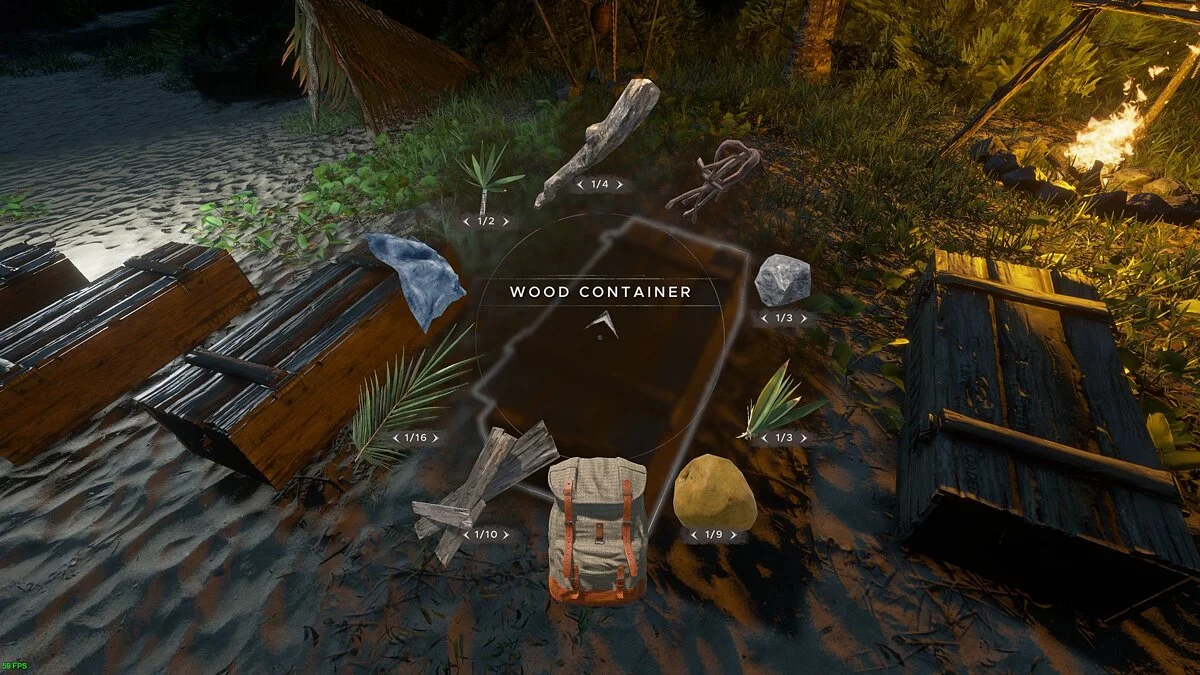
This mod enhances the container slots and item stacks within those slots. It does not modify game files directly, so it should function after any updates.
Features:
- The number of container slots has been increased from 3 to 9
- Containers: 5
- Logs: 10
- Fibrous Leaves: 50
- Arrows: 50
- All other items: 25
Installation:
1. Launch UnityModManager.exe and select "Stranded Deep" from the game list.
2. Choose the game folder (for the Steam version, it should be "(SteamDir) / steamapps / common / Stranded Deep")
3. Select installation method = "Doorstop Proxy", then click "Install"
4. Go to the "Mods" tab
5. Click "Install mod" and select the downloaded mod zip file.
6. Done.
Increased storage slots and stacks.
Этот мод увеличивает слоты контейнеров и стопки предметов в слотах. Этот мод не изменяет файлы игры напрямую, поэтому он должен работать после любого обновления.
Особенности:
- Количество слотов для контейнеров увеличено с 3 до 9
- Контейнеры: 5
- Бревно: 10
- Волокнистые листья: 50
- Стрелы: 50
- Все остальные предметы: 25
Установка:
1. Запустите UnityModManager.exe, выберите «Stranded Deep» из списка игр.
2. Выберите папку с игрой (для Steam-версии это должно быть «(SteamDir) / steamapps / common / Stranded Deep»)
3. Выберите метод установки = «Doorstop Proxy», нажмите «Установить»
4. Выберите вкладку «Модификации»
5. Нажмите «Установить мод» и выберите скачанный zip-файл мода.
6. Готово.
Related files:
Useful links:
![Stranded Deep — Trainer (+11) [0.44.00: x64] [MrAntiFun]](https://files.vgtimes.com/download/posts/2018-04/thumbs/1524690068_jpg.webp)
![Stranded Deep — Trainer (+13/+20/+21) [0.80.01 - 0.74.00]](https://files.vgtimes.com/download/posts/2021-08/thumbs/1628859304_lrm3g6gntkxzm-g5zebygg.webp)
![Stranded Deep — Trainer (+13) [0.74.00]](https://files.vgtimes.com/download/posts/2020-10/thumbs/1602943711_xez815_bb7eg87o8zrwcfg.webp)
![Stranded Deep — Trainer (+11) [0.36: x64] [MrAntiFun]](https://files.vgtimes.com/download/posts/2017-09/thumbs/1505336579_jpg.webp)

![Stranded Deep — Trainer (+10) [0.13: x64] [MrAntiFun]](https://files.vgtimes.com/download/posts/2017-05/thumbs/1495573507_lc1j33zw.webp)
![Stranded Deep — Trainer (+11) [0.48.00: x64] [MrAntiFun]](https://files.vgtimes.com/download/posts/2018-08/thumbs/1534540019_xzpyauen.webp)
![Stranded Deep — Trainer (+31) [1.0.6.0.17]](https://files.vgtimes.com/download/posts/2022-08/thumbs/1661081970_glmjuteo5hiz7nhva8owzq.webp)
![Stranded Deep — Trainer (+19) from 08.13.2022 [WeMod]](https://files.vgtimes.com/download/posts/2022-08/thumbs/1660387601_2022-08-13_134505.webp)