
Stranded Deep is an action-adventure game with a first-person view and survival elements. The plot centers on the main character, who, after a plane crash, is... Read more
Time Speed Modification


-
www.nexusmods.comDownload
Custom DayNight cycle.
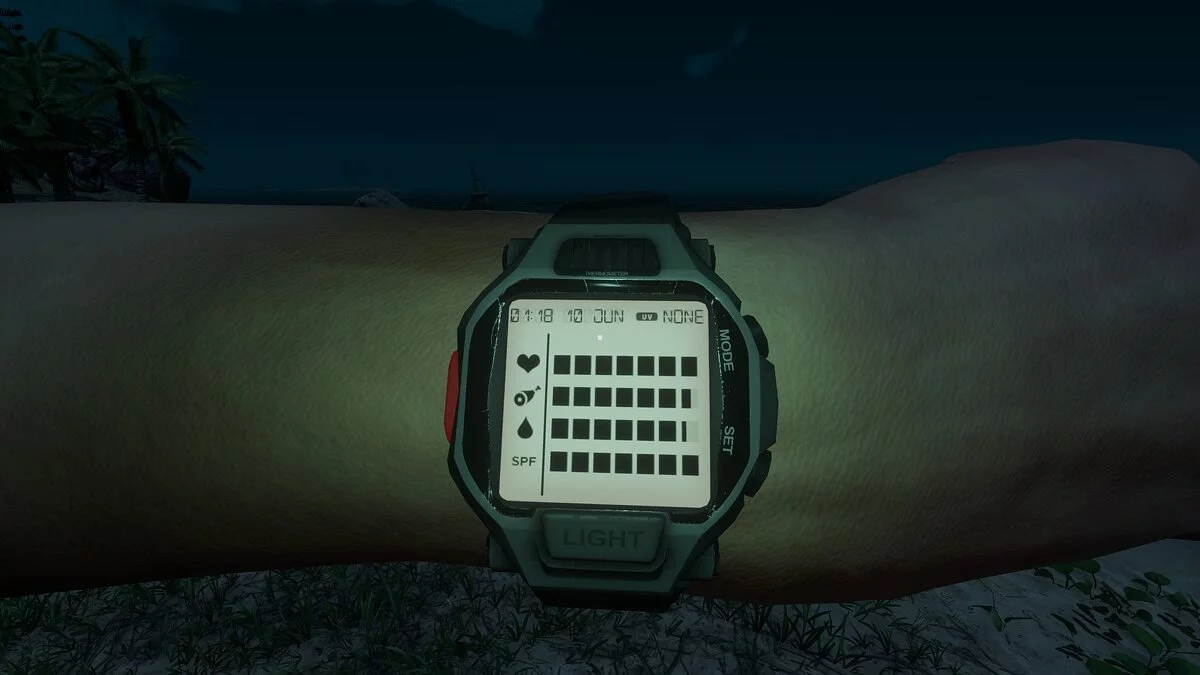
This mod allows you to set any value for the speed of in-game time. By default, it is set to 36 (36 in-game seconds per 1 real second) = approximately 1 in-game minute for every 2 real seconds. A lower value results in a longer day-night cycle (1 — in real time). If you set it to 10 (as shown in the screenshot), it will be 10 in-game seconds for 1 real second = 1 in-game minute for 6 real seconds. This mod does not directly modify game files, so it should work after any game update (unless there are internal updates in the game logic that this mod alters).
Installation instructions:
1. Launch UnityModManager.exe, select Stranded Deep from the game list
3. Choose the game folder (for the Steam version, it should be (SteamDir) / steamapps / common / Stranded Deep)
4. Select installation method = Doorstop Proxy, click Install
5. Go to the Mods tab
6. Click Install mod and select the downloaded mod zip file.
7. Done.
Custom DayNight cycle.
Этот мод позволяет установить любое значение скорости игрового времени. По умолчанию установлено значение 36 (36 игровых секунд в 1 реальной секунде) = приблизительно 1 игровая минута на 2 реальных секунды. Меньшее значение = более длительный цикл день-ночь (1 — в реальном времени). Если вы установите его на 10 (как на скриншоте), это будет 10 игровых секунд на 1 реал = 1 игровая минута на 6 реальных секунд. Этот мод не изменяет файлы игры напрямую, поэтому он должен работать после любого обновления игры (если нет внутренних обновлений в логике игры, которые этот мод изменяет).
Установите:
1. Запустите UnityModManager.exe, выберите Stranded Deep»из списка игр
3. Выберите папку с игрой (для Steam-версии это должно быть (SteamDir) / steamapps / common / Stranded Deep)
4. Выберите метод установки = Doorstop Proxy», нажмите Установить
5. Выберите вкладку Моды
6. Нажмите Установить мод и выберите загруженный zip-файл мода.
7. Готово.
Related files:
Useful links:
![Stranded Deep — Trainer (+19) from 04.01.2020 [WeMod]](https://files.vgtimes.com/download/posts/2020-04/thumbs/1585766245_2020-04-01_213556.webp)
![Stranded Deep — Trainer (+11) [0.32.1: x64] [MrAntiFun]](https://files.vgtimes.com/download/posts/2017-06/thumbs/1498510943_t43ff0db.webp)
![Stranded Deep — Trainer (+11) [0.48.00: x64] [MrAntiFun]](https://files.vgtimes.com/download/posts/2018-08/thumbs/1534540019_xzpyauen.webp)
![Stranded Deep — Trainer (+11) [0.24: x64] [MrAntiFun]](https://files.vgtimes.com/download/posts/2017-05/thumbs/1495573385_b5ab68po.webp)
![Stranded Deep — Trainer (+11) [0.41.03: x64] [MrAntiFun]](https://files.vgtimes.com/download/posts/2018-03/thumbs/1521493343_jpg.webp)
![Stranded Deep — Trainer (+2) [1.0]](https://files.vgtimes.com/download/posts/2019-12/thumbs/trejjner-2-1-0_1716979977_346537.webp)
![Stranded Deep — Trainer (+11) [0.22: x64] [MrAntiFun]](https://files.vgtimes.com/download/posts/2017-05/thumbs/1495573384_b5ab68po.webp)
![Stranded Deep — Cheat Engine Table [1.0.31.0]](https://files.vgtimes.com/download/posts/2023-12/thumbs/tablica-dlja-cheat-engine-1-0-31-0_1703936293_893883.webp)
![Stranded Deep — Trainer (+13) [0.74.00]](https://files.vgtimes.com/download/posts/2020-10/thumbs/1602943711_xez815_bb7eg87o8zrwcfg.webp)
![Stranded Deep — Trainer (+19) from 10.06.2023 [WeMod]](https://files.vgtimes.com/download/posts/2023-10/thumbs/trejjner-19-ot-06-10-2023-wemod_1696600025_824035.webp)