
A sexy Sci-Fi parody where you command your own spaceship filled with the hottest babes in the universe. As you progress, you will travel across galaxies and expand... Read more
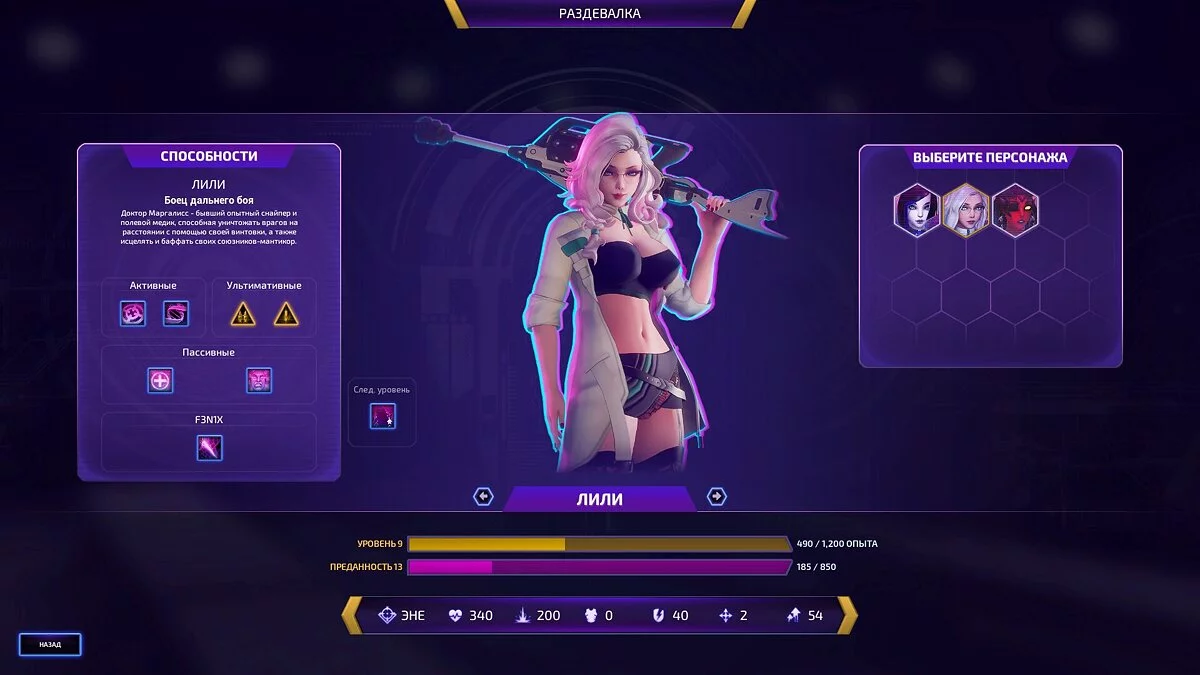
Text Localizer Version 1.2 for Subverse Version 0.1.3

-
steamcommunity.comDownload
Localization of text and videos.
Requirements:
Steam
Game Version: 0.1.3
Build ID: 6520671
Instructions:
1) Download the localizer.
2) If you want English videos, back up the videos located in SubverseContentMovies. Alternatively, after deletion, verify the game cache to restore the original files.
3) Run the Text Localizer for Subverse 0.1.3.exe and install it.
4) After installation, go to Settings — Graphics in the game, and uncheck the "4K Video" option, as subtitles are only added to videos with a resolution of 1080p. Subtitled videos in 4K will be added in the future.
Uninstallation:
1) Run the unins000.exe file in the game folder. * Verify the integrity of the game cache, for more details (Steam > Library > Subverse > Properties > Local Files > Verify Integrity of Game Files...) and wait for it to finish.
The Russian language will be removed and the original videos will be restored.
Notes:
Untranslated text:
Category names in the codec: Misc, Thing, Ship, Location, Character.
Русификация текста и видеороликов.
Требования:
Steam
Версия игры: 0.1.3
ID Сборки: 6520671
Инструкция:
1) Скачать русификатор.
2) По желанию, если вам понадобятся видеоролики на английском, то сделайте резервную копию видеороликов по пути SubverseContentMovies. Или после удаления сделать проверку кэша игры для восстановления оригинальных файлов.
3) Запустить установщик Русификатор текста для Subverse 0.1.3.exe и установить.
4) После установки, в игре зайдите в Настройки — Графика, и снимите галочку с пункта "4K Видео", так как субтитры добавлены только в видео с разрешением 1080p. Также в будущем будут добавлены видеоролики с субтитрами в 4K.
Удаление:
1) Запустить файл unins000.exe в папке с игрой. * Проверить целостность кэша игры, подробнее (Steam > Библиотека > Subverse > Свойства > Локальные файлы > Проверить целостность игровых файлов...) дождаться окончания.
Русский язык будет удалён и оригинальные видеоролики будут возвращены.
Примечания:
Не переведённый текст:
Названия категорий в кодексе: Misc, Thing, Ship, Location, Character.
Useful links:
![Subverse — Save - Pandora Opened + Gallery [0.4.5]](https://files.vgtimes.com/download/posts/2022-06/thumbs/1655101799_capsule_616x353.webp)
![Subverse — Cheat Engine Table [UPD: 30.03.2021]](https://files.vgtimes.com/download/posts/2021-03/thumbs/1617182900_1d9219041e.webp)
![Subverse — Trainer (+16) from 12.21.2022 [WeMod]](https://files.vgtimes.com/download/posts/2022-12/thumbs/1671707635_1200.webp)
![Subverse — Trainer (+15) [1.0]](https://files.vgtimes.com/download/posts/2021-03/thumbs/1617012546_8fxglnposzcyjvlion45fw.webp)
![Subverse — Save File — Pandora Opened + Gallery [0.5.0]](https://files.vgtimes.com/download/posts/2022-07/thumbs/1658915340_v-steam-sostoyalsya-reliz-eroticheskoj-igry-subverse_27-03-21-01-47-10.webp)
![Subverse — Cheat Engine Table [UPD: 18.11.2024]](https://files.vgtimes.com/download/posts/2024-11/thumbs/tablica-dlja-cheat-engine-upd-18-11-2024_1732019546_375907.webp)
![Subverse — Cheat Engine Table [UPD: 03.12.2024]](https://files.vgtimes.com/download/posts/2024-12/thumbs/tablica-dlja-cheat-engine-upd-03-12-2024_1733315447_242745.webp)
![Subverse — Trainer (+16) [EA: 12.21.2022]](https://files.vgtimes.com/download/posts/2022-12/thumbs/1671784476_czyozmkyou7sd0pycxxedw.webp)
![Subverse — Trainer (+16) [EA: 22.06.2021]](https://files.vgtimes.com/download/posts/2022-06/thumbs/1655975528_czyozmkyou7sd0pycxxedw.webp)
![Subverse — Trainer (+16) from 03.29.2021 [WeMod]](https://files.vgtimes.com/download/posts/2021-03/thumbs/1617011043_2021-03-29_124236.webp)