
The Elder Scrolls Online is an online role-playing game with a third-person view in a fantasy setting. The events of the game take place 1000 years before the time... Read more
Enhanced Lighting
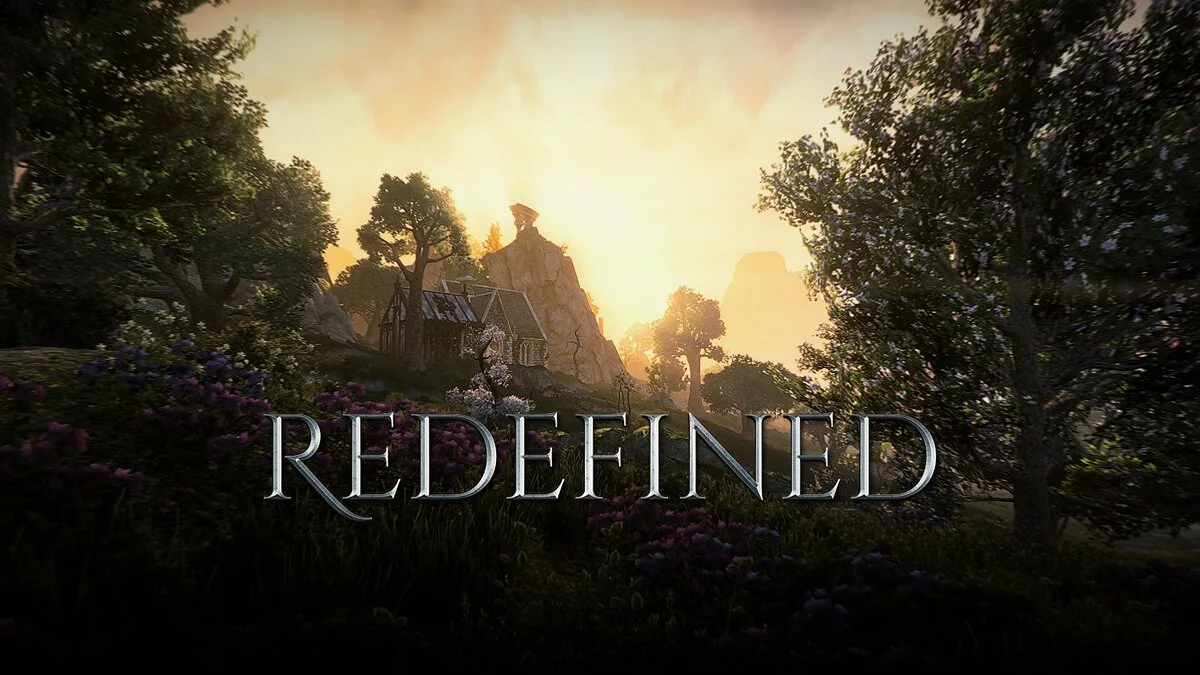


-
www.nexusmods.comDownload
ESO Redefined.
Experience Tamriel like never before with fully revamped lighting and visual effects — without any performance costs.
Installation:
Download and unpack ESO_Redefined.rar into SteamLibrary / steamapps / common / Zenimax Online / The Elder Scrolls Online / game / client.
Launch the game and press Shift + F2 (default Home key) to open the Reshade menu.
Select the ESO_Redefined preset and arrange the effects in order if Reshade does not sort it automatically (very important).
Set the toggle in the settings tab to enable and disable the preset, default — remove.
Additional:
SMAA — If you are using FXAA instead of TAA (Numpad 1 to enable it)
Eye Adaptation — An alternative to white balance, this will automatically adjust on the fly (Numpad 2 to enable)
Gaussian Blur — not recommended, but included as many Skyrim mods include fog effects, this is personal (enable it with Numpad 3)

ESO Redefined.
Испытайте Тамриэль, как никогда раньше, с полностью обновленным освещением и визуальными эффектами — без каких-либо затрат на производительность.
Установка:
Загрузите и распакуйте ESO_Redefined.rar в SteamLibrary / steamapps / common / Zenimax Online / The Elder Scrolls Online / game / client.
Запустите игру и нажмите Shift + F2 (по умолчанию кнопка Home), чтобы открыть меню Reshade.
Выберите пресет ESO_Redefined и расположите эффекты по порядку, если Reshade не упорядочивает его автоматически (очень важно).
Установите переключатель на вкладке настроек для включения и выключения предустановки, по умолчанию — удалить.
Дополнительно:
SMAA — Если вы используете FXAA вместо TAA (Numpad 1, чтобы включить его)
Eye Adaptation — Альтернатива настройке белого, это будет автоматически настраиваться на лету (Numpad 2, чтобы включить)
Размытие по Гауссу — не рекомендуется, но включено, так как многие скайримы включают эффект тумана, это личное (включить его с помощью Numpad 3)
Useful links: