
Yesterday, Windows' official social media account hinted at a "break for your keyboards and mice," teasing a big announcement. It's now clear they were talking about deeply integrating voice as a primary way to interact with the OS. A new update for Windows 11 lets you summon the Copilot digital assistant with a simple voice command, much like you do on smartphones.
The "Hey Copilot" feature is now available to all Windows 11 users. You no longer need to hunt for the right keyboard shortcut to call up the built-in assistant; just clearly say the activation phrase, and the system will respond with a distinct audio cue. Interacting with the AI now feels more like a conversation with a person. You can end the chat by simply saying goodbye, and after a few seconds of inactivity, it will turn itself off with a confirmation sound.
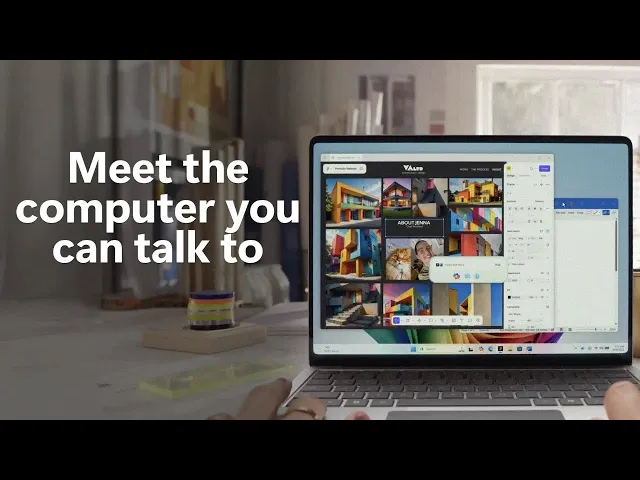
Alongside voice control, Microsoft introduced another new feature: Copilot Vision. The idea is that the assistant can "see" what's on your screen. You can grant it access to analyze your entire desktop or a specific application. With this new capability, Copilot can explain a confusing UI element, offer project advice, or, for example, pull up a step-by-step guide for using complex editing software.
During these visual interaction sessions, you can communicate with the AI not just by voice, but also via text, which can be handy in an office or a noisy environment. You can configure the voice activation in the Copilot settings; this option is disabled by default, so users need to turn it on manually.
Microsoft is pushing to make PC interaction more intuitive, but the question is whether users are ready for this shift after years of the classic keyboard-and-mouse routine. While this kind of interaction feels futuristic now, in a couple of years, voice commands might become as commonplace as a mouse click is today.

-
 Windows 11 Brings Back Video Wallpapers After a 19-Year Absence
-
 Windows 11 is Testing AI-Powered Photo Sorting into Categories
-
 Windows 11 Update Bakes AI Right into File Explorer
-
 Windows 11's Paint Gets a Major Upgrade with Layers and a New Project Format
-
 Windows 11 Taskbar Set to Expand with New Microsoft Apps