
An adventure soulslike action game in a dark fantasy world, created by the developers of the Dark Souls series with the involvement of the author of *A Song of Ice... Read more
Darker Atmosphere

-
www.nexusmods.comDownload
REVENANT ReShade.
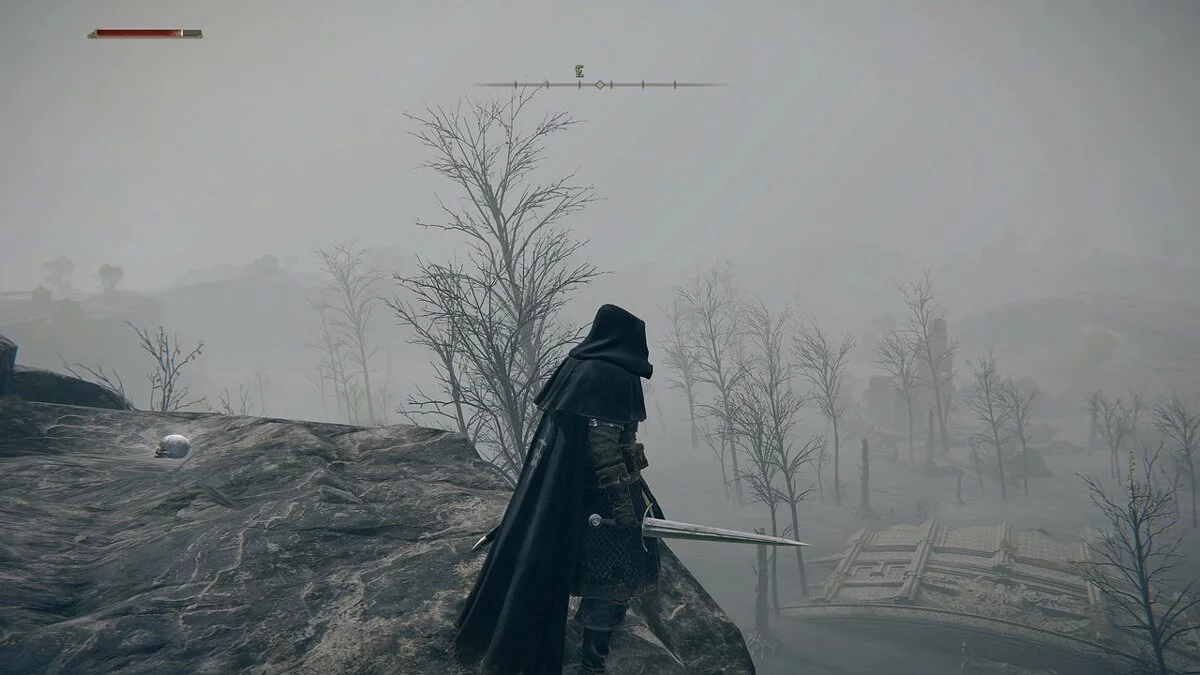
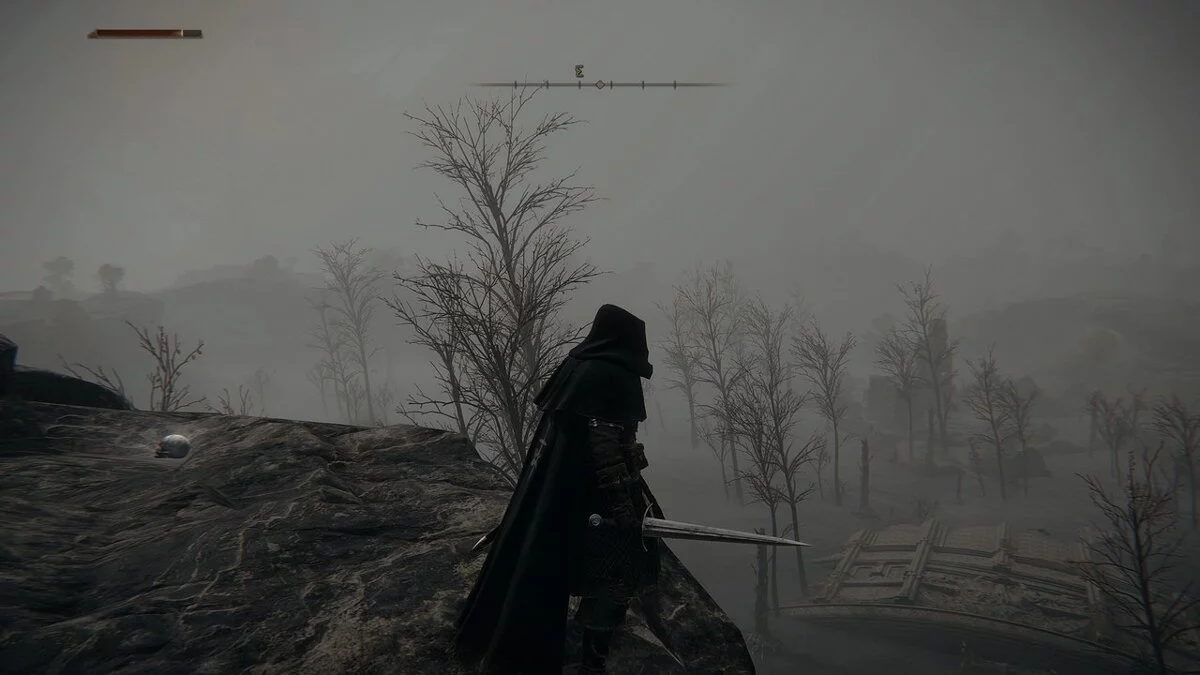
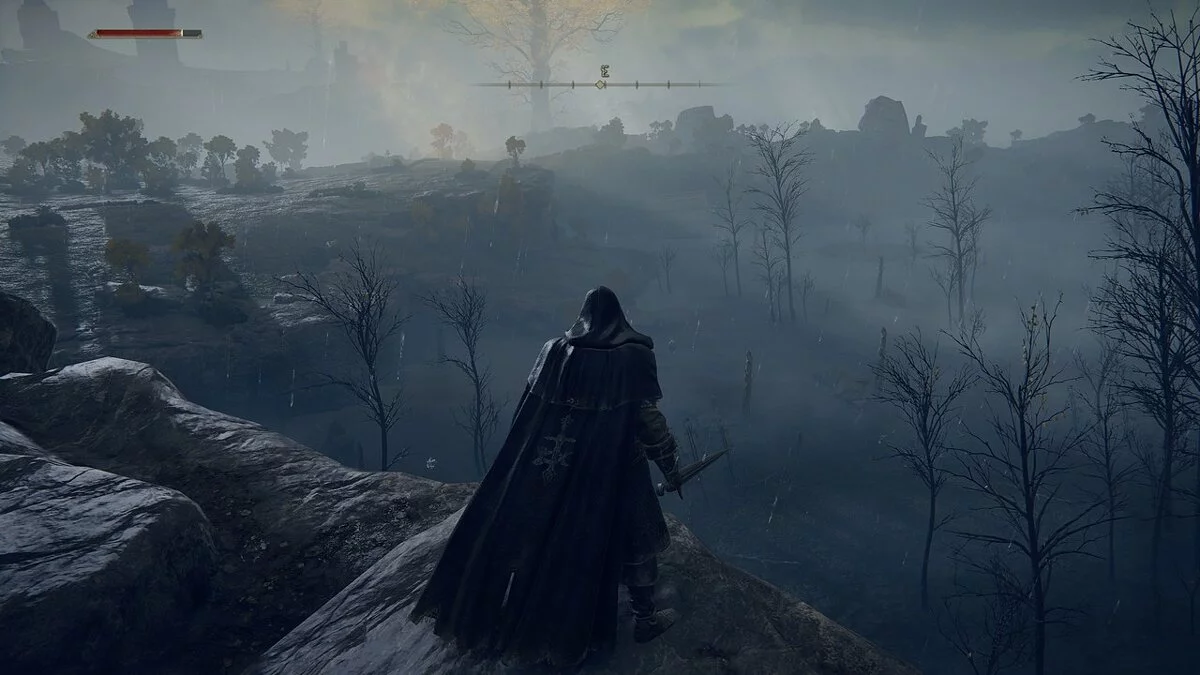
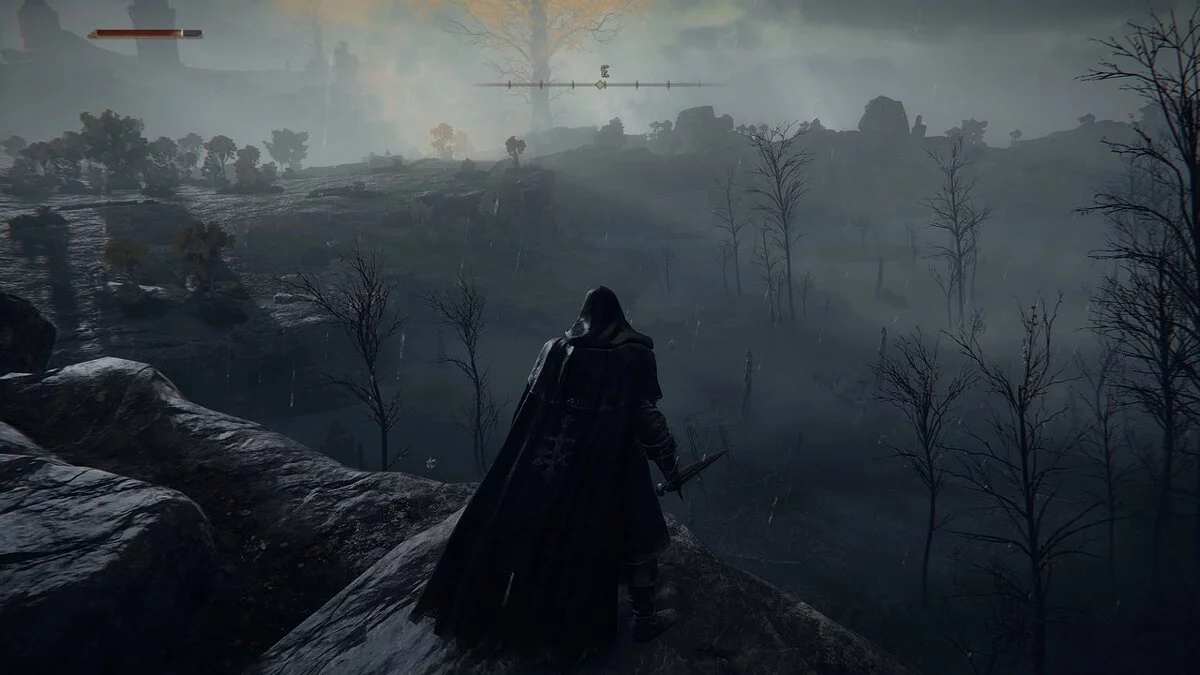
Is Elden Ring not dark enough for you? This preset aims to bring a more muted natural color palette to the game. The goal of this preset is to slightly soften the vibrant colors, giving an overall darker appearance while enhancing the grim, ominous lighting.
Effects Used:
- BloomingHDR
- LiftGammaGain
- Lightroom
- Chromatic Aberration
Installation:
1. Download and unpack REVENANT ReShade and place the configuration file in the "ELDEN RING" game folder (where EldenRing.exe is located), usually found at: /SteamLibrary/steamapps/common/ELDEN RING/Game.
2. Install the latest version of ReShade (currently 5.0.2), then select REVENANT from the preset dropdown to install all relevant shaders.
3. Launch the game and go through the ReShade tutorial. In the preset dropdown, select REVENANT ReShade, and you're all set!
REVENANT ReShade.
Elden Ring недостаточно мрачный для вас? Этот пресет пытается привнести в игру более приглушенную естественную цветовую палитру. Цель этого пресета — немного смягчить насыщенный цвет, придав общий более темный вид, а также усилив мрачное, зловещее освещение.
Используемые эффекты:
- BloomingHDR
- LiftGammaGain
- Lightroom
- Хроматическая аберрация
Установка:
1. Загрузите и распакуйте REVENANT ReShade и поместите файл конфигурации в папку с игрой «ELDEN RING» (где находится EldenRing.exe), обычно расположенную по адресу: /SteamLibrary/steamapps/common/ELDEN RING/Game.
2. Установите последнюю версию ReShade (в настоящее время 5.0.2), затем выберите REVENANT из раскрывающегося списка предустановок, чтобы установить все соответствующие шейдеры.
3. Запустите игру и пройдите обучение ReShade. В раскрывающемся списке предустановок выберите REVENANT ReShade, и все готово!
Useful links:
![Elden Ring — Cheat Engine Table [1.04.1]](https://files.vgtimes.com/download/posts/2022-06/thumbs/1654498875_elden-ring-2048px-0003.webp)
![Elden Ring — Cheat Engine Table [1.04.1]](https://files.vgtimes.com/download/posts/2022-04/thumbs/1651313624_frwnq_lx0aabjnq.0.webp)
![Elden Ring — Cheat Engine Table [UPD: 04.19.2022]](https://files.vgtimes.com/download/posts/2022-04/thumbs/1650443844_elden-ring-spirit-ash-summon.webp)
![Elden Ring — Cheat Engine Table [UPD: 25.02.2022 Fixed]](https://files.vgtimes.com/download/posts/2022-02/thumbs/1645871665_elden-ring-cover.webp)
![Elden Ring — Cheat Engine Table [1.06]](https://files.vgtimes.com/download/posts/2022-08/thumbs/1660128266_hft-jqizkb7klqvfzcrwoa.webp)
![Elden Ring — Cheat Engine Table [UPD: 01.03.2022 Fixed]](https://files.vgtimes.com/download/posts/2022-03/thumbs/1646129295_1.webp)
![Elden Ring — Cheat Engine Table [UPD: 13.03.2022]](https://files.vgtimes.com/download/posts/2022-03/thumbs/1647248211_elden-ring-preview-header.webp)
![Elden Ring — Cheat Engine Table [UPD: 21.03.2022]](https://files.vgtimes.com/download/posts/2022-03/thumbs/1647939720_d7803690e27d11bd_1920xh.webp)
![Elden Ring — Cheat Engine Table [1.02.3 Fixed v6]](https://files.vgtimes.com/download/posts/2022-03/thumbs/1647164072_b79e1557-180a-44ec-8060-d1cf7c1d0eed.webp)
![Elden Ring — Cheat Engine Table [UPD: 25.02.2022]](https://files.vgtimes.com/download/posts/2022-02/thumbs/1645871027_9adf1c69247f446aa1e5505999ba8cba.webp)