
Final Fantasy VII Remake is a re-release of the Japanese role-playing game Final Fantasy VII from 1997. Fans of the cult JRPG and newcomers unfamiliar with the... Read more
FFVIIHook - INI and Developer Console Unlocker

-
www.nexusmods.comDownload
FFVIIHook — INI and developer console unlocker.
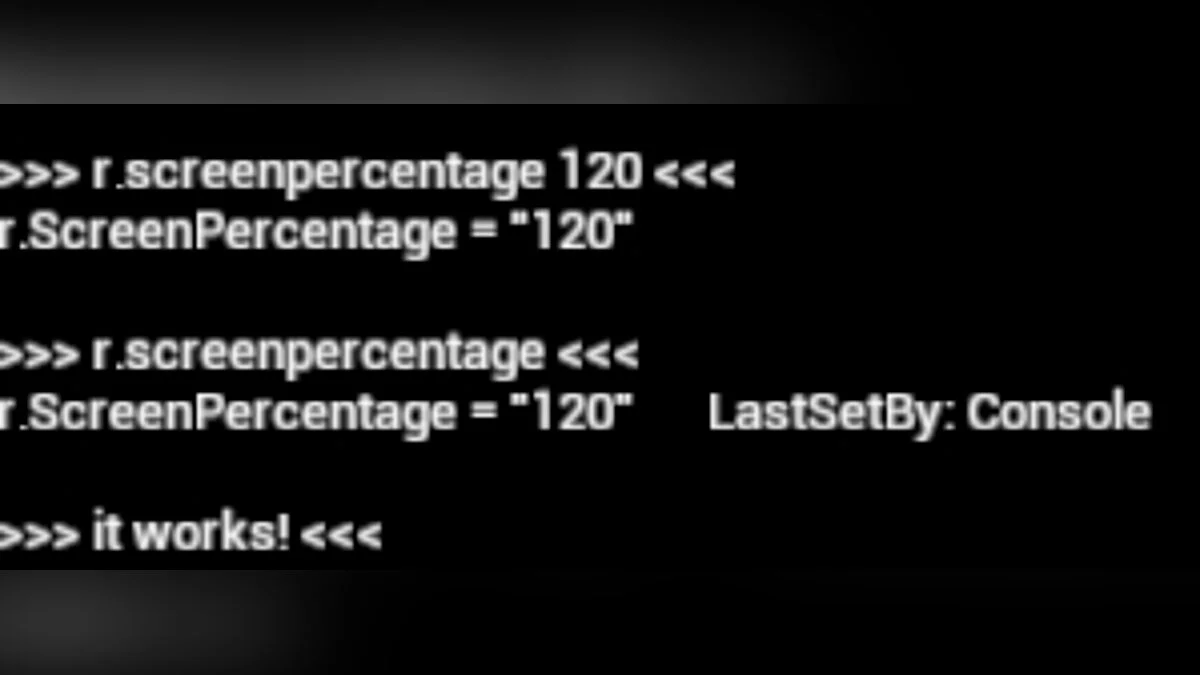
Unlocks the developer console, providing access to console commands and easy modifications of game CVars, as well as allowing the loading of unpinned INI files from the game's configuration folder!
01.11.2022: The game has been updated to version 1.001, and accordingly, FFVIIHook has been updated to version 1.4a to add support for this update.
It seems that there are not many changes in the EXE file itself, so hopefully all FFVIIHook features will still work fine.
To install, simply extract xinput1_3.dll into the End/Binaries/Win64 folder, next to your ff7remake_.exe file (the underscore is important, as the game includes two EXEs).
After that, the hook is in place, and you can now extract the included Engine.ini to use any custom CVars you like, or easily test any custom CVars by opening the developer console.
- The dev console is now automatically unlocked; just press the tilde key (~) during gameplay to open it
- The game will now read standard UE4 INI files, such as Engine.ini / Input.ini / etc., if they are located in the Documents/My Games/FINAL FANTASY VII REMAKE/Saved/Config/WindowsNoEditor/ folder.
- You can make the in-game resolution selector use exclusive fullscreen mode for all resolutions if the uselscreen.txt file exists next to one of the EXE files.
- Free files, such as UAsset or INI files, can now be read by the game without needing to be saved in PAK, and individual files will also be preferred over files inside PAK (should be useful for modders who want to quickly test their mods!)
- Prevents game overwrite.
FFVIIHook — INI and dev console unlocker.
Разблокирует консоль разработчика, предоставляя доступ к консольным командам и легким изменениям CVars игр, а также позволяет загружать незакрепленные файлы INI из папки конфигурации игры!
11.01.2022: Игра обновлена до версии 1.001, соответственно FFVIIHook обновлен до версии 1.4a, чтобы добавить поддержку этого обновления.
Похоже, что в самом EXE-файле не так уж много изменений, поэтому, надеюсь, все функции FFVIIHook по-прежнему будут работать нормально.
Чтобы установить, просто извлеките xinput1_3.dll в папку End/Binaries/Win64, рядом с вашим файлом ff7remake_.exe (подчеркивание важно, так как игра включает в себя два EXE).
После этого хук на месте, теперь вы можете извлечь включенный Engine.ini, чтобы использовать любые пользовательские CVars, которые вам нравятся, или легко протестировать любые пользовательские CVars, открыв консоль разработчика.
- Dev-консоль теперь автоматически разблокируется, просто нажмите клавишу тильды (~) во время игры, чтобы открыть ее
- Игра теперь будет считывать стандартные INI-файлы UE4, такие как Engine.ini / Input.ini / и т. д., если они находятся в папке Документы/Мои игры/FINAL FANTASY VII REMAKE/Saved/Config/WindowsNoEditor/.
- Можно заставить средство выбора разрешения в игре использовать эксклюзивный полноэкранный режим для всех разрешений, если файл uselscreen.txt существует рядом с одним из EXE-файлов.
- Свободные файлы, такие как файлы UAsset или INI, могут теперь могут быть прочитаны игрой без необходимости сохранения в PAK, а отдельные файлы также будут предпочтительнее файлов внутри PAK (должно быть полезно для моддеров, которые хотят быстро протестировать свои моды!)
- Предотвращает перезапись игры.
Useful links:
![Final Fantasy VII Remake — Trainer (+24) [1.0]](https://files.vgtimes.com/download/posts/2021-12/thumbs/1640506269_4i2i8j8xpswypd-no-0gww.webp)
![Final Fantasy VII Remake — Cheat Engine Table [UPD: 28.08.2022]](https://files.vgtimes.com/download/posts/2022-08/thumbs/1661772214_567912-ffvii.webp)
![Final Fantasy VII Remake — Trainer (+20) from 12.17.2021 [WeMod]](https://files.vgtimes.com/download/posts/2021-12/thumbs/1639822048_2021-12-18_130609.webp)
![Final Fantasy VII Remake — Cheat Engine Table [UPD: 18.12.2021]](https://files.vgtimes.com/download/posts/2021-12/thumbs/1639910723_egs-finalfantasyviiremakeintergr.webp)