
![GTA 5 — BlackFox Menu [1.0] / Trainers / Cheats](https://files.vgtimes.com/si/gameprev_61_768_1792523229.webp "GTA 5 — BlackFox Menu [1.0] / Trainers / Cheats")
A legendary sequel to the popular Grand Theft Auto series. The game is set in Los Santos, a city that players first came to love in Grand Theft... Read more
VGTimes:
Players:
Steam:

BlackFox Menu [1.0]
![GTA 5 — BlackFox Menu [1.0]](https://files.vgtimes.com/download/posts/2026-07/thumbs/blackfox-menu-1-0_1783673868_101844.webp)
Author:
Skyrolfox
Uploaded by:

Size:
2.30 MB
Date:
July 10, 2026, 11:57 AM
Downloads:
388
-
Download (2.30 MB)July 10, 2026, 11:57 AMblackfox-menu-1-0_1783673868_269575.zip
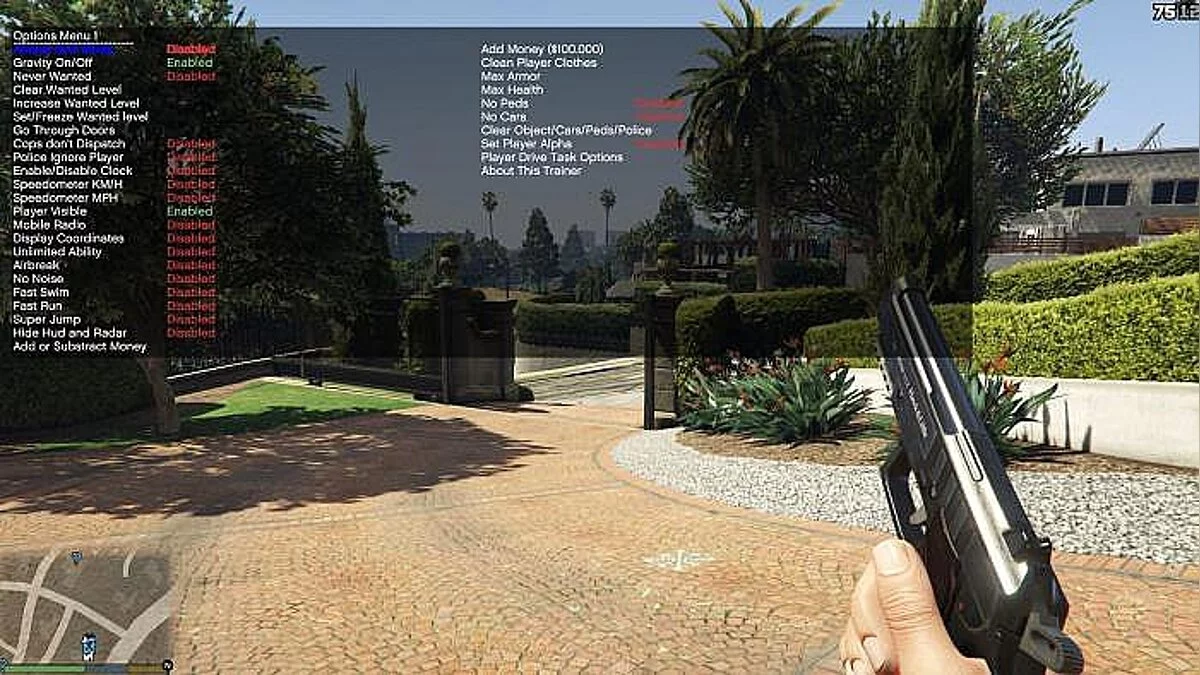
A feature-rich mod menu trainer utilizing the LemonUI framework for the single-player campaign of Grand Theft Auto V. The script delivers an extensive layout of player alterations, custom vehicle generation, and seamless structural teleports.
Prerequisites & Dependencies:
- The latest active setup of ScriptHookV.
- The latest active setup of ScriptHookVDotNet 3.
Core Mod Features:
- Player Elements: Toggleable God Mode and permanent Never Wanted properties.
- Movement Boosts: Built-in Super Jump mechanics paired with a Fast Run speed modifier.
- Vehicle Spawner: Custom automotive vehicle deployment catalog supporting localized asset previews.
- Interior Teleports: Immediate navigation data to access secured buildings (including Michael's House, the FIB headquarters, the Diamond Casino, and more).
- Weapon Arsenal: Comprehensive firearms delivery system stocked with all internal attachment upgrades.
Control Mapping (Keyboard):
- F5 — Toggle the main menu layout window open or closed.
- Arrow Keys or NUM 8, 2, 4, 6 — Navigate through internal menu options and property entries.
- Enter or NUM 5 — Select or execute the active highlighted option.
- Backspace — Move back to the previous menu screen layer.
Control Mapping (Controller):
- Hold LT and press X (Xbox) / Square (PlayStation) — Toggle the main menu layout window open or closed.
- D-Pad Up / Down — Navigate through the internal list selections.
- A (Xbox) / Cross (PlayStation) — Select or execute the active highlighted option.
- B (Xbox) / Circle (PlayStation) — Move back to the previous menu screen layer.
Installation instructions:
- Navigate to your main Grand Theft Auto V installation directory (where the core GTA5.exe application is located).
- Open the designated scripts folder. If this directory path does not exist on your system, create it manually.
- Copy and paste the following files extracted from the download package directly into the scripts folder:
BlackFox.dll.
LemonUI.SHVDN3.dll.
Banshee_GTS_HSW.ytd.
Blackfox baner.png.
Useful links:
![GTA 5 — Trainer (+19) [1.0.323.1 - 1.0.757.4] [FLiNG]](https://files.vgtimes.com/download/posts/2017-03/thumbs/1490034549_vfe06ue9.webp)
![GTA 5 — Trainer (+12) [1.0.671.1] [MrAntiFun]](https://files.vgtimes.com/download/posts/2017-03/thumbs/1490034672_n7cmomk4.webp)
![GTA 5 — Cheat-Mode (Simple Trainer for GTA V 4.0) [SP Only]](https://files.vgtimes.com/download/posts/2017-03/thumbs/1490034458_b0ustw17.webp)
![GTA 5 — Grand Theft Auto 5 (GTA V): Script Hook V + Native Trainer v1.0.617.1a [1.0.335.2-1.0.617.1] [Alexander Blade]](https://files.vgtimes.com/download/posts/2017-03/thumbs/1490114875_1490114839_308.webp)
![GTA 5 — Grand Theft Auto 5 (GTA V): Cheat-Mode (Race Cash Multiplier Trainer v2.5) [1.32]](https://files.vgtimes.com/download/posts/2017-03/thumbs/1490034692_5yk0obrn.webp)
![GTA 5 — Cheat Engine Table [UPD: 20.05.2020] - ENG](https://files.vgtimes.com/download/posts/2020-05/thumbs/1589976802_ybi6jx2ffks-jcyljqkg7w.webp)
![GTA 5 — Trainer (+19) [1.0.323 - 1.0.1011] [FLiNG]](https://files.vgtimes.com/download/posts/2017-03/thumbs/1489784652_bby5dltj.webp)
![GTA 5 — Grand Theft Auto 5 (GTA V): Cheat-Mode (Enhanced Native Trainer) [RUS]](https://files.vgtimes.com/download/posts/2017-02/thumbs/1487094502_fq6vxj2t.650xauto.webp)
![GTA 5 — Trainer (+19) [1.0.323.1 - 1.0.617.1] [FLiNG]](https://files.vgtimes.com/download/posts/2017-03/thumbs/1490034759_gokewz0v.webp)