
The horror game and dating simulator MiSide offers a kaleidoscope of mini-games spanning multiple genres—from classic puzzles to shooter elements—alongside a wide... Read more
VGTimes:
Players:
Steam:
Metacritic:

Best Items for MiSide
TOP-78 best files in category MiSide / Mods and Skins / Items of all time, sorted by the number of unique downloads.
Mita in Bikini


Download
This mod replaces Mita's standard outfit with a striped bikini. The mod only works with the default skin. If Mita appears with a short neck, select Main Menu - Clothing - Original and restart the game. Updates: 1.2 Fixed outlines on character ...
Mita in Lingerie

Download
Replaces the standard clothing of most Mitas with a naked body in lingerie. The skirt, stockings, and top are automatically removed. The mod may conflict with UniversalAssetLoader. How to launch: Unpack to this path \MiSide\BepInEx\plugins\.
Removal of Skirts for All Standard Outfits

Download
Game version — 0.921. This mod removes all skirts from all standard outfits. To unlock all clothing, you need to extract the corresponding archive to this path UserProfile\AppData\LocalLow\AIHASTO\MiSideFull\Save. How to run: Extract the ...
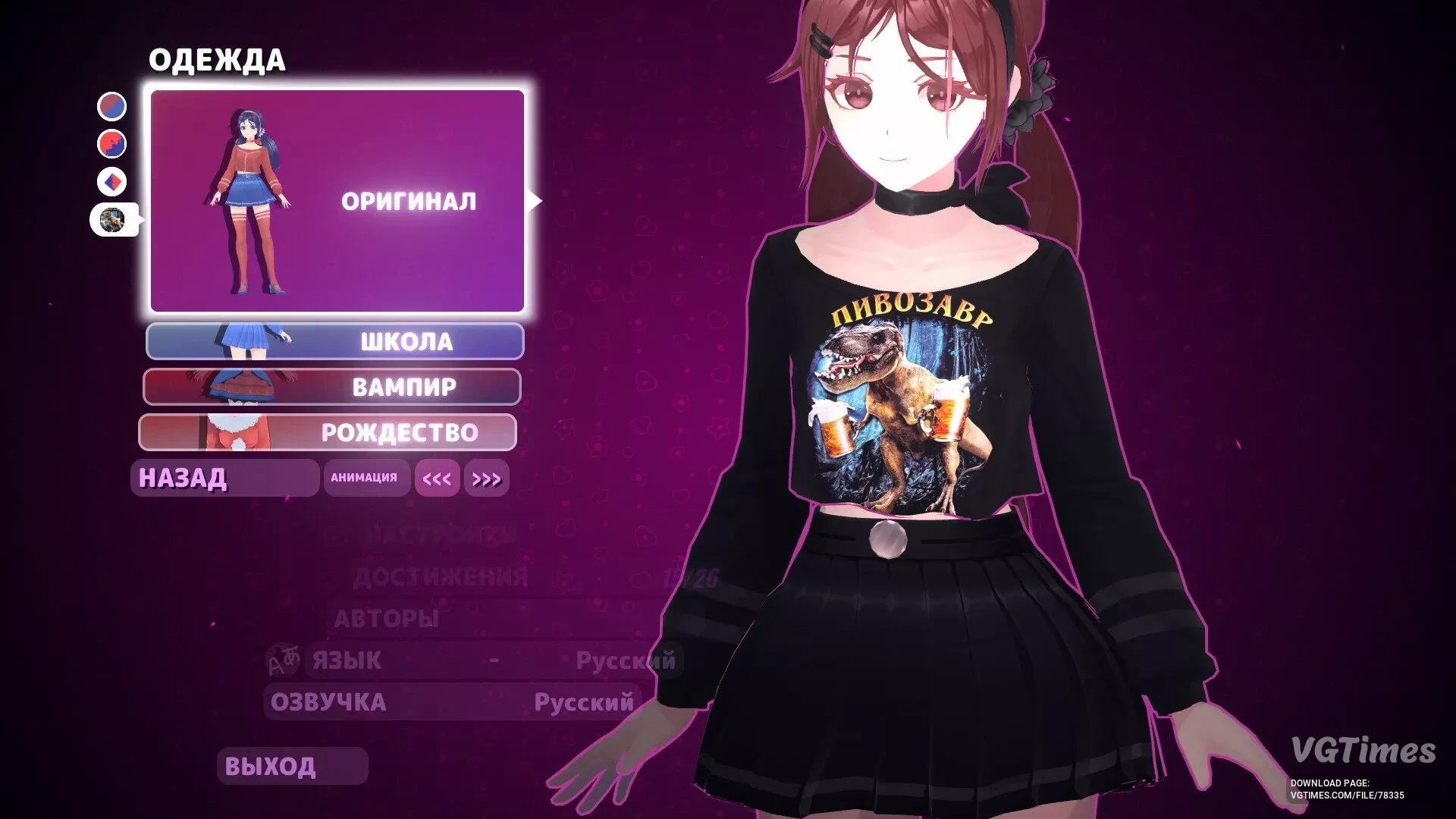
Beer Dinosaur T-Shirt

Download
This modification for the MiSide game will add variety to the familiar look of the main character. Now Mita can wear a funny t-shirt with the inscription "Beer Dinosaur," which will serve as an alternative to her original outfit. The new skin replac ...
Pink Outfit

Download
Clothing dyed in white colors, skirt in pink. Hair, accessories, and underwear are also pink. How to launch: Unpack to this path MiSide\Data\Custom.
Dark Outfit with Blue Accents

Download
The clothing has been repainted black with blue accents. The underwear is blue. The hair has turned dark, the skin pale, and the eyes blue. You can select the skin in the "Clothing" tab. How to install: Unpack to this path MiSide\Data\Custom. ...
Mita in Black and White Outfit
Download
Changes the colors of Mita's main outfit. A small meme has been added to the hoodie. How to install: Download the file and extract it; Move it to MiSide\Data\Custom; Select the desired clothing option (as shown in the last screenshot).
Mita in Tights

Download
Three styles have been added for standard clothing: black tights, black stockings, red tights. How to install: Extract the chosen variant to this path MiSide/Data/Custom/ .
Mita Cosplays Bernice

Download
This mod adds a new outfit for Mita styled after Bernice from the game Zenless Zone Zero. Updates: Textures have been quantized; Includes a ready-to-use mod loader; Now the hair does not replace Natsuki — it is now a DLC addon. How to ...
Leggings and Swimsuit for Mita

Download
Adds several leggings and a swimsuit for Mita. Including one with a bare bottom. A mod that removes the skirt is included. Skin colors that differ significantly from the original have a pr texture. How to install: Place the Custom folder in: S ...
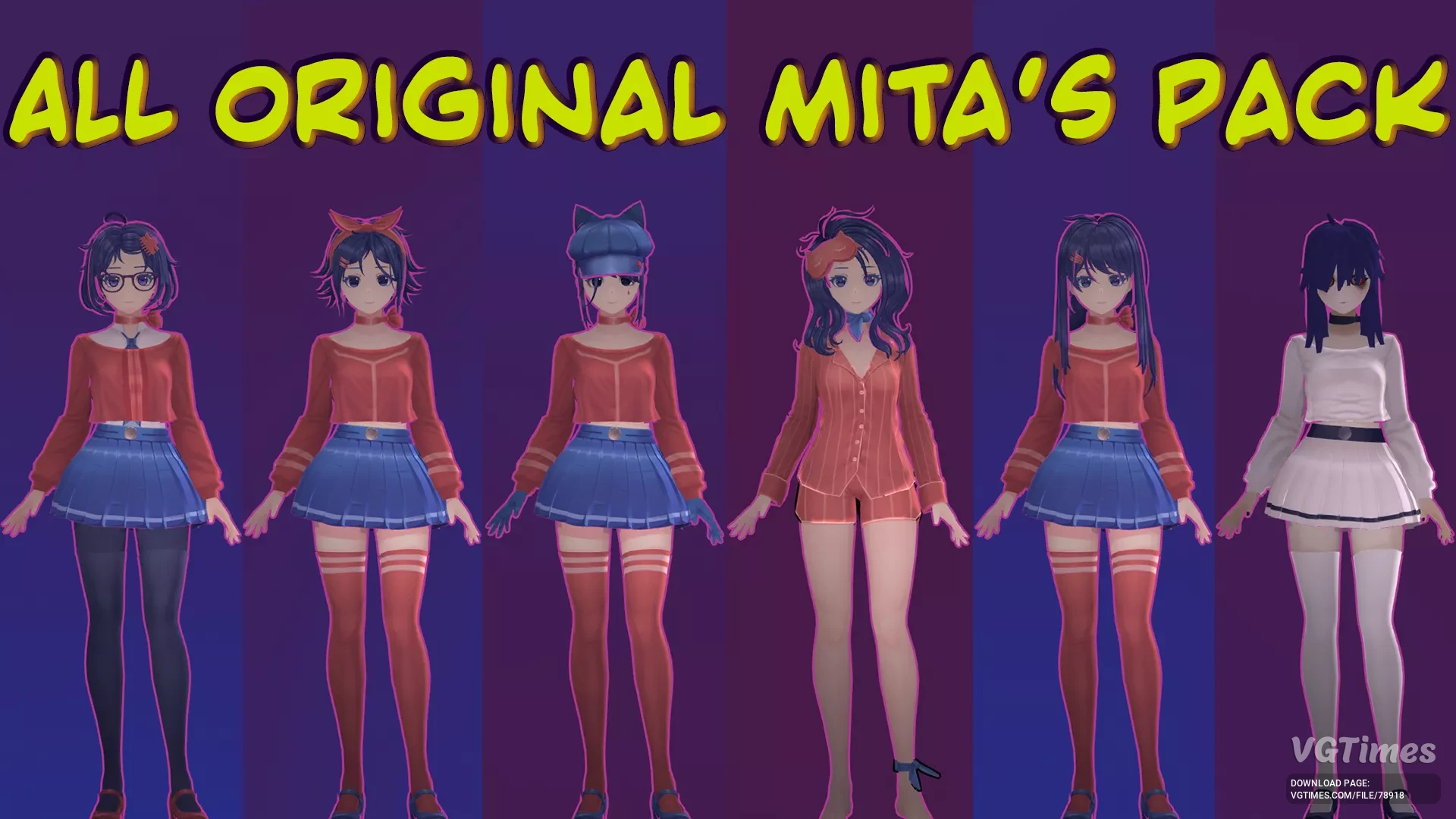
Collection of Original Mits
Download
This set includes the hair and attributes of most Mits, as well as their reworked textures for the regular Mita (not for all). The pack also contains complete unfinished models of Mits. Hair, attributes, and skins are applied only to the main Mita. ...
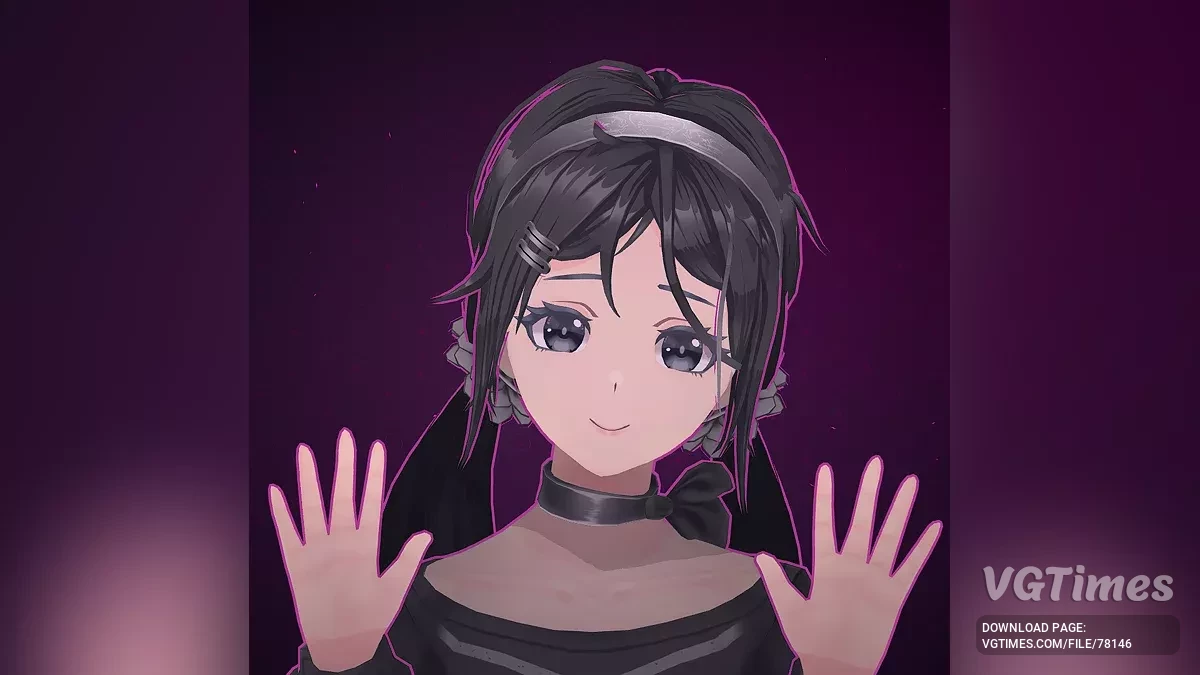
Black Skin for Mita
Download
This mod adds a new black skin for Mita. In the game, it can be recognized by the black-and-white avatar of the skin. How to run: Unpack the downloaded archive into the game folder.
Pack of Cool Skins

Download
Includes 7 skins with various color schemes. Adidas outfit with boxers; Cute outfit with shorts; "I love my boyfriend" sweater; Monster energy Mita; Supreme sweater; Outfit with black bodysuit; Outfit with a sweater cutout. ...
Mita in Adidas Suit

Download
This modification changes Mita's standard outfit, adding a stylish black outfit with recognizable elements of the Adidas brand. Installation: Download the archive; Go to the game folder: find the path gamefolder/data/custom; Copy the Mita ...
Informal Mita in Convulsive Style

Download
Updated clothing texture for Mita in convulsive style. Installation: Extract the archive to MiSide\Data\Custom\. Select the desired skin color.