An arcade action-survival game from a third-person perspective in a vast open world with the key mechanic of taming unusual creatures called Pal... Read more

YetAnotherMinimap


-
Download (338.96 kB)July 11, 2026, 04:46 PMyetanotherminimap-funkcionalnaja_1783777578_249562.zip
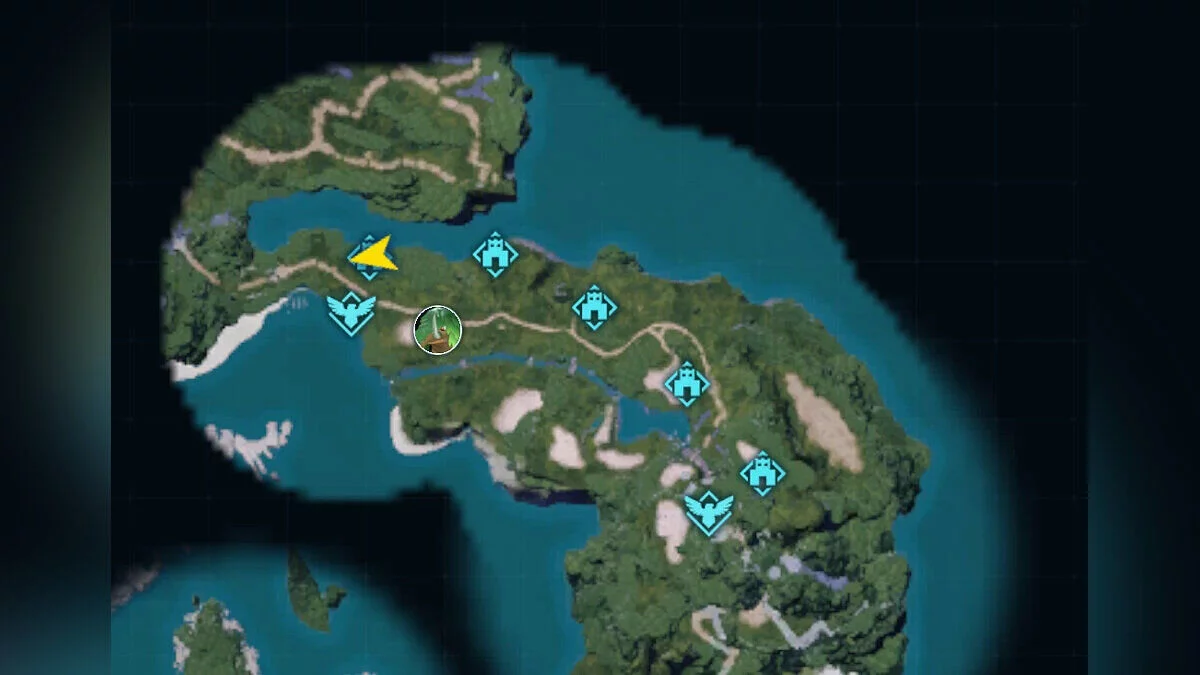
A functional interface modification that integrates a comprehensive minimap system directly into your active gameplay HUD. Designed to streamline navigation, the map dynamically tracks surrounding elements and automatically hides itself upon entering your base perimeter to prevent standard UI clutter.
Mod Features & Radar Elements:
- Smart Visibility: The minimap automatically toggles off when crossing into base boundaries to preserve your vanilla layout space.
- Asset Tracking: Displays real-time location markers for surrounding Pals, dropped eggs, treasure chests, fast travel towers, and hidden dungeons.
- Custom Filtering: Remap and toggle specific operational radar icons via the integrated ModConfigMenu overlay.
- Layout Adaptability: Supports dynamic modifications for map dimension sizes, opacity alpha levels, and orientation (choose between locking north or rotating with the camera grid).
- Network Compatibility: Fully functional across both standalone Singleplayer runs and multi-user Multiplayer sessions.
Technical Notice: This modification is strictly a Client-side asset. Do not attempt to deploy this mod files onto a dedicated server framework. It must be installed solely into your local client directories.
Hotkey Mapping & Controls:
- Left CTRL + H — Toggle the minimap display on or off (initial default placement tracks at the top-right corner).
- Left CTRL + F8 — Initialize the map repositioning mode. Once active, utilize your keyboard Arrow Keys paired with Num + and Num — to resize and slide the map overlay framework.
- Z — Toggle super zoom mode for precise situational scanning.
Prerequisites:
- Active installation of the Palworld-specific UE4SS modding framework.
Installation instructions:
- Download and extract the core Palworld UE4SS framework files. Copy the contents directly into your game's binary directory path: ...\Palworld\Pal\Binaries\Win64\.
- Download and extract this modification's ZIP archive package.
- Copy and drop the extracted assets (specifically the .json configuration and .pak blocks) into your game's designated script folder path: ...\Palworld\Pal\Content\Paks\LogicMods\.
(If the LogicMods directory folder does not exist inside your local Paks tree, create it manually). - Launch the game application.
Related files:
Useful links:
![Palworld — Cheat Engine Table [0.1.2.0]](https://files.vgtimes.com/download/posts/2024-01/thumbs/tablica-dlja-cheat-engine-0-1-2-0_1705919093_924095.webp)

![Palworld — Cheat Engine Table [UPD: 01/20/2024]](https://files.vgtimes.com/download/posts/2024-01/thumbs/tablica-dlja-cheat-engine-upd-20-01-2024_1705824402_838842.webp)
![Palworld — Console Activation [0.1.2.0]](https://files.vgtimes.com/download/posts/2024-01/thumbs/aktivacija-konsoli-0-1-2-0_1706083839_660910.webp)