
A role-playing action game in a pseudo-open world set in deep space, with a focus on detailed, immersive quests that offer high replayability on every playthrough... Read more
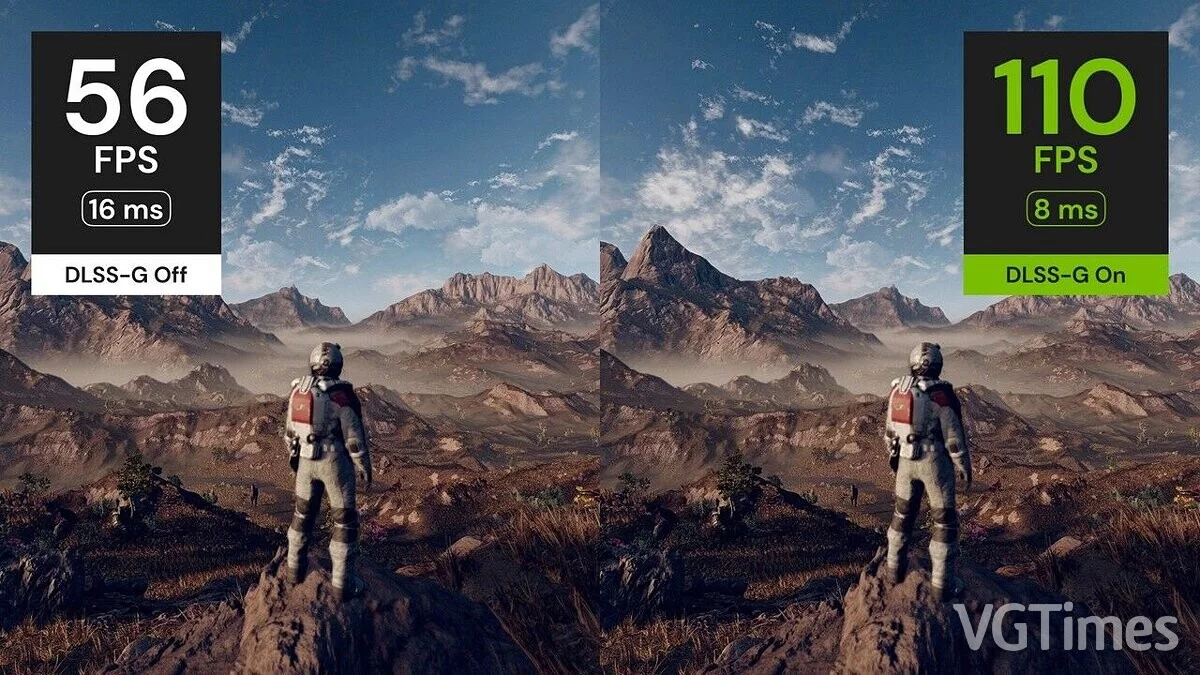
Replacing FSR2 with DLSS-G

-
Download (1.18 MB)September 11, 2023, 01:05 PMzamena-fsr2-na-dlss-g_1694426738_766978.zipArchive password: vgtimes
Replaces the built-in version of FSR2 with DLSS3 + DLSS-G to enable frame generation. Requires DLSS DLL and DLSS-G DLL. An additional sharpening pass is also provided through Nvidia Image Scaling (NIS). Although part of the mod "Frame Generation" requires an RTX 40 series graphics card, the rest can be used with any card that supports DLSS.
How to configure:
- enable FSR2 (which is now replaced by DLSS) in the in-game settings;
- to configure DLSS, use the regular resolution slider in the game settings and the dynamic resolution option;
- you can also adjust motion blur (I recommend reducing it by half), film grain, and other settings to improve image quality.
How to install:
- unpack into the game directory. (FSR2Streamline.asi along with other files/folders from the zip should be in the same directory as Starfield.exe);
- download both the latest DLSS and DLSS-G DLLs and place them in the streamline folder in the game directory;
- launch the game.
Заменяет встроенную версию FSR2 на DLSS3 + DLSS-G для включения генерации кадров. Для работы потребуются DLSS DLL и DLSS-G DLL. Встроенный, но дополнительный проход повышения резкости также предоставляется через Nvidia Image Scaling (NIS). Хотя для работы части мода «Генерация кадров» требуется видеокарта серии RTX 40, остальную часть можно использовать с любой картой, поддерживающей DLSS.
Как настроить:
- включить FSR2 (который теперь заменен DLSS) во внутриигровых настройках;
- для настройки DLSS использовать обычный ползунок разрешения в игровых настройках и опцию динамического разрешения;
- также можно настроить размытие при движении (я рекомендую уменьшить его вдвое), зернистость пленки и другие параметры для улучшения качества изображения.
Как запустить:
- распаковать в каталог с игрой. (FSR2Streamline.asi вместе с другими файлами/папками из zip должен находиться в той же директории, что и Starfield.exe);
- скачать обе последние DLL DLSS и DLSS-G и поместить их в папку streamline в директории игры;
- запустить игру.
Useful links:
![Starfield — Table for Cheat Engine [UPD: 18.06.2025]](https://files.vgtimes.com/download/posts/2025-06/thumbs/tablica-dlja-cheat-engine-upd-18-06-2025_1750319351_261529.webp)
![Starfield — Table for Cheat Engine [UPD: 21.02.2024]](https://files.vgtimes.com/download/posts/2024-02/thumbs/tablica-dlja-cheat-engine-upd-21-02-2024_1708600821_651754.webp)
![Starfield — Cheat Engine Table [UPD: 20.02.2024]](https://files.vgtimes.com/download/posts/2024-02/thumbs/tablica-dlja-cheat-engine-upd-20-02-2024_1708512809_976738.webp)
![Starfield — Cheat Engine Table [1.10]](https://files.vgtimes.com/download/posts/2024-06/thumbs/tablica-dlja-cheat-engine-1-10_1718017420_111576.webp)
![Starfield — Cheat Engine Table [1.7.29.0]](https://files.vgtimes.com/download/posts/2023-09/thumbs/tablica-dlja-cheat-engine-1-7-29-0_1695037644_240867.webp)